Website Builder and CMS: Find the Best Platform for You
Confused between a website builder and CMS? Discover key differences to choose the best website builder and CMS for your needs.

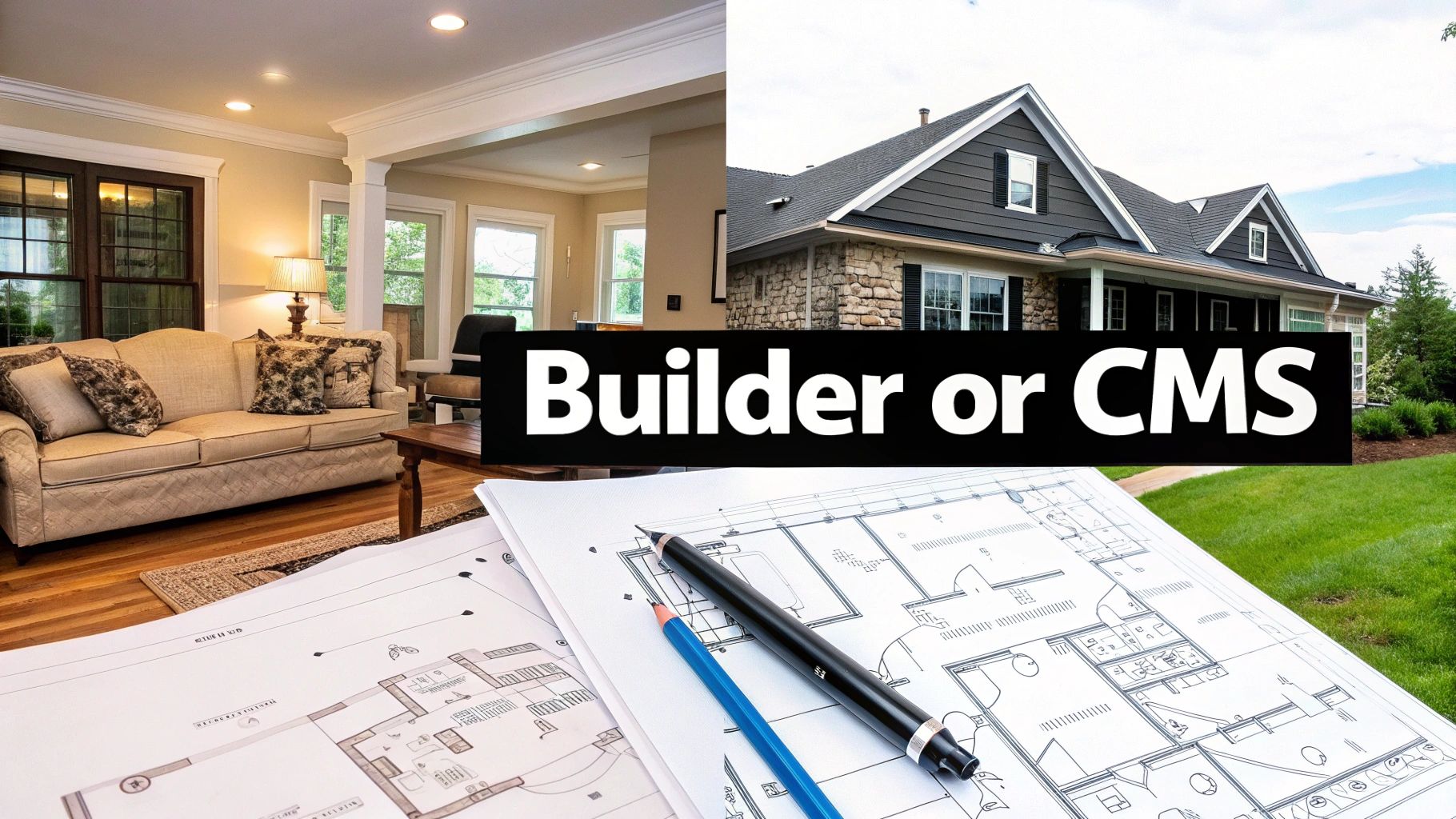
The choice between a website builder and a CMS really boils down to a classic trade-off: simplicity versus control. One gives you a fast, all-in-one package, while the other offers a blank canvas for building something truly custom and scalable.
Framing Your Website Platform Decision
Making the right call between a website builder and a CMS is one of those foundational decisions that will shape your entire online presence. It impacts how you build, how you manage content, and how you grow down the line.
Let's break it down with an analogy.
Think of a website builder as leasing a fully furnished, all-inclusive apartment. It's move-in ready, maintenance is handled for you, and the whole process is incredibly fast. You get a great-looking space with almost no fuss. The catch? You can't knock down walls or overhaul the plumbing. Your customization is limited to what the landlord allows.
A Content Management System (CMS), on the other hand, is like buying a plot of land and building your own house. You have total freedom over the blueprint, the materials, and any future additions. You can build a cozy cottage or a sprawling mansion—whatever you can dream up. But with that ultimate control comes greater responsibility. You're in charge of the foundation, security, and all the upkeep needed to keep your house in top shape.
Key Trade-Offs to Consider
This decision really forces you to think about what you value most right now versus what you might need later. Are you prioritizing a quick launch with minimal technical headaches? Or is complete creative freedom and the power to scale without limits the bigger priority?
Nailing this core difference is the first step. To dig deeper, it helps to see what these platforms offer in the real world. A good place to start is by looking at detailed website builder reviews, which can give you a feel for their features, pricing, and overall user experience.
This isn't about which option is universally "better." It's about finding the best fit for your specific goals, your comfort level with technology, and your vision for the future. Getting this right from the start saves you from painful and expensive migrations later on.
To make this even clearer, here's a quick side-by-side look at the main differences.
Quick Comparison Website Builder Vs CMS
This table sums up the high-level distinctions between the two approaches.
| Feature | Website Builder | CMS (Content Management System) |
|---|---|---|
| Ease of Use | Very high (drag-and-drop, no code needed) | Moderate to high (requires some learning) |
| Technical Skill Required | None to minimal | Basic web knowledge is helpful; can be complex |
| Setup Speed | Very fast (hours to a few days) | Slower (days to weeks, depending on complexity) |
| Flexibility & Customization | Limited to platform's templates and tools | Nearly limitless (custom code, plugins, themes) |
| Hosting | Included (all-in-one package) | Self-hosted (you choose and manage your hosting) |
| Maintenance | Handled by the provider | Your responsibility (updates, security, backups) |
| Best For | Beginners, small businesses, portfolios, simple sites | Blogs, complex sites, e-commerce, custom applications |
As you can see, the path you choose depends entirely on the balance you want to strike between convenience and capability.
What Is a Website Builder

Think of a website builder as a complete, all-in-one toolkit for getting online. It neatly bundles everything you need—hosting, security, design templates, and editing tools—into a single, user-friendly subscription. This approach strips away the technical headaches that used to make building a website so intimidating.
The whole point is to make web creation accessible to everyone. These platforms are designed for small business owners, artists, and anyone who needs a professional web presence but doesn't have the time or desire to learn code. It's a fully managed environment where the provider handles all the tricky backend stuff for you.
The WYSIWYG Experience
At the core of every modern website builder is its visual editor, which tech folks call a WYSIWYG (What You See Is What You Get) editor. This interface is the magic behind the curtain, letting you build pages by dragging and dropping elements like text boxes, images, and buttons exactly where you want them.
Platforms like Wix and Squarespace have turned this into an art form. You're essentially working on a live preview of your site, so every change you make appears instantly. This visual feedback makes the process feel more like designing a slide deck than writing complex code. You can find more details on these tools in our collection of website builder and CMS resources.
A website builder’s main promise is to remove friction. It manages all the technical details—server updates, security patches, performance—so you can focus entirely on what you do best: creating great content and running your business.
Key Characteristics of a Website Builder
This all-in-one model delivers some clear benefits, especially for those who value speed and simplicity over getting bogged down in technical details.
- All-Inclusive Package: Your subscription fee typically covers hosting, a domain name (often free for the first year), an SSL security certificate, and customer support. It’s all rolled into one predictable cost.
- Template-Based Design: You get a head start with professionally designed templates. From there, you just customize the colors, fonts, and content to match your brand, giving you a polished look without needing a designer.
- No Technical Maintenance: The platform handles all software updates, security monitoring, and server maintenance behind the scenes. It’s about as "set it and forget it" as it gets.
This streamlined model has opened the door for millions to create their own websites. It's important to remember, though, that it's not the only option. In fact, around 29.6% of websites don't use a formal CMS or builder at all, which shows that custom-coded sites still have their place.
Understanding the Power of a CMS
A Content Management System (CMS) isn't just a tool; it's a software framework built for digital projects with big ambitions. Think of it as the engine for sites that need serious flexibility and the room to grow. It works on a fundamentally different principle than a website builder by separating the content from the presentation.
Let's use an analogy. Picture a massive, well-organized library. The CMS is the library’s entire operational system—the card catalog, the databases, the checkout process. Your content (blog posts, product info, images) are the individual books. The design of your website is simply the physical layout of the library itself—the shelving, the lighting, the signs on the walls.
This separation is the single most important concept to grasp. It means you can completely redesign the library's layout (your website) without ever having to rewrite a single book (your content). This is what gives a CMS its incredible power for customization and its ability to manage thousands, or even millions, of content pieces without breaking a sweat. For a great breakdown of this idea, check out this guide on What Is a Content Management System.
The WordPress Ecosystem Example
When people talk about a CMS, WordPress is almost always the first example that comes to mind, and for good reason. What started as a straightforward blogging tool has grown into a powerhouse that runs everything from huge online magazines to massive e-commerce stores.
The secret to its success is its open-source foundation. This has fostered a global community of developers who have created a sprawling ecosystem of plugins and themes. Need a specific function? There's probably a plugin for that. Want a new look? There are thousands of themes.
This model is clearly working. Today, a CMS powers an incredible 68.7% of all websites on the internet. That's more than 80 million live sites built on platforms designed for this kind of flexibility, highlighting just how essential they are.
The core strength of a CMS is its architecture. By splitting content from design, it creates a scalable foundation that can evolve as your project grows, giving you long-term control and adaptability.
Control Comes with Responsibility
Of course, all that power and control comes with a trade-off: a steeper learning curve. Unlike a simple builder that handles everything for you, a CMS like WordPress puts you in the driver's seat. This means you're responsible for a few key things.
- Hosting: You need to choose, purchase, and set up your own web hosting service.
- Security: You are responsible for protecting your site with security plugins and following best practices.
- Maintenance: It’s up to you to keep the core software, themes, and plugins updated to maintain performance and patch vulnerabilities.
Yes, this requires more hands-on work. But in return, you get complete ownership and the freedom to build a digital presence with virtually no limitations. Understanding the specific content management system features will show you exactly what tools give you this level of control. Ultimately, the decision between a website builder and a CMS comes down to balancing this very trade-off between convenience and capability.
Comparing Features and Flexibility
When you're standing at the crossroads of choosing between a website builder and a CMS, the real decision comes down to their features and, more importantly, their flexibility. Both can get you a functional website, but the journey and the final destination are worlds apart. One path is a paved, straightforward road, while the other is more like an open field where you can build your own path.
Website builders are all about speed and simplicity. Their biggest draw is the what-you-see-is-what-you-get (WYSIWYG) visual editor. You drag, drop, and see your site come to life in real-time. It’s an incredibly intuitive process, designed for anyone to pick up and run with, no coding required.
A CMS, on the other hand, takes a more modular, powerful approach. Yes, there's a bit of a learning curve. You'll need to get comfortable with a backend dashboard, figure out themes, and learn the power of plugins. But that initial effort unlocks a world of near-limitless customization. It's the classic trade-off: immediate ease versus long-term potential.
This infographic breaks down some of the key numbers for a typical website builder, zeroing in on how quickly you can get set up and what tools you have at your disposal.
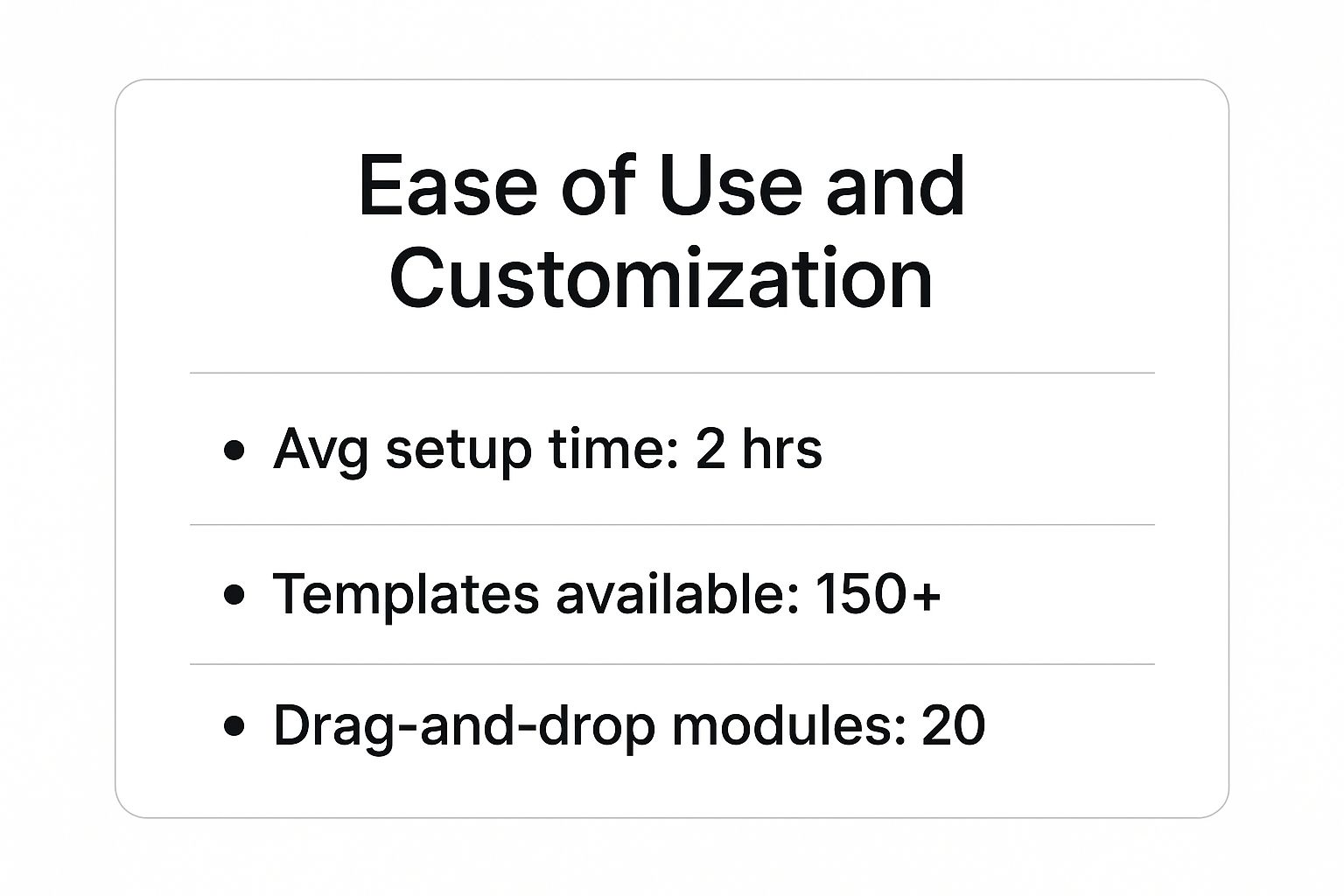
As the data shows, a builder’s strength lies in getting you online fast with a curated toolkit designed for pure efficiency.
To really get to the heart of the matter, let's break down the key differences in a more direct comparison.
Detailed Feature Comparison Builders Vs CMS
The table below offers a side-by-side look at how these two types of platforms stack up on specific, crucial aspects of building and managing a website.
| Aspect | Website Builder (e.g., Wix, Squarespace) | CMS (e.g., WordPress) |
|---|---|---|
| Ease of Use | Very high. Intuitive drag-and-drop interfaces. No technical skill needed. | Moderate learning curve. Requires understanding of a dashboard, themes, and plugins. |
| Design Control | Limited to platform-provided templates and customization options. | Nearly unlimited. Use thousands of themes, customize code, or build from scratch. |
| Functionality | Built-in features, with a limited app market. Custom features are difficult. | Limitless via plugins. Add e-commerce, forums, SEO tools, and more. |
| Hosting | Included. The platform handles all hosting, security, and maintenance. | Self-hosted. You choose your hosting provider and are responsible for maintenance. |
| Data Ownership | You're essentially "renting." Migrating your site can be very difficult or impossible. | You own 100% of your data and files. You can move to any host at any time. |
| Scalability | Good for small to medium sites. Can be limited by the platform's infrastructure. | Highly scalable. You can upgrade hosting and add resources as your site grows. |
| Cost Structure | All-in-one monthly/annual subscription fee. Predictable but can be limiting. | Lower initial cost (software is free), but expenses include hosting, themes, plugins. |
| Support | Direct customer support (chat, email, phone) is typically included. | Community-based support (forums) and documentation. Paid support is often extra. |
This breakdown makes it clear: the "better" option is entirely dependent on your specific needs, skills, and long-term goals.
Design Freedom and Customization
Think of a website builder as a furnished apartment. It looks great, it’s move-in ready, and you can hang pictures and move the furniture around. But you can't knock down a wall. You work within the structure provided by the pre-designed templates. This is fantastic for getting a polished, professional look off the ground in no time. The catch? If your vision doesn't fit the floor plan, you might feel boxed in.
A CMS like WordPress is more like buying a plot of land. You have total architectural freedom.
- You can pick from thousands of pre-built "blueprints" (themes) and modify them to your heart's content.
- You can hire an architect and build a completely custom home from the ground up (custom theme).
- You can even use tools like the Elementor page builder plugin to get that visual, drag-and-drop experience but with far fewer constraints than a standard website builder.
This level of control is non-negotiable for brands that need to forge a unique digital identity or require specific functionality that you just can't find in a template.
Scalability and Growth Potential
Scalability is where the two paths really diverge. Website builders are perfect for small to medium-sized projects—portfolios, personal blogs, or the online presence for a local business. But what happens when your traffic explodes or your business needs more complex features? You might hit a ceiling. The platform's own infrastructure determines your site's performance, leaving you with few options to optimize for heavy traffic or add custom functionality.
A CMS, however, is built with growth in mind. Because you control the hosting, you can easily scale up your server resources as traffic spikes. The entire system is built on an open architecture, meaning you can bolt on almost any feature imaginable through plugins—from sophisticated e-commerce storefronts to entire social networks. If you're exploring the most advanced content architectures, our headless CMS comparison dives into solutions built for massive scale.
The core question is whether you need a tool that solves today’s problem with maximum efficiency or a framework that can adapt to any problem you might face tomorrow. One offers convenience, the other offers possibility.
Data Ownership and SEO
Finally, let's talk about ownership—a crucial point that's often overlooked. When you use a website builder, you are effectively a tenant. Moving your website to another platform is notoriously difficult, if not impossible, as most builders don't provide a simple way to export your content and design.
With a self-hosted CMS, you are the homeowner. You own everything: your domain, your website files, and all your data. This complete ownership gives you the freedom to pack up and move to a new host whenever you want, no questions asked.
From an SEO perspective, this control also matters. CMS platforms generally provide more granular control over your site's optimization. Powerful plugins like Yoast SEO for WordPress allow for advanced tweaks and configurations that often go beyond the built-in SEO tools offered by website builders. For niche industries, like vacation rentals, the specific features of a builder can be a deciding factor; this review of the best vacation rental website builder tools offers a great look at what to expect.
Which Platform Is Right for Your Project
The classic "website builder vs. CMS" debate isn't about finding the best tool, but the best tool for you. It's a decision that hinges entirely on your project's scope, your comfort with technology, and what you see for your website down the road.
Let’s get practical. Website builders shine when speed, simplicity, and low maintenance are the name of the game. They’re fantastic for projects with a clear, defined scope.
For instance, a freelance photographer needing a polished portfolio, a local restaurant wanting to post its menu and hours, or a consultant showcasing their services can get online fast with a builder. The goal is a professional presence, right now. For a deeper dive into this, our guide on choosing a website builder for small business has some great, targeted advice.
When a CMS Becomes Essential
On the other hand, a CMS is the clear winner for projects designed for scale, complexity, and total control. If your roadmap includes massive growth or highly custom features, you need the raw, flexible power that only a CMS can provide.
Think of a bustling e-commerce store with thousands of products and a unique checkout process. Or a digital magazine with multiple authors and intricate content approval workflows. These ambitious projects would hit a wall with a builder's limitations almost immediately. A CMS gives you the architectural freedom to build without a ceiling.
The decision really boils down to this: Are you launching a specific, well-defined project, or are you building a foundation for something that will grow and evolve? Your answer almost always points to the right tool.
A Checklist for Making Your Decision
To make this choice a little easier, run through these questions. Your honest answers should make the path forward pretty clear.
- What’s my budget for the next three years? Don't just think about the setup cost. Factor in recurring subscription fees for a builder versus the combined cost of hosting, premium plugins, and potential developer help for a CMS.
- How much hands-on control do I actually need? Do you want the complete freedom that comes with managing your own security and updates, or would you rather have those technical tasks handled for you in a managed environment?
- What's my real plan for growth? Be honest. Do you realistically see your content, traffic, or feature needs exploding over the next five years?
- How critical is data portability? Is owning your content and having the freedom to pack up and move to a new host at any time a non-negotiable for your business?
Thinking through these points will help you pick the right tool for the job. It's about building your website on a foundation that supports your goals—not just for today, but for years to come.
Why WordPress Runs the Show
https://www.youtube.com/embed/k99b0Q2lobU
You can't really talk about content management systems without talking about the undisputed king of the hill: WordPress. What started out as a humble tool for bloggers has ballooned into the engine behind a staggering 43.4% of the entire internet. Let that sink in for a moment. Nearly half of the web runs on this platform.
That kind of growth doesn't happen by accident. It's built on two foundational pillars: being open-source and fostering a massive community. Because the core software is free for anyone to use and modify, it's attracted a global army of developers who are constantly building, improving, and securing it. This collaborative spirit is its secret sauce.
It’s All About the Ecosystem
This open-source approach has given birth to an ecosystem that no other platform can touch. We're talking about a library of over 50,000 plugins and an endless sea of themes. Whatever you can dream up, there's probably a tool for it.
This is where the line between a website builder and a powerful CMS like WordPress becomes crystal clear. You aren't stuck with a pre-set menu of features. Instead, you can bolt on powerful new capabilities as you need them:
- Sophisticated tools for SEO
- Full-blown e-commerce operations
- Private membership sites and community forums
- Intricate booking and scheduling systems
This is the heart of the WordPress promise: limitless customization. It’s why it’s the go-to for anyone who values long-term flexibility, complete ownership of their data, and zero compromises.
When you look just at the CMS market, its dominance is even more stark. WordPress commands a massive 61.7% to 63.5% market share, meaning nearly two out of every three websites built with a CMS use it. You can dig deeper into these CMS market share trends to see just how far ahead it is.
Ultimately, this incredible adaptability is what allows WordPress to power everything from a simple personal blog to a massive corporate enterprise. It’s the platform for people who never want to be told, "You can't do that."
Frequently Asked Questions
Alright, let's get into the questions I hear all the time. Choosing between a website builder and a CMS brings up some very real concerns about money, future growth, and just how hard this is all going to be. Let's clear the air so you can make a call you feel good about.
What's This Really Going to Cost Me in the Long Run?
Don't let the sticker price fool you. A website builder like Squarespace or Wix looks simple with its predictable monthly or annual fee. But watch out—those costs creep up when you need premium features or your traffic starts to grow. It’s not uncommon for top-tier plans to run over $50 per month.
On the other hand, a CMS like WordPress.org is technically free. But "free" is a bit of a misnomer. You have to pay for hosting, which can range from $10 to $100+ per month. Then you'll likely want a premium theme and a few essential plugins. If you ever need a developer, that’s another cost. Over a few years, a complex CMS site can end up costing more than a builder, but what you're paying for is nearly infinite room to grow.
The real number to focus on isn't the startup price. It’s the total cost of ownership over the next three to five years. Add up everything: subscriptions, tools, and any help you might need to hire.
How Painful Is It to Switch Platforms Later?
Let's be blunt: moving your website is a major project, and it’s rarely easy.
Trying to move off a website builder and onto a CMS is a nightmare. Builders are designed as closed systems. Getting your design, content, and all your website's plumbing out is next to impossible. You're almost always looking at a complete, manual rebuild from square one.
Moving from one CMS to another, or just to a new web host, is much more straightforward. You own all the data and files, so you can pack them up and take them with you. It's still a technical process, mind you, but it’s a well-trodden path with plenty of tools and guides to help you do it.
I'm a Complete Beginner. What Should I Choose?
If you have absolutely zero technical experience and the thought of code makes you sweat, a website builder is your best friend. The drag-and-drop editors, built-in hosting, and customer support are designed to get you from zero to a professional-looking site in a single afternoon.
But… if you’re a beginner who’s genuinely curious and willing to learn, starting with a CMS like WordPress is a smart long-term play. Yes, the learning curve is steeper at the beginning. But you’ll be building on a platform that will never hold you back, no matter how big your ambitions get.