Headless CMS Comparison Your Definitive Guide
Struggling to choose a platform? Our in-depth headless CMS comparison breaks down top options and real-world use cases to help you find the perfect fit.

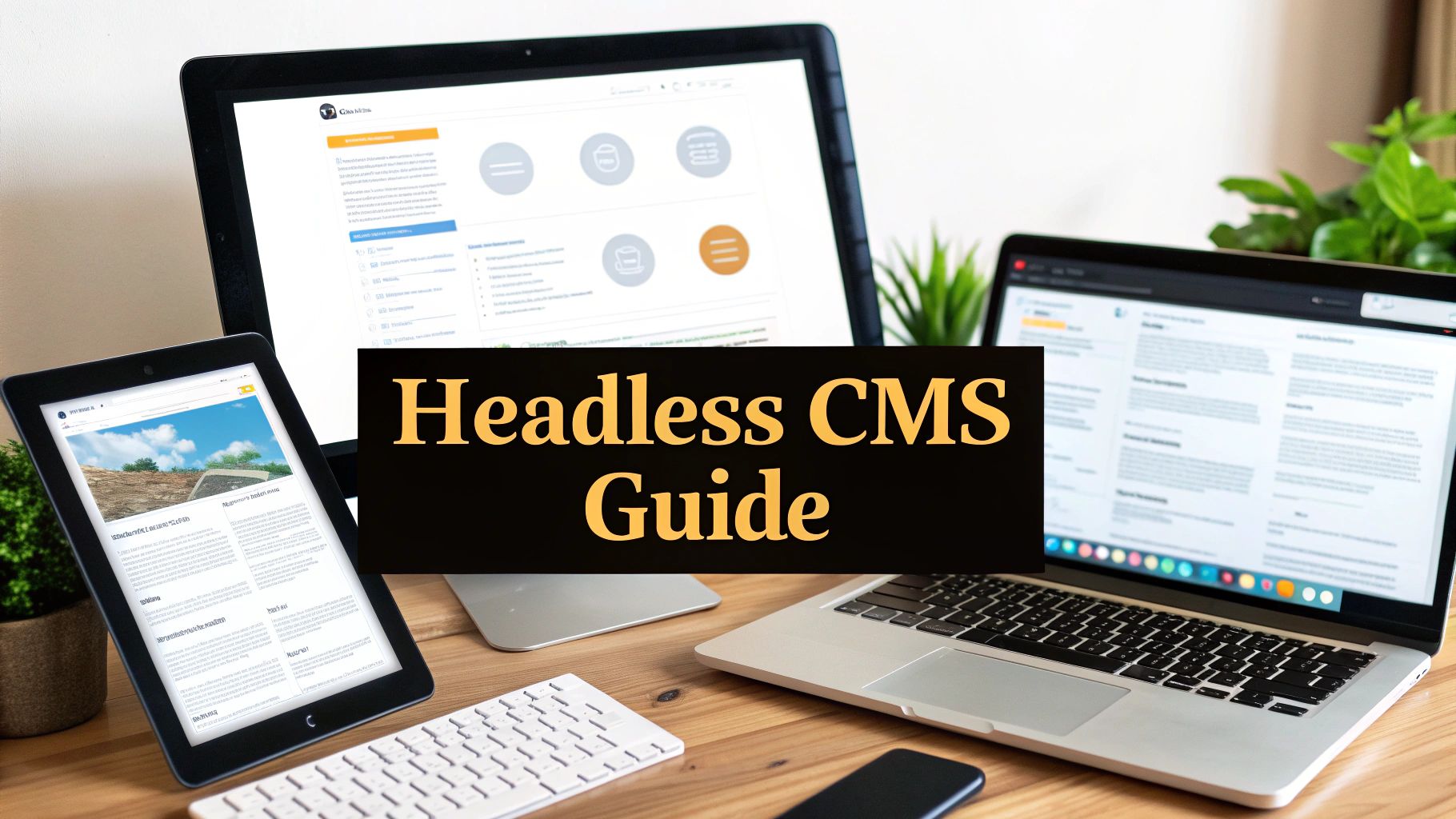
When you start comparing headless CMS options, the core difference from a traditional system like WordPress really comes down to flexibility versus simplicity. Traditional platforms neatly package your content and design together. A headless CMS, on the other hand, rips them apart.
This separation is its superpower. It lets you use a single source of truth for your content to power a website, a mobile app, and even an in-store kiosk—all at the same time. The API-first approach gives your developers total freedom, but it definitely requires more technical muscle to set up.
Why Headless CMS Is More Than Just a Buzzword
The move away from monolithic, all-in-one systems isn't just some trend developers are chasing; it's a genuine strategic shift for businesses. Old-school content management systems were designed for a much simpler era when your company website was your only digital front door. That's just not the world we live in anymore.
Today, you have to meet your customers wherever they are. This is where the real value of a headless CMS shines. It functions as a central content repository that can push information out to any front-end application you can dream up, all through an API. It's the key to maintaining a consistent, coherent brand experience across every single touchpoint.
The Business Drivers Behind Going Headless
The momentum here is impossible to ignore. The global headless CMS market is expected to jump from USD 973.8 million in 2025 to a staggering USD 7.11 billion by 2035. That's a compound annual growth rate of 22.6%. This explosion is being driven by one thing: the urgent need to deliver content everywhere.
So, what's really pushing companies in this direction?
- Omnichannel Presence: You can finally deliver content from one backend to websites, native mobile apps, IoT devices, or even AR/VR experiences without breaking a sweat.
- Developer Freedom: Your team is no longer locked into a clunky theme or proprietary template system. They can use modern, high-performance frameworks like React or Vue.js to build exactly what they want, how they want.
- Future-Proofing Your Content: Decoupling the content from its presentation layer means you can completely redesign your website in two years without having to migrate or rework a single piece of content.
This isn't just about adopting new tech for the sake of it. It's about fundamentally adapting to the way people find and consume information now.
If you're just starting to look into this, our curated collection of headless CMS tools is a great place to begin your research: https://www.contenttoolkit.co/collections/headless-cms.
How to Properly Evaluate a Headless CMS
Choosing the right headless CMS goes way beyond comparing feature lists on a pricing page. You need to dig into the core components that will actually impact your teams every single day. A structured evaluation is the only way to avoid getting locked into a platform that looks great in a sales demo but falls flat in the real world. The goal is to find a system that makes life easier for both your developers and your content editors.
Start with the Developer Experience
For your engineering team, it all comes down to the API. A well-documented, flexible API—whether it’s REST or GraphQL—is the foundation for development speed and future scalability. If the API is poorly designed, you’re just signing up for technical debt and a long list of frustrating workarounds.
A critical part of your headless CMS comparison has to involve your developers getting their hands dirty. Let them test the APIs and play with the SDKs to see how usable they are in a practical sense.
A platform's true power is revealed in its developer experience. If your engineers are struggling with convoluted documentation or inflexible APIs during a simple trial, imagine the headaches once a real project is on the line.
The community around a platform can also be a telling sign. The image below uses GitHub stars as a rough proxy for developer adoption and interest in some popular platforms.
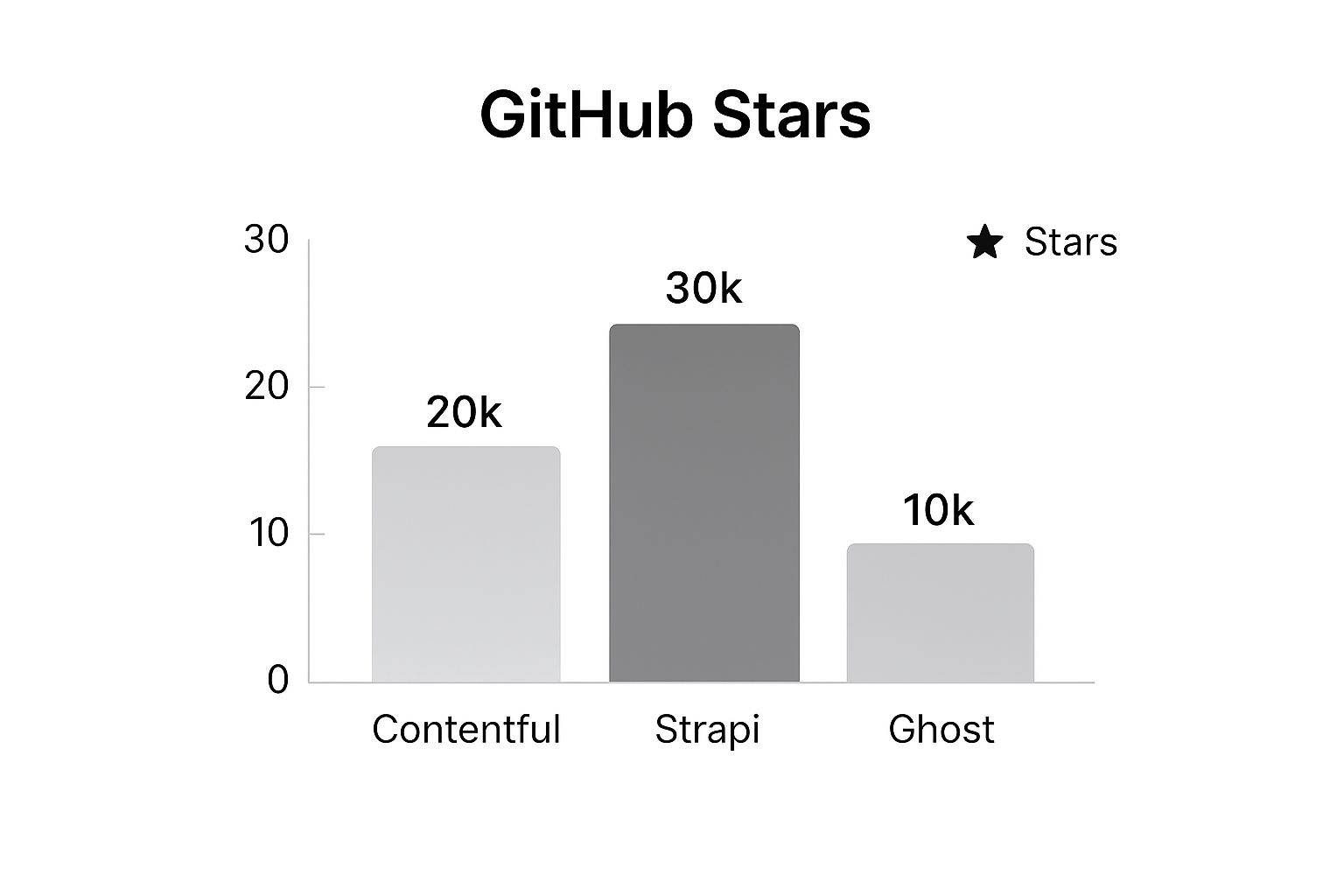
While stars aren't a direct measure of quality, a strong developer community often means better unofficial support, more third-party integrations, and a healthier ecosystem overall.
Don't Forget the Content Editor Experience
Now for the other side of the coin: your content team. The most elegant backend in the world is completely useless if marketers and editors can't stand using it. A clunky interface inevitably leads to slow content updates and a constant reliance on developers for even the smallest changes, which defeats the whole purpose of a CMS.
When you're vetting different platforms, make sure you focus on features that empower the content team:
- Intuitive Content Modeling: Can a non-technical user actually structure new content types on their own? Or does it feel like they need a developer looking over their shoulder?
- Live Previews: This is a big one. Does the system give editors a reliable way to see what their content will look like on the website before hitting publish? For most marketing teams, this is non-negotiable.
- Collaboration Tools: Look for built-in features like commenting, granular user roles, and content approval workflows. These are essential for managing a real content pipeline.
Most vendors offer a free tier or a trial period—use it. Run a small proof-of-concept (PoC) and have your content team perform their daily tasks. Ask them to create a blog post, update a landing page, or add a product. Their feedback is just as crucial as any technical deep-dive.
If you're looking for maximum control and are considering self-hosting, there are some fantastic open-source headless CMS options available that are worth exploring.
A Scorecard for Objectivity
To keep your evaluation structured and data-driven, I recommend using a simple scorecard. It helps remove bias and ensures you're comparing each platform against the criteria that actually matter to your business.
Headless CMS Evaluation Scorecard
| Feature/Criterion | Importance (1-5) | Platform A Score (1-5) | Platform B Score (1-5) | Notes |
|---|---|---|---|---|
| API Quality (GraphQL/REST) | 5 | e.g., "GraphQL is well-documented but REST API is limited." | ||
| Content Modeling Interface | 5 | e.g., "Team found it very intuitive." | ||
| Live Preview Functionality | 4 | e.g., "Works, but setup requires developer time." | ||
| Collaboration & Workflows | 3 | e.g., "Good user roles, but no commenting." | ||
| SDKs & Documentation | 5 | e.g., "Excellent React SDK, but Python docs are weak." | ||
| Scalability & Performance | 4 | e.g., "Asset handling seems fast." | ||
| Integration Ecosystem | 3 | e.g., "Has Zapier, but no native Salesforce app." | ||
| Pricing Model & TCO | 4 | e.g., "Pay-as-you-go is good, but API call limits are a concern." |
By the end of this process, you’ll have a clear, objective view of which platform truly fits your team's needs, rather than just the one with the slickest marketing.
Comparing the Top Headless CMS Platforms
When you start looking at the leading headless platforms, one thing becomes crystal clear: there's no single "best" choice. There's only the best fit for your project and your team. A real-world headless CMS comparison isn't about ticking off feature boxes; it's about digging into what your team actually needs to get work done.
Think about it this way. An e-commerce giant managing a massive product catalog across several international storefronts has a completely different set of priorities than a small marketing team that just wants to launch a sleek, fast blog. The former needs iron-clad content modeling and enterprise-level performance, while the latter would probably trade all of that for a great visual editor.
The market's rapid growth reflects this shift in thinking. By 2025, headless platforms are on track to make up about 71.2% of the entire CMS market. We're already seeing 73% of businesses running on headless architectures, which is a big 14% jump from 2021. And it’s not just the big players—53% of smaller companies have already made the switch.
Choosing Based on How You Work
To make a smart decision, let's break this down by practical scenarios.
If you have a developer-driven team that craves total control and customisation, an open-source option like Strapi is a serious contender. It’s self-hosted and database-agnostic, giving your developers the keys to the kingdom when it comes to building custom APIs from scratch. The screenshot above gives you a glimpse of its clean, highly configurable admin panel. That level of control is perfect for projects with complex or non-standard data structures.
The most important question isn't "Which CMS has the most features?" It’s "Which CMS has the right features to empower my team?" A fancy visual editor is a distraction if your developers need API flexibility, and a powerful API is overkill if your marketers just want to build landing pages without filing a ticket.
Now, if you're looking for something geared more toward business users and content teams, platforms like Storyblok and Contentful enter the conversation.
- Storyblok really stands out with its visual editor. It gives content editors a live preview that feels a lot like a traditional CMS, which can be a huge win for teams coming from WordPress. This makes it a fantastic choice for content-heavy marketing sites where editors need to build and shuffle components on a page without a developer’s help.
- Contentful has carved out its space as the enterprise-grade solution for large-scale, multi-channel content. Its robust workflows, mature app marketplace, and reliable performance make it a go-to for global teams pushing content to websites, mobile apps, and beyond.
Ultimately, your headless CMS comparison has to mirror your team’s workflow and technical chops. If you’re leaning toward a highly customizable route, our in-depth look at Strapi can give you more detail. By matching a platform's strengths to what your project actually demands, you’ll make a choice that genuinely helps you move faster.
Let's be honest, moving to a headless architecture is a big project. You're right to ask: what's the actual business case? What’s the real payoff?
Beyond the technical jargon that gets developers excited, the decision to go headless delivers tangible results you can see on a balance sheet. Think of it as a strategic investment in your company's agility and performance.
The True Business Impact of Going Headless
One of the first things you'll notice is a massive boost in your time-to-market. When you decouple the front end from the back end, your teams are suddenly untethered. Developers can build out new features and user experiences without waiting for marketing to finalize content. At the same time, marketers can launch campaigns and update messaging without having to get into a developer's deployment queue. They can just work in parallel.
From Speed to Revenue
This newfound speed isn't just about making your internal processes smoother; it directly impacts your revenue. Imagine launching products faster, rolling out seasonal campaigns in a fraction of the time, and A/B testing new digital experiences on the fly. These are the kinds of opportunities that monolithic systems often make frustratingly slow or impossible.
For online retailers, this agility is a game-changer. Take a look at some of the top e-commerce CMS solutions out there to see how this kind of flexibility directly influences sales and growth.
Performance is the other huge piece of the puzzle. Headless setups are built for modern, lightweight front ends that load in a flash.
Better performance isn't just a "nice-to-have." A faster website leads to higher conversion rates, improved SEO rankings, and a better overall user experience, all of which contribute to increased customer loyalty and revenue.
The Numbers Don't Lie
This isn't just theory; the data backs it up. Recent studies paint a pretty clear picture of the benefits.
- A whopping 69% of headless CMS users report faster time-to-market and a big jump in team productivity.
- 58% see a direct improvement in their site's performance.
- 57% are able to deliver better personalization and a more refined user experience.
On top of that, the decoupled nature adds a layer of security, a key benefit that 50% of adopters pointed out. You can dig into more of these headless CMS statistics on storyblok.com if you want to see the full scope.
Ultimately, any headless CMS comparison needs to be grounded in these business outcomes. The initial investment pays off by reducing long-term risk, making your teams more effective, and building a digital foundation that's actually ready for whatever comes next.
Making Your Final Choice and Planning the Move

You’ve done the research and narrowed down your headless CMS options. But picking a winner is really only half the battle. What comes next—the actual planning and migration—is where the project truly succeeds or stumbles.
Before you even think about signing a contract, you absolutely must run a proof-of-concept (PoC). This is a non-negotiable final test.
Take your top one or two contenders and build a small, functional slice of your project. Have your team try to replicate a core user journey or a key content type. This kind of hands-on test is invaluable; it will quickly expose any clunky APIs or awkward editor experiences that a polished sales demo would never reveal.
Building Your Migration Roadmap
Once you've made your final decision, it's time to build a solid migration plan. I've seen too many teams underestimate the effort required here, and it's almost always a costly mistake. A smooth transition depends on getting a few key things right from the start.
Your roadmap needs to cover a few critical areas:
- Content Modeling Strategy: Don't just lift and shift. Map every content type from your old system to the new one, but use this as an opportunity to clean house. Ditch legacy fields and design a more logical, future-proof content architecture.
- Data Transfer Plan: How will you get your existing content from point A to point B? Your options range from fully automated scripts to painstaking manual entry, or some hybrid of the two. The right choice depends on your content volume and complexity.
- Team Training: This part is crucial. You need to schedule dedicated training sessions for both your developers and your content editors so they can get comfortable with the new platform’s features and workflows.
A well-planned migration focuses as much on people and processes as it does on technology. Empowering your teams with proper training from the start ensures a smoother adoption and a faster return on your investment.
With the CMS locked in, the conversation naturally shifts to your frontend stack. This involves decisions like choosing between popular UI libraries like Ant Design and Material UI to ensure your user interface is just as robust as your new backend.
If you're looking for a platform that strikes a great balance between developer power and a clean UI for content teams, our https://www.contenttoolkit.co/tools/directus is worth a read.
Still Have Questions?
Even after digging into a detailed comparison, you probably still have a few questions rattling around. That's perfectly normal. Let's tackle some of the most common ones I hear from teams trying to make the right choice.
What's the Real Difference Between Headless and Traditional CMS?
Think of a traditional CMS like WordPress as an all-in-one package. The backend where you write your posts is permanently attached to the front-end theme that your visitors see. They're a single, tightly-knit unit.
A headless CMS, on the other hand, completely blows that model apart. It's a pure content hub—nothing more. It holds all your text, images, and data, but it doesn't care what the final product looks like. The "head" (the website, the app, the smartwatch screen) is completely separate and pulls content on demand via an API.
This approach gives your developers the freedom to build with whatever modern tools they want. You can power a blazing-fast website, a native mobile app, and even a digital kiosk, all from one central content source. That's a level of flexibility you just can't get with a traditional setup.
Does a Headless CMS Cost More Than Something Like WordPress?
This is the classic "it depends" answer, but I can give you a better framework for thinking about it. While WordPress itself is free, the total cost is what matters. You have to factor in hosting, premium plugins that can run you hundreds of dollars, constant security updates, and the developer hours needed to wrangle a clunky theme.
Most headless platforms are SaaS products, with monthly or annual fees based on your usage—things like user seats, API calls, or content entries.
So, if you're just running a simple personal blog, a self-hosted WordPress site will almost certainly be cheaper upfront. But for a growing business that needs to be on multiple channels, a headless CMS often provides a far better return on investment over the long haul. Why? Because you'll see massive gains in performance, security, and developer productivity.
Do I Absolutely Need a Developer?
For the initial build, yes. There's no getting around it. A headless CMS is just the content engine; it doesn't come with a pre-built website. You need a developer to design and build that front-end experience and then connect it to the CMS's API to pull in the content.
But here’s the crucial part: once that initial setup is done, a good headless CMS is a dream for non-technical folks. Marketers and content creators can jump in and manage everything—publishing blog posts, updating landing pages, adding new products—without ever having to write a line of code or bug a developer.
Is a Headless CMS Any Good for SEO?
It’s not just good; it can be a game-changer for your SEO. This is one of the most compelling reasons teams make the switch.
Because the front-end is completely separate, your developers can use modern frameworks built for pure speed, like Next.js or Nuxt. Site speed is a massive ranking factor for Google, and a headless architecture gives you a serious competitive advantage right out of the gate.
And don't worry, the CMS itself has all the standard SEO fields you'd expect—meta titles, descriptions, alt text, you name it. The API delivers all that data cleanly, giving your SEO team full control over the technical implementation without being boxed in by the limitations of a rigid theme.