Compare Content Management Systems to Find Your Fit
Compare content management systems with our in-depth analysis of features, pricing, and use cases. This guide helps you choose the right CMS for your needs.


When you start to compare content management systems, it’s easy to get lost in feature lists. But the real evaluation comes down to how a platform’s core design matches your actual needs. The fundamental split is between traditional systems like WordPress, which package everything neatly, and headless systems like Contentful, which separate your content from its presentation for ultimate flexibility. The right choice for you hinges on a single question: do you need all-in-one simplicity or multi-channel freedom?
Choosing the Right Digital Foundation for Your Business

Picking a Content Management System (CMS) is far more than a technical task; it's a strategic decision that sets the course for your entire digital presence. This isn't just about publishing blog posts. It's the very engine that drives customer experiences, connects with your marketing tools, and underpins your future growth.
The market for these platforms has exploded, a clear signal of how essential they've become. Projections show the global CMS market hitting $54 billion by 2025. While large enterprises currently command 67.3% of that market, the real story is the rapid adoption among small and medium businesses, which are now the fastest-growing segment.
This guide is designed to cut through the noise with a structured, analytical comparison of the top platforms out there. To get started, you first need to grasp the different philosophies—or architectures—that define how a CMS works.
Core CMS Architectures Explained
Understanding the basic architecture is your first and most important step. Each type is built for a different strategic purpose. If you're new to this, our detailed guide on what is a CMS offers a much deeper look into these ideas.
For now, here’s a quick rundown of the main categories:
| CMS Type | Core Concept | Best For |
|---|---|---|
| Traditional (Monolithic) | The content database (back-end) and the website design (front-end) are fused into a single, integrated system. | Straightforward websites, blogs, and small business sites where getting up and running quickly is the main priority. |
| Headless (API-First) | The back-end content "body" is completely detached from any front-end "head." Content is fetched via an API for any channel. | Pushing content to multiple places at once (web, mobile apps, kiosks, etc.) and projects that demand total creative control over the front-end. |
| Hybrid (Decoupled) | A middle ground. The back-end and front-end are separate, but the CMS still offers some built-in presentation tools and templates. | Businesses that need more flexibility than a traditional system but aren’t ready to build a front-end completely from scratch. |
The 'best' CMS doesn't exist in a vacuum; it’s entirely contextual. A platform that gives a developer API-first freedom could easily overwhelm a small business owner who just needs a dependable website builder.
Your specific goals, your team's technical skills, and your long-term growth plans are the only criteria that matter. This guide will give you the framework to properly analyze leading contenders like WordPress, Shopify, and Contentful, so you can build on a foundation that truly supports your vision.
Setting Up Your CMS Evaluation Framework
Before you even look at a single CMS demo, you need a plan. Diving into platform comparisons without a solid framework is like trying to build a house without a blueprint. You’ll get lost in flashy features and forget what you actually need.
Think of this as creating your own personalized scorecard. By defining your core needs first, you ensure the platform you ultimately choose will be a powerful tool for your business, not just another piece of software you have to wrestle with.
User Experience and Ease of Use
The first thing to consider is how the platform feels to use. A CMS packed with features is completely useless if your team dreads logging into it. The interface has to make sense for everyone who will touch it, from your most technical developer to your marketing intern.
Ask yourself some practical questions. How many clicks does it take to create, edit, and publish a blog post? Can a marketer spin up a new landing page on their own, or do they need to file a ticket with the IT department? A steep learning curve kills productivity and leads to a system no one wants to use, defeating the whole purpose.
A great CMS empowers your content team; it doesn't create roadblocks. The right platform should make creating and managing content feel intuitive, not like a chore.
Core Features and Functionality
While a great user experience is non-negotiable, the CMS also has to deliver the goods right out of the box. Start by making a simple list of your absolute must-haves.
Key features to put on your checklist include:
- Content Modeling: How flexible is the system for creating different types of content? You’ll need more than just standard "pages" and "posts." Think about custom structures for things like case studies, team member profiles, or product specifications. A logical setup relies on solid information architecture; you can learn more about how to approach information architecture in our detailed guide.
- User Roles and Permissions: Can you control who does what? You don't want a junior editor to have the same system-wide access as a lead administrator. Granular control is key.
- SEO Tools: What tools are built-in for managing the essentials, like meta titles, descriptions, XML sitemaps, and URL redirects?
- Media Management: How does the platform handle the basics, like uploading images, embedding videos, and storing documents? A clunky media library can become a major pain point.
When you're building out your criteria, also think about how the CMS will fit into your broader marketing efforts. For example, having native support for various marketing automation strategies can be a massive advantage, helping you connect the dots between your content and your customer engagement from the very beginning.
Customization and Extensibility
Let's be realistic: no CMS will do everything you want perfectly. Its real long-term value comes from its ability to adapt and grow with your business. This is where you need to look at plugins, add-ons, and API access.
An open-source giant like WordPress, for instance, gives you access to a library of over 59,000 plugins, covering almost any function you can dream up. But that immense flexibility comes at a price. Every plugin you add introduces a little more complexity and a potential security risk.
On the other end of the spectrum, SaaS platforms like Shopify or Squarespace offer a more controlled app marketplace. You’ll have fewer options, but the ones available are typically well-vetted and guaranteed to work seamlessly. This forces a choice between ultimate freedom and managed simplicity. Look at your company's roadmap and be honest about your technical resources to decide which path makes more sense for you.
A Head-to-Head Comparison of Leading CMS Platforms
Theory is one thing, but making a real-world decision means getting your hands dirty with some practical analysis. We've established a solid evaluation framework, so let's apply it to a few of the heavy hitters in the CMS world: WordPress, Shopify, Wix, Drupal, and the headless CMS, Contentful.
This isn't about crowning a "winner." Instead, the goal is to give you a nuanced look at the critical trade-offs each platform demands. We'll dig into how they balance user-friendliness against raw power and how their fundamental architecture shapes everything from your budget to your reliance on developers.
To understand the field, you have to appreciate just how much one player dominates. For over a decade, WordPress has been the undisputed king of content management. As of 2025, it powers an incredible 61.3% to 62.7% of all websites built on a known CMS. The next closest competitor, Shopify, holds a market share between 6.4% and 6.8%, with Wix and Squarespace following at 3.9% and 3.0%, respectively.
WordPress: The Ubiquitous All-Rounder
Millions of people default to WordPress, and for good reason. Being open-source, it’s free to get started, and its legendary plugin ecosystem—with over 59,000 options—offers a ready-made solution for almost any feature you can imagine. From a simple blog to a sprawling membership site, WordPress can be bent to your will.
But that immense flexibility is both its greatest asset and its biggest weakness. When you run a WordPress site, you're on the hook for everything: hosting, security patches, plugin conflicts, and performance tuning. Every plugin you add is another potential backdoor for attackers or a source of conflict, demanding constant oversight.
Key Differentiator: WordPress gives you absolute control and access to a massive support community, but that freedom comes with a significant maintenance tax. It's an incredibly powerful tool if you have the technical resources, but it can quickly become a headache for teams that don't.
Shopify: The E-commerce Powerhouse
Shopify isn't just a CMS; it's a complete, self-contained e-commerce machine. Its sole purpose is to help people sell products online with as little friction as possible, and it excels at this. All the messy stuff—payment gateways, inventory tracking, shipping logistics—is handled inside its closed software-as-a-service (SaaS) ecosystem.
This laser focus means Shopify deliberately sacrifices deep customization. You can tweak themes and add apps from its curated marketplace, but you'll never get the root-level access that an open-source platform like WordPress or Drupal offers. Shopify handles security, hosting, and updates for you, which buys you peace of mind at the expense of control. It’s the perfect fit for retailers who want to focus on their business, not on back-end server management.
Wix: The User-Friendly Website Builder
Wix lives at the extreme end of the simplicity spectrum. Its drag-and-drop editor is arguably the most intuitive on the market, enabling total novices to spin up a visually polished website in just a few hours. Just like Shopify, Wix is a fully hosted SaaS platform, shielding its users from any and all technical headaches.
The trade-off for that dead-simple experience is a lack of portability and power. Once you're on Wix, you're locked in. Its features are a mile wide and an inch deep, which makes it a poor choice for complex, large-scale projects that need custom databases or sophisticated workflows. It's ideal for portfolios, small business brochures, and event pages where getting something online fast is the main goal.
This infographic neatly summarizes the core trade-offs between cost, security, and customization that define these platforms.
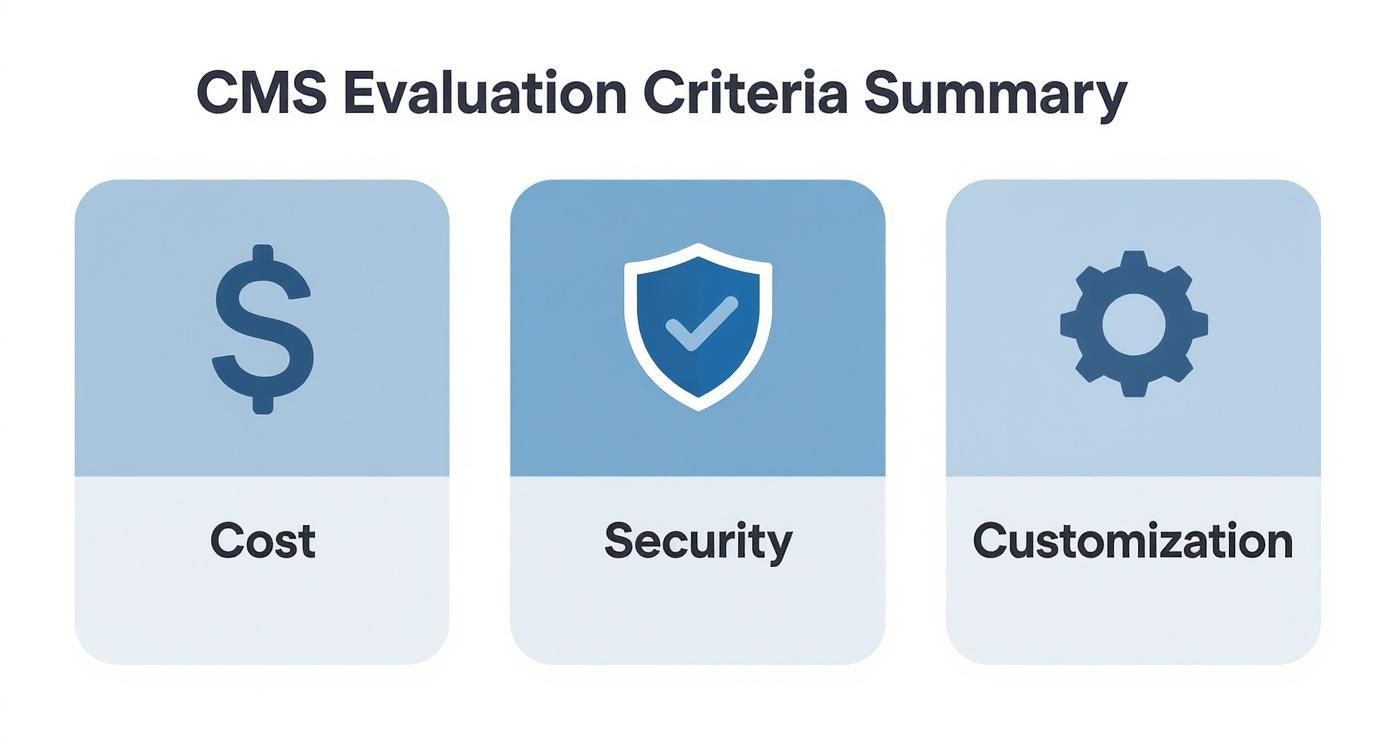
The visual drives home a fundamental truth: platforms built for high customization demand a bigger investment in security and upkeep, while all-in-one solutions bake in security by limiting your freedom.
Drupal: The Enterprise-Grade Framework
Drupal is often thought of as WordPress's more technical, security-obsessed older sibling. It’s famous for its rock-solid security, highly granular user permissions, and its ability to manage enormous, complex content structures. This has made it a top choice for government agencies, major universities, and large enterprises that simply cannot compromise on security and scalability.
That power, however, comes with a steep learning curve. Drupal feels less like a ready-to-use website builder and more like a developer's framework. Customizing a Drupal site almost always requires a developer who knows the system inside and out, which pushes its total cost of ownership much higher than WordPress, even though the software itself is free. For organizations that need its architectural muscle, there's really no substitute.
Contentful: The Headless Content Hub
Contentful champions the headless CMS philosophy, where your content repository (the "body") is completely separated from the presentation layer (the "head"). This API-first approach means developers can pull content into any front-end they can dream up—a React website, a native mobile app, an IoT device, or even a digital kiosk.
This architecture gives you ultimate design freedom and makes your content future-proof. But it requires a hard line between teams: content creators work in Contentful's clean interface, while developers build the user-facing experience from the ground up. This model is a fantastic fit for organizations with strong in-house development talent who need to push content to multiple channels at once. To explore this category further, check out this curated list of open-source headless CMS platforms.
CMS Feature and Suitability Matrix
To tie this all together, the matrix below offers a quick-glance summary of each platform’s core strengths and typical use case. It’s a cheat sheet to help you narrow down the field based on what matters most to your project.
| CMS Platform | Best For | Ease of Use | Extensibility | Hosting Model | Typical Cost |
|---|---|---|---|---|---|
| WordPress | Bloggers, small businesses, content-heavy sites | Moderate | Very High | Self-Hosted | $-$$ |
| Shopify | E-commerce businesses of all sizes | High | Moderate | SaaS | $$-$$$ |
| Wix | Beginners, portfolios, simple business sites | Very High | Low | SaaS | $-$$ |
| Drupal | Enterprise, government, complex data sites | Low | Very High | Self-Hosted | $$$-$$$$ |
| Contentful | Multi-channel content, developer-led projects | Moderate | Very High (API) | SaaS | $$$-$$$$ |
After this head-to-head breakdown, it should be clear there’s no single "best" CMS. The right platform depends entirely on your team's skills, your business goals, and just how much control you're willing to trade for convenience. For an even more granular breakdown, this comprehensive Content Management System Comparison Guide is an excellent resource.
Matching CMS Platforms to Real-World Business Needs

Theory only gets you so far. The true test of any CMS is how well it solves problems in a real business setting. To genuinely compare content management systems, you have to map their capabilities directly to your day-to-day operations. A platform that feels empowering for one team can easily become a major bottleneck for another.
To cut through the noise, I’ve broken down the decision-making process into five common user profiles. Each one represents a typical business scenario with its own unique set of goals, resources, and technical know-how. Find the profile that mirrors your situation to get a practical, no-nonsense recommendation.
The Solopreneur and Content Creator
This person lives and breathes content. They're often a one-person show—a blogger, freelancer, or artist building a portfolio—and their main goal is to publish high-quality work without getting bogged down by tech. Their priorities are simple: low cost, an intuitive interface, and zero need for code.
For this user, WordPress.org is still a fantastic starting point. The famous five-minute install, a massive library of free themes, and a straightforward editor make it incredibly approachable. If even that feels like too much, a hosted builder like Wix offers a drag-and-drop experience that's even more forgiving, making it perfect for those who value speed above all else.
Key Insight: For solopreneurs, the best CMS is one that gets out of the way. The goal is to spend time creating, not performing system updates. Ease of use is the single most critical factor.
The Small Business Owner
A small business owner needs more than just a blog; they need a digital command center. Their website has to showcase services, capture leads, and connect with essential marketing tools. They're working with a tight budget and almost certainly don't have a developer on staff.
WordPress shows its flexibility again here, especially when you add a powerful page builder and a few marketing plugins. But for a completely hands-off experience, a managed solution like Squarespace is a stellar choice. It bundles beautiful templates, email marketing, and even appointment scheduling into one secure, maintenance-free package. It’s an all-in-one approach that saves a ton of time and eliminates technical headaches.
The E-commerce Retailer
If you're selling products online, your CMS doubles as a transaction engine. Non-negotiable features include solid inventory management, secure payment gateway options, and a logical order fulfillment process. Just as important is scalability—the site can't crash during a Black Friday sale.
This is where a purpose-built e-commerce platform is the only real answer. Shopify is the market leader for a reason, offering a comprehensive, out-of-the-box solution that handles everything. For businesses already comfortable with WordPress or those with more complex product needs, the WooCommerce plugin is a highly customizable alternative, though it does require more hands-on management.
The Enterprise Marketing Team
Enterprise teams play a different game entirely. Their world revolves around airtight security, massive scalability, granular user permissions, and multilingual support for a global audience. The CMS has to fit perfectly into a much larger martech stack, connecting seamlessly with CRMs, analytics platforms, and automation tools.
Drupal has long been the go-to for this scenario, praised for its enterprise-grade security and its ability to handle incredibly complex content structures. For teams that want more API-driven flexibility, a headless platform like Contentful is the modern choice. It lets them push content to any number of digital channels from one central hub, all while maintaining strict brand governance.
The Modern Developer
Developers are looking for freedom and control. They want an API-first architecture that lets them use their favorite front-end frameworks—like React or Vue.js—to build fast, custom digital experiences. To them, a traditional, all-in-one CMS often feels clunky and restrictive.
This is the home turf of the headless CMS. Strapi, being open-source, offers incredible customization and can be self-hosted for total control over the environment. Developers looking for more specialized tools can explore options built for a specific tech stack; our guide on the benefits of a Node.js CMS dives much deeper into this world. These platforms let developers build what they want, how they want, without being locked into a predefined front end.
Planning Your CMS Migration and Integration Strategy
Choosing a new CMS is a major decision, but the real test comes during the implementation. A migration that’s rushed or poorly planned can wreak havoc on your operations, tank your SEO, and create a ton of frustration for your team. A clear, well-thought-out strategy is the only way to ensure a smooth transition and set yourself up for success down the road.
The actual work begins long before you touch a single piece of content. It all starts with a thorough audit of your current system. You need to figure out what’s coming with you, what can finally be archived, and what you’ll need to build fresh. Honestly, this is the perfect opportunity to clean house and sharpen your entire content strategy.
Mapping Your Content and Preserving SEO
The first real step is content mapping. This is where you create a master spreadsheet that lists every single URL on your old site and maps it to its new home on the new CMS. This document is essentially your project blueprint, making sure nothing gets lost in the shuffle.
Throughout this process, data integrity is everything. You need a solid plan for transferring all the crucial pieces—body copy, images, metadata, custom fields—without anything getting corrupted or lost.
Just as important as your content is your search engine ranking. A clumsy migration can be an absolute disaster for SEO.
Here are the non-negotiables for protecting your rankings:
- Implement 301 Redirects: This is where your content map becomes invaluable. Every old URL needs a permanent (301) redirect to its new location. This tells search engines where to find the page and, crucially, passes along its authority, preventing users from hitting dreaded 404 errors.
- Submit an XML Sitemap: As soon as the new site goes live, submit an updated XML sitemap to Google Search Console. This nudges Google to crawl and index your new pages more quickly.
- Monitor for Errors: Keep a close eye on tools like Google Search Console for any sudden spikes in crawl errors or broken links in the weeks after launch.
A successful CMS migration is measured by what doesn't happen. No major traffic drops, no broken user journeys, and no lost content. Meticulous planning is your best defense against post-launch chaos.
Integrating Your CMS into a Connected Tech Stack
Today's CMS doesn't exist on an island. It should be the central hub of your entire digital ecosystem. Integrating it with your other essential business systems is what elevates it from a simple publishing tool to a genuine operational powerhouse. This is how you unlock its true potential.
The objective is to create a seamless flow of data between your platforms. This eliminates tedious manual entry and gives you a single, unified view of your customers. For most businesses, a few common integrations are essential for driving efficiency and growth.
For instance, connecting your CMS to a Customer Relationship Management (CRM) tool like Salesforce lets you capture leads directly from website forms and track their entire journey. For a deeper look at this dynamic, see our analysis of how CMS and CRM platforms work together.
Likewise, linking your CMS to a marketing automation platform like HubSpot allows you to trigger targeted email campaigns based on how users interact with your site. When you connect all your tools, you build a cohesive system where each part makes the others more effective.
Making a Confident, Future-Proof CMS Decision
Choosing a content management system is a major commitment. You've already waded through feature lists and matched platforms against user personas. Now comes the hard part: translating all that research into a final decision that sets you up for future growth, not just solves today's headaches.
The right platform does more than check boxes; it becomes the foundation for everything you'll build next. To get there, you need to shift from feature comparisons to a serious internal audit. This is where you prevent the kind of buyer's remorse that shows up three years down the line when the "perfect" CMS has become a massive bottleneck.
Your Final Decision-Making Checklist
Before you sign on the dotted line, get your key stakeholders in a room and hash out the answers to these questions. Getting honest here is what separates a successful implementation from a costly mistake.
Internal Capabilities: Let's be realistic about our team's skills. Do we have the developer muscle to handle a self-hosted platform like WordPress or Drupal, or does a fully managed SaaS system like Shopify make more sense for us?
Scalability and Growth: Where do we see ourselves in five years? Think bigger than today. Will we need to support multiple languages, push content to new channels, or roll out complex e-commerce features? Make sure the platform can grow with you, not hold you back.
Total Cost of Ownership: The sticker price is just the beginning. What’s the real cost when you factor in plugins, custom development work, hosting fees, security maintenance, and the time it takes to train your team?
Workflow Integration: How well does this CMS play with the tools we already rely on? If it can’t connect cleanly with your CRM or marketing automation platform, you’re just creating data silos and making everyone's job harder.
The goal isn't to find a flawless CMS—it's to find the one with the right trade-offs for your specific situation. Your choice should feel like a strategic advantage, not a technical constraint.
Working through these points brings the clarity you need to invest with confidence. By grounding your decision in your team's real-world capabilities and your long-term vision, you'll choose a CMS that genuinely empowers your business for years.
Frequently Asked Questions About Choosing a CMS
Diving into the world of content management systems can feel overwhelming, and it's natural for a few key questions to pop up repeatedly. Getting solid answers to these is the first step toward making a smart, long-term decision. Let's tackle some of the most common ones we hear from businesses just like yours.
What’s the Real Difference Between a Traditional and a Headless CMS?
At its core, this is all about architecture. A traditional CMS, like the classic WordPress setup, is a monolithic system. It tightly couples the back-end—where you create and manage content—with the front-end—the actual website your visitors see. Think of it as an all-in-one package, perfect for straightforward websites and blogs.
A headless CMS, on the other hand, completely separates the two. The back-end "body" is purely for content storage and management. The front-end "head" can be anything: a website, a mobile app, a smartwatch display, you name it. Content gets delivered to any of these front-ends through an API, giving developers ultimate creative freedom.
How Much Should We Actually Budget for a New CMS?
This is a tricky one because the sticker price is just the beginning. To get a realistic number, you have to think in terms of Total Cost of Ownership (TCO). This means looking beyond the initial license or subscription fee and accounting for everything.
When you're running the numbers, make sure to include:
- Platform Fees: The monthly or annual subscription for a SaaS CMS.
- Plugins and Extensions: The cost of any premium add-ons you'll need to get the job done.
- Custom Development: The bill for developer time to build out custom features, themes, or integrations.
- Hosting: A major cost for self-hosted platforms like WordPress or Drupal.
- Ongoing Maintenance: Don't forget to budget for security patches, updates, and general upkeep.
Never forget that a "free" open-source CMS is anything but. The TCO often includes significant spending on hosting, expert developers, and constant maintenance—costs that are often wrapped up neatly in the subscription price of a SaaS platform.
Can We Just Switch Our CMS Later If We Make the Wrong Choice?
Technically, yes, you can always migrate to a new CMS. But in reality, it's a massive undertaking that's often complex, incredibly expensive, and disruptive to your business. A full migration involves a meticulous plan to transfer all your content, set up thousands of URL redirects to protect your SEO, and rebuild all your integrations from scratch.
Because the pain of switching is so high, it’s absolutely critical to get this decision right the first time. Choosing a platform that not only fits you today but can also support your five-year growth plan will save you a world of headaches and a small fortune down the road.