How to Set Up a Website A Practical Guide
Learn how to set up a website with this practical guide. We cover choosing a platform, securing a domain, design, content, and launching with success.

Knowing a website’s foundation comes down to four essential pieces:
- Platform Selection: Pick the right content management system, whether it’s WordPress, Drupal or Notion.
- Domain Registration: Secure a unique name that reflects your brand.
- Web Hosting: Choose a host with the speed and reliability you need.
- Content Deployment: Add pages, blog posts, images and your signature voice.
Each element works together to turn a blank page into a fully functional online presence.
Why You Need A Website In Today's World
A website isn’t just a digital afterthought—it’s where you establish credibility and share your story at any hour. It doubles as your showcase, your portfolio and your main point of contact for anyone searching online.
Without a site, you’re invisible to the very people looking for your skills, products or insights. Owning your corner of the web gives you complete control over how your brand appears—something social media can’t guarantee.
The Cornerstone Of Credibility
Think about the last time you discovered a new service. Chances are you Googled it before making a decision. A clean, well-organized website sends a clear signal: you mean business.
It centralizes everything your visitors need:
- What You Offer: Services, products or your mission statement
- Who You Are: A personal bio, photos or an “About” video
- How To Connect: Contact forms, booking tools or purchase links
All that info in one place builds trust before you even pick up the phone.
A Platform For Growth And Opportunity
Beyond a professional face, a website becomes your growth engine. You capture leads, sell directly to customers and track behavior to refine your approach. By understanding the link between your CMS and CRM, you can streamline user journeys and build a database of potential buyers.
With 73% of U.S. small businesses now online, standing out has never been more critical. Despite over a billion sites in existence, only a fraction are active—meaning a well-crafted site can quickly grab attention. Learn more about how many websites are on the internet to get a sense of the playing field.
Choosing the Right Website Platform
Picking a platform is easily the most critical decision you'll make when figuring out how to set up a website. This choice will define what your site can do, how it can grow, and what your day-to-day management will look like. Think of it as the foundation of your digital home—you want to get it right from the start.
Broadly speaking, you're looking at three main paths: all-in-one website builders, Content Management Systems (CMS), and dedicated e-commerce platforms. Each one comes with its own set of trade-offs between user-friendliness, creative freedom, and long-term flexibility.
To put this first big decision into perspective, the chart below helps map out why a website is so crucial in the first place, whether you're running a business or building a personal brand.
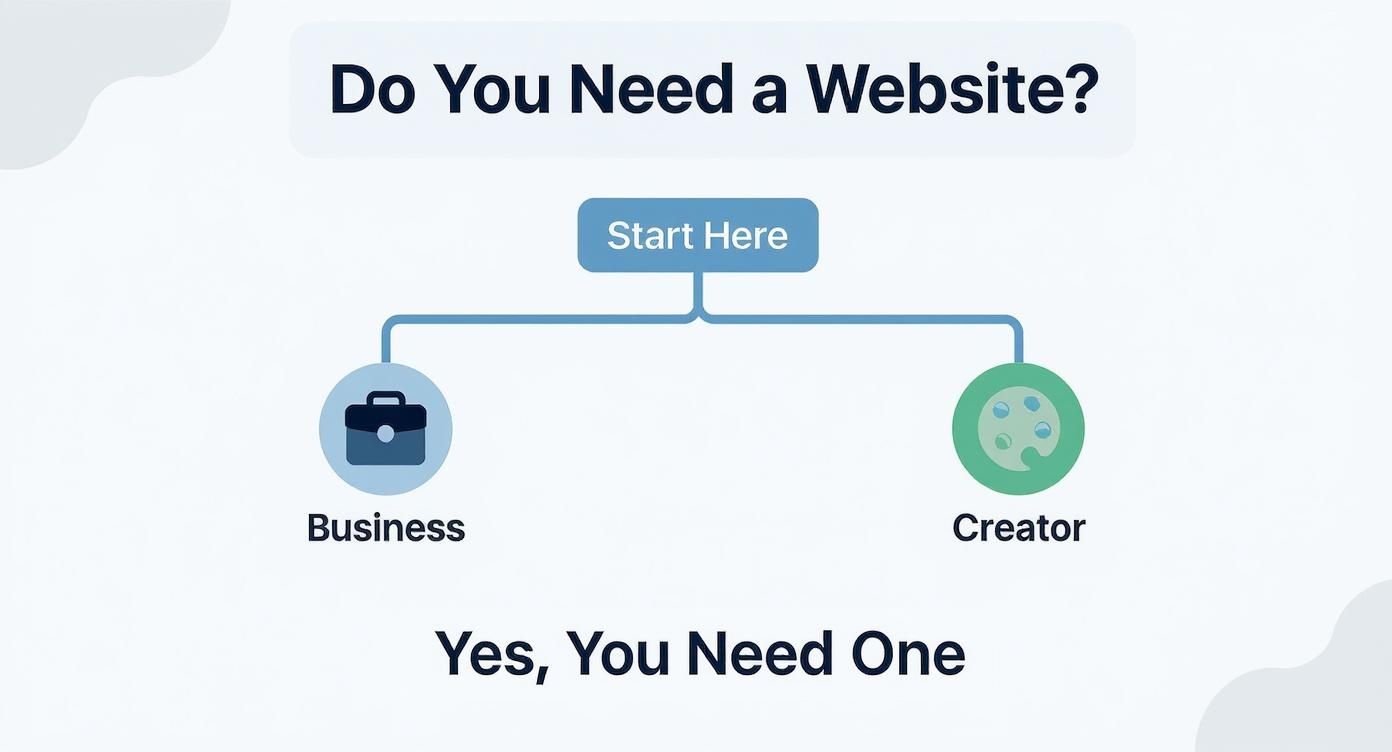
As you can see, it doesn't matter if you're a company or a creator. An online presence isn't just nice to have; it's a fundamental tool for growth and getting noticed.
Website Builders: Your All-in-One Solution
Website builders like Squarespace and Wix are built for pure simplicity. They package everything—hosting, design templates, security, and maintenance—into one clean monthly subscription. This approach is fantastic for anyone who wants a polished, professional-looking website without ever having to touch a line of code.
Take a freelance photographer, for example. Their main goal is to showcase their work in a visually striking portfolio that they can update easily. With Squarespace, known for its beautiful templates, they could drag and drop new photos, set up a contact form, and be live in a single weekend. The trade-off? You sacrifice some deep-level control over the site’s code and third-party integrations.
The demand for these tools tells the whole story. The global website builder market hit around $2.32 billion in 2025 and is expected to climb to $2.6 billion by 2026. Wix alone commands a massive 45% of that market.
Key Takeaway: Website builders deliver speed and simplicity. They're a brilliant choice for portfolios, local businesses, and anyone who values ease of use over complex customization.
Content Management Systems: For Ultimate Control
On the other end of the spectrum, a Content Management System (CMS) like WordPress offers nearly limitless flexibility. Unlike a builder, a CMS is open-source software that you install on your own hosting account. This unbundling of software from hosting gives you total ownership and the power to tweak every single pixel of your site.
Think about a local restaurant. They need more than just a static menu page. They need a system for online ordering, a tool for booking reservations, and a blog to post updates and events. WordPress, with its ecosystem of over 59,000 plugins, can do it all. The restaurant can install one plugin for food ordering, another for table booking, and a powerful SEO plugin to help local diners find them on Google.
Of course, all that power comes with a steeper learning curve. You’re the one in charge of updates, security, and backups. But for any site that needs to evolve and scale over time, a CMS is almost always the better long-term bet. For a deeper dive, this WordPress vs Webflow comparison breaks down key differences in design, SEO, and cost.
And WordPress is just the beginning. If you're curious about other options, our guide to open source website builders explores a wide variety of systems and what makes each one unique.
E-commerce Platforms: Built for Selling
If selling products online is your main objective, then a specialized e-commerce platform like Shopify is your best bet. While you can sell products with a WordPress site, platforms like Shopify are engineered from the ground up to handle everything an online store needs. We’re talking inventory management, secure payment processing, tax calculations, and shipping logistics—all ready to go.
Imagine a startup launching a new line of eco-friendly water bottles. Their entire business is e-commerce. Shopify gives them a secure checkout, tools to recover abandoned carts, and seamless integrations with social media shopping channels. This laser focus on commerce means they can spend less time worrying about the tech and more time marketing their product and growing their brand.
Choosing the right platform sets the tone for your entire web presence. To help you weigh your options, the table below provides a side-by-side look at the most popular choices.
Comparing Popular Website Platforms
| Platform | Best For | Ease of Use | Customization | Average Monthly Cost |
|---|---|---|---|---|
| WordPress | Blogs, scalable business sites, content-heavy sites | Moderate | Extremely High | $15-$50 (with hosting) |
| Shopify | E-commerce stores of all sizes | High | Moderate | $29-$299 |
| Squarespace | Portfolios, creative professionals, small businesses | Very High | Low-Moderate | $16-$49 |
| Wix | Beginners, small businesses, general-purpose sites | Very High | Moderate | $16-$59 |
Ultimately, the best platform is the one that aligns with your technical comfort level, your budget, and your long-term goals. Take your time with this decision, as it’s much easier to start on the right foot than to switch platforms down the road.
Securing Your Digital Address and Hosting
Before you can build anything online, you need a place to put it. Think of your domain name as the street address and your hosting as the plot of land where your website will live. A smart choice here pays off in brand recall and search engine visibility down the line.
Let's walk through picking a memorable name, selecting the right hosting plan, and getting them connected without the usual headaches.
Choosing a Memorable Domain Name
Your domain is often the very first impression someone has of your brand, so it needs to build trust right away. It's more than just a URL; it’s your identity.
Here are a few strategies I've seen work time and again:
- Keep it short. Aim for under 15 characters if you can. It’s just easier for people to remember and type.
- Skip the confusing bits. Hyphens and numbers often trip people up and can make a domain sound less professional.
- Add a relevant keyword. If it fits naturally, including a keyword can give both users and search engines a quick hint about what you do.
- Grab the .com. When in doubt, a .com extension is still the most recognized and trusted TLD.
- Make it brandable. Brainstorm names that are unique to you but still easy to spell and say out loud.
A great example is a local bakery registering BakingJoy.com. It's warm, clear, and easy to remember.
| Extension | Ideal Use Case | Memorability | SEO Focus |
|---|---|---|---|
| .com | General business | High | Standard |
| .io | Tech startups | Moderate | Niche tech |
| .blog | Personal blogs | Low | Topic specific |
| .co | Emerging brands | Moderate | Brand driven |
Once you've registered your domain, you've officially claimed your corner of the internet. I also highly recommend adding domain privacy to your registration—it keeps your personal information out of public WHOIS databases, which is a big win for security.
Deciding on the Right Hosting Type
Hosting is the engine that powers your website; it's where all your files and databases are stored. Your choice here directly impacts speed, security, and how well your site handles traffic.
Shared hosting is a popular starting point because it’s so affordable, but your site shares server resources with others. If another site on your server gets a huge traffic spike, yours might slow down. A VPS (Virtual Private Server), on the other hand, gives you your own dedicated slice of server resources for more stability and control.
Here’s a quick rundown of your main options:
- Shared Hosting: Perfect for small blogs, personal portfolios, or any new site that doesn't expect a ton of traffic right away.
- VPS Hosting: The ideal middle ground when you need scalability and better performance without the cost of a dedicated machine.
- Dedicated Servers: The go-to for high-traffic, mission-critical websites that need every ounce of performance and security.
- Managed Hosting: A great choice if you'd rather not deal with the technical side. Your provider handles backups, security, and updates for you.
- Cloud Hosting: Offers incredible flexibility, allowing you to scale resources up or down on the fly and only pay for what you use.
"Choosing hosting with at least 99.9% uptime is non-negotiable for any serious site."
Frankly, any reputable provider should be offering 99.95% availability or better. Every minute of downtime is a potential lost customer.
Linking Domain and Hosting
Getting your domain and hosting to talk to each other involves updating your DNS (Domain Name System) records. It sounds technical, but it’s usually a straightforward process.
Essentially, you need to tell your domain registrar (where you bought the domain) the IP address of your hosting server. You’ll find this IP address in your hosting provider’s dashboard. From there, you log in to your registrar, find the DNS settings, and create an A record pointing to that IP. You’ll also want a CNAME record for the "www" version of your site.
Finally, you’ll need to activate an SSL certificate to secure your site (the "https" part of your URL). Most hosts offer a free one through Let’s Encrypt and make it a one-click install. Just be aware that these changes can take up to 24 hours to fully propagate across the internet.
Once you think it’s live, check your URL on different devices and networks to be sure.
And if you're looking for the right tools to build with, our guide on static site CMS options can help match your new hosting with a compatible system.
Selecting a Trusted Provider
The company you choose matters just as much as the plan. A cheap plan from an unreliable host will cause nothing but problems.
I always tell people to look for providers with a proven track record of excellent, fast support. You don't want to be stuck waiting for an email response when your site is down.
- Look for 24/7 support with live chat or, even better, a phone number.
- Check their backup policy. Do they take daily snapshots? How easy is it to restore one?
- See what control panel they offer. cPanel and Plesk are industry standards and make managing your site much easier.
- Confirm they use SSD storage. It’s significantly faster than traditional HDD storage and makes a real difference in site speed.
- Make sure SSL and basic security features are included or offered at a reasonable price.
| Provider | Plan Type | Uptime Guarantee | Support Channels |
|---|---|---|---|
| HostA | Shared | 99.9% | Live chat, email |
| HostB | VPS | 99.95% | Phone, live chat |
| HostC | Cloud | 99.99% | 24/7 phone, chat |
Choosing the right provider from the start saves a world of frustration. Trust me, migrating a website because of a bad host is a pain you want to avoid.
Expert Tips and Best Practices
Here are a few hard-won lessons that can save you a lot of time and stress.
First, store your registrar and hosting login details in a secure password manager immediately. You’ll thank yourself later.
- Set your domain to auto-renew. Letting a domain expire by accident can lead to downtime and expensive fees to get it back.
- Monitor your uptime. Use a free tool like UptimeRobot or Pingdom to get alerts if your site ever goes down.
- Keep things updated. If your host offers automatic updates for the control panel or security patches, enable them.
- Maintain off-site backups. Even if your host offers backups, keeping your own copy stored somewhere else is the ultimate safety net.
These small habits are what separate a well-managed site from one that's constantly running into trouble. With your digital foundation now firmly in place, you're all set to dive into the fun part: design and content.
Designing Your Site and Adding Content
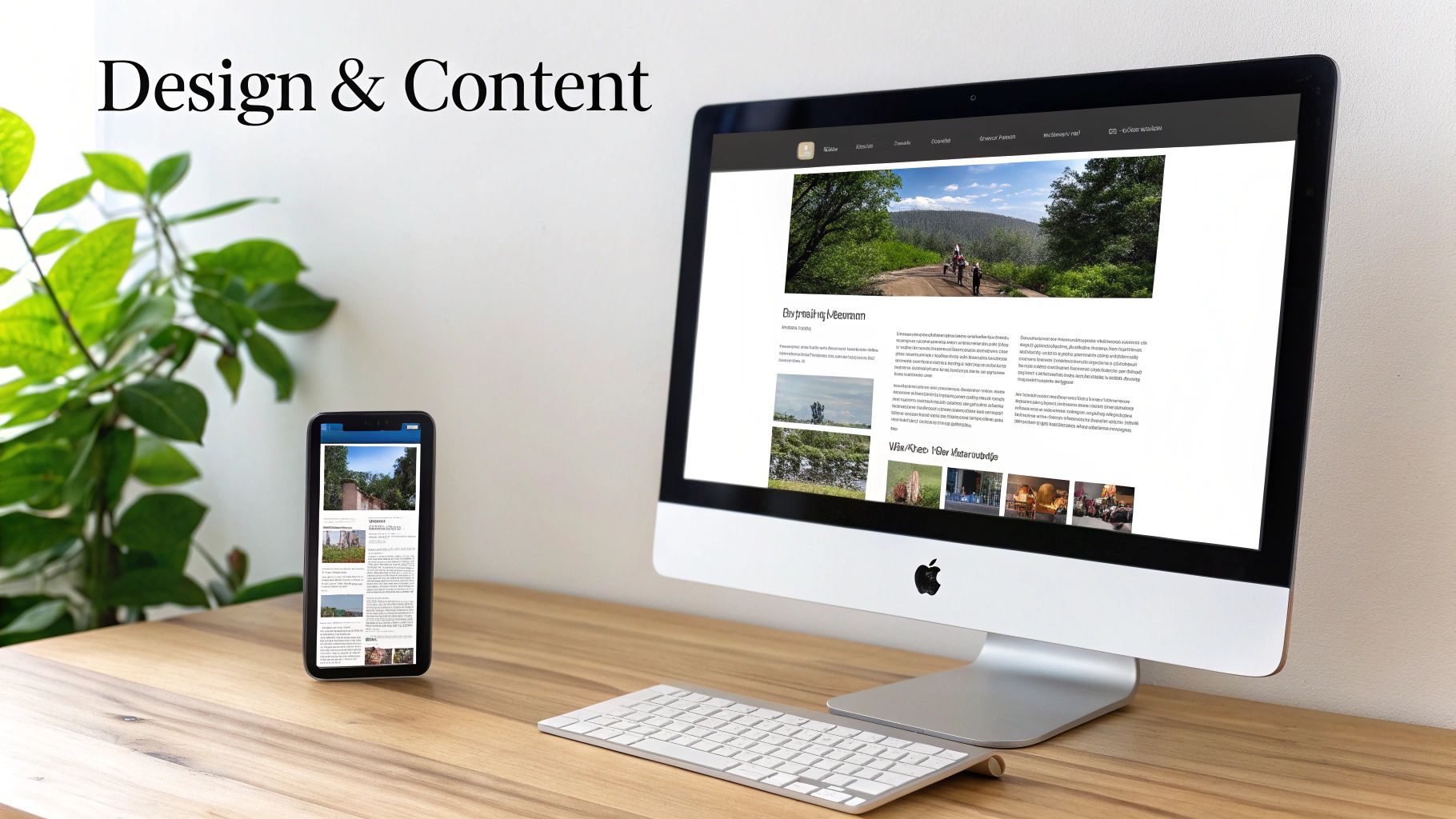
Alright, you've got your platform, domain, and hosting sorted out. Now for the fun part—breathing life into your website. This is where your brand's personality starts to take shape, turning all those ideas into something people can actually see and interact with.
The choices you make right now about layout, colors, and messaging have a huge impact on how visitors see you. A clean, intuitive design makes you look credible and guides people where you want them to go. A confusing one just sends them clicking away.
Selecting a Theme That Aligns With Your Brand
Think of a theme or template as the architectural blueprint for your site. It defines the layout, fonts, and the overall vibe. It’s easy to get distracted by flashy designs, but the best theme is always the one that makes your content and brand the star of the show.
For instance, a design portfolio needs a minimalist theme with big, bold typography to let the visuals do the talking. On the other hand, if you're running a news site or a blog, you'll want a theme with clean columns and highly readable fonts that don’t tire the eyes after a few paragraphs.
- Does it match your brand? Your theme should instantly communicate your style—whether it's professional, playful, modern, or traditional.
- Is it built well? Check the reviews and update history. A poorly coded theme will only cause headaches and slow your site down.
- Is it responsive? Your site absolutely must look and work perfectly on every device, from a huge monitor to a small smartphone. This is non-negotiable.
Adopting a Mobile-First Design Philosophy
It's no longer a suggestion to design for mobile first; it's a hard requirement. The reality is, most people will find you on their phones. Their experience there will define their entire impression of your brand.
It's staggering to think about, but over 60% of all website traffic now comes from mobile devices. And according to HubSpot's research, 74% of users are more likely to come back to a site if it's mobile-friendly. A slick mobile interface isn't just a bonus—it's everything.
A one-second improvement in page load time can boost conversions by nearly 40%. This highlights how performance, especially on mobile, is directly tied to business results.
When you force yourself to prioritize the most critical elements for a tiny screen, you naturally create a cleaner, more focused experience for everyone, including desktop users.
Structuring Your Core Pages and Content
Every great website is built on a solid foundation of essential pages. This framework, often called information architecture, is what guides your visitors and helps them find what they need without getting frustrated. Nailing this structure is just as important for SEO as it is for user experience.
Before you write a single line of text, grab a pen and paper (or a whiteboard) and map out your site's main sections. This simple exercise ensures every page has a purpose. If you want to go deeper, our guide on what is information architecture is a fantastic starting point.
At a minimum, you'll need these four cornerstone pages:
- Homepage: Your digital welcome mat. It needs to instantly tell people who you are and what you do, then point them in the right direction.
- About Page: This is where you connect with people on a human level. Share your mission, introduce the team, and tell your story.
- Services/Products Page: Lay out exactly what you offer. Use great photos, clear descriptions, and be upfront about pricing. It builds trust.
- Contact Page: Don't make people hunt for a way to reach you. A simple form, an email address, and links to your social profiles are essential.
Crafting Compelling Content and Sourcing Visuals
With your pages planned, it’s time to fill them with words and images that connect with your audience. Write clearly and ditch the corporate jargon. Focus on explaining how you solve your customers' problems in a voice that sounds like your brand.
Visuals are equally crucial. They break up text, inject personality, and can explain a complex idea in a split second.
| Visual Type | Best For | Sourcing Tip |
|---|---|---|
| Stock Photos | Illustrating concepts, blog posts | Check out Unsplash or Pexels for high-quality, free images. |
| Original Photos | Showcasing products, team, location | Hire a pro for key pages. The authenticity is worth the investment. |
| Infographics | Presenting data, complex processes | Tools like Canva make it surprisingly easy to create these. |
| Illustrations | Creating a unique brand aesthetic | Commission custom work to get a style that's 100% unique to you. |
One last pro-tip: always optimize your images before uploading them. Huge files are the number one cause of slow websites. A good rule of thumb is to keep them under 200KB. This strikes the perfect balance between visual quality and a speedy, enjoyable experience for every visitor.
Your Pre-Launch Checklist for a Smooth Liftoff
Before you flip the switch and go live, that final quality check is what separates a smooth launch from a day spent chasing down preventable errors. This is your last chance to catch the broken links, typos, and other small gremlins that can completely tank a visitor's first impression.
A thorough pre-launch audit makes sure every piece of your new website works exactly as it should, from the contact form all the way down to the mobile menu. Trust me, taking an hour to run through these final checks buys you incredible peace of mind and sets you up for a successful debut.
Technical and Functional Checks
First, let's get into the mechanics of the site. The goal here is to ensure everything works flawlessly for every visitor, no matter what device or browser they’re using. A single broken link can erode trust in a heartbeat.
Go through and click every single link on your site. I mean all of them—internal links, external links, every item in your navigation, and even the logo that links back home. Test every button and call-to-action to make sure they send users to the right place.
Next, it's time to test your forms:
- Contact Forms: Fill one out yourself. Did you get the email notification? Did the auto-responder fire correctly?
- Newsletter Sign-ups: Subscribe with a test email. Check that the address was actually added to your email list.
- Search Bars: Punch in a few keywords. Are the search results relevant and useful?
This part can feel a little tedious, I know. But it's far better for you to find a bug now than for your first potential customer to run into it.
Content and SEO Readiness
Once the technical side is buttoned up, shift your focus to the content itself. This is your chance to polish the messaging and make sure search engines can figure out what your site is about right from day one.
Proofread every single page for spelling mistakes and grammatical errors. A pro tip: read your content out loud or use a text-to-speech tool. It forces you to slow down and you'll immediately hear awkward phrasing that your eyes might just skim over.
A website with clear, error-free content signals professionalism and attention to detail. These small signals are crucial for building trust with a new audience.
With the content polished, you need to implement your foundational on-page SEO. We're not talking about advanced strategies yet; this is just about getting the essentials right.
- Unique Title Tags: Write a compelling, keyword-relevant title tag for every single page.
- Meta Descriptions: Craft engaging meta descriptions that actually make people want to click from the search results.
- Image Alt Text: Add descriptive alt text to all your images. This is huge for accessibility and helps search engines understand your visuals.
- Favicon: Don't forget to upload your site’s favicon—that tiny icon in the browser tab. It’s a small but powerful branding element.
These elements are simple to manage but punch way above their weight in how your site appears and performs in search.
Final Performance and Analytics Setup
The last step before you go live is to confirm your site is fast, secure, and ready to be tracked. Site speed is a massive factor for both user experience and search rankings, so whatever you do, don't skip this.
Run your site through a speed testing tool to see how it performs. Keep an eye out for enormous image files or clunky scripts that might be slowing things down. It's also non-negotiable that your SSL certificate is active—your URL must start with "https://" to show visitors their connection is secure.
Finally, get an analytics tool like Google Analytics installed. This is how you'll measure your site's performance and see what visitors are actually doing once you launch. Setting it up beforehand means you capture data from the very first person who lands on your site. For those ready to hit the ground running, a great next step is learning how to increase blog traffic with the data you'll soon be collecting.
With your checklist complete, you’re ready to confidently launch your site to the world.
Frequently Asked Questions About Website Setup
Getting your website live is a fantastic achievement, but it's totally normal for a whole new set of questions to bubble up. Let's tackle some of the most common ones that come up right after launch. Think of this as your guide to confidently navigating the next phase of maintaining and growing your site.
How Much Does It Really Cost to Set Up A Website?
The cost of a website can swing wildly. You could spend less than $100 a year for a simple DIY site, or you could invest thousands for a completely custom build. It all boils down to the platform you choose and what you need your site to do.
For example, using an all-in-one builder like Squarespace or Wix will likely cost you between $16 and $30 per month, but that price conveniently bundles in your hosting. If you go the self-hosted WordPress route, you gain a ton of flexibility. A solid hosting plan might start around $5 to $15 a month, and you'll have a separate domain registration fee, which is usually about $15 a year.
Just remember to account for both the initial setup fees and the recurring renewal costs for your domain and hosting. Nobody likes surprise bills.
How Long Will It Take to Build My Website?
This is the classic "it depends" question. The timeline is almost entirely dictated by your site's complexity and the tools you use. Honestly, how prepared you are is the biggest factor.
If you're using a pre-made template on a website builder, you could genuinely get a clean, simple site up and running in a weekend. A more involved WordPress site with, say, 10-15 pages of your own content will probably take a week or two to get just right. For bigger projects, like an e-commerce store with hundreds of products or a fully custom-coded site, you're looking at a timeline that stretches into months.
The single best way to speed up your website build? Have all your content—your text, photos, and brand colors—ready to go before you even think about design.
This simple act of preparation sidesteps the most common bottleneck and lets you focus completely on the build.
My Website Is Live—So What Should I Do Now?
Congratulations! Getting your site live is the starting line, not the finish line. Your immediate focus should shift to three key areas: security, maintenance, and growth. Being proactive here will keep your site healthy and help it find an audience.
Think of this as your essential post-launch checklist:
- Set Up Regular Backups: Don't put this off. An automated backup solution is your ultimate safety net. If something ever breaks, you can restore your site in minutes instead of days.
- Keep Everything Updated: Make a habit of regularly updating your CMS core, plugins, and themes. These updates aren't just for new features; they often contain critical security patches that protect you from vulnerabilities.
- Monitor Your Traffic: Install a tool like Google Analytics to see how people are finding and using your site. This data isn't just for fun—it gives you real insights to make smarter decisions about your content and design down the road.
Beyond the technical stuff, start consistently adding fresh content through a blog and don't be shy about promoting your new site on social media or in your email signature. It's time to build some momentum.
Do I Actually Need to Know How to Code?
Absolutely not. One of the best things about building a website today is that you don't need to be a programmer to create something that looks professional and works perfectly.
Modern website builders have intuitive drag-and-drop interfaces that make designing a page as easy as putting together a slideshow. Likewise, powerful systems like WordPress use visual editors that do all the heavy lifting behind the scenes, translating your clicks into clean code.
Sure, knowing a little HTML or CSS can be helpful if you want to make very specific tweaks or troubleshoot a minor glitch, but it’s far from a requirement. The tools available now are more than capable of helping you build a fantastic website from scratch without ever touching a line of code.