A Content Management System Comparison for Decision Makers
Our in-depth content management system comparison analyzes WordPress, Shopify, and Wix to help you find the best CMS for your specific business needs.

When you start comparing content management systems, you’ll quickly realize it all comes down to a fundamental choice: do you want limitless flexibility or guided simplicity? On one hand, you have open-source platforms like WordPress that offer deep customization for crafting truly unique digital experiences. On the other, you have SaaS builders like Shopify or Wix that give you an all-in-one, user-friendly package to get online fast.
The right answer depends entirely on your technical comfort level, business objectives, and where you see your project heading in the long run.
Choosing Your Digital Foundation
Picking the right Content Management System (CMS) is like laying the foundation for a house. This single decision influences everything that comes after, from how you handle daily content updates and shape the user experience to your site's ability to grow and its potential to rank in search engines.
This guide isn't about generic advice. We're here to dig into the details, define what a CMS should do for you, and give you the critical criteria needed to evaluate your options. Once you grasp these factors, you can make a strategic decision that fits your specific situation.
Key Evaluation Criteria
Before we jump into a head-to-head comparison of specific platforms, it’s vital to establish a clear framework for evaluation. There is no single "best" CMS; the right choice is completely dependent on your project's specific demands, the technical resources you have on hand, and your plans for future growth.
Think about these core pillars as you weigh your options:
- Ease of Use: How intuitive is the backend? Will the non-technical people on your team be able to manage content without constant hand-holding?
- Customization & Flexibility: Can the platform be bent to your will? Does it allow you to perfectly match your brand and build out the exact functionality you need?
- Total Cost of Ownership: Look beyond the sticker price. What are the long-term costs, including hosting, essential plugins, developer fees, and ongoing maintenance?
- Scalability: Will this CMS still work for you when your traffic multiplies and your content library explodes? Can it handle the complexity your business will grow into?
Knowing the degree of customization a platform offers, like creating a custom WordPress theme, is essential for building a unique brand that can scale effectively over time.
The most critical mistake is choosing a CMS based on its popularity alone. A system celebrated for its simplicity may become a restrictive bottleneck for a growing enterprise, while a powerful, developer-focused platform could overwhelm a small team.
The table below gives a quick snapshot of the philosophical differences between the two main camps of CMS. For those who know they need flexibility from the get-go, the wide world of open-source CMS options is an excellent place to start your search.
| System Type | Primary Focus | Ideal User | Example |
|---|---|---|---|
| Open-Source | Ultimate Flexibility & Control | Developers, agencies, businesses with unique needs | WordPress, Drupal |
| SaaS/Proprietary | Ease of Use & All-in-One Service | Small businesses, beginners, portfolios | Shopify, Wix |
Understanding the Modern CMS Ecosystem
Before we get into a head-to-head comparison of specific platforms, it’s helpful to take a step back and look at the bigger picture. The CMS market isn't just one thing; it's a collection of different tools built on different philosophies, each designed for a specific kind of user or project. Choosing the right one starts with understanding where you fit in.
At a high level, the market is divided into two main camps: open-source systems and proprietary SaaS platforms. Open-source, with WordPress as its undisputed champion, gives you ultimate flexibility and control. But that freedom comes at a price—you’re responsible for everything from hosting and security to updates and maintenance.
On the other side of the fence, you have proprietary SaaS (Software as a Service) platforms. Think Shopify, Wix, and Squarespace. These platforms are all about convenience. They bundle hosting, support, and a pre-selected toolkit into one package, simplifying the entire process at the cost of some of the deep customization you'd get with an open-source solution.
The Shift Toward Niche Solutions
While WordPress still dominates the conversation, the real story is the rise of specialized platforms. We're seeing more and more tools that aren't trying to be everything to everyone. Instead, they focus on doing one thing exceptionally well.
Shopify is the perfect example. It has become the default choice for e-commerce because its entire platform is built from the ground up to help people sell products online. Every feature is tuned for that single purpose.
At the same time, user-friendly builders like Wix and Squarespace have carved out a huge space by catering to small businesses, artists, and freelancers. Their drag-and-drop editors remove the technical roadblocks, making it possible to create a professional-looking website without knowing a lick of code. This is why a solid content management system comparison is so crucial; you have to match the platform's core strength to your business needs.
A Look at the Numbers and Key Trends
Just how big is the CMS market? It's massive. As of 2025, somewhere between 64% and 68.7% of all websites run on a CMS. That’s a staggering figure that speaks to how essential these platforms have become.
WordPress alone is a giant, powering roughly 43.6% of the entire internet and holding a 61.3% share of the CMS market. The market as a whole is still expanding, with projections pointing toward a value of $54 billion by the end of 2025. You can find more data on these trends over at magecomp.com.
The most important thing to remember is that the "best" CMS is a myth. It's all about context. WordPress's market dominance doesn't make it the right tool for a new e-commerce store, and Shopify's retail focus makes it a terrible choice for a blog or online magazine.
This trend toward specialization is what really matters. As you read through the comparisons, keep your primary goal in mind. Are you building a simple portfolio site? A high-traffic online store? A complex corporate portal? The answer to that question will point you to the right type of CMS and make your final decision much easier.
Comparing The Top CMS Platforms
A genuine comparison of content management systems goes way beyond a simple feature checklist. It's about understanding the day-to-day reality of using each platform. Here, we'll dissect the top contenders—WordPress, Shopify, Wix, and Squarespace—across the criteria that actually matter for your operations and future growth: usability, flexibility, extensibility, and performance.
The aim is to draw a clear line from a platform's capabilities to your practical business needs. Whether you need deep customization, a solution that just works out of the box, or powerful sales tools, this comparison will shed light on the distinct advantages and trade-offs of each choice.
Technical Ease of Use and User Experience
How a CMS feels to your team directly impacts their efficiency and speed. This is often the first, and most significant, difference you'll notice between these platforms.
WordPress undoubtedly has the steepest learning curve. While its block editor (Gutenberg) has made content creation more visual, the overall dashboard can feel like a cockpit to a first-time user. You're in charge of everything—updates, plugins, hosting—which demands a certain level of technical confidence.
Shopify, on the other hand, is built for one thing: e-commerce. Its entire interface is designed around that singular goal. Managing products, tracking orders, and handling inventory is incredibly intuitive. Its tools for managing non-product content are simpler and less powerful than WordPress, making it the perfect tool for its job but a less ideal choice for complex, content-first websites.
Wix and Squarespace are the clear winners when it comes to pure user-friendliness. Both platforms offer true visual editors—either drag-and-drop or section-based—that let you see your changes in real-time. They handle all the technical heavy lifting like hosting and security behind the scenes, making them perfect for anyone who wants a beautiful website without touching a line of code.
A platform's ease of use isn't just about the setup. It's about the daily grind of managing content. A CMS that lets your marketing team publish a landing page without roping in a developer offers a huge operational advantage.
Design Flexibility and Customization
Your website's design is your digital front door, and your ability to shape it is critical. The platforms here offer wildly different levels of control, highlighting the classic trade-off between creative freedom and streamlined simplicity.
With WordPress, the design flexibility is nearly infinite. You have thousands of themes to choose from, and with access to the code or powerful page builder plugins, you can build a completely bespoke experience. Of course, with great power comes a greater need for skill to use it well.
Shopify provides a well-curated selection of themes, both free and paid, all built with sales conversions in mind. You can make customizations through its theme editor or, for developers, by editing the Liquid template files directly. It's flexible within its e-commerce-focused world, but it’s inherently more structured than WordPress.
Wix offers incredible creative freedom with its drag-and-drop editor, letting you place any element with pixel-perfect precision. This can be liberating but also risky; it's easy to create an inconsistent or poorly optimized layout without a careful eye. Squarespace takes a more guided approach with its best-in-class, section-based editor, which helps ensure your designs always look polished and responsive while still giving you significant aesthetic control.
For those looking at more advanced setups, it helps to understand the architectural differences. You can explore a deeper analysis in our headless CMS comparison guide, which breaks down how modern systems separate content from the final design.
App and Plugin Ecosystems
No CMS is an island. The strength of its third-party app and plugin ecosystem is a crucial indicator of its ability to grow with you.
- WordPress: Its plugin directory is both its greatest strength and a potential liability. With over 59,000 free plugins, you can find a tool for almost any function you can imagine. However, this vast, open-source library also introduces risks related to plugin quality, security holes, and compatibility issues.
- Shopify: The Shopify App Store is a curated marketplace with over 8,000 apps, all focused on e-commerce. These tools cover everything from marketing automation and shipping logistics to inventory management. Because Shopify vets them, they are generally reliable but often carry monthly fees that can add up quickly.
- Wix & Squarespace: Both platforms have smaller, more controlled app markets. They offer the essentials for marketing, analytics, and booking, but the selection is nowhere near as vast as WordPress or Shopify. This ensures stability but can limit you if you need highly specialized functionality.
WordPress has long been the dominant force in the CMS world, having first launched back in 2003. As of 2025, it still powers an incredible 43.6% of all websites, giving it a 61.2% market share among CMS users. But while it remains the king, its market share has started to dip as competitors like Wix, Squarespace, and Shopify gain ground. For instance, Shopify's slice of the pie has grown steadily, reaching about 6.7% of the CMS market by 2025. This shows how businesses and developers are increasingly looking for platforms that better fit their specific needs, whether that's simplicity or specialized function.
Feature Comparison Of Leading CMS Platforms
To see how these platforms stack up directly, here's a side-by-side look at their core capabilities. This table offers a quick reference for evaluating which system aligns best with your priorities.
| Feature | WordPress | Shopify | Wix | Squarespace |
|---|---|---|---|---|
| Best For | Unmatched flexibility, content-heavy sites, full ownership | E-commerce of all sizes, from startups to enterprise | Small businesses, portfolios, beginners needing total creative control | Creatives, portfolios, small businesses wanting polished, professional designs |
| Ease of Use | Steep learning curve; requires technical know-how for maintenance | Very intuitive for e-commerce; simpler for other content | Extremely user-friendly with a true drag-and-drop visual editor | Very user-friendly with a structured, section-based visual editor |
| Design Control | Virtually limitless with code access and page builders | High, but within a structured, e-commerce-optimized framework | Pixel-perfect control; can be overwhelming without design skills | Guided customization; ensures polished, responsive results |
| Plugin Ecosystem | 59,000+ free plugins in its directory; quality and security can vary | 8,000+ curated apps in its App Store; often subscription-based | Smaller, curated App Market with essential integrations | Limited extensions focusing on core business and marketing needs |
| E-commerce | Highly capable and customizable via the WooCommerce plugin | The gold standard; purpose-built for selling products at any scale | Good for small to medium stores; less scalable than Shopify | Solid features for smaller retailers; clean and easy to manage |
| Hosting & Security | Self-managed; you are responsible for hosting, security, and all updates | Fully managed (SaaS); hosting, security, and updates are all included | Fully managed (SaaS); all technical aspects handled for you | Fully managed (SaaS); provides a secure, hands-off experience |
This comparison makes the trade-offs clear: WordPress offers ultimate power at the cost of complexity, while platforms like Squarespace and Shopify provide streamlined, purpose-built experiences that handle the technical details for you.
SEO and E-commerce Capabilities
For almost any business, a website needs to do two things well: attract organic traffic (SEO) and, in many cases, sell products (e-commerce).
When it comes to SEO, WordPress is a powerhouse. Plugins like Yoast SEO or Rank Math give you meticulous control over on-page elements, structured data, and technical optimizations. This power, however, requires active management to be effective. Shopify has excellent e-commerce SEO baked in, automatically handling complex issues like canonical tags for product variants. Wix and Squarespace have made huge improvements and now provide all the essential SEO tools most small businesses need, though with less granular control than WordPress.
For e-commerce, Shopify is the undisputed specialist. Its entire platform is engineered from the ground up to manage products, payments, and shipping at scale. With the WooCommerce plugin, WordPress transforms into a hugely powerful e-commerce platform that is incredibly customizable but demands more hands-on management. Wix and Squarespace offer strong e-commerce plans that are great for small-to-medium businesses but don't have the advanced features or scalability of Shopify or WooCommerce.
As you weigh your options, it often pays to delve into specific e-commerce platform comparisons to get into the weeds on payment gateways, shipping integrations, and inventory systems.
This infographic gives a high-level view of how performance metrics often shake out, visualizing average load times, uptime, and user capacity for these platforms.
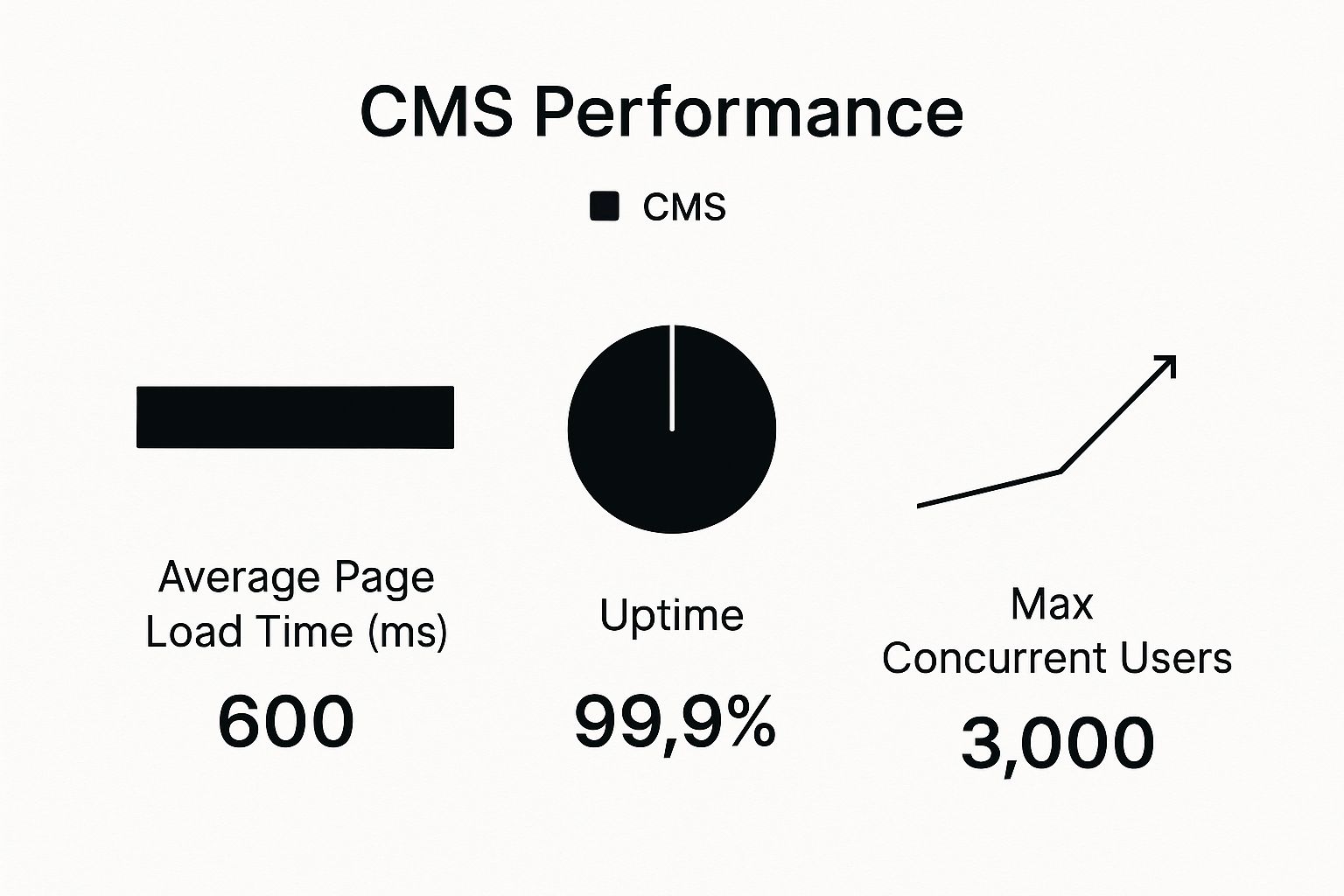
The data really highlights how managed platforms like Shopify and Squarespace deliver consistent performance right away, whereas WordPress performance is a direct result of your hosting quality and optimization efforts.
Security and Maintenance
Finally, security and maintenance are completely non-negotiable. With WordPress, that responsibility is on you. You have to stay on top of core software updates, theme and plugin patches, and implement security measures like firewalls and malware scanners.
Shopify, Wix, and Squarespace, as fully hosted SaaS platforms, handle all of this for you. They manage security protocols, apply patches, and ensure the platform is up-to-date. For businesses without a dedicated tech team, this is a massive advantage—it provides peace of mind and frees you up to focus on what you do best. This managed, all-in-one approach is a primary reason so many choose a proprietary system over an open-source one.
Matching the CMS to Your Business Case

Running down a list of features is one thing, but a content management system comparison only starts to matter when you connect it to real-world business needs. The "best" platform isn't the one with the most bells and whistles. It's the one that actually fits your business model, your technical comfort level, and your ambitions for growth.
This is where we move past the spec sheets and get into practical situations. By figuring out the ideal user for each CMS, you can make a choice that supports your goals instead of getting in the way. Let's look at where each of these top contenders really shines.
When to Choose WordPress for Full Control
You should go with WordPress when you absolutely cannot be limited by a platform's built-in rules. Its open-source foundation gives you total freedom, making it the undeniable king for content-heavy sites like sprawling blogs, news outlets, and corporate websites with complex needs. If your strategy demands custom functionality and direct control over your hosting, WordPress is your platform.
Imagine you need to build a bespoke membership portal that integrates with a niche CRM, or you're a publisher managing decades of archived content. These are scenarios where you need the raw flexibility that only WordPress and its enormous ecosystem of plugins can deliver.
- Ideal User: Businesses that need deep, code-level customization, have content at their core, and want complete control over the server environment.
- Key Advantage: You have almost unlimited potential to build anything you can imagine. The flexibility is unparalleled.
- Primary Trade-off: That freedom comes with responsibility. You're on the hook for managing your own hosting, security, and updates.
For a large company, these needs can grow exponentially. When you're managing content across dozens of digital properties, not just one website, you're entering a different league. At that point, it’s wise to look into dedicated enterprise content management solutions designed for that scale of complexity.
When to Choose Shopify for Serious E-commerce
Shopify is unapologetically focused on one thing: selling online. If e-commerce is the engine of your business, this platform was built from the ground up to power it. It handles the technical headaches so you can focus on your products, marketing, and customers.
From a solo entrepreneur launching their first product to a major brand processing thousands of orders a day, Shopify offers a secure, scalable, and highly optimized retail machine. Everything from its integrated payment gateways to its inventory tracking is fine-tuned for commerce.
If your business is about selling physical or digital goods online with as little technical friction as possible, Shopify is designed for you. It puts sales conversions and operational ease above all else.
This singular focus makes it the default choice for most online stores. Its straightforward dashboard and powerful sales tools let you get up and running fast and grow your operation without needing a developer on call.
When to Choose Wix or Squarespace for Simplicity and Speed
Platforms like Wix and Squarespace are built for the small business owner, the creative pro, and anyone who values their time. They are, without a doubt, the fastest way to launch a polished, professional-looking website without touching a line of code. Their intuitive drag-and-drop editors are the main draw.
Think of a photographer who needs a beautiful portfolio, a local restaurant that wants to display a menu and take reservations, or a consultant laying out their services. In these situations, having infinite control is far less important than having a great design and a simple backend.
- Ideal User: Small businesses, freelancers, artists, and entrepreneurs who prioritize ease of use and speed-to-launch over deep customization.
- Key Advantage: An all-in-one package. They handle the hosting, security, and design tools, letting you concentrate on your actual business.
- Primary Trade-off: You're exchanging the boundless flexibility of a system like WordPress for a more guided and controlled environment.
At the end of the day, this choice hinges on your core priorities. When you line up a platform’s strengths with your business case, your CMS becomes a genuine asset, not a technical hurdle.
Analyzing the True Cost of Ownership
The sticker price on a CMS is rarely the whole story. To do a real content management system comparison, you have to look beyond the advertised monthly fee and figure out the total cost of ownership (TCO). This is where the hidden and recurring expenses—the ones that can really blow your budget—come to light.
Getting a handle on these costs upfront is crucial. It’s the only way to create a realistic budget and avoid a situation where your "affordable" platform becomes a financial drain. What looks like a bargain can get expensive fast once you start tacking on necessary plugins, maintenance, and fees.
Unpacking the Costs of Open Source Platforms
Open-source platforms like WordPress have a massive draw: the core software is free. But "free" is a bit misleading. Getting a secure, professional-looking site up and running involves several non-negotiable costs.
First up is hosting. This can be anything from a few bucks a month for shared hosting to hundreds for a powerful dedicated server. Your hosting directly affects site speed and uptime, so skimping here isn't a great idea. If you’re navigating this for the first time, a solid guide on how to choose the right website hosting can help you make sense of the options.
Beyond hosting, you’ll almost certainly need to budget for:
- Premium Themes: You can find free themes, but a professionally designed one with developer support and updates will typically set you back $50 to $200 in a one-time payment.
- Essential Plugins: To get the functionality you need—think advanced SEO, a security firewall, or e-commerce via WooCommerce—you’ll be looking at premium plugins. These often run from $50 to over $300 per year, per license.
- Developer Support: Unless you're comfortable with code, you'll eventually need to hire a professional for customizations, bug fixes, or major updates. Freelancer rates vary, but it's smart to have a budget for this from day one.
The All-In-One Model and Its Hidden Tiers
On the other side, you have proprietary SaaS platforms like Shopify, Wix, and Squarespace. Their tiered monthly plans seem straightforward, but the devil is in the details of what each plan actually includes.
With Shopify, the big thing to watch is transaction fees. If you don’t use their in-house Shopify Payments, they'll take an extra percentage of every sale—on top of what the payment processor already charges you. The Shopify App Store is another potential money pit. While it offers incredible functionality, many of the best apps are subscription-based. A few key apps for marketing and inventory can easily add $50 to $150 per month to your bill.
The total cost of a SaaS platform isn't just its monthly subscription. It's the subscription plus transaction fees, mandatory app costs, and the price of upgrading to unlock a single, critical feature.
Wix and Squarespace play a similar game, locking essential business features behind their pricier plans. Need to accept online payments or view advanced analytics? You'll probably have to upgrade. This means the low price that gets you in the door often doesn't cover the functionality you actually need to run your business.
The global CMS market isn't just growing in users; it's growing in value, with projections showing it will hit $28.09 billion by 2029 on the back of a 4.91% annual growth rate. This is largely driven by e-commerce, where platforms like Shopify are becoming indispensable. With over 80 million live websites now running on a CMS, their importance is undeniable. You can dig into more CMS market growth stats on diviflash.com.
Answering Your Key CMS Questions
Choosing a platform is a big commitment, so it's only natural to have a few lingering questions. Let's tackle some of the most common ones that come up when you're trying to pick the right CMS. I want to give you clear, straightforward answers to help you feel confident in your final decision.
These questions usually get at the long-term realities of using a platform—everything from how it performs in search rankings to the real-world pain of switching systems down the road. Facing these issues now helps you choose a platform that not only works today but also grows with you tomorrow.
Which CMS Is Genuinely the Best for SEO?
I get this question all the time, and the honest answer isn't what most people expect. There's no single CMS that's automatically "best" for SEO right out of the box. A platform's real SEO strength comes down to how much control and flexibility it offers you.
WordPress, when paired with powerful plugins like Yoast SEO or Rank Math, gives you incredibly detailed control over every tiny piece of your on-page and technical SEO. If you're willing to get your hands dirty, it’s an absolute powerhouse. On the e-commerce side, Shopify is fantastic because it automates tricky SEO tasks, like setting up canonical URLs for product variants, which saves a ton of headaches.
The best CMS for SEO is simply the one that makes it easiest for your team to implement SEO best practices. A platform with deep technical control is worthless if no one knows how to use it.
And don't count out the website builders. Platforms like Wix and Squarespace have come a long way. They now provide all the core SEO tools that most businesses will ever need. The truth is, you can achieve great search rankings on any of these platforms. Your success will hinge far more on your actual SEO strategy and how well you execute it.
How Difficult Is It to Migrate from One CMS to Another?
Moving a website to a new CMS is a serious undertaking and almost always more complex than people assume. It’s definitely not a simple copy-and-paste job. The actual difficulty depends on the size and complexity of your site and, of course, which platforms you're moving between.
You're bound to run into a few common hurdles:
- Content and Data Mapping: Every post, product, and user account has to be carefully moved from the old system's structure to the new one. This is tedious, detail-oriented work.
- URL Redirects: To protect your search rankings, you have to set up 301 redirects for every single page. This tells search engines and users where to find the new content, and it's absolutely critical.
- Design and Functionality: You can't just move your theme over. It has to be completely rebuilt on the new platform, along with any custom features you rely on. This can get expensive and time-consuming fast.
Because migration is such a major project, it's smart to pick a CMS that can scale with you from the very beginning. Think of a migration as a last resort, not just another future option.
What Level of Technical Skill Is Required for Each Platform?
This is where the platforms really start to show their differences. The technical skill needed to run each one varies wildly.
WordPress has the steepest learning curve. Since you're in charge of hosting, security, and updates, you need to be comfortable with the technical side of things—or have the budget to hire someone who is. On the other end of the spectrum, Wix and Squarespace require practically zero technical knowledge. They were built for beginners and handle all the backend stuff for you, letting you just focus on your content and design.
Shopify strikes a nice balance. It’s incredibly easy to use for day-to-day store management, but if you want to make deep customizations to your theme, you’ll probably need to bring in a developer.