12 Enterprise content management solutions You Should Know
Discover the top 12 enterprise content management solutions strategies and tips. Complete guide with actionable insights.


Navigating the market for enterprise content management solutions can be a complex undertaking. Organizations face mounting pressure to streamline information workflows, ensure regulatory compliance, and secure sensitive data across distributed teams. The core challenge is not just storing content, but transforming it into a strategic asset. A well-implemented ECM system centralizes control, automates processes, and provides a single source of truth, directly impacting operational efficiency and business intelligence. This guide is designed to cut through the marketing noise and provide a direct, analytical comparison of the leading platforms available today.
This resource offers a comprehensive catalogue of the foremost enterprise content management solutions, moving beyond surface-level feature lists. Each entry provides an in-depth analysis, including screenshots, direct links, and a breakdown of key functionalities. We will examine practical use cases, candidly assess potential limitations, and discuss crucial implementation considerations for platforms such as OpenText, Hyland OnBase, and Microsoft SharePoint. The goal is to equip project managers, IT leaders, and business owners with the specific information needed to make a well-informed decision tailored to their unique organizational needs. While this article focuses on comprehensive ECM suites, understanding the document-centric component is also critical. To get a broader perspective on the market and available options, you can explore top enterprise document management solutions to see how they fit into the larger content ecosystem. We also analyze key marketplaces and review aggregators to provide a complete view of the landscape.
1. OpenText – Extended ECM
OpenText Extended ECM positions itself as a central nervous system for enterprise information, differentiating through its profound integration capabilities. Rather than simply storing documents, it injects content directly into the context of core business processes managed within ERP, CRM, and HCM systems. This makes it one of the premier enterprise content management solutions for organizations heavily invested in platforms like SAP S/4HANA, Microsoft 365, or Salesforce.
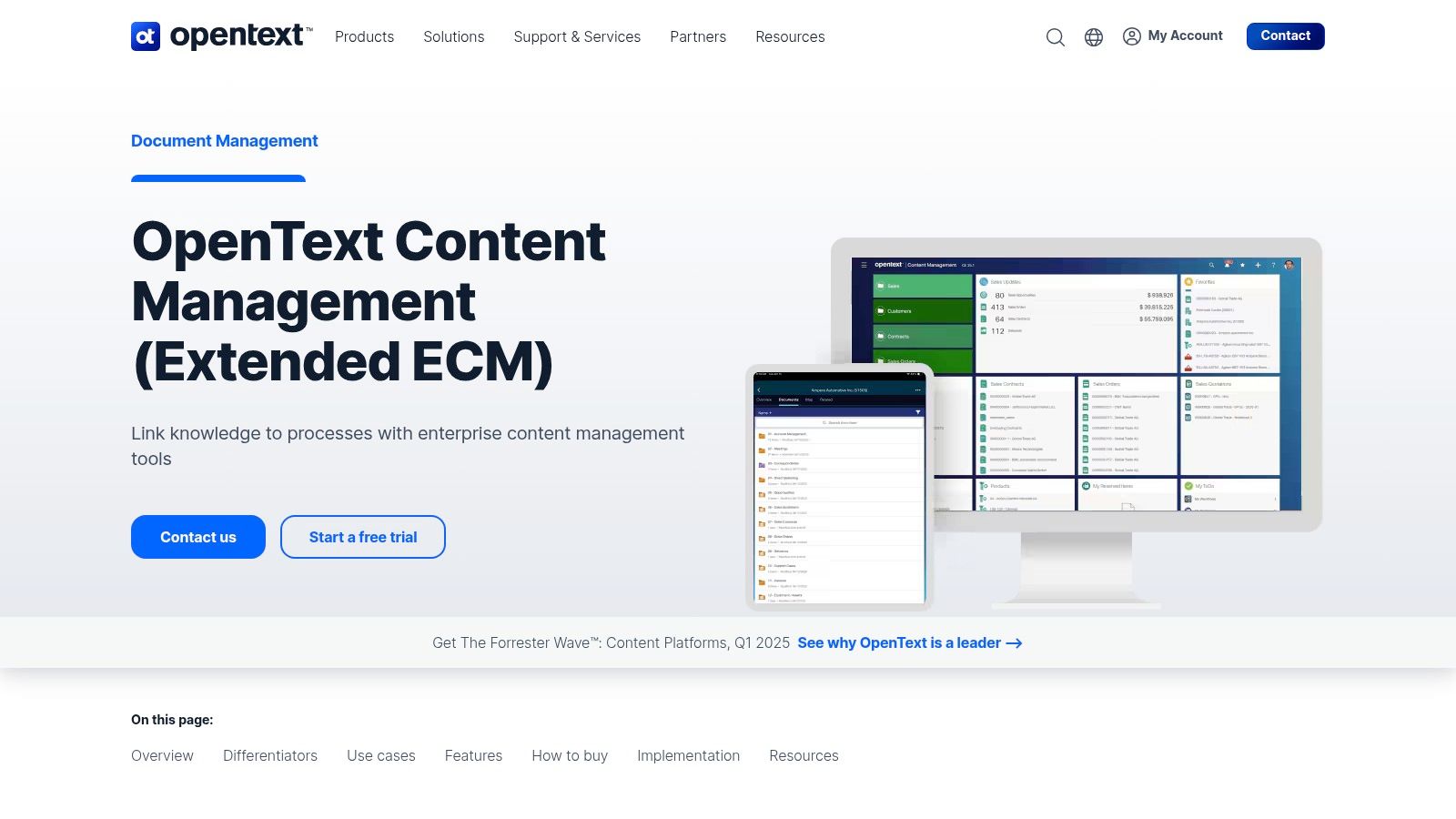
The platform excels at automating the full information lifecycle, from creation and collaboration to archival and destruction. Its automated governance and records management features are critical for regulated industries needing to enforce strict compliance and retention policies without manual intervention.
Core Analysis
- Ideal Use Case: Large, global enterprises in regulated sectors like finance, energy, or pharmaceuticals that need to manage content tied directly to business transactions within systems like SAP or Salesforce.
- Implementation Note: Due to its complexity and deep integrations, engaging a certified OpenText partner is highly recommended for a successful deployment. The initial setup requires significant planning to map content workflows to business processes.
- Pricing: Access is strictly enterprise-oriented and quote-based. Pricing depends heavily on deployment model (on-premises vs. cloud), user count, and specific integrations required.
| Feature Analysis | Assessment |
|---|---|
| Integrations | Best-in-class; connects content to business objects seamlessly. |
| Governance | Highly automated and robust, ideal for strict compliance needs. |
| Deployment | Flexible options including on-premises, private cloud, or major IaaS. |
| User Experience | Can be complex; functionality is embedded within host applications. |
Pros:
- Enterprise-grade scalability and a strong compliance posture.
- Robust partner ecosystem and procurement via cloud marketplaces.
Cons:
- High total cost of ownership (TCO) compared to simpler solutions.
- Implementation can be complex and lengthy without expert partners.
Website: https://www.opentext.com/products/extended-ecm
2. Hyland – OnBase
Hyland’s OnBase platform distinguishes itself as a highly configurable content services platform that emphasizes low-code application development. Instead of a one-size-fits-all approach, OnBase provides a foundational framework for managing documents, processes, and cases, allowing organizations to build tailored solutions for specific departmental or industry needs. This makes it a powerful choice among enterprise content management solutions for businesses that require process flexibility without extensive custom coding.
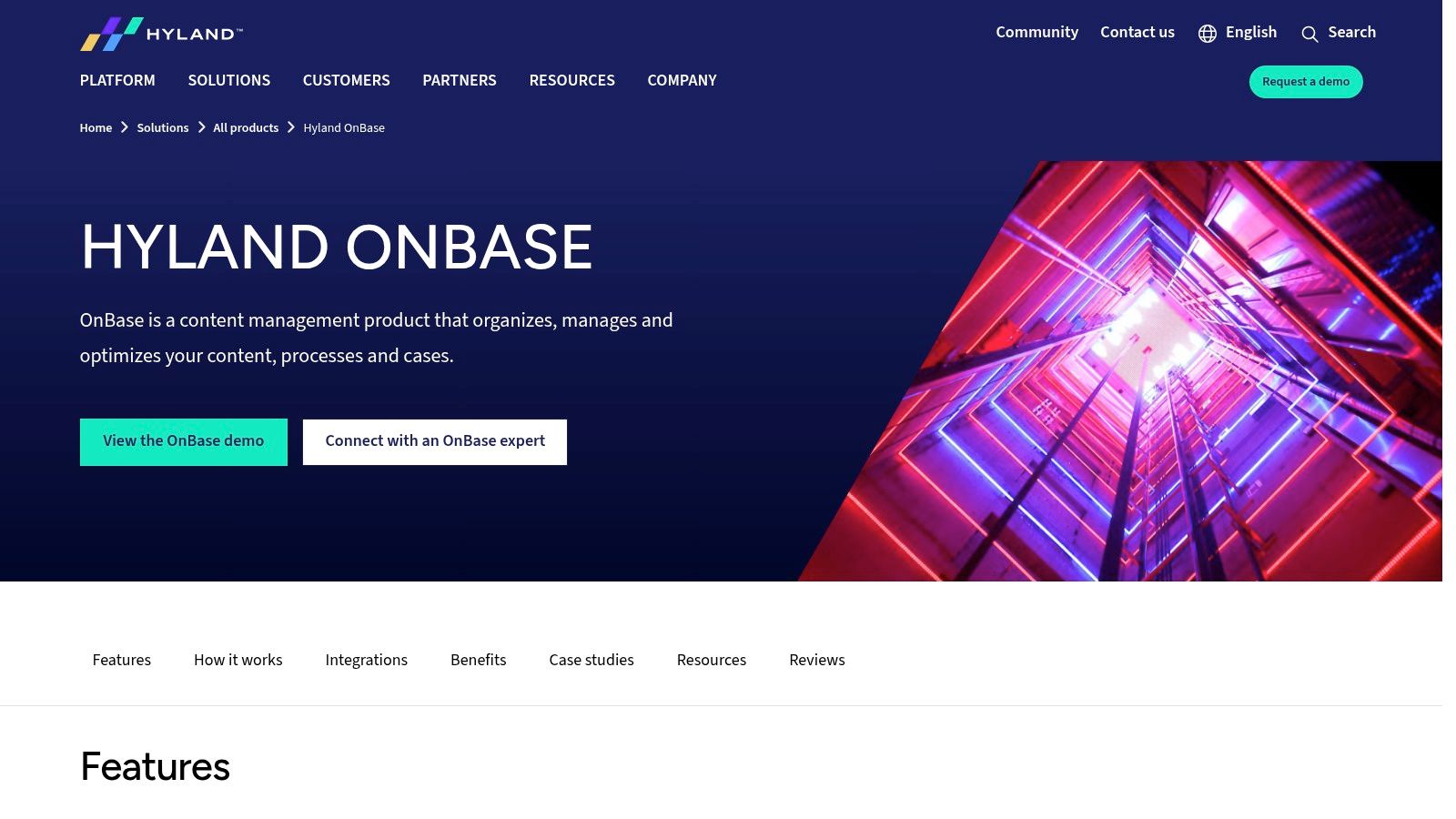
The platform’s strength lies in its App Builder and extensive library of pre-built industry solutions, which significantly accelerate deployment for common use cases in healthcare, finance, and government. Recent updates have infused the platform with AI-driven insights, enhancing its capability to automate and intelligently manage information throughout its lifecycle.
Core Analysis
- Ideal Use Case: Mid-to-large enterprises in sectors like insurance, healthcare, or higher education seeking a flexible, low-code platform to digitize specific business processes, such as claims processing or student records management.
- Implementation Note: While the low-code tools are powerful, larger or more complex deployments often benefit from Hyland professional services or certified partners to assist with solution design, data migration, and workflow optimization.
- Pricing: Pricing is quote-based and modular. Costs vary based on the required modules (e.g., workflow, capture, case management), user count, and chosen deployment model (on-premises, Hyland Cloud, or AWS).
| Feature Analysis | Assessment |
|---|---|
| Integrations | Strong, with pre-built connectors for major ERP/CRM systems. |
| Governance | Comprehensive case management and process automation features. |
| Deployment | Very flexible: on-premises, Hyland Cloud, and AWS Marketplace. |
| User Experience | Modern and configurable, especially with the newer App Builder. |
Pros:
- Broad industry and departmental solutions reduce time-to-value.
- Strong product update cadence and robust integration capabilities.
Cons:
- Customized pricing can be complex, depending on modules and users.
- Large-scale deployments may require partner services for optimal design.
Website: https://www.hyland.com/en/products/onbase
3. Microsoft SharePoint (Microsoft 365)
Microsoft SharePoint serves as the ubiquitous content services backbone of the Microsoft 365 ecosystem. Its core strength lies not in being a standalone platform, but in its deep, native integration with the tools millions of employees already use daily, such as Teams, Outlook, and OneDrive. This makes it one of the most accessible enterprise content management solutions for organizations committed to the Microsoft stack, effectively lowering the barrier to adoption.
The platform provides robust document management capabilities, including versioning, metadata, records management policies, and powerful enterprise search. Its transparent per-user licensing and rapid cloud deployment through Microsoft 365 plans make it a financially predictable and scalable choice for businesses of all sizes, from small teams to global enterprises.
Core Analysis
- Ideal Use Case: Organizations of any size that are heavily invested in Microsoft 365 and need a centralized, integrated platform for document collaboration, intranet sites, and foundational records management.
- Implementation Note: While SharePoint Online is easy to start, structuring it effectively requires careful planning of site architecture, permissions, and governance rules to prevent content sprawl.
- Pricing: Included with most Microsoft 365 Business and Enterprise plans. Standalone plans start from $5 per user/month, offering a clear and predictable cost model.
| Feature Analysis | Assessment |
|---|---|
| Integrations | Unmatched within the Microsoft 365 suite; seamless user experience. |
| Governance | Good foundational capabilities; advanced needs may require third-party tools. |
| Deployment | Primarily cloud-first (SharePoint Online), with hybrid/on-premises options. |
| User Experience | Modern and intuitive, especially when accessed via Microsoft Teams. |
Pros:
- Low barrier to entry and cost-effective for existing Microsoft 365 customers.
- Extensive third-party ecosystem for add-ons, customization, and governance.
Cons:
- Advanced compliance and large-scale records management often require add-ons.
- On-premises versions demand significant IT overhead for security and maintenance.
Website: https://www.microsoft.com/en-us/microsoft-365/sharepoint/compare-sharepoint-plans/
4. IBM – FileNet Content Manager / IBM Content Manager
IBM's FileNet Content Manager is engineered for high-volume, mission-critical environments where scalability and security are non-negotiable. Its primary differentiator is its proven ability to manage billions of documents while maintaining strict governance, making it a cornerstone for industries like banking, insurance, and government. The platform's containerized deployment options via IBM Cloud Pak for Business Automation offer flexibility and scalable sizing for modern hybrid cloud architectures.
This solution excels in process-centric content management, integrating robust case management and workflow capabilities directly into its core. As one of the most resilient enterprise content management solutions, it is designed to be the authoritative system of record, enforcing complex retention policies and legal holds automatically. This focus on automation and compliance ensures it meets the stringent demands of highly regulated sectors.
Core Analysis
- Ideal Use Case: Large financial institutions, insurance companies, and government agencies that require extreme scalability for managing regulated content and case-based workflows.
- Implementation Note: Deployment is typically partner-led and requires deep technical expertise, especially when integrating with the broader IBM Cloud Pak ecosystem. Planning for a phased rollout is crucial.
- Pricing: Pricing is entirely quote-based and tailored to specific deployment configurations, user counts, and the level of integration with other IBM automation services.
| Feature Analysis | Assessment |
|---|---|
| Scalability | Extreme; proven in environments managing billions of objects. |
| Governance | Enterprise-grade with powerful, automated retention and case tools. |
| Deployment | Highly flexible with containerized profiles for hybrid cloud. |
| User Experience | Function-first and can be complex; a steeper learning curve is expected. |
Pros:
- Strong track record in mission-critical, heavily regulated industries.
- Deep integration with the comprehensive IBM Cloud Pak for Business Automation.
Cons:
- Quote-based pricing model often requires significant investment.
- Complexity necessitates specialized skills or partner engagement for implementation.
Website: https://www.ibm.com/products/content-manager
5. Box
Box positions itself as a modern, cloud-native content management platform that prioritizes secure collaboration and ease of use. It differentiates itself by combining enterprise-grade security and governance with a user-friendly interface, making it one of the most accessible enterprise content management solutions for businesses of all sizes. The platform is built around a single, secure content layer, enabling seamless internal and external collaboration without compromising control.
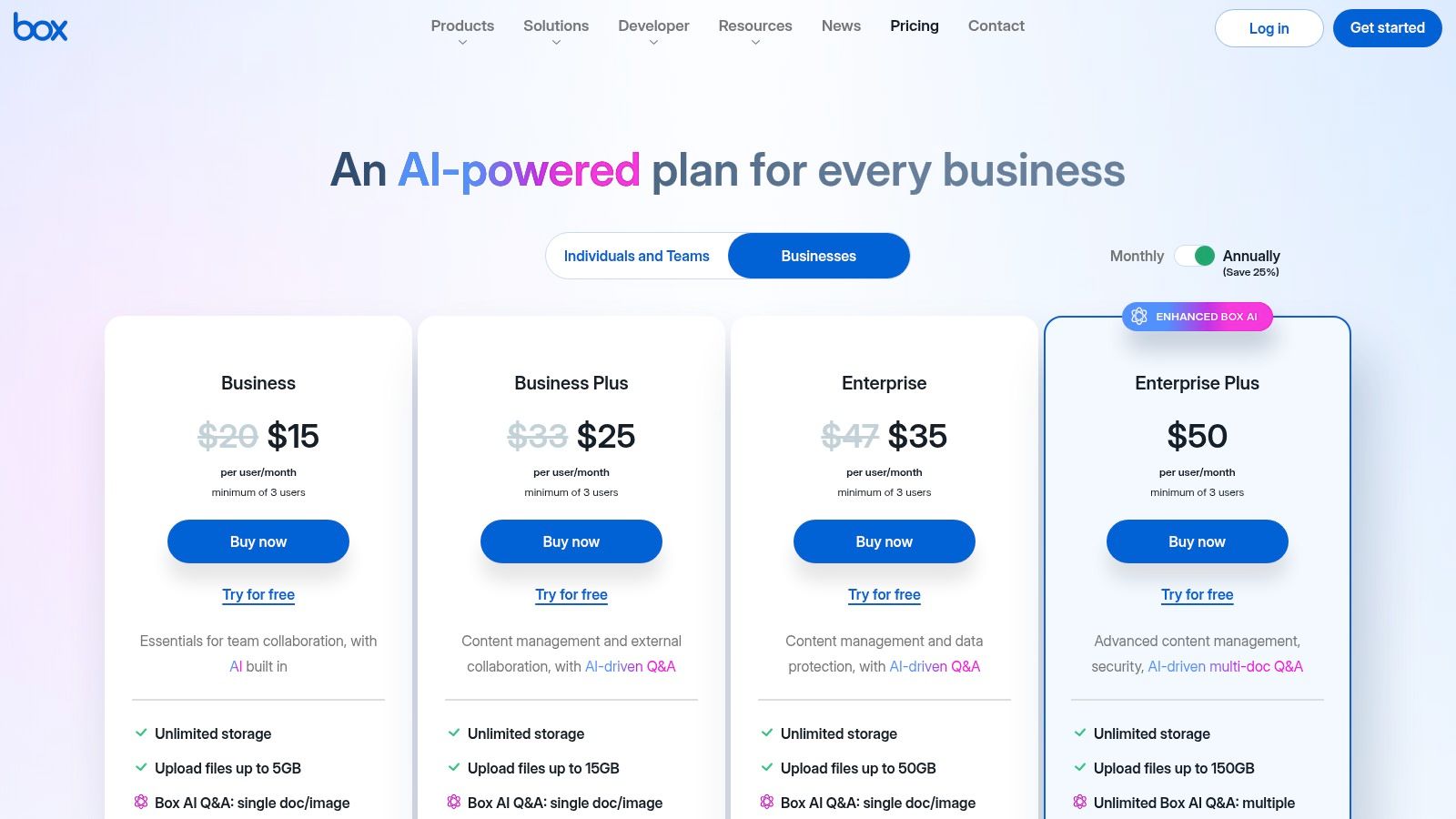
Box excels in unifying content across the entire tech stack with its 1,500+ pre-built integrations for tools like Microsoft 365, Salesforce, and Slack. Features like Box Sign for e-signatures, Box Relay for workflow automation, and the new Box AI for content intelligence are all natively integrated, streamlining processes that traditionally require multiple disparate tools. This all-in-one approach simplifies management and boosts productivity.
Core Analysis
- Ideal Use Case: Organizations needing a secure, easy-to-deploy cloud platform for both internal and external content collaboration, particularly those leveraging a diverse SaaS ecosystem.
- Implementation Note: As a SaaS platform, rollout is typically fast. The key to successful implementation is defining a clear governance structure, including user permissions, folder organization, and metadata policies, from the outset.
- Pricing: Transparent, tiered pricing is available on their website, starting from "Business" plans with unlimited storage. Enterprise Suites are quote-based and include advanced security and compliance features.
| Feature Analysis | Assessment |
|---|---|
| Integrations | Extensive; over 1,500 connectors to major business applications. |
| Governance | Strong, with features like Box Shield for threat detection and retention policies. |
| Deployment | Pure cloud (SaaS), simplifying infrastructure management. |
| User Experience | Highly intuitive and user-friendly, promoting rapid adoption. |
Pros:
- Simple SaaS purchasing model allows for a fast and straightforward rollout.
- Strong external collaboration features and content portals (Box Hubs).
Cons:
- Some advanced security and AI features are restricted to higher-tier plans.
- API usage quotas and limits vary significantly by subscription plan.
Website: https://www.box.com/pricing/business
6. M-Files
M-Files introduces a fundamentally different approach to information management with its metadata-driven architecture. Instead of relying on traditional folders, the platform organizes content based on what it is, not where it's stored. This "repository-neutral" model allows it to connect information silos across the organization, making it one of the most flexible enterprise content management solutions for companies with complex, distributed data landscapes.
The system leverages AI, branded as M-Files Aino, to automatically classify documents and extract metadata, significantly reducing manual tagging efforts. Its deep integration with Microsoft 365 and Google Workspace allows users to interact with enterprise content directly from familiar applications like Teams, Outlook, and SharePoint, which boosts user adoption.
Core Analysis
- Ideal Use Case: Professional services, engineering, or legal firms that manage high volumes of project-related documents and require precise version control, contextual search, and automated workflows.
- Implementation Note: Success with M-Files hinges on a well-planned metadata structure. Invest time upfront to define document classes and properties that align with your business processes for optimal searchability and automation.
- Pricing: Pricing is quote-based and tailored to specific needs, including the number of users, deployment choice (cloud, on-premises, or hybrid), and required integrations.
| Feature Analysis | Assessment |
|---|---|
| Integrations | Excellent, especially with Microsoft 365 and Salesforce. |
| Governance | Strong, with dynamic permissions based on metadata and content. |
| Deployment | Highly flexible, supporting cloud, on-premises, and hybrid models. |
| User Experience | Intuitive search-based interface; high user satisfaction reported. |
Pros:
- Powerful metadata-driven search provides fast, context-aware results.
- Flexible deployment options cater to diverse IT infrastructure policies.
Cons:
- Initial metadata planning can be resource-intensive.
- Quote-based pricing model lacks transparency for initial evaluation.
Website: https://www.m-files.com/
7. Laserfiche
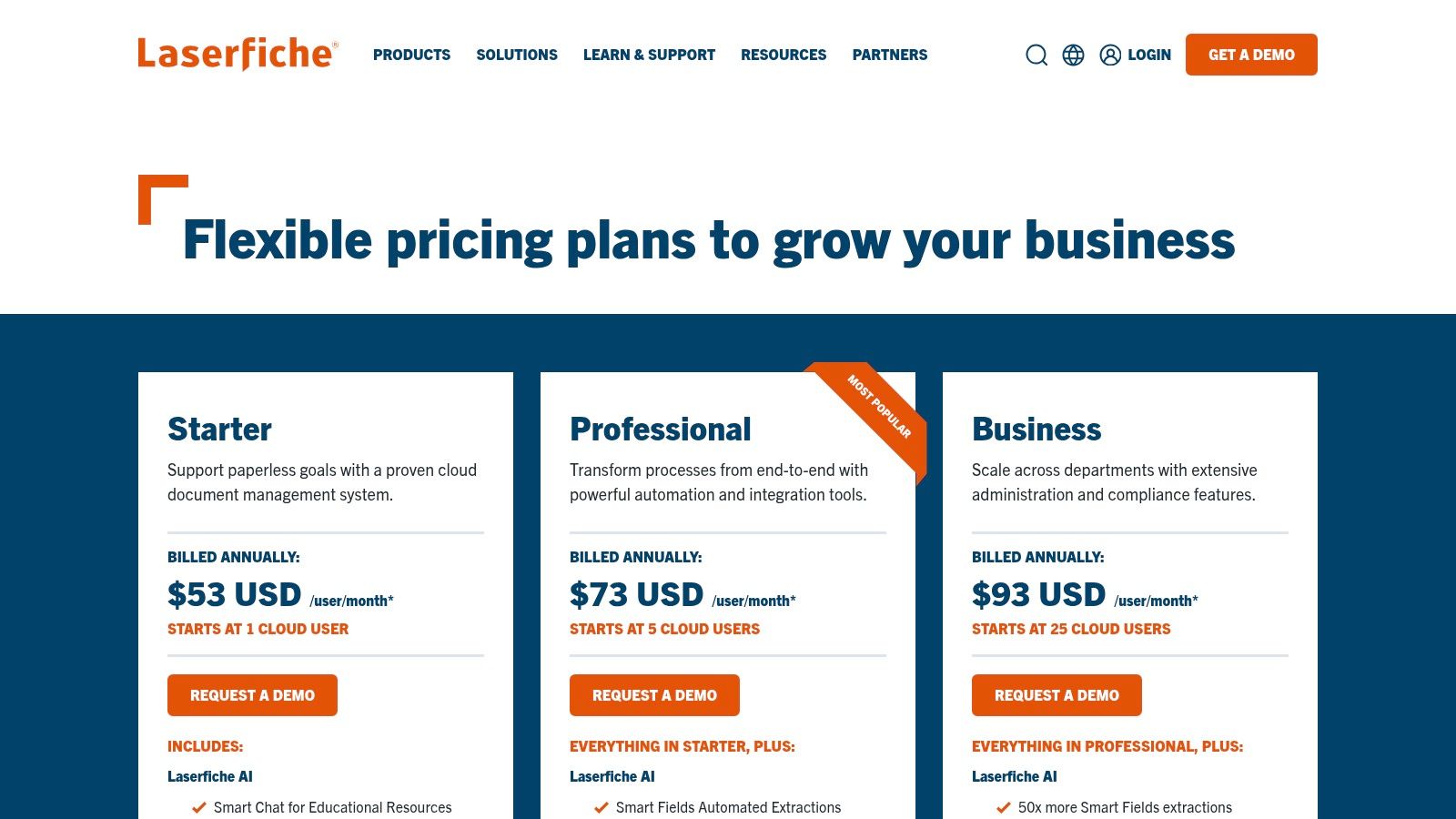
Laserfiche distinguishes itself by combining intelligent content management with powerful, low-code business process automation. It is designed to be an all-in-one platform for digitizing, managing, and automating content-centric workflows, making it a strong contender among enterprise content management solutions for organizations aiming to eliminate paper and manual processes. Its clear, tiered cloud pricing model provides transparency often missing in the enterprise space.
The platform's core strengths are its built-in electronic forms, workflow automation, and analytics, which allow businesses to design and deploy sophisticated processes without extensive coding. Recently, the infusion of AI capabilities for smart data extraction and summarization has further enhanced its ability to turn unstructured content into actionable data, a key benefit for improving operational efficiency. Laserfiche's robust governance features are also well-suited for organizations needing to manage records through their full lifecycle.
Core Analysis
- Ideal Use Case: Mid-market to enterprise organizations in sectors like government, education, and financial services that need to replace paper-based forms and manual approval processes with automated digital workflows.
- Implementation Note: While the platform is user-friendly, realizing its full potential often requires professional services for process analysis and workflow design. The transparent pricing helps in planning, but implementation costs should be factored in separately.
- Pricing: Laserfiche offers transparent, tiered cloud pricing starting from a "Starter" tier. Business and Enterprise tiers have higher user minimums and offer more advanced features. Self-hosted options are also available via quote.
| Feature Analysis | Assessment |
|---|---|
| Automation | Excellent; low-code workflow and e-forms are core strengths. |
| Governance | Robust; offers records management, legal holds, and audit trails. |
| AI Capabilities | Strong; includes Smart Fields, summarization, and chat features. |
| User Experience | Generally positive and modern, with a focus on usability. |
Pros:
- Transparent tiered cloud pricing is accessible for various business sizes.
- Strong customer satisfaction ratings noted in Gartner Peer Insights.
Cons:
- Higher user minimums at the Business tier can be a hurdle for smaller teams.
- Implementation services often represent an additional cost.
Website: https://www.laserfiche.com/products/pricing/
8. DocuWare
DocuWare excels as a cloud-first document management and workflow automation platform, distinguishing itself with a strong focus on digitizing paper-based processes for mid-market and enterprise departments. It is designed to capture, process, and secure documents through intelligent indexing and automated workflows, making it a powerful tool for accounts payable, human resources, and sales teams looking to eliminate manual data entry and accelerate approval cycles.
The platform’s strength lies in its user-friendly workflow designer and electronic forms capabilities, which allow businesses to convert inefficient manual tasks into streamlined digital operations. This makes DocuWare one of the most accessible enterprise content management solutions for organizations aiming for rapid digital transformation without extensive IT involvement.
Core Analysis
- Ideal Use Case: Mid-sized businesses or enterprise departments like HR or Finance seeking to automate document-centric workflows, such as invoice processing or employee onboarding.
- Implementation Note: The platform's modular nature allows for a phased rollout. Starting with a single, high-impact process (e.g., accounts payable automation) is a common and effective strategy.
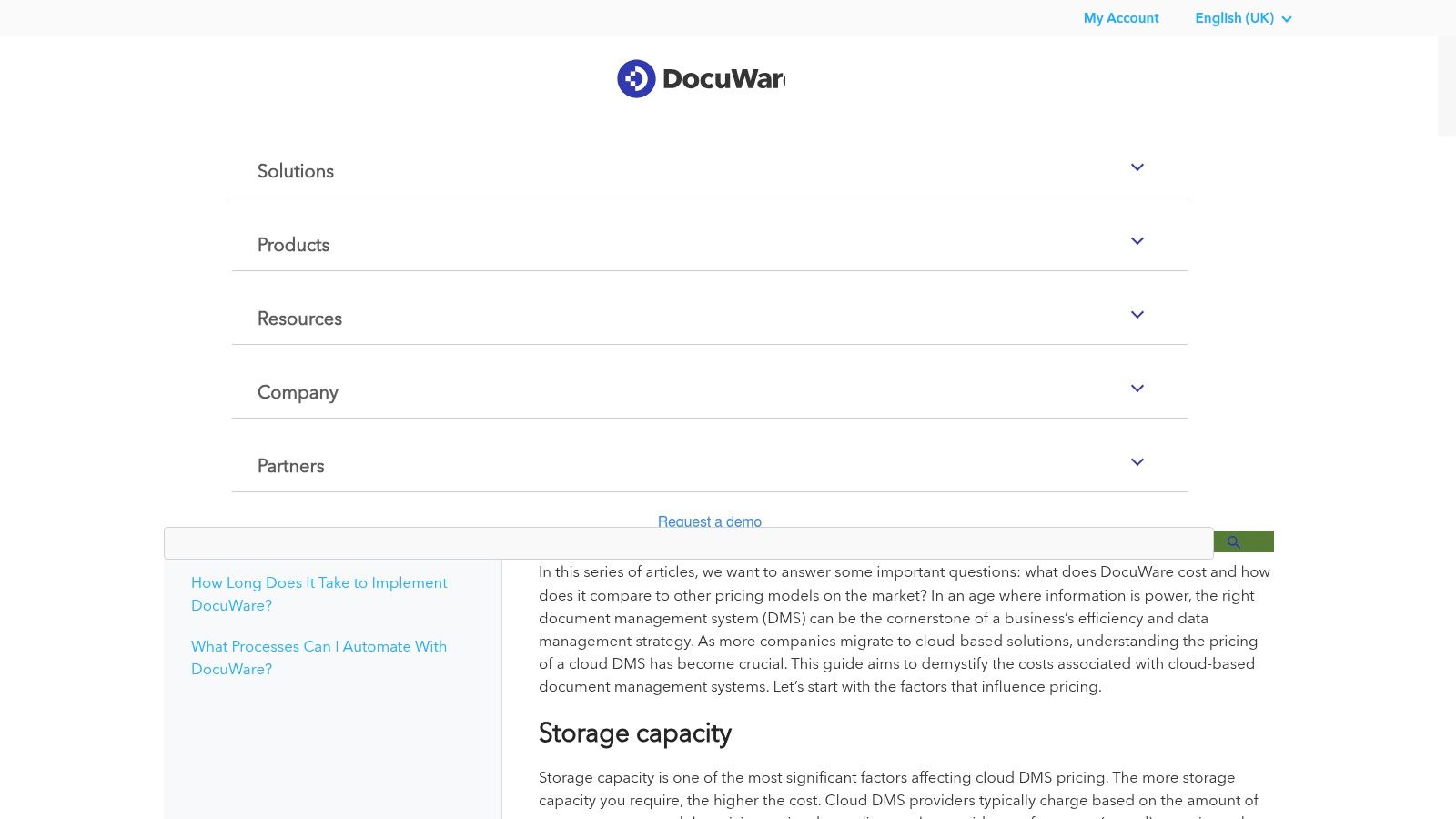
- Pricing: Quote-based, with cloud plans structured around user count and storage tiers. A 30-day free trial is available, allowing for a thorough evaluation before commitment.
| Feature Analysis | Assessment |
|---|---|
| Integrations | Solid connectors for major ERP and CRM systems; strong email integration. |
| Governance | Good version control, audit trails, and retention policy features. |
| Deployment | Primarily cloud-based (SaaS), with an on-premises option available. |
| User Experience | Clean, modern interface that is generally intuitive for end-users. |
Pros:
- Strong focus on workflow automation and intelligent indexing.
- Offers a 30-day free trial without requiring a credit card.
Cons:
- Pricing is not transparent and requires a direct quote.
- Advanced customization may require assistance from a certified partner.
Website: https://start.docuware.com/en-gb/faq/docuware_pricing
9. AWS Marketplace
AWS Marketplace serves as a curated digital catalog, not a single product, making it a unique entry for organizations seeking enterprise content management solutions. It allows companies already invested in the AWS ecosystem to discover, procure, and deploy a vast array of third-party content services, from document capture and digital asset management to headless CMS platforms. This streamlines the entire procurement and deployment cycle, aligning software purchasing with existing AWS billing and governance.
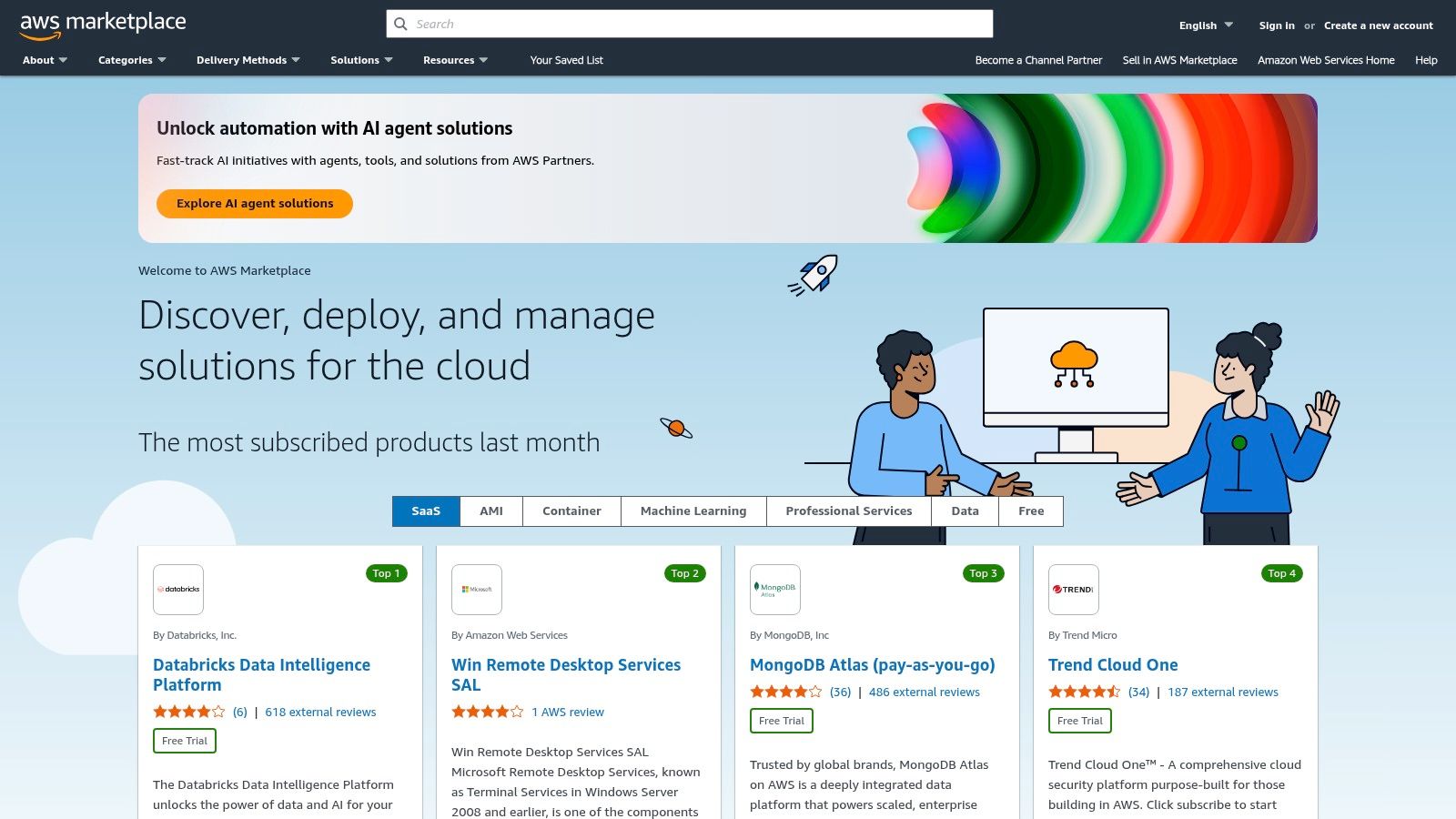
The primary advantage is the consolidation of vendor management. Instead of negotiating separate contracts, businesses can leverage standardized licensing, private offers, and metered billing directly through their AWS account. This accelerates evaluation and implementation, enabling teams to trial different solutions within their secure cloud environment.
Core Analysis
- Ideal Use Case: Organizations with an established AWS cloud strategy looking to quickly evaluate and deploy pre-vetted ECM solutions without the friction of traditional enterprise procurement cycles.
- Implementation Note: While deployment is simplified, understanding the specific architecture of each listed solution (SaaS vs. AMI) is critical. Users should filter by delivery method and review the vendor’s specific documentation for integration requirements.
- Pricing: Highly variable and vendor-specific. Pricing models range from hourly/annual subscriptions to usage-based metered billing, with private offers available for customized enterprise agreements.
| Feature Analysis | Assessment |
|---|---|
| Integrations | Varies by vendor; however, all solutions are optimized for AWS. |
| Governance | Relies on vendor-specific features and AWS infrastructure governance. |
| Deployment | Massively simplified for AWS-native organizations. |
| User Experience | The marketplace UI is for procurement; the ECM's UX depends on the chosen vendor. |
Pros:
- Streamlined procurement and deployment into existing AWS infrastructure.
- Ability to trial and compare multiple ECM vendors quickly.
Cons:
- Pricing and terms vary significantly by listing, with some requiring direct seller contact.
- The quality and support level are vendor-dependent, not guaranteed by AWS.
Website: https://aws.amazon.com/marketplace/
10. Microsoft AppSource
Microsoft AppSource is not a standalone ECM solution but rather a critical marketplace for organizations embedded in the Microsoft ecosystem. It serves as a centralized, vetted repository where businesses can discover, trial, and procure third-party enterprise content management solutions and add-ons that integrate directly with Microsoft 365, Dynamics 365, and the Power Platform. Its primary value is streamlining the procurement and deployment process for Microsoft-centric enterprises.
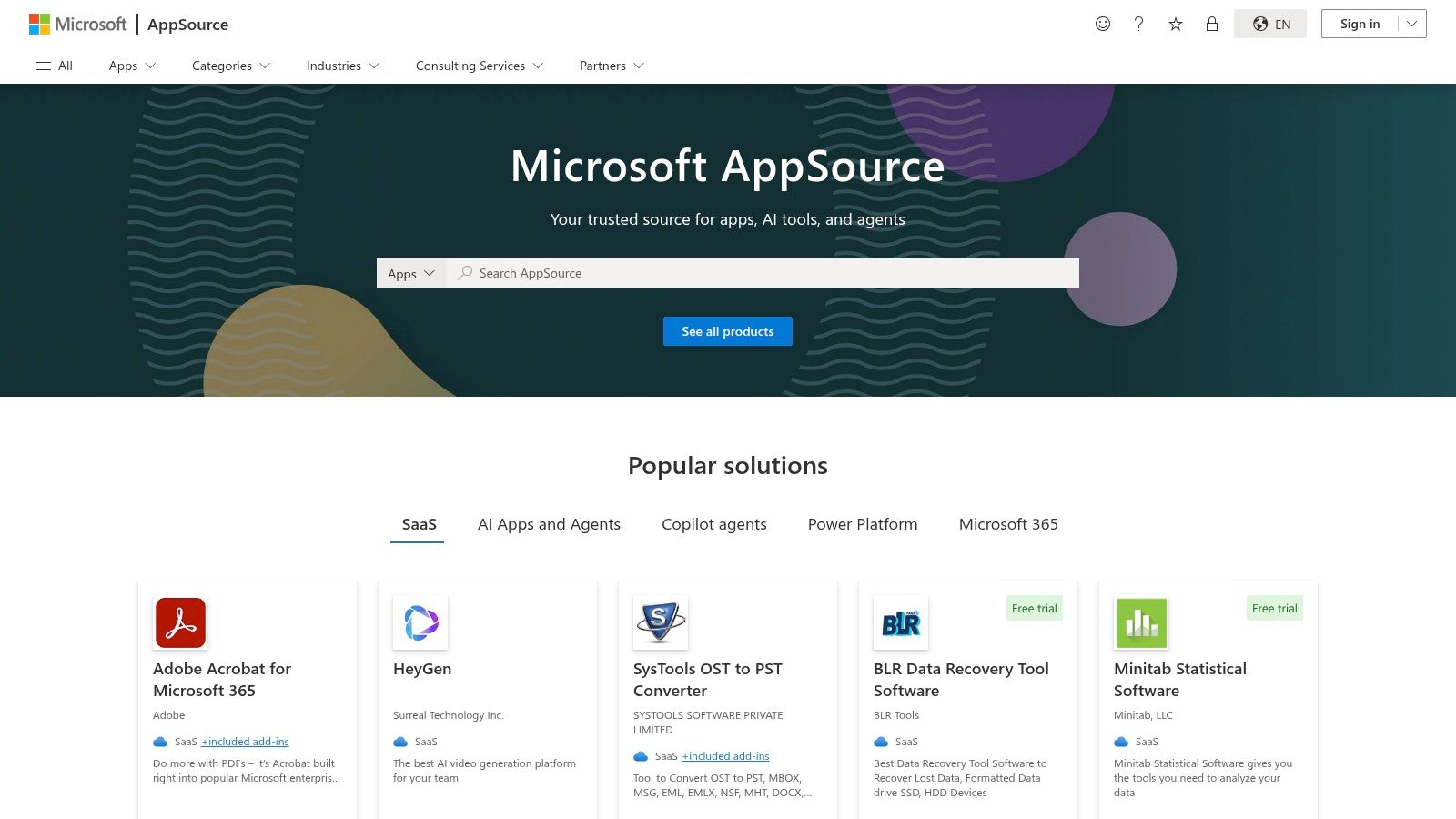
The platform enables IT leaders to find certified applications, like connectors for OpenText or Box, knowing they meet Microsoft's security and integration standards. By leveraging AppSource, organizations can extend the native capabilities of SharePoint and Teams, transforming them into more robust content management hubs without navigating complex, independent vendor negotiations.
Core Analysis
- Ideal Use Case: Organizations heavily invested in Microsoft cloud services (Azure, Microsoft 365) looking to enhance or acquire ECM capabilities that are pre-vetted for compatibility and security.
- Implementation Note: While apps are "certified," implementation complexity varies greatly. Simple add-ins may be one-click installs, but full ECM platforms acquired through AppSource still require significant project planning and configuration.
- Pricing: Varies by vendor. AppSource facilitates the transaction, but pricing models (per-user, per-month, etc.) are set by the individual software provider. Some apps offer direct purchase, while many redirect to a vendor for a custom quote.
| Feature Analysis | Assessment |
|---|---|
| Integrations | Core strength; all listings are designed for the Microsoft ecosystem. |
| Governance | Leverages existing Microsoft Entra ID for identity and access control. |
| Deployment | Facilitates SaaS deployments integrated directly into a company's Microsoft tenant. |
| User Experience | The marketplace itself is easy to navigate, with filters and user reviews. |
Pros:
- Simplifies procurement and billing for Microsoft-centric organizations.
- Ensures a baseline of security and compatibility for all listed applications.
Cons:
- Pricing is often not transparent, requiring contact with the vendor.
- Selection is limited to vendors who have partnered with Microsoft.
Website: https://appsource.microsoft.com/
11. G2 – Enterprise Content Management category
While not a standalone solution, G2's Enterprise Content Management category serves as an indispensable research hub for decision-makers. It aggregates peer reviews, feature grids, and real-world user sentiment, allowing organizations to compare dozens of enterprise content management solutions on a like-for-like basis. This makes it a crucial first step in the procurement process, helping teams move from a long list of potential vendors to a qualified shortlist.
The platform’s strength lies in its structured data and filtering capabilities. Users can narrow down options based on company size, industry, specific features, and user satisfaction ratings. G2 provides an unfiltered view into what current users actually think about a platform's usability, support quality, and implementation process, offering insights that vendor marketing materials often omit.
Core Analysis
- Ideal Use Case: Technology evaluation teams, IT managers, and business leaders in the initial research and vendor shortlisting phase of their ECM procurement journey.
- Implementation Note: To maximize value, use the comparison tool to generate side-by-side analyses of your top 3-5 contenders. Pay close attention to reviews from companies of a similar size and industry.
- Pricing: The platform is free to use for research and browsing. Vendors may offer specific pricing or trial information through their G2 profiles.
| Feature Analysis | Assessment |
|---|---|
| Data Source | Relies on verified user reviews, providing authentic peer insights. |
| Comparison Tools | Excellent; side-by-side grids make feature analysis straightforward. |
| Market Scope | Comprehensive, but can sometimes mix pure ECM with related WCM or DXP tools. |
| User Experience | Intuitive and well-organized, with powerful filters for refining results. |
Pros:
- Offers up-to-date user sentiment for real-world perspectives.
- Free to browse and compare leading solutions with direct vendor links.
Cons:
- Accuracy is entirely dependent on user-submitted data.
- Some listings may fall outside the scope of traditional ECM.
Website: https://www.g2.com/categories/enterprise-content-management-ecm
12. Gartner Peer Insights – Document Management market
Gartner Peer Insights serves as a critical due-diligence resource rather than a direct software solution. It offers a transparent, crowd-sourced view of the enterprise content management solutions landscape, aggregating verified reviews from real enterprise users. This platform provides invaluable, unbiased data on customer experience, implementation challenges, and overall satisfaction with various vendors. It acts as a powerful complement to formal analyst reports like the Magic Quadrant.
The platform’s strength lies in its "Voice of the Customer" reports and the 'Customers’ Choice' distinction, which highlights vendors that meet or exceed market average ratings for both Overall Experience and User Interest. This allows decision-makers to quickly gauge which tools are not just technically capable but are also well-regarded by their actual user base, revealing insights into post-purchase reality.
Core Analysis
- Ideal Use Case: Technology leaders and procurement teams in the mid-to-late stages of the vendor selection process, looking to validate analyst reports and marketing claims with real-world user feedback.
- Implementation Note: Use the platform to shortlist vendors or as a final check before committing. Filter reviews by company size, industry, and region to find feedback most relevant to your organization's context.
- Pricing: Access to read reviews is free upon registration. Vendors pay to participate in the broader Gartner ecosystem, which helps fund the platform.
| Feature Analysis | Assessment |
|---|---|
| Integrations | N/A; This is a research platform, not a software solution. |
| Governance | Provides qualitative data on how well vendors meet governance needs. |
| Deployment | N/A; It is a web-based research and review portal. |
| User Experience | The website is well-organized and easy to navigate for comparison. |
Pros:
- Strong signal on customer satisfaction and real-world adoption trends.
- Free access to a large volume of verified, unbiased user reviews.
Cons:
- Coverage is limited to vendors with sufficient review volume.
- Niche, regional, or emerging tools may not be represented.
Website: https://www.gartner.com/reviews/market/document-management
Top 12 Enterprise Content Management Solutions Comparison
| Product | Core Features & Integrations | User Experience & Quality ★★★★☆ | Value & Pricing 💰 | Target Audience 👥 | Unique Selling Points ✨ |
|---|---|---|---|---|---|
| OpenText – Extended ECM | Deep ERP/CRM/HCM integration, lifecycle governance | Enterprise-grade, complex implementation | Quote-based, enterprise-oriented | Large enterprises, regulated sectors | Flexible deployment, strong partner ecosystem 🏆 |
| Hyland – OnBase | Low-code app builder, industry-specific connectors | Strong update cadence, broad solutions | Customized per modules & users | Mid-large orgs, vertical-focused | AI-driven insights, app building tools ✨ |
| Microsoft SharePoint (365) | Native MS 365 integration, transparent per-user pricing | Easy Microsoft adoption, rapid cloud deployment | From $5/user/month, clear pricing | Microsoft-centric businesses | Seamless MS 365 ecosystem integration 🏆 |
| IBM – FileNet / Content Manager | Enterprise governance, containerized scalability | Proven in mission-critical environments | Quote-based, partner-led implementation | Regulated, large scale enterprises | Extreme scalability, IBM Cloud Pak integration ✨ |
| Box | Unlimited storage (business tiers), 1500+ integrations | SaaS ease, strong external collaboration | Transparent tiers, some advanced features premium | Enterprises needing collaboration | Built-in e-signature, Box AI assistance ✨ |
| M-Files | Metadata-driven, AI-assisted retrieval, hybrid/cloud options | High satisfaction, advanced search | Quote-based, varies by deployment | SMB to large, MS 365 users | AI-powered metadata search, flexible deployment ✨ |
| Laserfiche | Workflow automation, AI-powered tools, legal holds | Strong Gartner-rated customer satisfaction | Tiered cloud pricing, clear tiers | SMB to enterprise | Built-in AI Smart Fields, tiered transparent pricing |
| DocuWare | Workflow automation, intelligent indexing, e-forms | 30-day free trial, scalable plans | Quote-based, varied pricing | Mid-market to enterprise | Flexible scaling, trial available ✨ |
| AWS Marketplace | Curated SaaS/AMI, private offers, metered billing | Streamlined AWS deployment | Varies by listing | AWS users, enterprise software buyers | Wide ECM & DAM solutions, easy trials |
| Microsoft AppSource | ECM app marketplace, ratings, Microsoft identity integration | Simplifies Microsoft procurement | Pricing often via vendor contact | Microsoft ecosystem users | Governance via MS tenancy, vetted apps |
| G2 – ECM Category | Peer reviews, pricing snapshots, feature comparisons | Real-world user insights, free browsing | Free | Buyers researching ECM | Up-to-date user sentiment, comparison grids |
| Gartner Peer Insights – Document Management | Verified reviews, satisfaction scores, vendor summaries | Trusted enterprise feedback | Free | Enterprise buyers | Customers’ Choice awards, complements analyst reports |
Final Thoughts
Navigating the complex landscape of enterprise content management solutions can feel overwhelming, but making an informed decision is crucial for streamlining operations, ensuring compliance, and unlocking the full value of your organization's data. Throughout this guide, we've dissected a range of powerful platforms, from industry titans like OpenText and Microsoft SharePoint to more agile, cloud-native players like Box and M-Files. Each solution presents a unique combination of strengths, architectural philosophies, and ideal use cases, reinforcing the critical takeaway: there is no single "best" platform for every organization.
The right choice is entirely dependent on your specific context, existing technology stack, and long-term strategic goals. The journey to selecting the right tool is as much about internal discovery as it is about external market analysis.
Key Takeaways: From Evaluation to Implementation
As you move forward from this comprehensive overview, keep these core principles at the forefront of your decision-making process. The success of your chosen enterprise content management solution hinges less on its feature list and more on its alignment with your organization's fundamental needs.
- Integration is Non-Negotiable: A standalone ECM is a relic of the past. The true power of modern platforms lies in their ability to seamlessly integrate with your existing systems like ERPs, CRMs, and HRIS. Deep integration with tools like Microsoft 365 or Salesforce can be a deciding factor, as seen with solutions like SharePoint and Box.
- Scalability and Architecture Matter: Your organization will grow, and your data volume will expand exponentially. Carefully consider whether a cloud-native, on-premises, or hybrid model best suits your security protocols, IT resources, and scalability requirements. A solution that feels perfect today may become a bottleneck tomorrow if it can't evolve with you.
- User Adoption is the Ultimate Metric: The most feature-rich, secure, and powerful enterprise content management solution is useless if your team refuses to use it. Prioritize platforms with intuitive user interfaces, robust mobile access, and a minimal learning curve. As demonstrated by platforms like DocuWare and M-Files, a focus on user experience directly translates to higher ROI.
- Compliance and Governance are Foundational: In an era of stringent data privacy regulations like GDPR and CCPA, robust governance features are not just a "nice-to-have." Evaluate each platform's capabilities for automated records management, retention policies, audit trails, and access controls with meticulous care.
Your Actionable Next Steps
Armed with this analysis, your path forward should be methodical and strategic. Avoid making a hasty decision based on a single demo or a compelling marketing pitch. Instead, follow a structured evaluation process to ensure you select one of the best enterprise content management solutions for your unique ecosystem.
- Assemble a Cross-Functional Team: Involve stakeholders from IT, legal, finance, marketing, and key operational departments. Their diverse perspectives will ensure all critical requirements are identified early on.
- Define Your Core Use Cases: Document the top 3-5 business problems you need the ECM to solve. Is it AP invoice automation, HR employee onboarding, or managing legal contracts? A clear focus will help you filter out unsuitable vendors quickly.
- Conduct Proof-of-Concept (POC) Trials: Shortlist two or three top contenders and engage them in a paid POC. Test the platform against your most critical use case with a small group of end-users. This real-world testing is invaluable and reveals limitations that demos often hide.
- Scrutinize the Total Cost of Ownership (TCO): Look beyond the initial licensing fees. Factor in implementation costs, data migration, user training, ongoing maintenance, and potential customization needs to understand the true long-term financial commitment.
Choosing an enterprise content management solution is a foundational decision that will impact your organization's efficiency, security, and agility for years to come. By investing the time in a diligent and user-centric evaluation process, you can confidently implement a platform that not only solves today's challenges but also serves as a strategic asset for future growth.