A Developer's Guide to Node JS CMS Platforms
Explore the world of Node JS CMS platforms. This guide explains how they work, the benefits for developers, and how to choose the right option for your project.

At its core, a Node JS CMS is a content management system built on the Node.js runtime environment. This isn't just a technical detail—it’s the key to making these systems incredibly fast, scalable, and a perfect fit for modern, multi-channel web applications.
Many of these systems are "headless," meaning they decouple the back-end content repository from the front-end presentation layer. Content is served up via an API, ready for any device or application to consume.
What Exactly Is a Node JS CMS?
Let’s use an analogy. A traditional CMS like WordPress is a bit like an all-in-one stereo system. It has the CD player, the radio, and the speakers all in one box. It’s convenient and works well for many situations, but you’re stuck with the components it came with.
A headless Node JS CMS is more like a high-end, component-based audio system. You get a powerful amplifier (the back-end) and can connect any speakers you want (the front-end—a website, a mobile app, a smart display). This gives developers total control, much better performance, and the flexibility to build custom experiences.
The real magic comes from its Node.js foundation. Node.js uses what’s called a non-blocking, event-driven architecture. In simple terms, this is the perfect engine for an API-first world, allowing the CMS to juggle thousands of content requests at once without breaking a sweat.
This design choice enables a CMS to handle thousands of simultaneous requests without slowing down. It makes Node.js an ideal solution for delivering content to websites, mobile apps, IoT devices, and digital signage all from a single backend.
The Shift to Decoupled Architectures
While giants like WordPress, Shopify, and Wix still dominate the landscape—powering over 54% of all CMS-driven websites—a clear trend is emerging. Developers are moving away from monolithic, all-in-one systems.
The rise of headless, or "decoupled," architectures has opened the door for Node.js to become a major player. In fact, a recent survey found that 40% of developers now prefer a headless CMS, citing its scalability and flexibility as top reasons.
This API-first model brings some significant wins for development teams:
- Frontend Freedom: Your developers are no longer locked into a rigid templating system. They can use their favorite JavaScript frameworks—like React, Vue, or Svelte—to build a fast, modern user experience.
- Omnichannel Content: When content is just data served through an API, you can send it anywhere. This is a huge advantage for businesses needing a consistent brand message on their website, mobile app, and in-store digital displays.
- Better Performance: Separating the back-end from the front-end means each can be optimized independently. The result is a much faster website, which is great for both user experience and SEO.
Here’s a quick look at how these two approaches stack up.
Node JS CMS vs Traditional CMS At a Glance
The table below breaks down the fundamental differences between a modern Node.js-based headless CMS and a traditional, monolithic platform like WordPress. It highlights the trade-offs in architecture, performance, and overall flexibility.
| Attribute | Node JS CMS (Headless) | Traditional CMS (e.g., WordPress) |
|---|---|---|
| Architecture | Decoupled (API-first) | Monolithic ( tightly coupled) |
| Flexibility | High; use any front-end technology | Limited to its own theme and plugin ecosystem |
| Performance | Excellent; optimized front-ends and efficient back-end | Can be slow due to plugins and database overhead |
| Scalability | High; scales back-end and front-end independently | Can be difficult and expensive to scale |
| Developer Experience | Modern; developers use their preferred tools and frameworks | Often requires knowledge of specific languages (e.g., PHP) |
| Security | Generally more secure due to a smaller attack surface | Larger attack surface, often targeted via plugins |
Ultimately, choosing a Node.js CMS is about embracing a more flexible and powerful way to manage content. It's a strategic move that supports an organization's ability to develop a comprehensive content marketing strategy for a multi-channel world.
If you're still new to some of these concepts, our guide on what a CMS is and how it works is a great place to start. This separation of concerns isn't just a trend; it's the future of building digital experiences.
Why Developers Choose Node JS for Content Management
The move towards Node.js for content management isn't just a trend; it's a practical shift driven by real-world advantages. Developers are increasingly gravitating to a Node JS CMS because it directly tackles some of the biggest headaches in modern web development: speed, workflow, and flexibility. These platforms offer a powerful alternative to the old guard, helping teams build much faster and more scalable digital experiences.
The most obvious win is raw performance. Node.js is built on what's called an event-driven, non-blocking I/O model. That sounds technical, but think of it like a really efficient coffee shop barista. Instead of taking one customer's entire, complex order and finishing it before even looking at the next person, this barista starts an espresso shot brewing, takes another person's order while it pulls, and grabs a pastry for a third. That's Node.js in a nutshell—it juggles tons of small tasks at once without getting stuck waiting for any single one to finish.
For a CMS, this translates into an ability to handle a massive number of simultaneous API requests without breaking a sweat. Imagine an omnichannel media company that needs to push content to its website, a mobile app, and a smart TV app all at the same time. The Node.js backend can serve thousands of users across all those platforms without buckling under the pressure.
The JavaScript Everywhere Advantage
Probably the biggest boost to workflow is using JavaScript for everything. This "JavaScript everywhere" approach means developers aren't constantly switching gears between a server-side language like PHP or Python and a client-side language (JavaScript). Having one language for the entire stack just makes sense. It streamlines development, makes it easier for teams to collaborate, and starts to blur the lines between frontend and backend specialists.
This isn't a minor detail. JavaScript is the language of the web, powering an incredible 98.9% of all websites as of 2025. This massive adoption has been a huge factor in the rise of Node.js. With such a deep talent pool of developers who already live and breathe JavaScript, it’s much easier for companies to build cohesive, agile teams. You can dive deeper into these numbers by checking out the latest JavaScript usage statistics.
Suddenly, frontend developers who used to be stuck working only in the browser can jump in and help with the backend, write API logic, or tweak CMS configurations. This doesn't just speed up projects; it helps build a more versatile and collaborative engineering culture.
A Force Multiplier for Development
The other game-changer is the Node.js ecosystem itself, built around the Node Package Manager (npm). The best way to think of npm is as a gigantic, free Lego store for developers. Need to plug into a payment processor, connect to cloud storage, or add some fancy image processing? There’s almost certainly an npm package that does most of the heavy lifting for you.
For developers, having access to over a million of these pre-built packages is a massive force multiplier. It means less time spent reinventing the wheel and more time focused on building the unique, custom features that actually matter.
This vibrant ecosystem gives any Node JS CMS a huge head start. It allows for incredibly fast integrations and customizations. Developers can pull in packages to add new capabilities with just a few commands, making the entire system far more adaptable than the rigid, monolithic platforms of the past. That ability to extend and reshape the core CMS on the fly is a serious competitive advantage.
Understanding Node.js CMS Architectures
Not all Node.js CMS platforms are built the same way. When you start looking around, you'll find two main architectural models that define how content gets managed and delivered. Getting a handle on these differences is the first step to picking the right foundation for your project.
The most common—and frankly, most modern—approach is the headless CMS. Think of your Node.js backend as a central content hub, a library where all your information is perfectly organized and stored. The API is the librarian, ready to fetch that content and deliver it to any application that asks for it, whether that's a React-powered website, an iOS app, or even a smart display.
This model separates the content repository (the "body") from the presentation layer (the "head"). If you want to dig deeper into this idea, you can learn more about what it means to build a decoupled content management system.
This separation is the secret sauce behind its flexibility and is a huge reason why a Node.js CMS is such a powerful tool.
Headless vs. Monolithic Models
A much less common approach you might see is the monolithic CMS. In this older model, the backend (where you manage content) and the frontend (the website itself) are tightly bundled into one single application. This can make the initial setup for a simple blog feel straightforward, but it boxes you in and makes it incredibly difficult to expand to new channels or adopt new technologies down the road.
The headless, API-first approach has become the gold standard for good reason. It just makes more sense for modern development.
- Omnichannel Delivery: Your content isn't stuck on one website. You can push an update from one place and have it appear on your mobile app, website, and internal dashboards all at once.
- Future-Proofing: Frontend frameworks come and go. With a headless setup, you can completely overhaul your website with the latest tech without ever having to touch your backend or migrate your content.
- Enhanced Security: By keeping your content management system separate from your public-facing website, you significantly shrink the potential attack surface.
The infographic below really drives home why so many developers lean on Node.js—its performance, the consistency of using JavaScript everywhere, and its massive ecosystem are all perfect ingredients for a high-performing headless architecture.
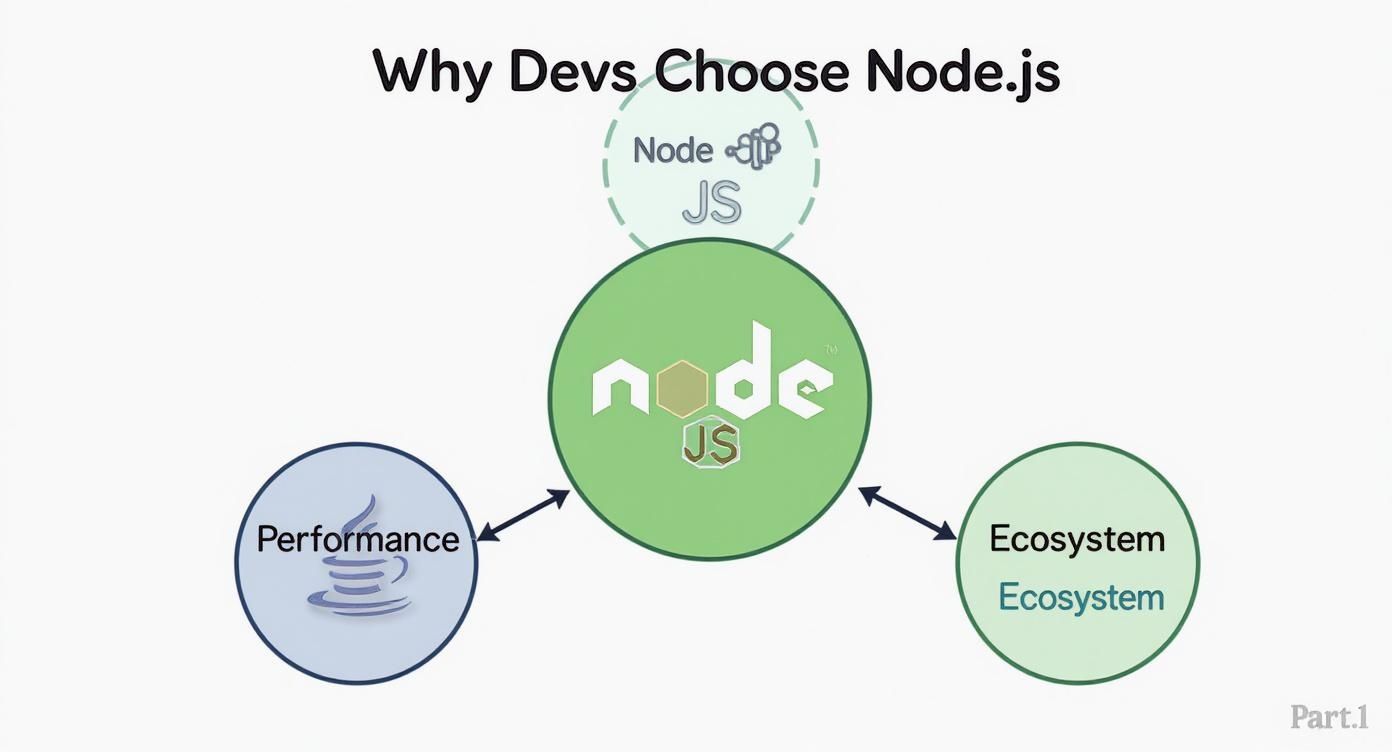
This just reinforces that the choice to use Node.js is rooted in practical benefits that directly feed into the speed and scale you need from a modern, API-driven CMS.
A headless architecture doesn't just manage content for a website; it turns your content into a service that can be consumed by any application, anywhere. This shift in thinking is fundamental to building scalable digital experiences.
To get a clearer picture of how these systems are put together, it’s worth understanding the architectural differences between headless and traditional CMS platforms. This context makes it obvious why the headless model, especially when powered by something like Node.js, is the go-to for teams that care about long-term flexibility and performance.
7 Key Features to Look For in a Modern Node JS CMS
When you're shopping for a Node JS CMS, it's easy to get sidetracked by flashy marketing claims. The real trick is to cut through the noise and focus on the core features that will actually make or break your project. Think of it as building a house—without a solid foundation, the fancy paint job doesn't matter much.
The absolute cornerstone of any modern, headless CMS is its API. A top-tier platform should come standard with both REST and GraphQL APIs. The API is the central nervous system connecting your content to every single application you build. A clean, flexible API means your developers can pull exactly the data they need, nothing more, which is the secret sauce for building incredibly fast websites and apps.
If the API is poorly designed, your development team will be stuck wrestling with workarounds and writing boilerplate code instead of building the features that drive your business forward. It's that simple.
Empowering Your Content and Development Teams
A powerful API is great for developers, but what about the people who actually create the content? A great Node JS CMS never forces you to choose between developer happiness and editor usability. The editing interface has to be intuitive and straightforward, allowing marketers and content creators to do their jobs without needing to ping a developer for help.
When you're evaluating the editor experience, keep an eye out for these essentials:
- Customizable Content Types: You need the freedom to define your own content models from scratch. Whether it’s a "Product," an "Author Bio," or a "Case Study," the system shouldn't box you in.
- A Solid Rich Text Editor: A good WYSIWYG editor is non-negotiable. It needs to handle basic formatting, embedding media, and even custom components with ease, letting your team create beautiful, engaging content.
- An Organized Media Library: Your team needs a central hub to upload, manage, and reuse images, videos, and documents. A messy media library creates workflow chaos.
Finding this balance ensures your CMS acts as an enabler for everyone, not a bottleneck for someone.
The best Node.js CMS platforms recognize that the Developer Experience (DX) and the Content Editor Experience are two sides of the same coin. One cannot be world-class without the other.
Extensibility and Security You Can Trust
Once you’ve covered the basics, a platform's long-term value really comes down to its adaptability and security. Your project has unique requirements, and your CMS needs to be able to grow with them. This is where features like a robust plugin architecture or support for webhooks come in. For example, a simple webhook can be set up to automatically trigger a new site build the moment an editor hits "publish."
Security is the other non-negotiable. A data breach can be catastrophic, so you need a platform built on a secure foundation. Look for systems that offer:
- Role-Based Access Control (RBAC): This gives you fine-grained control over who can see, edit, and publish what.
- Flexible Authentication: The CMS should support modern authentication methods, not just basic local accounts.
- Built-in Data Validation: Tools that enforce your content models ensure data integrity and prevent errors before they happen.
Choosing a platform with a strong focus on these areas will save you countless headaches down the road. If you're looking for real-world examples, our collection of open-source headless CMS options is a great place to start your comparison.
Essential Node JS CMS Feature Checklist
To help you stay focused during your evaluation, here’s a checklist that breaks down the most critical features. It's designed to help you see what matters most to different team members, ensuring you pick a platform that works for everyone.
| Feature | Why It Matters | Priority (Developer) | Priority (Content Editor) |
|---|---|---|---|
| GraphQL & REST APIs | Provides flexible and efficient data fetching for any frontend application. | High | Medium |
| Custom Content Modeling | Allows you to define the exact structure of your content to fit your needs. | High | High |
| Intuitive UI/UX | Empowers non-technical users to manage content without developer assistance. | Medium | High |
| Extensibility (Plugins/Webhooks) | Enables custom integrations and automates workflows as your project grows. | High | Low |
| Role-Based Access Control (RBAC) | Secures your content by giving users permissions only for their specific roles. | High | Medium |
| Integrated Media Library | Centralizes asset management, making content creation faster and more organized. | Medium | High |
| Self-Hosting Options | Gives you full control over your data, infrastructure, and security compliance. | High | Low |
Using a checklist like this ensures you're asking the right questions. It forces a practical, feature-by-feature comparison that looks past the marketing hype and focuses on what will truly empower your team to build amazing digital experiences.
A Look at the Top Node.js CMS Platforms
When you start digging into the Node.js CMS world, you'll find a handful of powerful tools, each with its own unique philosophy. Instead of just rattling off a list, it’s far more useful to understand what each platform was built for. The best choice for you hinges entirely on what you’re trying to achieve—whether that’s total flexibility for a complex app or a simple, elegant experience for publishing content.
This rise of specialized tools is happening for a reason. Node.js has absolutely exploded in popularity, now powering over 6.3 million web applications across the globe. Its market share is projected to climb from 1.11% to 4.24% by 2025, a jump fueled by developers chasing scalable, real-time performance. Frankly, it's not hard to see why. Teams using Node.js often report cutting load times by 50–60% and slashing development costs by over 57% compared to older server-side options. For a deeper dive into these numbers, you can find more Node.js adoption statistics on bigohtech.com.
Strapi: The Open-Source Customization Powerhouse
When a development team needs complete control and the ability to customize everything, Strapi is almost always the first name that comes up. It’s the leading open-source headless Node.js CMS, and its biggest selling point is sheer flexibility.
With Strapi, you define your own content structures from scratch, self-host the platform for total data ownership, and tap into a rich plugin ecosystem to add new features. It's a developer-first tool, meaning you're never boxed in. You get robust REST and GraphQL APIs right away, giving you the freedom to feed content to any frontend framework or application you can imagine.
This makes Strapi the go-to for building bespoke digital products where a tailor-made backend isn't just nice to have—it's a core requirement. To see what it's truly capable of, take a look at our in-depth guide on the Strapi CMS.
The screenshot below gives you a peek at the clean dashboard where you can visually build out your data models.
This visual approach to content modeling is a game-changer, letting developers and non-technical folks collaborate on the project's data structure without friction.
Ghost: The Publisher's Choice for Performance
If Strapi is all about broad flexibility, Ghost is the polar opposite. It’s a laser-focused platform built for one thing and one thing only: publishing. It was designed from the ground up for writers, bloggers, and media brands who care deeply about a beautiful writing experience, lightning-fast speed, and out-of-the-box tools for memberships and newsletters.
Ghost is a perfect example of a Node.js CMS that shines because of its narrow focus. The editor is minimalist and distraction-free, and its performance is second to none thanks to a highly optimized architecture. If your main goal is simply to create and share amazing content, Ghost is a turnkey solution that handles all the technical headaches so you can focus on your work.
KeystoneJS: The Code-First Framework
Finally, we have KeystoneJS, which blurs the line between a CMS and a backend framework. It’s a code-first platform where you define your schema—the very blueprint of your content—directly in JavaScript. This gives you an incredible amount of power for building sophisticated backends that do much more than just manage content.
KeystoneJS really finds its sweet spot in projects where the "CMS" is just one piece of a much larger puzzle, like an e-commerce platform, a community forum, or a SaaS product. It offers developers granular control over every single part of the backend, making it the ultimate choice for building highly complex and deeply integrated systems from the ground up.
Frequently Asked Questions About Node JS CMS
Diving into a Node JS CMS for the first time naturally brings up a lot of questions, both for developers in the trenches and the decision-makers leading the project. Getting a handle on what this technology means in the real world is the key to making a choice you can stand behind. Let's tackle some of the most common queries to clear things up.
Is a Node JS CMS a Good Choice for SEO?
Yes, it can be a phenomenal choice for SEO, and the reason boils down to one word: headless. Because most Node.js content management systems separate your content from how it's displayed, developers are free to use modern frontend frameworks like Next.js or Nuxt.js.
This lets you build sites that are server-side rendered (SSR) or statically generated (SSG). In simple terms, these approaches serve up fully-formed HTML pages that search engine crawlers can read and index in a flash. The result is lightning-fast page loads—a huge SEO ranking factor—and total control over technical SEO without the baggage of clunky plugins you often find in traditional systems.
How Does It Compare to WordPress for Setup?
Let's be direct: a Node JS CMS typically requires more technical know-how to get running than WordPress, which is famous for its five-minute install. Self-hosted options like Strapi or KeystoneJS mean you need to be comfortable with the command line, setting up Node.js environments, and managing databases.
It’s a developer-first experience. While that brings a ton of power, the initial setup isn't for the faint of heart. That said, the gap is definitely closing. Many modern platforms now offer managed hosting that handles all the complex infrastructure for you. Our guide on the cloud-based content management system digs deeper into how these newer deployment models are making life easier.
The trade-off is clear: A Node.js CMS exchanges the one-click simplicity of platforms like WordPress for unparalleled flexibility, performance, and developer control. The right choice depends on your team's technical skills and project goals.
Can I Use Any Frontend Technology?
Absolutely—and this is probably its single biggest advantage. A headless Node JS CMS doesn't care what the "head" (the frontend) looks like. It just serves up your content through an API, usually REST or GraphQL. This means you are completely untethered from any specific frontend technology.
You can pull that content into any modern framework you want, including:
- React (often with Next.js)
- Vue.js (often with Nuxt.js)
- Svelte (with SvelteKit)
- Angular
This "content-as-a-service" approach also means you can push the same content to a native iOS app, an Android app, an IoT device, or any other digital screen you can dream up. It's the ultimate way to future-proof your content, letting you innovate on the user experience without ever having to touch the backend.