How to Compare CMS Systems for Your Business
Struggling to compare CMS systems? Our guide analyzes WordPress, Shopify, Wix, and Headless CMS on cost, flexibility, and real-world performance.

Before we dive into a head-to-head comparison, let's get one thing straight: a Content Management System (CMS) is the engine behind your website. It's the software that lets you create, manage, and publish content without having to write code from the ground up. The real decision isn't if you should use one, but which one fits your needs.
You're essentially choosing between the infinite flexibility of an open-source platform like WordPress and the all-in-one simplicity of a hosted builder like Wix. There's no single "best" option; the right choice hinges entirely on your technical comfort, business goals, and budget.
Choosing the Right Foundation for Your Digital Strategy
Picking a CMS is one of the most foundational decisions you'll make for your business. It dictates the very framework of your digital presence. This guide isn't just a list of features; it's a deep dive into how your choice will impact everything from the user experience and SEO performance to your ability to scale and the true long-term costs involved.

We’ll tackle the common traps businesses fall into, like getting locked into an ecosystem that can't grow with them or miscalculating the total cost of ownership. Think of this as the groundwork for a detailed comparison of WordPress, Shopify, Wix, and the modern Headless CMS approach, giving you clear criteria to make a smart, future-proof decision.
Understanding the CMS Market Landscape
The numbers don't lie—CMS platforms are the standard for website management. By 2025, it's projected that roughly 64% of all websites will be run on a CMS. Within that landscape, WordPress is the undisputed giant, powering around 43.6% of all websites and holding a commanding 61.7% of the CMS market share.
This market saturation tells an important story. While countless options are available, a few key players serve the vast majority of users, each catering to different needs. Selecting the right one is a critical first step in building a strong online presence.
A CMS isn't just a tool; it's a strategic business asset. The right system empowers your content strategy and supports growth, while the wrong one creates technical debt and operational friction that can stifle progress for years.
Key Platforms at a Glance
To set the stage, let's establish the core identity of each platform we’ll be comparing. This quick overview will give you a sense of where each one fits before we get into the nitty-gritty details. If you're curious about how these platforms operate behind the scenes, our guide on cloud-based systems offers more context: https://www.contenttoolkit.co/blog/cloud-content-management-systems.
| Platform | Core Identity | Primary Use Case | Technical Skill Required |
|---|---|---|---|
| WordPress | The Open-Source Powerhouse | Unmatched flexibility for blogs, business sites, and stores. | Low to High |
| Shopify | The E-commerce Specialist | Turnkey solution for online retailers of all sizes. | Low |
| Wix | The Intuitive Site Builder | Drag-and-drop simplicity for small businesses and portfolios. | Very Low |
| Headless CMS | The Developer-First API | Omnichannel content delivery for complex digital experiences. | High |
Establishing Your Core Evaluation Criteria

To make a smart CMS choice, you need a consistent framework for comparison. Just lining up feature lists is a rookie mistake; the real insight comes from measuring each platform against what your business actually needs to accomplish. A structured evaluation makes sure your final decision is a strategic one, not one based on a slick sales demo.
This means you have to get specific. A term like "ease of use" is subjective—it means one thing to a developer who lives in code and something entirely different to a marketing coordinator. Building a solid set of criteria forces you to define what these terms mean for your team and how they fit into your day-to-day work.
Defining Ease of Use
Ease of use is so much more than a pretty dashboard. It’s really about the level of technical skill needed for daily tasks and basic upkeep. You might find a system with a simple editor, but if changing a small layout element requires a developer ticket, you've just created a major bottleneck for your team.
When you're digging into this, ask yourself:
- Can someone on the marketing team build and launch a new landing page without calling for help?
- How long will it take to get your content creators comfortable and working efficiently in the new system?
- Are common jobs—like updating the main navigation or swapping out a homepage banner—obvious and straightforward?
For teams that need to move fast, it’s worth checking out the world of no-code CMS options. These platforms are specifically designed to put the power directly into the hands of marketers and creators.
Customization and Flexibility
Flexibility is all about how well the platform can bend to your brand and business rules. This is often where you see the classic trade-off: the plug-and-play simplicity of a template-based system versus the raw power of a platform that allows for custom code or a universe of plugins. A rigid CMS will force you to conform to its limitations, while one that's too open can become a nightmare to maintain.
A CMS should be a business enabler, not a constraint. True flexibility isn't just about changing colors and fonts; it's the freedom to integrate third-party tools, build custom features, and pivot your digital strategy without needing a complete platform overhaul.
Scalability for Future Growth
Think of scalability as the platform's ability to keep up as you succeed. This isn’t just about surviving a traffic surge after a viral blog post. It’s also about how well the system handles a ballooning content library and bolts on new technologies down the road without grinding to a halt.
A genuinely scalable CMS can handle:
- High Traffic Volumes: Juggling thousands of simultaneous visitors without crashing.
- Content Growth: Managing tens of thousands of pages, articles, and media files without getting sluggish.
- Technological Integration: Easily connecting with new APIs, marketing tools, and frameworks as your business evolves.
Total Cost of Ownership
Finally, you have to look past the sticker price and calculate the Total Cost of Ownership (TCO). That "free" open-source CMS isn't really free once you start adding up all the other bills.
Your TCO spreadsheet needs to include line items for:
- Hosting Fees: These can range from cheap shared hosting to pricey dedicated servers.
- Premium Plugins/Themes: The features you really need often cost extra.
- Developer Support: Factor in costs for setup, custom work, and ongoing maintenance.
- Security and Backups: Essential services that protect your site don't come for free.
Getting a handle on these often-overlooked expenses gives you a much more realistic financial forecast, helping you avoid nasty surprises and choose a CMS that's actually sustainable for the long haul.
A Head-to-Head Analysis of Traditional CMS Platforms
When you get past the marketing fluff, choosing a CMS really comes down to how it performs under real-world pressure. To properly compare the heavyweights, you can't just look at feature lists. You have to understand their core philosophies and the specific problems they were built to solve.
This breakdown pits WordPress.org, Shopify, and Wix against each other, looking at them through the lens of customization, ease of use, and the true cost of ownership.
The market itself tells a compelling story. Since 2014, WordPress has cemented its position, growing from 59.8% to a high of 65.2% of the CMS market in 2022. In that same timeframe, Shopify exploded from a tiny 0.3% share to a projected 6.7% by 2025, and Wix became the fastest-growing platform, rocketing up by 1,633% to an estimated 5.2%. These numbers show a clear split in what users want: some demand total control, while others are flocking to specialized, user-friendly solutions.
H3: WordPress: The Architect's Toolkit
At its heart, WordPress.org is all about control. It’s open-source software, which means it gives you the raw materials to build practically anything you can imagine—from a basic blog to a sprawling enterprise portal. Its true power comes from its massive ecosystem of over 59,000 free plugins and a seemingly endless supply of themes.
This translates to unparalleled flexibility. A business can launch a simple five-page site and, down the road, bolt on a full e-commerce store, a private membership area, or a learning management system without ever needing to switch platforms. That adaptability is its biggest selling point.
Of course, with great power comes great responsibility. You’re on the hook for your own hosting, security, and updates. While plenty of tools make this easier, the buck stops with you. It's also critical to be aware of potential security vulnerabilities in WordPress, as this is a hidden part of the total cost of ownership many people forget.
Situational Recommendation: WordPress is your platform if long-term flexibility and custom functionality are non-negotiable. It’s the best fit for content-heavy websites, businesses with unique operational needs, and anyone who wants complete ownership of their digital foundation.
H3: Shopify: The Retail Operations Hub
Shopify was built on a completely different philosophy. It isn't a general-purpose website builder; it's a finely-tuned machine designed for one thing: selling products online. Every single feature, from inventory management to integrated payment gateways, is engineered to make commerce as frictionless as possible.
Where WordPress gives you a blank canvas, Shopify gives you a high-performance retail storefront right out of the box. The setup is so straightforward that a new entrepreneur can go from a great idea to their first sale in a single afternoon. Shopify handles all the technical headaches like security, hosting, and performance, which is a huge weight off a merchant's shoulders.
The trade-off for this convenience is control. Customization is pretty much confined to the themes and apps available in the Shopify App Store. Trying to color outside those lines is difficult, if not impossible. You're playing in Shopify's sandbox, which means you have to play by its rules—and pay its transaction fees.
H3: Wix: The All-in-One Business Launchpad
Wix is aimed squarely at the user who needs to get online fast and without a developer. Its claim to fame is the incredibly intuitive drag-and-drop editor, which makes building a website feel more like designing a PowerPoint slide than coding.
For small businesses, freelancers, and solopreneurs, this is a massive advantage. Wix bundles in a suite of tools for things like appointment booking, event calendars, and email marketing, all managed from one clean dashboard. It handles all the technical heavy lifting, letting the user focus entirely on their content and design.
That simplicity, however, comes with built-in limitations. Wix wasn't designed for complex, high-traffic sites or deep custom integrations. While its feature set has grown, its core architecture is optimized for ease of use, not the granular control or scalability that more demanding businesses eventually need. You can explore a variety of tools and resources on this site to see just how different its approach is from a platform like WordPress.
To really see the differences in action, it helps to put these platforms side-by-side. The following table breaks down how each one stacks up across the features that matter most when making a decision.
Core Feature Comparison of Leading CMS Platforms
| Feature | WordPress (.org) | Shopify | Wix |
|---|---|---|---|
| Ideal User | Developers, bloggers, businesses needing full control and custom features. | E-commerce businesses of all sizes, from startups to enterprise-level stores. | Small businesses, freelancers, and individuals needing a simple, all-in-one solution. |
| Ease of Use | Steeper learning curve; requires technical knowledge for maintenance. | Very user-friendly, especially for store setup and management. | Extremely easy to use with its drag-and-drop editor. |
| Customization | Nearly limitless customization through themes, plugins, and direct code access. | Good customization within the Shopify ecosystem; limited outside of it. | Limited to the tools and templates provided by Wix; no code access on lower plans. |
| E-commerce | Powerful via plugins like WooCommerce, but requires self-management. | Best-in-class, fully integrated e-commerce platform. | Built-in e-commerce is suitable for smaller stores but lacks advanced features. |
| Total Cost | Varies widely; you pay for hosting, premium themes/plugins, and development. | Fixed monthly subscription plus transaction fees. App costs can add up. | Fixed monthly subscription; a predictable, all-inclusive cost. |
| Ownership | You own your site and all data. You are responsible for everything. | You operate on Shopify's platform; they control the underlying infrastructure. | You are a user on Wix's platform; migrating away is very difficult. |
This comparison really highlights the distinct DNA of each platform. WordPress is about choice and power. Shopify offers a specialized, integrated retail solution. And Wix delivers simplicity and convenience above all else. The "best" choice has nothing to do with the platform and everything to do with which of these values aligns with your business goals, both for today and for the future.
Understanding the Headless CMS Revolution
Beyond the all-in-one platforms we're used to, a major shift is happening in how developers and businesses compare cms systems. This change is all about headless architecture—a completely different way of thinking about content management that trades out-of-the-box simplicity for long-term flexibility.
Think of it this way: a headless CMS separates your content from how it's displayed. All your content—text, images, product data—lives in a central repository (the "body"). The "head," which could be a website, a mobile app, or even a digital kiosk, is a separate system that just pulls in that content. This separation is the core concept.
Traditional platforms like WordPress or Wix pack the backend (content creation) and the frontend (what users see) into one neat package. A headless CMS, on the other hand, is purely a content database that serves up raw data through an API (Application Programming Interface).
The Power of Omnichannel Delivery
The real magic of this model is true omnichannel content delivery. With a headless CMS, you can write a blog post or a product description one time and push it to a dozen different places at once.
This is a massive advantage for any business juggling a complex digital presence. A modern retail brand, for example, could make a single content update and see it reflected instantly across:
- Their main e-commerce site built on a modern framework like React.
- The native iOS and Android mobile apps.
- In-store digital signage.
- Voice assistant skills for Alexa or Google Home.
This "create once, publish everywhere" approach doesn't just save a ton of time; it guarantees your messaging is perfectly consistent on every channel. For any organization trying to meet customers on their preferred device, that's a serious strategic edge. To see who the key players are, check out this breakdown of the best headless CMS platforms.
Ideal Use Cases and Strategic Fit
Going headless isn’t the right move for everyone. Its real power shines in specific situations where flexibility and scale are the top priorities. It’s less of a platform choice and more of a strategic decision.
This approach is a great fit for:
- Large Enterprises: Companies that need to manage content for multiple brands, websites, and global regions can use a headless CMS as a central hub to feed all their different frontends.
- Tech-Forward Companies: If your team is already building with modern JavaScript frameworks like React, Vue.js, or Svelte, a headless CMS will feel like a natural extension of your workflow.
- Projects Demanding Full Customization: When a pre-built theme just won't do, a headless architecture gives developers total freedom to build a unique user experience from the ground up, with zero constraints from the CMS.
A headless CMS is an investment in architectural freedom. It decouples your content from technology trends, allowing your frontend to evolve with new devices and frameworks while your content core remains stable and consistent.
Acknowledging the Challenges and Trade-offs
Of course, that freedom comes with some pretty big trade-offs. The main one is a much heavier reliance on your development team. Because a headless CMS only handles the backend, you are responsible for building the entire presentation layer from scratch.
This means you need skilled developers who can work with APIs and build a modern front-end experience. The initial setup is almost always more complex and takes longer than spinning up a theme on a traditional platform.
Also, many features that come standard on traditional systems—like a live-preview WYSIWYG editor—can be trickier to set up. This often means a steeper learning curve for marketers and content creators who are used to seeing exactly how their changes will look on the live site. Committing to a headless CMS means committing to a developer-centric workflow, so make sure that aligns with your team's skills and your company's long-term goals.
Matching Your Business Needs to the Right CMS
Choosing a content management system isn't really a technical decision; it's a business one. The best platform is the one that removes the most friction between your team and your goals. To really compare CMS systems, you have to look past the feature lists and analyze how each one fits your company's day-to-day reality.
This is all about matching the CMS architecture to your business model. A solo entrepreneur launching a first service business has completely different needs than a multinational corporation managing a dozen regional websites. The right choice will feel like a natural extension of your workflow, while the wrong one will just create constant headaches.
To help get you started, this chart offers a high-level way to think about which path—traditional or headless—makes the most sense based on the resources you have in-house.
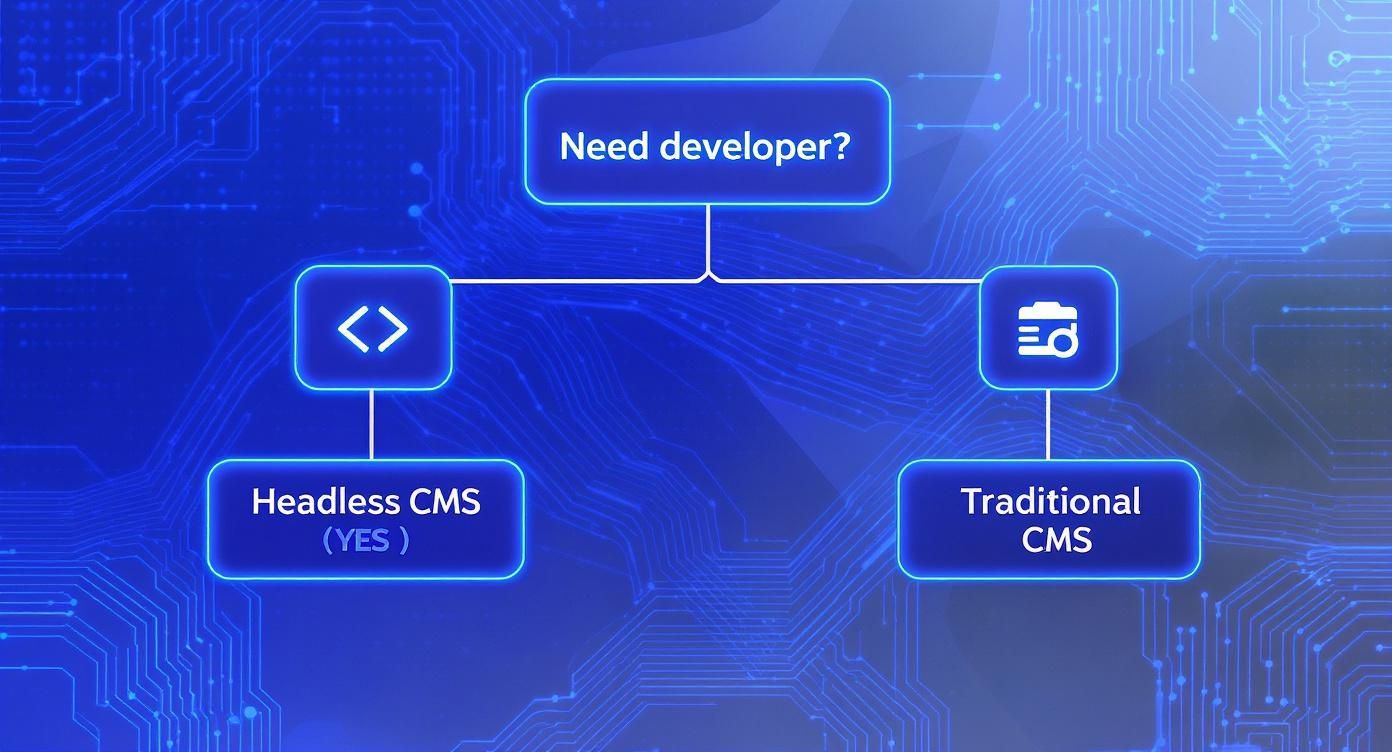
The biggest takeaway here is that developer availability is the main fork in the road. It's what separates the all-in-one traditional platforms from the more flexible, API-first headless architecture.
Small Businesses and Startups
For small businesses and startups, the top priorities are almost always speed, cost, and ease of use. You needed a professional site yesterday, and you don't have a big budget or a tech team on standby. This puts a managed WordPress host in direct competition with an all-in-one builder like Wix.
- Wix is the hands-down winner for pure simplicity. Its drag-and-drop editor lets pretty much anyone build a great-looking site in just a few hours. It’s a closed ecosystem where hosting, security, and support are all handled for you, making it perfect for service businesses, portfolios, or local restaurants.
- Managed WordPress gives you a clear path to grow. It's a bit more involved, but a good managed host automates many of the technical chores. This option opens the door to a massive world of plugins and customization, giving you a platform that can start as a simple brochure site and evolve into something much more powerful.
Recommendation: Go with Wix if your main goal is to launch a professional site as fast as you can. Choose managed WordPress if you think you'll need more advanced features down the road and can handle a slightly steeper learning curve.
Dedicated E-commerce Stores
When your entire business revolves around selling products online, your CMS needs to be a full-blown retail operations hub. The decision usually comes down to Shopify versus WordPress with the WooCommerce plugin. They're both powerhouses, but they come from different philosophies.
Shopify gives you a completely turnkey, optimized retail machine. Everything from payment processing to shipping integrations is built to drive sales with minimal technical fuss. It's a secure, high-performance platform that lets you focus on marketing and fulfillment instead of worrying about server updates.
On the other hand, WordPress with WooCommerce offers unmatched customization. If you need a unique shopping experience, have to integrate with niche third-party systems, or want total control over your design, WooCommerce is the better choice. That freedom, however, comes with the responsibility of managing your own hosting, security, and performance. For a deeper dive, check out our guide on the best e-commerce CMS solutions.
Content-Driven Businesses and Publishers
For businesses where content is the product—like blogs, news sites, and online magazines—the choice is almost always WordPress. Nothing else even comes close to its content management features and SEO toolset.
WordPress was born as a blogging platform, and that DNA is still at its core. It gives you sophisticated tools for categorizing, tagging, and organizing huge libraries of content. Plus, its ecosystem of SEO plugins like Yoast or Rank Math gives publishers fine-grained control over on-page optimization, which is absolutely critical for driving organic traffic.
Large Enterprises and Scalable Tech
Large organizations deal with a whole different set of problems, from complex content workflows and airtight security to delivering content across dozens of channels. This is where you need an enterprise-grade WordPress setup or a headless CMS. In fact, large enterprises already hold a dominant 67.30% of the CMS market share by using these powerful systems.
At the same time, small and medium enterprises (SMEs) are the fastest-growing segment, expanding at a 14.20% CAGR. This growth is often fueled by adopting scalable, cloud-based deployments, which now command 58.40% of the market. You can read more about these findings on the CMS market.
- Enterprise WordPress provides a proven, scalable foundation backed by robust security and dedicated support.
- A Headless CMS like Contentful or Sanity offers the ultimate flexibility. It allows you to push content to websites, mobile apps, and any other digital touchpoint from one central source, making it the go-to for companies with a mature omnichannel strategy.
Unpacking the Final Questions on Choosing a CMS
Even after you've weighed the features, pricing, and best-case scenarios, a few nagging questions often stand between you and a final decision. It's one thing to compare platforms on paper, but it's another to understand how your choice will play out in the real world.
Let's cut through the noise and tackle the practical concerns that come up time and again. Think of this as the final check-in before you commit, making sure you’re choosing a CMS with your eyes wide open.
What Technical Skills Do We Actually Need?
This is arguably the most critical question. The gap between your team's skills and a platform's demands can turn a powerful tool into a source of frustration and hidden costs. Be honest about your internal resources.
Here's a no-nonsense breakdown of what each type of CMS really requires:
- Wix or Shopify: If you can use Microsoft Word or send an email, you've got this. These platforms are built for business owners and marketers, not developers. Day-to-day work like updating pages or managing products is designed to be intuitive and requires zero coding.
- WordPress: The skill requirement here is a sliding scale. Anyone can learn to write posts and add pages with the block editor. But to truly make a WordPress site your own—to install specific plugins, tweak the design, or fix things when they break—you’ll need a working knowledge of web hosting, DNS, and maybe a little CSS.
- Headless CMS: This is developer territory, period. A headless approach is not an option unless you have a development team that lives and breathes APIs and modern frontend frameworks like React or Vue.js.
Your CMS should be an enabler for your team, not a technical roadblock. If you don't have a developer on staff or on call, picking a platform that needs one is setting yourself up for a world of hurt.
How Painful Is It to Migrate Later?
Switching from one CMS to another is almost never a clean break. The difficulty hinges entirely on the platform you're trying to leave. Some systems hand you your data with a smile, while others are built like walled gardens, designed to keep you inside.
The complexity of your site also ramps up the challenge. Moving a simple blog is a weekend project; migrating an e-commerce store with thousands of products, customer accounts, and order histories is a major undertaking.
- Leaving WordPress: Migrating from WordPress is surprisingly straightforward. It comes with a built-in export tool that wraps up all your posts, pages, and media into a standard XML file. This makes WordPress one of the most portable options out there.
- Leaving Shopify or Wix: This is where it gets tough. As closed-source systems, they don't provide simple, one-click export tools for everything. You can usually get your product and customer data out, but getting all your blog posts and page content often means tedious manual work or hiring a third-party service.
- Leaving a Headless CMS: Data portability is a fundamental advantage. Because your content is already structured and separated from the presentation layer, a developer can typically export it via the API and map it to a new system without much fuss.
How Does Each CMS Really Affect SEO?
Your CMS lays the technical groundwork for your entire SEO strategy. While great content will always be king, the right platform can give you a serious edge, and the wrong one can hold you back.
- WordPress is the undisputed champion for out-of-the-box SEO. Its logical structure, clean URLs, and an arsenal of incredible plugins (like Yoast SEO or Rank Math) give you fine-grained control over every element, from meta descriptions to schema markup.
- Shopify is an SEO powerhouse for e-commerce. It handles the fundamentals like sitemaps and canonical tags automatically. Its main limitation is that you have less control over the URL structure, which can be a minor annoyance for highly advanced SEO campaigns.
- Wix has come a long way and now provides all the core SEO tools a small business needs to get started. However, it simply doesn't offer the deep customization or advanced functionality you get with dedicated WordPress plugins.
- A Headless CMS gives you absolute control, but it also gives you absolute responsibility. Your developers will have to build every single SEO feature from the ground up. This offers unparalleled flexibility but means the success of your technical SEO rests entirely on your dev team's shoulders.
What's the True Cost of a "Free" CMS?
The word "free" is powerful, especially when it comes to open-source software like WordPress.org. But the software license costs nothing; running it in the real world certainly does. To understand the true investment, you need to look at the Total Cost of Ownership (TCO).
A "free" CMS is never actually free. To get a realistic budget for a self-hosted platform like WordPress, you have to account for all these recurring expenses:
- Web Hosting: This can start at $5-$30 per month for basic shared hosting and quickly climb to $100+ per month for more robust managed or cloud hosting as your traffic grows.
- Domain Name: A predictable $10-$20 per year.
- Premium Themes & Plugins: While the free library is vast, you'll almost certainly need premium tools for key functions. These can cost $50 to $200+ a piece, often with annual renewal fees for updates and support.
- Developer Help: Whether it's for the initial setup, a custom feature, or a late-night emergency fix, developer rates typically run from $50 to $150 per hour.
- Security & Backups: Premium security plugins or dedicated backup services can add another $10-$50 per month to your bill.
When you add it all up, the annual cost of a so-called "free" WordPress site can easily range from a few hundred dollars to several thousand. That's the real number you should be comparing against the all-inclusive monthly fees from platforms like Shopify or Wix.