A Guide to Cloud Based Content Management Systems
Discover how a cloud based content management system works, its key benefits, and how to choose the right platform to scale your business operations.


A cloud based content management system is a piece of software that lives on the internet, hosted by a third-party company. It lets you build, manage, and publish your digital content without ever having to touch a physical server. Think of it as outsourcing all the heavy lifting of hardware and maintenance, giving you a much more flexible and scalable way to run your website.
What a Cloud Based CMS Actually Means

Let's cut through the tech-speak with a simple analogy. Imagine you have two options for storing all your company's critical documents.
Option one is a massive, heavy filing cabinet bolted to the floor in your office. This is your traditional, on-premise CMS. It's physically there, but you have to be in the building to use it. You're also the one responsible for the locks, the keys, the organization, and what happens if the roof leaks. It’s all on you.
Option two is something like Google Drive. This is your cloud based content management system. It frees you from being tied to a physical location or a specific piece of hardware. All the maintenance, security, and backups are handled for you, and your team can access what they need from anywhere.
The Shift From Physical To Virtual Infrastructure
With a cloud CMS, the software, the data, and all the underlying infrastructure are managed entirely by a specialized provider. This fundamentally changes the game for your team and what your IT department needs to focus on day-to-day.
Instead of wrestling with server configurations and hardware upgrades, your team can get back to what they do best: creating great content and engaging your audience. This practical shift is a huge reason why the cloud model is quickly becoming the default for modern businesses.
A cloud CMS essentially outsources the headache of IT infrastructure management. This allows businesses to access enterprise-grade technology, security, and scalability without the massive upfront investment in hardware and personnel.
To see the differences clearly, let's break them down side-by-side.
On-Premise CMS vs Cloud Based CMS at a Glance
This table offers a direct comparison, highlighting the core operational differences between the old-school approach and the modern cloud solution.
| Aspect | On-Premise CMS | Cloud Based CMS |
|---|---|---|
| Hosting & Infrastructure | You own and manage servers on-site. | Hosted by a third-party vendor in the cloud. |
| Initial Cost | High upfront investment in hardware and licenses. | Lower initial cost, typically a subscription fee (SaaS). |
| Maintenance | Your IT team handles all updates, patches, and security. | Vendor manages all maintenance and security updates. |
| Accessibility | Limited to on-site or VPN access. | Accessible from anywhere with an internet connection. |
| Scalability | Manual and expensive; requires purchasing new hardware. | Automatic and on-demand to handle traffic spikes. |
| IT Responsibility | Full responsibility for uptime, security, and performance. | Vendor is responsible for platform reliability and security. |
As you can see, the cloud model shifts responsibility from your internal team to the provider, freeing up valuable resources and budget.
Why This Matters For Modern Business
This new way of managing content isn't just a technical detail; it delivers real business advantages. It empowers teams to work more efficiently and react to market changes faster than ever before.
Here’s what that looks like in practice:
- Global Accessibility: Your writers, editors, and marketers can create and publish content from anywhere. This is a game-changer for remote teams and global collaboration.
- Reduced IT Overhead: You no longer need a dedicated internal team to babysit servers, run security patches, or handle hardware failures. The vendor takes care of all of it.
- Scalability on Demand: Did your marketing campaign just go viral? A cloud CMS can instantly scale to handle massive traffic spikes without anyone on your team needing to lift a finger.
The entire CMS market is growing fast, with projections showing it will hit US$79.30 billion by 2033. More importantly, the cloud-based segment is driving that growth, expected to hold a 58.4% share in 2025 as more businesses move away from clunky, expensive on-premise solutions.
Of course, the world of content management is vast. Beyond general-purpose platforms, there are also specialized content management systems built for specific tasks, like managing a complex social media calendar. To get a solid grasp of the fundamentals, our guide on what a CMS is and how it works is a great place to start.
Why Smart Businesses Are Moving Their CMS to the Cloud
The move to a cloud based content management system is more than just a tech upgrade—it's a fundamental business strategy. Companies are deliberately stepping away from traditional, on-premise setups because the cloud model solves real-world operational headaches, from tight budgets to the need for market agility. This shift delivers concrete benefits that ripple through every part of the business, from how quickly marketing campaigns can launch to the bottom-line numbers.
Imagine a fast-growing e-commerce shop gearing up for a huge holiday sale. On a self-hosted system, they’d have to buy and configure a ton of extra server power just to handle the traffic spike, and that expensive hardware would sit collecting dust for the rest of the year. A cloud CMS, on the other hand, just scales up automatically when the traffic hits, keeping the site fast and online, then scales right back down when things quiet down.
Unlocking Greater Financial Efficiency
One of the biggest draws is the complete overhaul of the cost structure. Old-school, on-premise systems demand a massive upfront investment in servers, software licenses, and the IT team to keep it all running. The cloud flips that script entirely.
Businesses instead pay a predictable subscription fee, shifting a huge capital expense into a manageable operational cost. This completely gets rid of the hidden expenses that always pop up, like emergency maintenance, security patching, and replacing aging hardware.
By moving to the cloud, companies can reallocate significant portions of their IT budget from simply "keeping the lights on" to funding growth-focused projects and innovation. The cost savings are not just theoretical; they are a direct result of no longer needing to own and operate complex physical infrastructure.
Enhancing Security and Reliability
There's a common myth that cloud is less secure, but the reality is that top-tier cloud CMS providers offer security that far exceeds what most companies could ever build themselves. These vendors have entire teams of security professionals dedicated to one thing: defending the platform from the latest threats.
That singular focus translates into a much stronger defense for your digital presence.
- Proactive Threat Monitoring: Cloud providers use sophisticated tools to watch for suspicious activity 24/7, catching and stopping threats before they can do any damage.
- Automated Updates and Patches: When a security vulnerability is found, the provider patches it across the entire platform automatically. Your system stays protected without your team ever having to lift a finger.
- Compliance and Certifications: Reputable cloud platforms are built to meet strict international security standards like SOC 2 and ISO 27001, giving you certified proof that your data is safe.
Ultimately, this means you can spend less time worrying about data breaches and more time focused on running your business.
Fostering Seamless Global Collaboration
With remote work and distributed teams now the norm, easy access is everything. An on-premise CMS often ties your team to the office network, creating frustrating bottlenecks and slowing everyone down. A cloud based content management system breaks down those walls completely.
A marketing team spread across different continents can work together on a campaign launch in real-time, with everyone able to edit, review, and publish content at the same time. This kind of frictionless access dramatically speeds up content production, letting businesses jump on market trends and new opportunities much faster.
This flexibility isn't just for content creators. For organizations looking for platforms that empower even non-technical staff, there are many powerful no-code CMS solutions that make content creation even simpler. At its core, moving to the cloud is about giving your teams the tools to work better together, no matter where they are or what their technical skill level is.
Understanding Different Cloud CMS Architectures
Not all cloud systems are created equal. When you pick a cloud based content management system, you’re also choosing a specific service model that defines how much control you have and what you're responsible for. Getting this choice right is critical, as it needs to line up with both your team's technical skills and your broader business goals.
Let's use a simple analogy to break this down: choosing a place to live. Each model offers a different trade-off between convenience and customization.
The Three Main Cloud Service Models
You can think of these models on a spectrum. On one end, you have a fully managed, hands-off experience. On the other, you get complete flexibility and control. Where you land on this spectrum directly impacts your team's day-to-day work.
1. Software as a Service (SaaS)
SaaS is like renting a fully furnished, all-inclusive apartment. You just move in and start living. The landlord takes care of everything—the building, the plumbing, security, even the furniture. It’s the ultimate hands-off option.
In the CMS world, a SaaS platform bundles the software, hosting, maintenance, and security into a single subscription. Your team simply logs in and starts creating content. This model is perfect for businesses that want to focus on their content strategy, not on managing tech.
2. Platform as a Service (PaaS)
PaaS is a bit like leasing a custom-built home. The foundation, walls, and utilities are all provided and managed for you, but you get to design the interior. You choose the paint, the flooring, and all the decor to make it feel like your own.
A PaaS model gives your developers a solid framework and all the underlying infrastructure—servers, operating systems, and so on. They can then build custom applications and features on top of that managed platform. It offers a lot more flexibility than SaaS without the headache of managing the core infrastructure from the ground up.
3. Infrastructure as a Service (IaaS)
IaaS is the equivalent of buying a plot of land. You get the raw ground, and that's it. From there, you're on the hook for everything: designing the blueprints, pouring the foundation, building the structure, and installing every single utility. It gives you total freedom but demands the most expertise.
With IaaS, you’re essentially renting the basic computing resources—servers, storage, networking—from a cloud provider. Your IT team is then responsible for installing the OS, setting up the CMS software, and handling all security patches and updates. This approach gives you maximum control, but it requires serious technical know-how.
The infographic below highlights some of the key benefits that are driving businesses toward all of these cloud models.
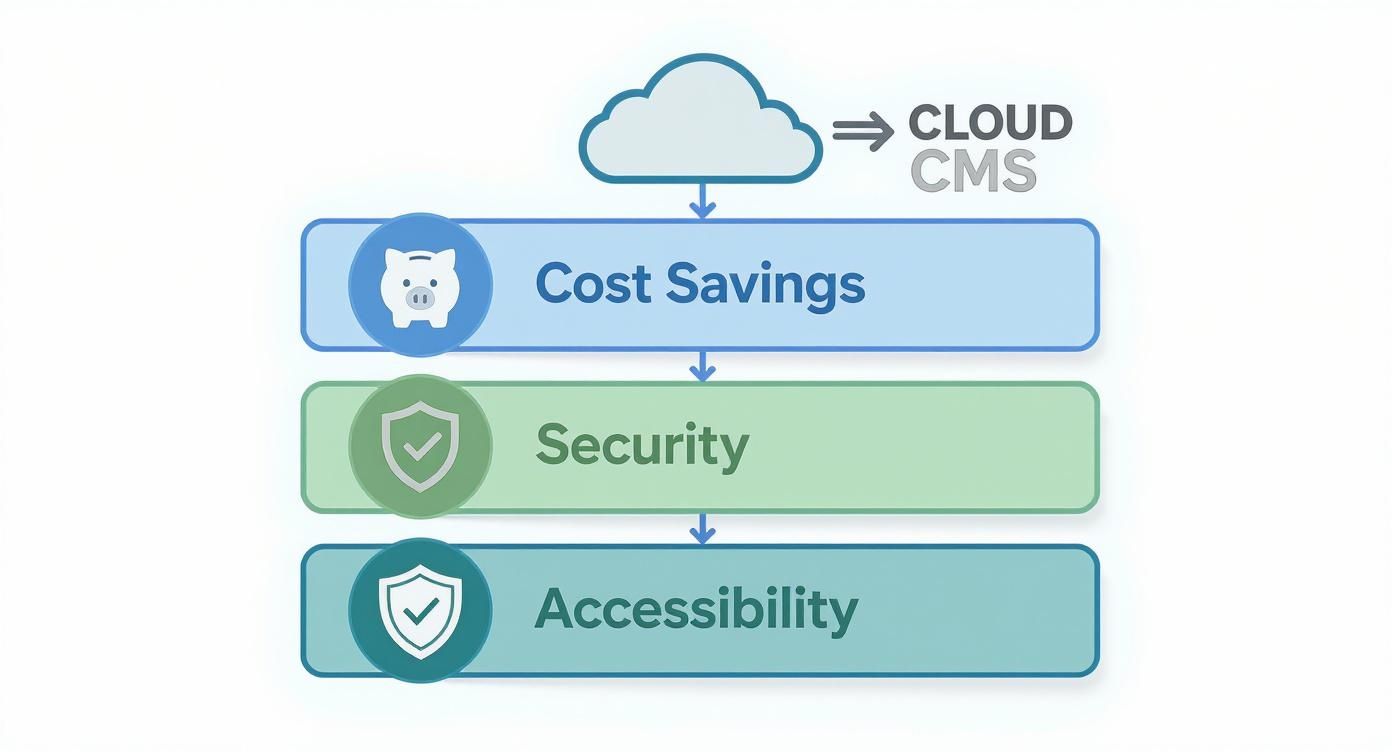
As you can see, the core advantages are clear: financial efficiency, stronger security, and the ability for teams to work from anywhere are foundational wins when you move content management to the cloud.
Modern Architectures: Headless and Hybrid CMS
Beyond just the service model, the way a cloud CMS actually delivers content is also changing. Traditional systems used to lock the content backend (where you write and edit) to the presentation frontend (the actual website). Modern architectures have broken that link, opening up a world of new possibilities.
Headless CMS: A headless architecture completely separates the content repository (the "body") from any specific presentation layer (the "head"). You can create content once and push it anywhere through an API—to a website, a mobile app, a smartwatch, or even a digital kiosk in a store.
Hybrid CMS: A hybrid system aims to give you the best of both worlds. It combines the easy-to-use, template-driven tools that marketers love from traditional systems with the API-first flexibility that developers need from a headless CMS.
These forward-thinking architectures are a huge reason why the global Cloud Content Management System market is expected to jump from US$453 million in 2025 to US$631 million by 2031. As businesses look for better ways to manage content across a growing number of channels, this kind of flexibility is no longer a nice-to-have; it's essential. You can dig deeper into this market growth on Infinity Market Research.
Key Takeaway: The rise of headless and hybrid models signals a fundamental shift. Businesses aren't just managing a single website anymore. They're orchestrating complex content experiences across a whole ecosystem of digital touchpoints, and they need a CMS that can keep up.
For teams ready to explore the ultimate flexibility of these decoupled systems, there are plenty of powerful platforms out there. To get started, check out our curated collection of open-source headless CMS options that could be the engine for your next project. Ultimately, choosing the right architecture is all about matching the platform’s capabilities to your team's skills and your company's ambition.
Essential Features of a Modern Cloud Based CMS
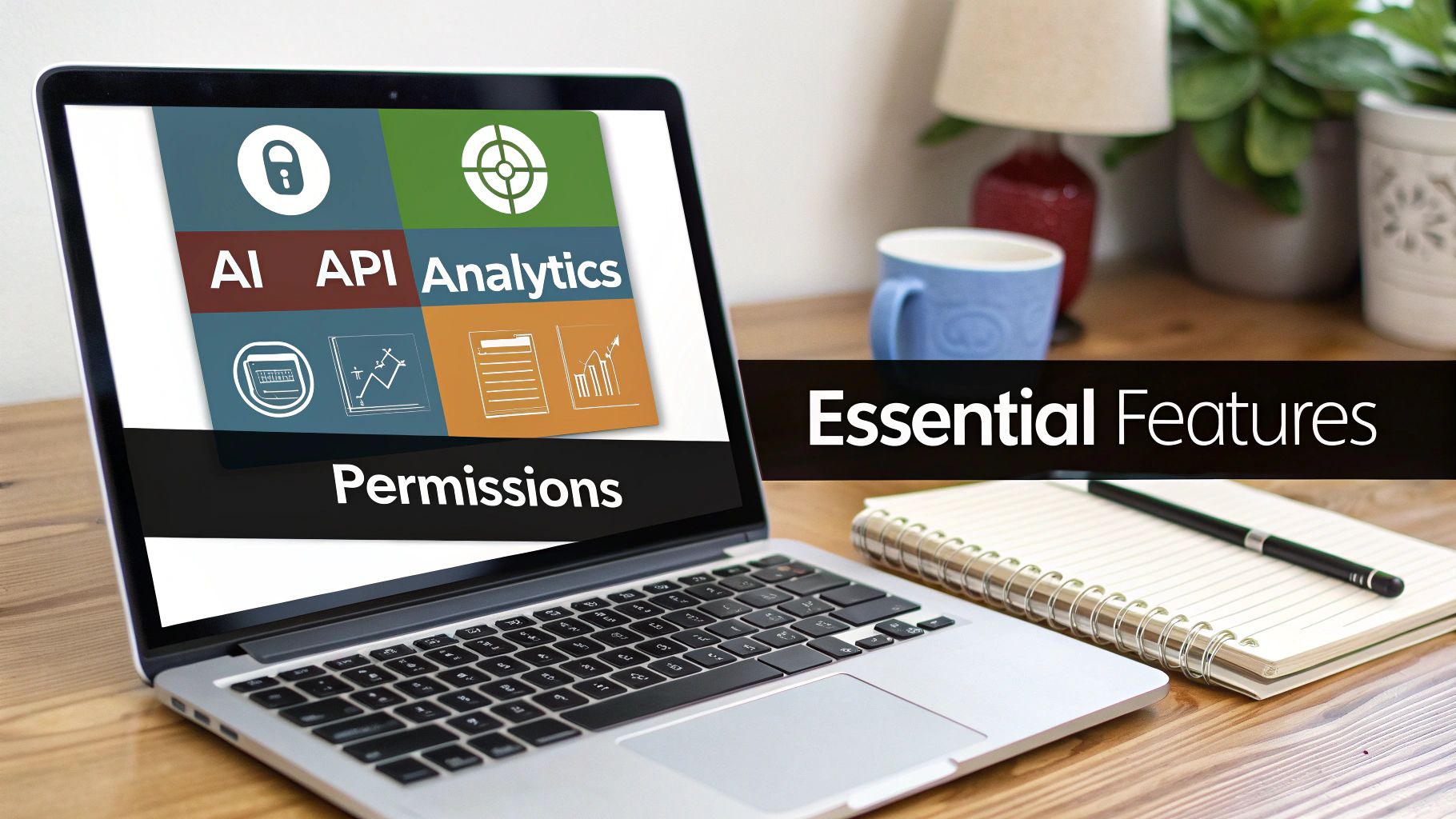
When you start looking at a modern cloud based content management system, you quickly realize it's about much more than a simple text editor. The real power lies in a suite of tools that deliver tangible business results. To pick the right one, you have to cut through the marketing fluff and focus on the capabilities that solve your day-to-day challenges—whether that's creating content faster or finally getting data on what your audience actually wants to read.
These core features are what separate a basic content database from a true digital experience platform. They are the mission-critical functions that let your team publish content intelligently, efficiently, and with a clear connection to your business goals.
API-First Integrations and Headless Capabilities
In today’s digital world, your CMS simply cannot be an island. It has to talk to everything else. That's why an API-first approach is non-negotiable; it means the platform was built from the ground up to connect with your other essential business tools, like your CRM, analytics software, or e-commerce engine.
Think of it like building with LEGOs. Instead of being stuck with a single, pre-built model, an API-first CMS gives you a box of versatile bricks that can connect to anything. This flexibility is the bedrock of a modern tech stack, allowing you to choose the best tool for every single job.
Key Takeaway: An API-first design turns your CMS from a simple content bucket into the central hub of your entire digital operation. It's what keeps you agile and prevents you from getting locked into one vendor’s ecosystem.
This design naturally unlocks headless capabilities, which is just a fancy way of saying the back-end (where you store content) is separate from the front-end (where people see it). The benefits here are huge:
- Omnichannel Delivery: You can publish a piece of content once and push it out everywhere—to your website, a mobile app, a digital kiosk, or even a smartwatch.
- Developer Freedom: Your developers aren't stuck with proprietary templates. They can use their favorite programming languages and frameworks to build truly unique user experiences.
- Enhanced Performance: Because the front-end is separate, it can be hyper-optimized for speed, only calling the CMS for content when it absolutely needs it.
Intelligent Content and AI-Powered Tools
The best cloud CMS platforms are now weaving artificial intelligence directly into the content workflow. These aren't just parlor tricks; they're practical tools designed to give your content team a serious advantage.
AI-powered features can automate the tedious parts of content creation and offer up insights while you work. For example, AI can analyze your text in real-time and suggest SEO improvements, check readability, or recommend internal links. It can also auto-generate image tags, create quick summaries, or even help translate content for global markets, saving countless hours of manual work.
This is a big reason why the Cloud Enterprise Content Management market is projected to rocket from US$40.84 billion in 2025 to a staggering US$87.01 billion by 2030. As you can see in recent market intelligence reports, businesses are investing heavily because they see immense value in these advanced, cloud-native tools.
Granular User Permissions and Workflow Controls
Protecting your brand’s reputation and keeping the content pipeline moving smoothly is crucial, especially as your team grows. A modern cloud based content management system absolutely must have robust, role-based access controls. This just means you get to decide exactly who can create, edit, approve, and publish content.
These controls prevent costly mistakes and create a clear, predictable process. For example, you could set up a workflow where:
- A junior writer drafts a new article but can't publish it.
- Once saved, the draft is automatically assigned to an editor for review.
- Only a senior manager has the final button to push the content live.
This kind of structured workflow minimizes errors, guarantees quality, and gives you a complete audit trail of every single change. To see this in action, check out our in-depth review of Strapi, a platform well-known for its powerful and flexible user roles.
When shopping for a cloud CMS, having a clear checklist can help you focus on what really matters for your business. The table below breaks down the essential features you should be looking for.
Essential Cloud CMS Feature Checklist
| Feature Category | Essential Features | Why It Matters |
|---|---|---|
| Connectivity & Flexibility | API-First Architecture, Headless Capabilities, Webhooks | Allows your CMS to integrate with other tools and deliver content to any device or channel, future-proofing your tech stack. |
| Content Creation & AI | WYSIWYG Editor, AI-Assisted SEO, Content Generation/Summarization | Speeds up content production, automates repetitive tasks, and helps creators produce higher-quality, optimized content. |
| Collaboration & Governance | Granular User Roles, Custom Workflows, Version History, Audit Trails | Ensures brand consistency, prevents unauthorized changes, and provides a clear, accountable process for content publication. |
| Performance & Security | Global CDN, Auto-Scaling, SSL Encryption, Regular Backups | Guarantees your content is delivered quickly and securely to users anywhere in the world, without you managing the infrastructure. |
This checklist isn't exhaustive, but it covers the core functions that differentiate a top-tier cloud CMS from a more basic tool. By prioritizing these areas, you can ensure the platform you choose is built to support your growth for years to come.
How to Choose the Right Cloud-Based CMS for Your Business
Picking a new cloud CMS isn't just an IT decision; it's a strategic business move. The right system can act as a growth engine for your entire company, while the wrong one quickly becomes a bottleneck, tying up resources and slowing you down. To make a smart choice, you need to step back from the feature lists and sales pitches and start with a clear, analytical look at your own business.
The whole process really begins with an honest internal audit. Before you even glance at a vendor's website, you have to define what you actually need the platform to do for you. This means asking some tough, practical questions about your daily operations, your team's capabilities, and where you see the company heading.
Start With a Thorough Needs Assessment
First, get real about your scalability needs. Are you a startup bracing for explosive growth, or a more established business that just needs to handle predictable traffic spikes during holiday seasons? The answer tells you whether you need a system built for massive, on-demand scaling or something more steady and predictable.
Next, take a hard look at your in-house technical resources. Do you have a team of developers who can dive into a PaaS or IaaS setup and build custom solutions? Or do you need a straightforward SaaS platform that your marketing team can run with minimal help? It’s a classic—and costly—mistake to choose a platform that doesn't match the skills of the people who will actually use it every day.
Finally, you need to map out your existing tech stack.
- Integration Needs: Make a simple list of every tool your new CMS has to talk to. Think CRM, analytics platforms, marketing automation, e-commerce engines—everything. If the data can't flow seamlessly between them, you’re setting yourself up for headaches.
- Budget Constraints: Figure out your budget, but think beyond the monthly subscription fee. You need to calculate the total cost of ownership, which includes one-time implementation fees, team training, and any must-have third-party plugins.
Ask Potential Vendors the Hard Questions
Once you have a clear picture of what you need, you can start talking to vendors. Treat this stage like you're hiring a key employee. Your job is to cut through the generic sales talk and find out if their philosophy and technology truly align with your goals.
A vendor’s product roadmap, for example, is a fantastic window into their priorities. Ask them directly, "What new features are you planning for the next 12-18 months?" This tells you if they're investing in the areas you care about, whether that's AI-powered content tools or more robust security protocols.
Security and compliance have to be non-negotiable. Don't be shy about asking vendors for details on their security certifications (SOC 2, ISO 27001), data encryption standards, and disaster recovery plans. A fuzzy answer on this topic should be a major red flag.
Create an Objective Comparison Scorecard
It's easy to get wowed by a slick demo. To keep things grounded in reality, use a comparison scorecard to weigh your options objectively. This simple tool forces you to evaluate each cloud-based content management system against the exact same criteria, making your final decision much more data-driven.
Just open up a spreadsheet. Put your top vendors in the columns and your non-negotiable requirements in the rows. Then, score each vendor on a scale of 1 to 5 for things like:
- Ease of Use: How intuitive is the platform for non-technical content editors?
- API and Integration Quality: Are their APIs well-documented, flexible, and easy to work with?
- Customer Support: What level of support is actually included in your plan, and what does it cost to upgrade?
- Total Cost of Ownership: What's the realistic projected cost over a three-year period?
- Scalability and Performance: Can they show you real data or case studies on how they handle high-traffic loads?
This methodical approach takes the emotion out of it. For a closer look at how different platforms stack up, our CMS systems comparison guide can give you some great context to fill out your scorecard.
Always Run a Trial or Proof of Concept
Finally, never, ever sign a contract without a hands-on trial. A proof of concept (PoC) is where the rubber meets the road. It lets your team test the platform's real-world usability and see if it holds up under pressure. Get your content creators to build a few pages. Ask your developers to test a critical integration. This is the single best way to know if a vendor's promises are for real and if the system will actually work for your team's day-to-day workflow.
When you're making your final choice, you should also prioritize platforms that make it easy to implement essential website accessibility best practices. Building an inclusive and compliant site from the start saves a world of trouble later on. By following this structured process, you’ll find a partner that not only solves today’s problems but is ready to grow with you.
The Future of Cloud Content Management
The world of cloud based content management systems is moving fast, and it's leaving simple content storage in the dust. The next big thing is all about building smarter, more responsive, and genuinely personalized digital experiences. Two major forces are at the helm of this shift: generative AI and composable architectures.
These aren't just minor updates we're talking about; they're fundamentally changing how companies build and run their entire digital presence. The CMS is becoming less of a single, rigid application and more of an intelligent hub, connecting a whole ecosystem of specialized tools to meet very specific customer needs. The goal is to choose a platform today that won’t be obsolete tomorrow.
The Rise of Generative AI in Content Experiences
Generative AI is completely redrawing the map for content management. At first, we saw it being used to automate basic text creation, but its real potential lies in something much more sophisticated. AI is quickly becoming the powerhouse for hyper-personalization at scale, capable of building unique user journeys on the fly.
Think about it. A visitor lands on an e-commerce site, and instantly the product descriptions, banner ads, and even the page layout morph to fit their browsing history and past purchases. This kind of custom-tailored experience used to be a massive, expensive undertaking. Now, with AI baked into a cloud CMS, it's becoming a standard, automated feature.
This technology also gives content creators some incredible new tools:
- Automating Content Variation: Need five different headlines for A/B testing? AI can generate them in seconds, along with different calls-to-action and body copy.
- Enhancing SEO: It can offer real-time optimization tips as you write and even generate the necessary structured data automatically.
- Personalizing Imagery: AI can create or simply select the most compelling images for different user segments, making the visual experience just as personal as the text.
Embracing Composable Architectures for Ultimate Flexibility
The other huge trend shaping the future is the shift to composable architectures. The best way to picture this is like building with high-tech LEGO blocks. Instead of being stuck with a single, all-in-one platform that does a little bit of everything, you get to assemble your own stack using the best tools for each job.
A composable architecture lets you hand-pick specialized microservices for each function—one for e-commerce, another for search, a third for personalization—and connect them all to a central cloud CMS. This model offers unparalleled flexibility and future-proofs your technology stack.
This modular setup means you're never locked into one vendor's way of doing things. If a groundbreaking new search tool hits the market, you can just unplug the old one and plug in the new one without tearing down your entire system. That kind of agility is a massive competitive edge, letting you adapt to new technologies and customer demands on a dime. The future isn't about finding one perfect system; it's about orchestrating a symphony of specialized tools that work together in harmony.
Frequently Asked Questions
It's natural to have a few questions when you're looking at a big shift like moving your content management system to the cloud. Let's dig into some of the most common things people ask about security, functionality, and the actual process of making the move.
Is a Cloud-Based CMS Secure?
This is probably the biggest question on everyone's mind, and the answer is a resounding yes. In fact, top-tier cloud CMS providers often deliver a level of security that would be incredibly expensive and complex for most companies to build and maintain themselves.
They're not just putting your site on a server; they're building a fortress around it. This typically includes:
- End-to-end data encryption that keeps your information scrambled and unreadable, both when it's moving across the internet and when it's stored on their servers.
- Routine third-party security audits where they hire professional "hackers" to find and patch any potential weaknesses.
- Compliance with major certifications like SOC 2 and ISO 27001, which are gold standards that verify their security processes are up to snuff.
You're essentially tapping into an entire team of dedicated security experts whose sole job is to protect your data.
What's the Real Difference Between a Cloud CMS and a Web Host?
Think of it like renting a fully furnished, serviced apartment versus just renting an empty plot of land.
A web host gives you the "land"—the raw server space and infrastructure. From there, you're on your own. You have to install the CMS software, keep it updated, apply security patches, and troubleshoot any technical glitches.
A cloud-based content management system, especially a SaaS (Software as a Service) platform, is the full-service apartment. It bundles everything together: the hosting, the software, the automatic security updates, and the technical support. Your team gets to focus on creating content, not managing servers.
How Hard Is It to Migrate to a Cloud CMS?
There’s no single answer here—it really depends. The difficulty of moving from an on-premise or self-hosted system hinges on a few key things: the sheer volume of your content, how much custom code is tangled up in your current system, and the quality of the tools your new cloud vendor provides.
While migration is a significant project, it's a well-established process. Top-tier cloud CMS vendors offer specialized migration tools, extensive documentation, and professional services to streamline the transition and minimize any business disruption.
It's a path many businesses have successfully walked before on their way to gaining more flexibility and scale.