Cloud Based Content Management Systems A Practical Guide
Explore top cloud based content management systems. This guide breaks down the benefits, features, and how to choose the right CMS for business growth.

A cloud based content management system—often just called a cloud CMS—is a platform that lives on the provider's servers, not yours. You simply access it over the internet. This is a huge departure from traditional systems where you'd have to install and manage the software yourself. With a cloud CMS, you can put all your energy into creating great content, because the provider is handling all the behind-the-scenes technical maintenance, security, and updates.
What Exactly Is a Cloud CMS?

Let's use an analogy to make this crystal clear.
Imagine a traditional, on-premise CMS is like owning a house. You're responsible for everything—the mortgage, the plumbing, cutting the grass, and fixing the roof when it leaks. If a window breaks, it's on you to get it fixed. Your time is split between living in the house and constantly maintaining it.
A cloud based content management system, on the other hand, is like renting a high-end apartment in a fully serviced building. You don't worry about the plumbing, the building's security, or landscaping. The property management handles all of that. You just get to focus on what matters most: living your life (or in this case, creating amazing content).
The Core Architectural Shift
This move from a self-hosted product to a managed service is what truly defines a cloud CMS. Instead of buying a software license and figuring out where to install it, you pay a subscription fee for access. This might seem like a small difference, but it completely changes how your team works.
Here's what that looks like in practice:
- No Server Management: Your IT team is no longer bogged down with patching servers, running security scans, or dealing with hardware failures.
- Automatic Updates: New features and security patches roll out automatically from the provider. Your platform stays modern without you lifting a finger.
- Remote Accessibility: As long as you have an internet connection and a web browser, your team can log in and work from anywhere in the world.
This means agility is baked right into your content workflow. When you stop spending resources on just keeping the lights on, you can reallocate that time and budget toward innovation and responding to what's happening in your market.
This approach turns the CMS from a piece of internal infrastructure into a dynamic tool that actually supports your digital goals. Grasping this core difference is the first step to understanding the real-world benefits. To get a better handle on the fundamentals, it's worth taking a moment to learn more about what a CMS is and its role as the central nervous system for your online presence.
Why Smart Businesses Are Moving to the Cloud
The shift to cloud-based content management systems isn't just another tech trend; it's a fundamental business decision. Companies are actively moving away from the headache of managing on-premise hardware, and the reasons all point toward a more agile and cost-effective way of working. It’s about unshackling your resources so your teams can focus on what they do best.
One of the biggest pulls is the ability to collaborate in real-time, from anywhere in the world. Imagine a team spread across different time zones, all working on the same piece of content without a single version control issue. A cloud CMS makes this a reality, turning what used to be a days-long process of back-and-forth emails into a smooth, hours-long workflow.
This infographic paints a clear picture of how cloud platforms become the central nervous system for a global team, making physical location irrelevant.
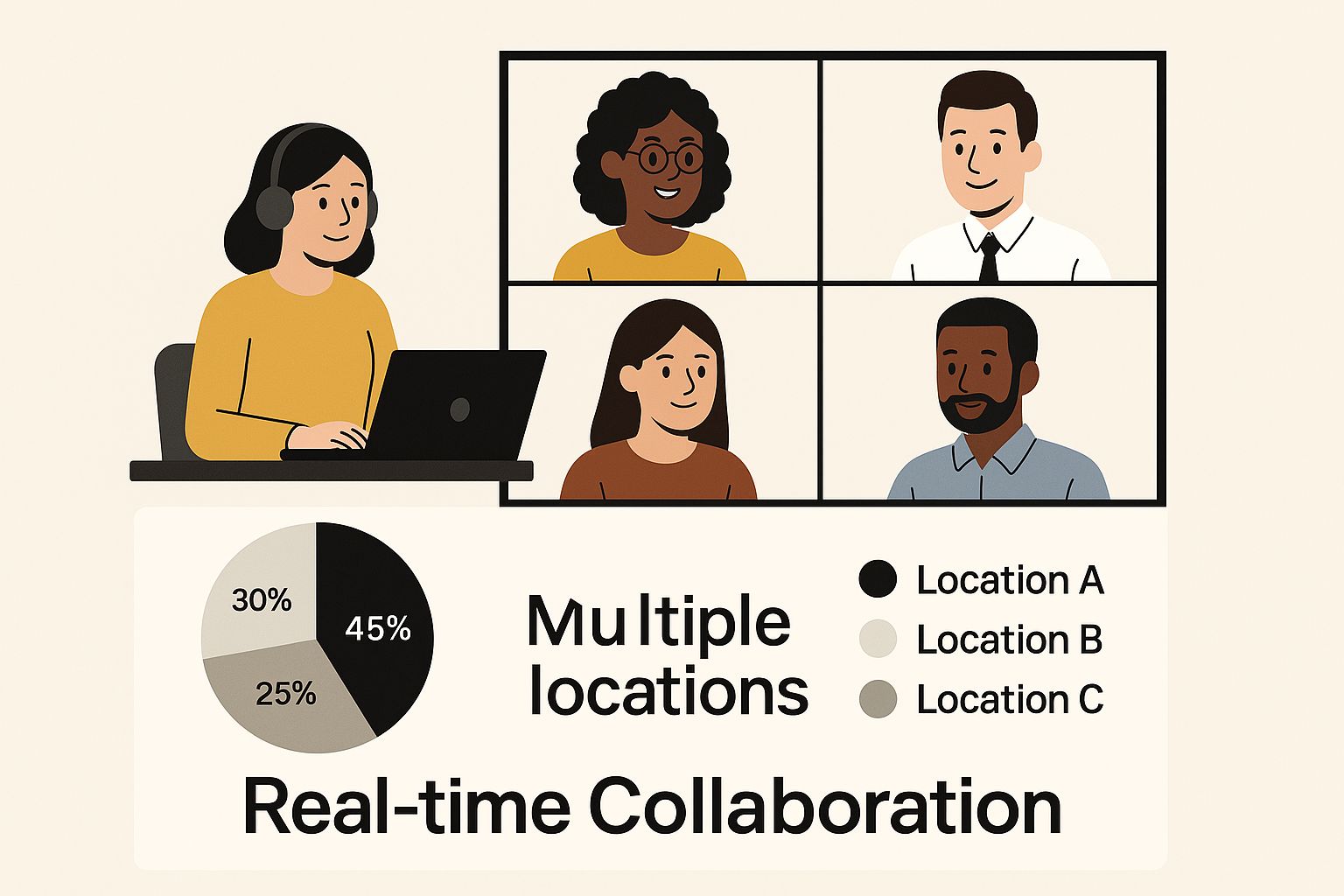
As the visual shows, a cloud CMS breaks down geographical silos and becomes the single source of truth, paving the way for genuine collaborative work.
From Heavy Upfront Costs to Smart Subscriptions
The financial argument for the cloud is incredibly compelling. A traditional, on-premise CMS is a lot like buying a factory. You're hit with a massive upfront cost for servers, software licenses, and the initial setup. After that, you're on the hook for every single bit of maintenance, every security patch, and every inevitable hardware failure. It's a classic capital expense—big, risky, and rigid.
A cloud CMS, on the other hand, is more like subscribing to a high-end utility. You pay a predictable monthly or annual fee for access to a world-class platform. There are no surprise server meltdowns to budget for or expensive upgrade cycles to plan around. This subscription model completely changes the game, making powerful technology accessible without the prohibitive upfront investment.
To understand the key differences at a glance, this table breaks it down.
On-Premise CMS vs Cloud Based CMS A Comparison
| Feature | On-Premise CMS | Cloud Based CMS |
|---|---|---|
| Initial Cost | High capital expenditure (hardware, licenses) | Low or no upfront cost (subscription-based) |
| Maintenance | Your team is fully responsible for all updates and repairs. | The provider handles all maintenance and security. |
| Scalability | Limited and expensive; requires new hardware purchases. | Elastic; scales automatically to meet traffic demands. |
| Accessibility | Restricted to internal networks or complex VPNs. | Accessible from anywhere with an internet connection. |
| Support | Relies on your internal IT team's availability and expertise. | Comes with dedicated expert support from the vendor. |
This clear distinction in operational models is why the market is booming. Cloud-based content management is projected to become a $1.76 billion industry by 2025. This growth isn't arbitrary; it’s fueled by businesses actively seeking the scalability and cost-efficiency the cloud provides. You can find more details on this expansion from Market Report Analytics.
Gaining True Scalability and Expert Backing
Scalability is where cloud platforms leave their on-premise counterparts in the dust. Think about a retail site running a major holiday sale. With a self-hosted server, a sudden traffic spike can easily bring the whole system crashing down, leading to lost sales and frustrated customers. A cloud CMS is built for this. Its infrastructure flexes automatically to handle the surge, then scales back down just as easily when things quiet down. You only pay for what you use, without ever risking a system overload.
By letting the CMS provider handle the maintenance, security, and updates, you free up your own tech team from the drudgery of simply keeping the lights on. They can stop firefighting and start innovating—building better digital experiences and driving real business growth.
This strategic shift is one of the most powerful benefits of adopting a modern content platform. As you consider your own needs, it helps to see how different systems stack up. Our guide where various CMS systems are compared offers a deep dive to help you find the right fit.
Essential Features of a Modern Cloud CMS
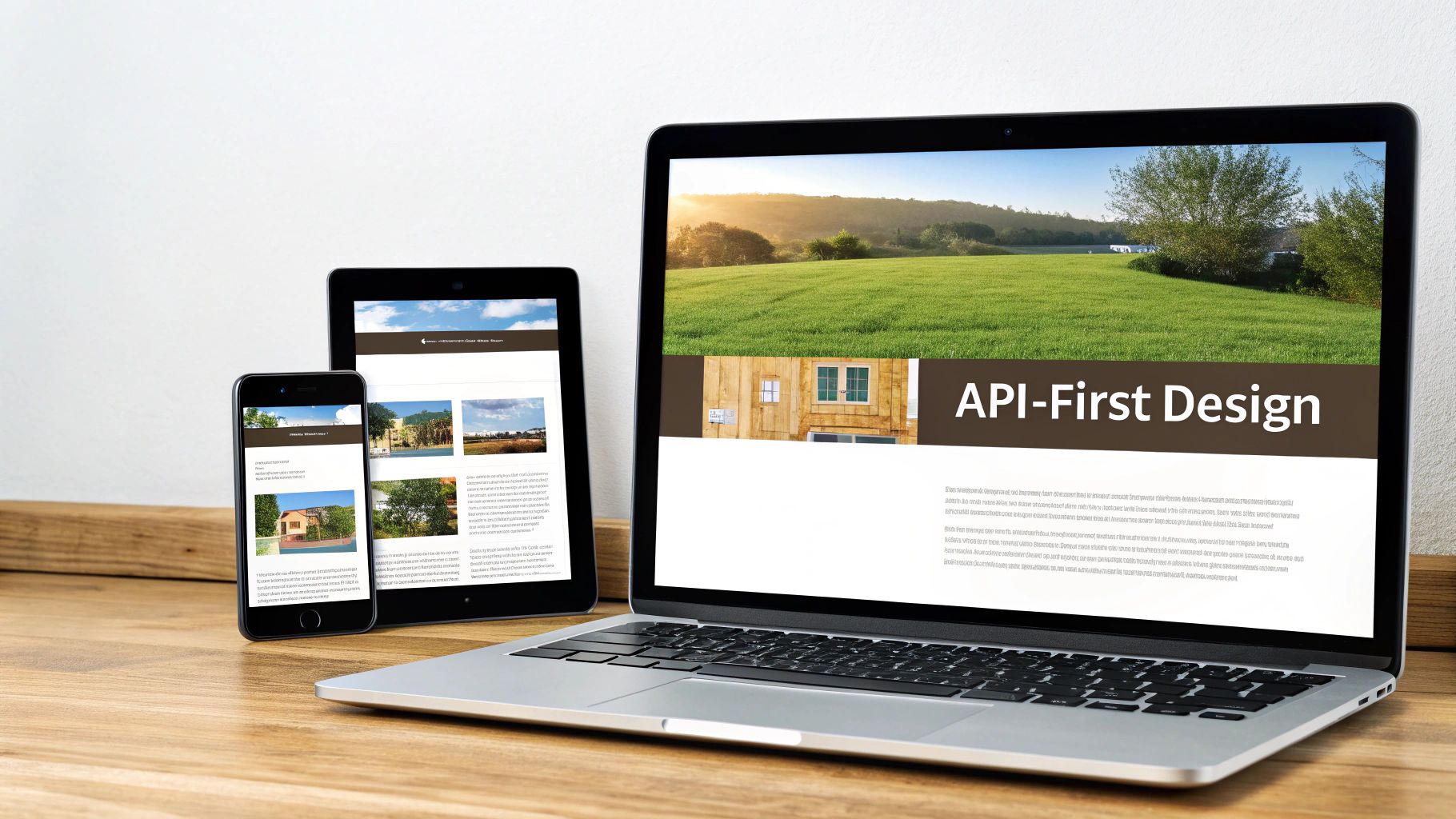
When you're looking at different cloud based content management systems, you have to think beyond just creating and publishing a page. The best platforms are the command center for your entire digital content operation. They're built to help your teams work smarter, not just harder.
It really comes down to a specific set of features that are designed for speed, teamwork, and getting content to the right place at the right time.
One of the biggest game-changers is a solid set of collaborative tools. Forget emailing Word docs back and forth. Modern cloud platforms feel more like a shared digital workspace where multiple people can jump into the same document, make edits, leave comments, and see changes as they happen.
This kind of teamwork is backed up by clear approval workflows. A good CMS will let you build out custom, automated steps for getting content signed off. The system automatically sends a draft from the writer to legal, then on to marketing, before it gets the final green light to go live.
API-First Architecture for Omnichannel Delivery
The real mark of a top-tier cloud CMS today is its API-first, or "headless," architecture. This is a powerful shift in thinking. It fundamentally separates your content (the "body") from the way it's displayed (the "head," like your website design).
Why does that matter? Because this decoupling lets you publish a piece of content once and then deliver it everywhere.
Imagine a single product update you enter into the CMS. It can instantly show up on:
- The main product page on your website.
- The item listing inside your mobile app.
- A digital kiosk display in a physical store.
- A marketing email promoting a new feature.
This approach keeps your brand message consistent across every channel and cuts out a massive amount of repetitive work. Your team manages everything from one place instead of logging into five different systems. If you want to get into the weeds of this architecture, this collection of headless CMS solutions is a great place to start.
An API-first design transforms your content from being trapped on a single website into a flexible, reusable asset that can be deployed to any digital channel, now or in the future.
This flexibility is what makes cohesive customer experiences possible. A customer might see a product on your app, read about it on the website, and get an email about a sale—and the information is perfectly synced everywhere.
Intelligent Content and Actionable Analytics
Today's leading cloud based content management systems also have a bit of a brain. We're seeing more and more AI-powered personalization built right in. The CMS can look at a user's behavior and automatically show them content that fits their interests, location, or what they've clicked on before.
On top of that, a modern CMS doesn't just push content out the door; it tells you how it’s doing. Integrated analytics give you clear, useful data without you having to be a data scientist.
You can see at a glance which blog posts bring in the most readers or which landing pages are actually converting. This data creates a feedback loop, turning your CMS from a simple publishing tool into a strategic hub for making your entire digital presence better.
How to Choose the Right Cloud CMS
With so many cloud content management systems on the market, picking the right one means you have to look inward before you look outward. The "best" platform isn't about the one with the flashiest features; it's about finding the solution that fits your specific business needs like a key in a lock.
The first step is a serious self-assessment.
Start by mapping out your technical reality. What channels are you serving right now? More importantly, where do you plan to be in the next few years? If you need to push content to a mobile app or even IoT devices, you'll need robust APIs from day one. Answering that question will tell you whether a headless or hybrid CMS should be on your radar.
At the same time, you have to consider your security and compliance needs. This isn't optional. If you're in a field like healthcare or finance, you're dealing with strict data regulations. Your CMS provider absolutely must have the right certifications and security protocols in place.
Aligning Technology with Business Goals
Once you have that technical picture, it’s time to focus on your people and your business goals. The most powerful CMS on the planet is worthless if your content team finds it impossible to use. How easy does the interface need to be for your marketing folks to build pages and run campaigns without calling IT for help?
Think about your internal workflows, too. Do you need complex, multi-stage approval chains that route content from a writer to an editor, then to a legal team before it ever sees the light of day? A basic CMS won't give you that kind of granular control. These are the practical, business-focused questions that help you find a platform that actually helps your team, instead of getting in their way.
For more context on this, our guide on the differences between a website builder and a full CMS can help you figure out just how much power you really need.
The growth in this space is staggering. The enterprise-level cloud content management market is projected to swell into an $87.01 billion industry by 2030. That number alone shows just how vital these platforms have become for businesses managing their digital presence securely. You can see more details about this enterprise market growth on mordorintelligence.com.
Matching CMS Type to Your Use Case
Different cloud CMS models are built for different jobs. Knowing their fundamental strengths is the key to making a smart decision.
Traditional CMS: Think of this as the all-in-one package. The backend where you manage content and the frontend website your visitors see are tightly linked. It’s a fantastic choice for straightforward, content-driven sites like a corporate blog or a portfolio where you just want to get up and running quickly.
Headless CMS: This approach completely separates your content from how it’s displayed. It’s perfect for brands that want to deliver a consistent experience across a website, a mobile app, a smartwatch, and a digital kiosk—all from a single source of truth.
Hybrid CMS: This model tries to give you the best of both worlds. It offers the easy-to-use templates and page-building tools that marketers love, but still gives developers the API-first freedom of a headless system for more custom projects.
Choosing the right type is all about your strategy. A simple blog has no need for a complex headless architecture, but an omnichannel retailer would be completely boxed in by a traditional CMS.
As an example of a specialized need, this guide on choosing the right video content management system dives into what to look for when your main goal is something specific like corporate training. By carefully matching the CMS model to your real-world goals, you end up with a strategic partner, not just another piece of software.
Evaluating the Top Cloud CMS Platforms
The market for cloud based content management systems is crowded, to say the least. It’s easy to get bogged down in feature comparison lists that go on forever. A much better way to approach it is to group the platforms by what they do best and the specific problems they're built to solve. That way, you can match your actual business needs to the right tool from the start.
The global CMS market is absolutely booming, and it's projected to hit a staggering USD 117.5 billion by 2032. This explosion is fueled by businesses that need smarter, more agile ways to handle their content, which puts even more pressure on making the right choice. If you want to dig into the numbers, you can find some fascinating insights on the growing CMS market from coherentmarketinsights.com.
Think of this overview as your starting point—a curated look at the top contenders, broken down into logical categories to kickstart your research.
This is just a small sample of the CMS options out there, which really drives home the need for a smart way to narrow down the field.
Best for Enterprise Scale
When you're a massive organization juggling a complex web of digital properties, you need more than just a simple CMS. Enterprise-level platforms are built from the ground up for airtight security, global performance, and the ability to plug into a huge variety of other systems.
- Adobe Experience Manager Cloud: This is the heavyweight champion for enterprises that need to fuse their content with deep data analytics and personalization. It’s built for global brands that need strict control over their content and want to craft unique customer experiences across dozens, if not hundreds, of different touchpoints. Its real power comes from how seamlessly it fits into the larger Adobe Experience Cloud.
Best for Headless Flexibility
Headless platforms have become the default choice for anyone serious about delivering content to more than just a website. By decoupling the back-end where you store content (the "body") from the front-end where you display it (the "head"), these systems give developers incredible freedom.
Contentful: As one of the original pioneers in the headless world, Contentful's API-first approach treats content like structured, reusable blocks. This empowers developers to pull that content into any custom front-end they can dream up—websites, mobile apps, smartwatches, you name it. Meanwhile, content editors get a straightforward, uncluttered interface to do their work.
Sanity: This platform takes a really interesting angle with Sanity Studio, its open-source, real-time editing environment. It gives developers almost unlimited control to customize the entire authoring experience, which has made it a favorite among teams building highly specialized digital products from scratch.
Another major player in this space is Strapi, a developer-centric, open-source headless CMS. You can get a great overview of Strapi’s capabilities here.
Headless isn't just a trend; it's about future-proofing your content. It means that when the next new channel or device comes along, you can deliver your content there without having to rebuild your entire tech stack.
Best for Integrated Marketing
Some cloud CMS platforms are designed first and foremost for marketers. They don't just manage content; they bundle it with a whole suite of tools for marketing automation, SEO, and analytics, creating a true all-in-one command center.
- HubSpot CMS Hub: Built directly on top of HubSpot's legendary CRM, this CMS is a perfect fit for any business running on an inbound marketing strategy. It gives marketers intuitive, drag-and-drop tools to create websites and landing pages that are wired directly into their sales and marketing data. This connection makes it incredibly powerful for personalization and tracking leads through the entire funnel.
As you weigh your options, don't forget how critical it is to find the best CMS for SEO so your content actually gets seen. Each of these platforms brings something different to the table, and the best choice really depends on what you're trying to achieve—whether that's managing a global empire, building innovative digital experiences, or driving a marketing machine.
Got Questions About Cloud CMS? We Have Answers
Even when you see the clear advantages, stepping into a new technology can feel like heading into uncharted territory. It's only natural to have questions. When it comes to a cloud based content management system, we find the same key concerns pop up around security, the headaches of migration, and performance when it really counts.
Let's cut through the noise and get you some straight answers to the most common questions we hear from teams just like yours.
Are Cloud CMS Platforms Actually Secure Enough for Our Data?
This is usually the first thing people ask, and for good reason. The short answer? Absolutely. In fact, a top-tier cloud CMS is often far more secure than a server you manage yourself.
Think about it: the entire business model of providers like Contentful or Storyblok rests on their ability to protect customer data. They can invest in security at a scale most individual companies simply can't match.
It’s not just a single firewall; it’s a full-blown security ecosystem:
- Eyes on the Prize 24/7: They have entire teams of security experts whose only job is to hunt for and neutralize threats around the clock.
- Instant Patching: When a vulnerability is found anywhere, they can patch it across their entire network instantly. You don't have to lift a finger.
- Certified and Compliant: Reputable vendors are rigorously audited against international standards like GDPR and SOC 2, proving their commitment to data privacy and operational integrity.
The trick is to do your homework. Choosing a well-known vendor with a transparent security posture isn't just a good idea—it's essential. Their platform security will almost certainly outperform what you can maintain in-house.
This proactive approach means your team is freed from the never-ending cycle of patching and threat monitoring, letting them get back to doing what they do best.
What's the Single Biggest Challenge When Migrating to a New CMS?
Surprisingly, the biggest roadblocks aren't always technical. The real challenge is a one-two punch of moving all your old content and getting your team on board with a new way of working.
Untangling years of content—from blog posts to product pages—and mapping it to a new system is a massive undertaking that demands a solid plan. You can't just flip a switch.
But just as critical is managing the human side of the change. Your team is used to the old system, quirks and all. A successful transition hinges on clear communication and solid training that shows them how this new cloud based content management system will make their lives easier, not harder. The smoothest migrations are always phased, meticulously planned, and executed in close partnership with the CMS vendor.
How Does a Cloud CMS Handle Sudden Traffic Spikes?
This is where cloud architecture truly shines. Your old on-premise server has a fixed amount of power. When a big traffic wave hits, it gets overwhelmed and can easily crash, taking your site down with it.
A cloud CMS, on the other hand, is built on an elastic infrastructure. It’s designed to stretch.
Imagine your website suddenly gets featured on a major news outlet. As visitors flood in, the system automatically spins up more processing power and bandwidth to handle the load in real time. Your site stays fast and responsive for every single person. Then, once the rush dies down, it scales everything back to normal just as automatically.
This dynamic scaling ensures you’re always online, no matter what, without anyone on your team having to scramble.