CMS Systems Compared Choosing Your Platform
Our expert guide to CMS systems compared helps you choose the right platform. We analyze WordPress, Shopify, Wix, and Squarespace for real-world business needs.

When you start comparing CMS systems, you'll quickly realize it boils down to a fundamental trade-off: do you want unlimited flexibility or streamlined simplicity? On one side, you have platforms like WordPress that let you build practically anything you can imagine, but that freedom comes with a need for more hands-on management. On the other, you have all-in-one builders like Wix and Shopify, which offer a much simpler, guided experience but within a more defined set of design boundaries. Your choice really hinges on what you value more—total creative control or getting up and running quickly.
How to Navigate the CMS Landscape
Picking a Content Management System (CMS) is one of those early decisions that casts a long shadow. It impacts your site's potential to grow, how you manage your day-to-day workflow, and your entire digital strategy. Before you even start looking at platforms, a critical first step is understanding the fundamental differences between static and dynamic websites. This knowledge alone will help you filter out entire categories of tools that just aren't a good fit.
The market is crowded, but nearly every option fits into one of three main buckets.
Key CMS Categories Explained
Each type of CMS is built for a different kind of user with different goals and technical comfort levels. Getting these distinctions clear from the start is the key to comparing CMS systems effectively.
- Open-Source Platforms: WordPress is the classic example here. These systems hand you the keys to the kingdom—you get complete control over the code, decide where you host it, and can add any functionality you want. This makes them the go-to for anyone building a highly customized site who isn't afraid to get their hands dirty. For more on this, check out our guide on https://www.contenttoolkit.co/what-cms.
- SaaS Website Builders: Think of platforms like Shopify and Wix. They package everything—hosting, security, design tools—into a neat monthly subscription. Their biggest selling point is simplicity. They're built for beginners or businesses that need a professional site online yesterday, without the technical headaches.
- Headless CMS: This is a more advanced approach that separates your content "back-end" from the presentation "front-end." It’s designed for businesses that need to push content to many places at once, like a website, a mobile app, and even a smart-watch display, all from a single source.
The goal isn't to find the 'best' CMS on the market. It's about finding the best strategic partner for what you're trying to achieve—whether you're a solo blogger, a booming e-commerce shop, or a global enterprise.
The sheer size of the global CMS market shows just how essential these platforms have become. Projections show the market hitting somewhere between $23.17 billion and $54 billion by 2025, which isn't surprising when you consider that over 64% of all websites are already powered by a CMS. This trend underscores a simple truth: businesses of all sizes need a smart way to manage their digital content.
| Category | Best For | Technical Skill | Key Benefit |
|---|---|---|---|
| Open-Source | Custom websites, blogs, complex projects | Intermediate to Advanced | Unmatched flexibility and scalability |
| SaaS Builders | Small businesses, e-commerce, portfolios | Beginner | Speed of launch and ease of use |
| Headless CMS | Large enterprises, omnichannel experiences | Advanced (Developer-led) | API-first content delivery |
How to Actually Evaluate a CMS (And Not Get Lost in the Hype)
When you start comparing CMS platforms, it's incredibly easy to fall down a rabbit hole of feature lists and marketing jargon. I've seen it happen countless times. A better way to approach this is to start with your needs, not the platform's shiny sales pitch. The question isn't "what can this CMS do?" but rather, "what will this CMS do for my business?"
A meaningful comparison goes way beyond the sticker price or a slick demo. The real worth of a CMS shows up months or even years down the road, influencing everything from your team's day-to-day workflow to how quickly you can pivot your marketing strategy. If you set the right criteria from the start, you'll pick a platform that becomes a genuine asset, not just a place to dump content.
The Three Core Pillars of a Smart CMS Choice
To do a proper analysis, you need to break down the decision into a few critical areas that directly impact your business. I always advise clients to focus on these three pillars.
- Total Cost of Ownership (TCO): This is the big one, and it's about much more than the monthly subscription. You have to account for hosting, any must-have premium plugins, developer time for customizations, ongoing maintenance, and even what it might cost to migrate off the platform later. A "free" open-source CMS can easily end up costing more than a paid SaaS option once you factor in the TCO.
- Ease of Use & Team Adoption: How easy is this thing for your actual team to use? A system with a steep learning curve will bottleneck your content pipeline and frustrate your team, making all its fancy features useless. The right UX empowers your writers and marketers, not just your tech team.
- Scalability and Performance: This isn't just about handling a traffic spike. It’s about whether the CMS can grow with your business—supporting more content, new integrations, and different content types without grinding to a halt. Site speed is everything for user experience and SEO, so performance can't be an afterthought.
The chart below gives you a sense of how these criteria create a more balanced way to look at different platforms.
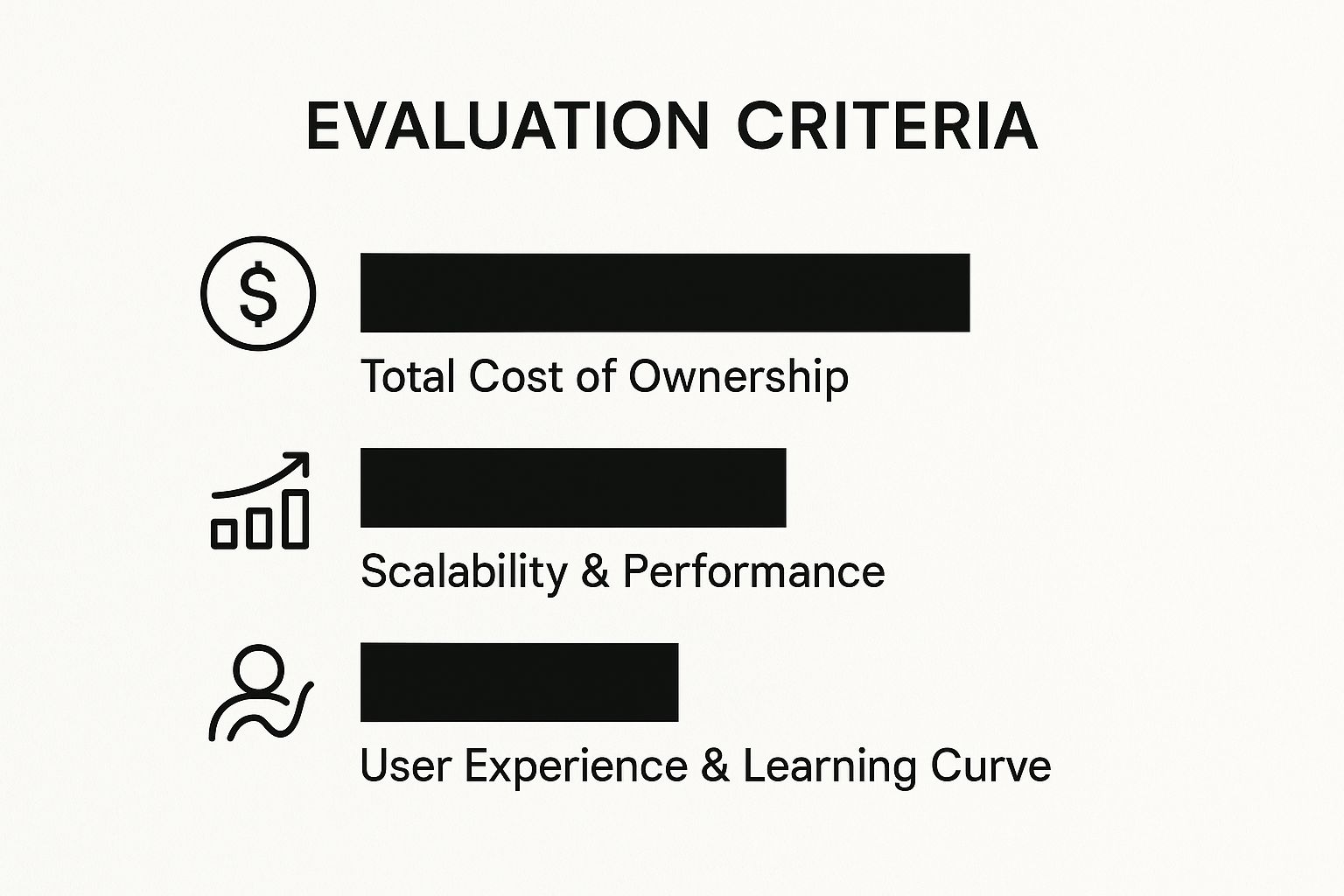
As you can see, there are always trade-offs. A platform that’s cheap to get started might not scale well, forcing you to make a more strategic choice based on your long-term goals.
Beyond the Basics: Customization and SEO Prowess
Once you’ve nailed down the operational factors, the next things to look at are flexibility and built-in marketing tools. These are what determine your ability to stand out and get found. For a closer look at how different types of platforms handle this, we have a guide that explores the difference between a website builder and CMS.
A CMS with a robust ecosystem of plugins and integrations is your best bet for the future. It means you can add new capabilities as you grow—from advanced analytics to a full-blown e-commerce store—without having to start over on a new platform.
Finally, don't overlook the out-of-the-box SEO tools. A great CMS gives you fine-tuned control over the essentials like meta tags, URL structures, sitemaps, and schema markup right from the get-go. Sure, you can often find a plugin to fill a gap, but having strong foundational SEO features built in is a massive head start. It makes optimization a core part of your workflow, not an extra chore.
An In-Depth Comparison of Leading CMS Platforms
With a solid framework in place, it's time to dive into a head-to-head analysis of the big players in the CMS world. We’re going beyond the marketing hype to really dig into the strategic trade-offs you make when choosing between WordPress, Shopify, Wix, or Squarespace. Each platform shines in certain situations, so understanding their distinct personalities is crucial for making a smart long-term decision.
This isn't just about listing features. We'll look at how each system performs in the wild, using the criteria we've already laid out. The idea is to give you a clear, multi-faceted picture of where one platform's strength might be another's weakness, ultimately pointing you toward the right tool for your specific project.
WordPress: The Unrivaled Customization Engine
When it comes to CMS platforms, WordPress is the undisputed heavyweight. Being open-source means you have the keys to the kingdom—total control over your site’s code, design, and hosting environment. This freedom is precisely its biggest selling point, opening the door to nearly limitless customization through a massive ecosystem of themes and plugins.
It’s hard to overstate its dominance. As of May 2025, WordPress powers a staggering 43.5% of all websites, which translates to a 61.2% market share among sites using a known CMS. Though it’s seen a slight dip from its 2022 peak of 65.2%, its growth from 59.8% back in 2014 tells a story of sustained leadership. This popularity is fueled by its incredible flexibility.
Of course, that much power comes with real responsibility. With WordPress, you're the one in charge of security, backups, updates, and performance tuning. That's a significant maintenance load that requires either some technical skill or a budget for a good managed host and developer help. For a closer look at its ecosystem, check out our breakdown of WordPress tools and resources.
Key Differentiator: WordPress is all about absolute control and scalability. It’s the platform for ambitious, content-heavy websites, complex web apps, and businesses needing deep, custom integrations. Its power is its adaptability, but it demands more hands-on management.
Situational Recommendation:
Go with WordPress if your main goal is to build a highly custom, scalable digital property and you either have the technical resources or the budget to manage it properly. It's the best bet for serious bloggers, content-first businesses, and any project where an off-the-shelf template just won't cut it.
Shopify: The Dedicated E-commerce Powerhouse
Shopify was built from the ground up to do one thing exceptionally well: sell things online. As a fully hosted, SaaS (Software as a Service) platform, it takes all the technical headaches—hosting, security, patches—off your plate. This frees you up to concentrate on what actually grows your business: your products, marketing, and customers.
Its core advantage is its incredibly robust, native e-commerce engine. Everything is tightly integrated, from inventory and payment gateways to shipping logistics and selling across social media channels. It’s a cohesive, reliable system designed purely for commerce.
While Shopify's App Store offers plenty of ways to extend your store's functionality, you're still operating within a more controlled environment compared to WordPress. Customization is mostly handled through themes, and you don't get the same deep access to the underlying code. This is by design, as it prioritizes the stability and security essential for a transactional website.
Situational Recommendation:
Choose Shopify if e-commerce is the heart of your business. It's the clear winner for ambitious online stores, from brand-new startups to enterprise-level retailers, that need a secure, scalable platform without the technical upkeep.
Wix: The Visual All-in-One Builder
Wix has earned its market share by making website creation incredibly intuitive and visually flexible. Its main draw is a true drag-and-drop editor that gives you pixel-perfect control over your layout without needing to know a lick of code. It's a huge draw for beginners, creatives, and small businesses that want a stylish website up and running, fast.
As an all-in-one platform, Wix bundles hosting, security, and a huge template library into one subscription. Its App Market also provides a good selection of add-ons for things like booking systems, restaurant reservations, and basic e-commerce.
The flip side of this visual freedom comes at a cost. Once you're on Wix, you're in the Wix ecosystem for good. Moving your site to another platform is notoriously difficult. And while its design flexibility is impressive, it's not the best fit for large, content-heavy sites that need a more structured, database-driven foundation.
Key Differentiator: Wix’s main value proposition is its unstructured visual editor. It gives non-technical users a level of design control that’s hard to find elsewhere. Think of it as a design tool first and a CMS second.
Situational Recommendation:
Opt for Wix if your top priorities are total visual control and a quick launch. It's ideal for portfolio sites, service-based businesses, and small online shops where aesthetics and ease of use are paramount.
Squarespace: The Curated Design Experience
Squarespace strikes a compelling balance between user-friendliness and sophisticated design. It bypasses the free-for-all approach of Wix's editor in favor of a more structured, section-based building experience. This curated method helps ensure that even someone with zero design background can create a polished, professional-looking website that follows modern best practices.
It’s another all-in-one platform, so all the technical stuff is handled for you under a single monthly fee. Squarespace's real claim to fame is its award-winning templates. They're known for being clean, minimalist, and beautifully responsive, making it a go-to for photographers, artists, designers, and boutique brands where image is everything.
The platform comes with strong built-in tools for blogging, e-commerce, and appointment scheduling. However, its third-party integrations and overall customization options are more limited than what you’d find with WordPress or even Shopify. Squarespace is designed to be a complete, self-contained system, so it doesn't offer the same kind of open-ended extensibility. For a deeper look, this content management system comparison guide offers more detailed analysis.
Situational Recommendation:
Choose Squarespace if you want a premium, polished design without a major learning curve. It’s the perfect platform for visual creatives, consultants, and small businesses that prioritize brand presentation and simplicity above all else.
Comparing Top CMS Platforms at a Glance
To make things even clearer, this table provides a quick side-by-side summary of how these four platforms stack up against each other based on the key factors we've discussed.
| Feature | WordPress (.org) | Shopify | Wix | Squarespace |
|---|---|---|---|---|
| Primary Use Case | Highly customizable websites, blogs, complex applications. | Dedicated e-commerce and online retail operations. | Visually driven websites for small businesses and creatives. | Portfolio sites and brands focused on premium aesthetics. |
| Ease of Use | Moderate to high learning curve; requires technical management. | Very easy to use for e-commerce; low technical overhead. | Extremely easy to use with a drag-and-drop editor. | Easy to use with a structured, section-based editor. |
| Flexibility | Highest. Nearly infinite customization via themes/plugins. | Moderate. Good customization within a controlled ecosystem. | High (Visual). Pixel-perfect design control but platform lock-in. | Moderate. Strong design options within curated templates. |
| Scalability | Excellent. Can scale to handle massive traffic and content. | Excellent. Built for high-growth e-commerce businesses. | Good. Best for small to medium-sized sites; not for large scale. | Good. Suitable for growing businesses, especially in creative fields. |
| Cost Model | Free software; costs vary widely based on hosting, plugins, themes. | Monthly subscription with transaction fees (waived with Shopify Payments). | Freemium model; paid plans required for professional features. | Monthly subscription with all features included. |
Ultimately, the "best" CMS is the one that best fits your specific needs, budget, and technical comfort level. Each of these platforms is a leader for a reason, but they serve very different masters.
Matching the Right CMS to Your Business Model
It’s easy to get lost in feature lists when comparing CMS platforms. But honestly, the theoretical stuff only gets you so far. The real question is how a platform's features translate into actual business results. The best CMS isn’t the one with the most bells and whistles; it’s the one that’s practically built for how you operate and where you want to go.
A feature that’s a lifeline for an e-commerce brand might be nothing but a distraction for a solo blogger. Choosing wisely means cutting through the marketing hype and matching a platform's DNA to your business model. This requires a clear-eyed look at what you do today and, just as importantly, how you plan to scale tomorrow. Let's break down a few common business archetypes and find the CMS that fits each one like a glove.
The Content-Driven Solopreneur or Blogger
If you're building a brand around your expertise—think bloggers, niche site creators, or thought leaders—your entire world revolves around content. You need a system that makes publishing high-quality work frequently and efficiently feel effortless. Just as critical are the SEO tools that help people actually find that content.
Top Recommendation: WordPress
For this model, WordPress is still the undisputed king. Its Gutenberg block editor is a surprisingly intuitive and powerful tool for crafting rich, long-form articles. But the real magic is in its legendary ecosystem of SEO plugins. Tools like Yoast or Rank Math give you granular control over on-page optimization, which is absolutely non-negotiable for any content-first strategy.
The game for a solopreneur is all about efficiency and control. WordPress gives you the best of both—it’s simple enough to use every day but has the power to scale into a media empire without forcing you to switch platforms down the line.
The Service-Based Small Business
For a service-based business—a local marketing agency, a consulting firm, or even a skilled tradesperson—a website is a digital storefront. Its job is to build trust, showcase your work, and make it ridiculously easy for potential clients to book your time.
Top Recommendation: Wix
This is where Wix truly shines. It hits the sweet spot between visual design freedom and integrated business management. You can spin up a highly professional, custom-looking site without touching a line of code. More importantly, its App Market is loaded with fantastic built-in tools for appointment scheduling, contact forms, and even invoicing—the core functions that drive a service business.
The Ambitious E-commerce Brand
When your primary goal is selling products online, your CMS has to be a commerce engine above all else. You’re thinking about inventory management, secure payment gateways, shipping integrations, and managing sales across different channels like social media.
Top Recommendation: Shopify
When you're serious about e-commerce, Shopify is purpose-built for the job. This isn't a general website builder with e-commerce bolted on; it's a sophisticated retail operating system. Its unified dashboard for handling orders, inventory, and customer data is a lifesaver for growing brands that need to stay organized.
If you fall into this category, it pays to look at a broader range of specialized platforms. We've put together a full analysis of the best options in our guide to top-rated e-commerce CMS platforms. A platform designed specifically for retail ensures every feature is focused on one thing: helping you sell more.
The Visual Creative or Portfolio Owner
Photographers, designers, artists, and architects live and die by their first impression. For them, aesthetics are everything. The CMS must offer stunning, visually-forward templates that let high-resolution images and videos shine without dragging down site performance.
Top Recommendation: Squarespace
For anyone with a portfolio, Squarespace is the obvious frontrunner. Its award-winning templates are famous for their sophisticated, minimalist feel that puts your creative work front and center. The platform’s structured editor helps non-designers achieve a polished, high-end look that feels like it was commissioned from a top agency.
Situational Use Case Summary
| Business Model | Primary Goal | Key CMS Feature | Top Platform | Why It Wins |
|---|---|---|---|---|
| Content Solopreneur | Publish content & build authority | Advanced SEO & blogging tools | WordPress | Unmatched content control and SEO customization. |
| Service Business | Generate leads & book clients | Integrated booking & forms | Wix | Easy visual design with powerful business apps. |
| E-commerce Brand | Drive sales & manage inventory | Native commerce engine | Shopify | Secure, scalable, and fully integrated for retail. |
| Visual Creative | Showcase a portfolio | Premium design templates | Squarespace | Best-in-class aesthetics and visual presentation. |
At the end of the day, this exercise shows that your business model should be the first filter you apply. When you align a platform's core strengths with your daily operations, you're not just picking software—you're choosing a strategic partner for growth.
Exploring Beyond the Mainstream CMS Options

While the big names in content management cover most bases, the full ecosystem is much richer. When you dig into a side-by-side comparison of CMS systems, you uncover a world of specialized platforms built for the kind of complex, large-scale, or developer-heavy projects where standard tools just don't cut it.
The market is surprisingly vast and competitive. As of 2025, there are more than 880 different CMS platforms to choose from. WordPress still dominates, powering 43.6% of websites, but others are making serious moves. According to recent CMS market share trends on diviflash.com, platforms like Shopify and Wix are growing fast, with Wix seeing its market share explode by an incredible 1,633% over the last ten years.
Enterprise-Grade Open-Source Platforms
Once you get past WordPress, you find heavy-duty open-source systems like Drupal and Joomla that cater specifically to the enterprise world. These aren't just website builders; they're engineered for complexity. They come packed with superior security features, granular user permission controls, and sophisticated content modeling capabilities from the get-go.
- Drupal: This is the go-to for government agencies, universities, and major corporations. Drupal's strength lies in its ability to handle enormous libraries of structured data while providing enterprise-level security protocols.
- Joomla: Positioned as a middle ground, Joomla offers more built-in functionality than WordPress but is less intimidating than Drupal. It’s a great fit for intricate community portals or complex membership sites.
Let's be clear: these platforms are not for beginners. They require real developer expertise to set up and maintain properly. But for projects that demand absolute control over massive content databases or need bulletproof security, they offer a solid foundation that simpler builders can’t hope to match.
Choosing an enterprise CMS like Drupal is a strategic move. It's a long-term investment in a digital infrastructure built for scale and security, where you trade some ease of use for nearly limitless power and flexibility.
The Rise of Headless CMS
The most important shift in the CMS space right now is the move toward headless architecture. Platforms like Contentful and Strapi are completely rethinking content delivery. They work by separating the back-end content management (the "body") from the front-end presentation layer (the "head").
This "API-first" model means your content lives in one place, but you can deliver it anywhere—a website, a mobile app, a smartwatch, even a digital billboard. Developers get to use whatever front-end frameworks they love, and your content strategy becomes instantly future-proof.
For any business serious about creating a true omnichannel experience, this technology is a game-changer. You can find more practical examples in our collection of headless CMS solutions. Knowing what’s possible with these advanced systems is key to making a truly informed choice for your next major project.
Your Top CMS Questions, Answered
When you're comparing CMS platforms, you're not just picking software—you're making a long-term strategic decision. It's easy to get lost in feature lists and pricing tables, but a few critical questions always seem to surface. Let’s cut through the noise and get you the straightforward answers you need.
Think of this as the conversation you’d have with an expert over coffee. We'll tackle the most common (and most important) questions that come up when you're on the brink of making a choice.
What's the Real Deal with WordPress.com vs. WordPress.org?
This is, without a doubt, the number one point of confusion for anyone stepping into the CMS world. They share a name and the same core software, but they are two completely different ways to build a website. Getting this right from the start is absolutely essential.
WordPress.org is the open-source software you download for free and install on your own web hosting. This is the "do-it-yourself" route. You get total control—you can tweak the code, install any of the thousands of plugins and themes available, and build literally anything you can imagine. But that power comes with responsibility. You're the one in charge of security, backups, and all the technical maintenance.
WordPress.com, on the other hand, is a commercial, for-profit service that uses the WordPress software. It's an all-in-one package where the hosting, security, and updates are all handled for you. It’s incredibly easy to get started, but you're playing in their sandbox. Your ability to add custom plugins or themes is often restricted, especially on the cheaper plans, and you can't get under the hood to mess with the code.
The choice boils down to one thing: control vs. convenience. WordPress.org gives you unlimited freedom but demands you manage the technical side. WordPress.com takes care of the headaches for you but puts firm limits on what you can build.
How Do I Figure Out the True Cost of a Website?
Thinking the monthly subscription fee is your total cost is a classic rookie mistake. The sticker price is just the beginning; the real Total Cost of Ownership (TCO) often includes a handful of other expenses that can add up fast if you haven't planned for them.
For an open-source platform like WordPress.org, your costs are a-la-carte:
- Domain Name: A yearly fee, usually between $10–$20.
- Web Hosting: This is a big variable. It can be as cheap as $5 per month for basic shared hosting or climb to $50+ per month for a high-quality managed host.
- Premium Themes & Plugins: While the free options are great, you'll likely want premium tools for better design or functionality. These can run anywhere from $50 to $200+ each, often as a one-time purchase or annual license.
- Developer Help: If you need custom work or run into a problem you can't solve, hiring a pro is an added, and potentially significant, cost.
For a hosted platform like Shopify or Wix, the costs are more predictable, but they scale up:
- Monthly Subscription: This is your main fee, ranging from $15 to $300+ based on the features you need.
- Transaction Fees: Most e-commerce platforms will take a small percentage of every sale unless you use their own payment processor.
- Premium Apps: Just like plugins, many advanced features require paid apps from their marketplace, adding to your monthly bill.
To get a realistic budget, you need to map out every feature you'll need over the next year or two and add up all the potential costs, not just the advertised monthly rate.
How Hard Is It to Move from One CMS to Another?
Let's be blunt: switching your website from one CMS to another is almost never easy. It's a complex, technical, and often expensive undertaking that's far more involved than a simple copy-and-paste job. You need to go into your initial decision with your eyes wide open about how easy—or hard—it will be to leave.
The degree of difficulty really depends on where you're coming from and where you're going. Moving between two open-source systems, like from Joomla to WordPress, is manageable. There are tools and developers who specialize in it, but you should still expect hiccups with things like URL structures and content formatting.
The real trap is trying to migrate away from a proprietary, all-in-one builder like Wix or Squarespace. These platforms are fundamentally closed systems. They are not designed to let you leave easily. There's often no simple way to export your design and all your content in a format another CMS can use. This "platform lock-in" is a huge long-term risk. In most cases, a migration means rebuilding the entire site from scratch on the new platform.