10 Critical Website Security Best Practices for 2025
Discover 10 actionable website security best practices to protect your site. Implement our expert tips on SSL, WAFs, and updates to stay secure.


In the current digital environment, a website is a critical business asset and a primary target for malicious actors. Cyber threats have become sophisticated and automated, with bots relentlessly scanning for the smallest vulnerability. A single breach can lead to catastrophic data loss, severe financial penalties, and a complete erosion of customer trust. This article moves beyond generic advice to provide a definitive, actionable guide on the most crucial website security best practices.
We will deconstruct ten essential layers of defense, from foundational SSL encryption and strong authentication policies to advanced secure development lifecycles and incident response planning. Each point offers specific implementation steps, practical examples, and clear insights to help you fortify your online presence. Whether you manage a small business site or a complex enterprise application, implementing these practices is not optional; it is fundamental to your digital survival and success.
Protecting a website is one component of a larger security strategy. To establish a truly resilient digital fortress, familiarizing yourself with essential data security best practices is paramount for protecting all your digital assets. This guide will equip you with the knowledge to turn your website from a potential liability into a secure, trustworthy platform.
1. Implement HTTPS with Strong SSL/TLS Certificates
Implementing HTTPS (Hypertext Transfer Protocol Secure) is a foundational website security best practice that encrypts the connection between a user's browser and your server. By using an SSL/TLS (Secure Sockets Layer/Transport Layer Security) certificate, you prevent malicious actors from intercepting and reading sensitive data like login credentials, personal information, and payment details during transit. This encryption is critical for protecting user privacy and preventing man-in-the-middle attacks.
Modern browsers now actively flag non-HTTPS sites as "Not Secure," which can erode visitor trust and negatively impact your SEO rankings. Google officially confirmed HTTPS as a ranking signal in 2014, making it indispensable for both security and visibility.
Actionable Implementation Steps
To secure your site, you can leverage services like Let's Encrypt, which offers free and automated certificates. Most modern hosting providers and website builders have streamlined this process, often enabling HTTPS with a single click. For guidance on different platforms, you can find helpful resources explaining how to choose the right CMS for your needs.
For optimal security, follow these steps:
- Force HTTPS: Automatically redirect all HTTP traffic to the secure HTTPS version of your site.
- Enable HSTS: Implement the HTTP Strict Transport Security header to instruct browsers to only communicate with your server over a secure connection.
- Use Modern Protocols: Configure your server to use the latest, most secure protocol, TLS 1.3, while disabling outdated and vulnerable ones like SSLv3 and TLS 1.0.
The following summary box highlights the core benefits of implementing HTTPS on your website.
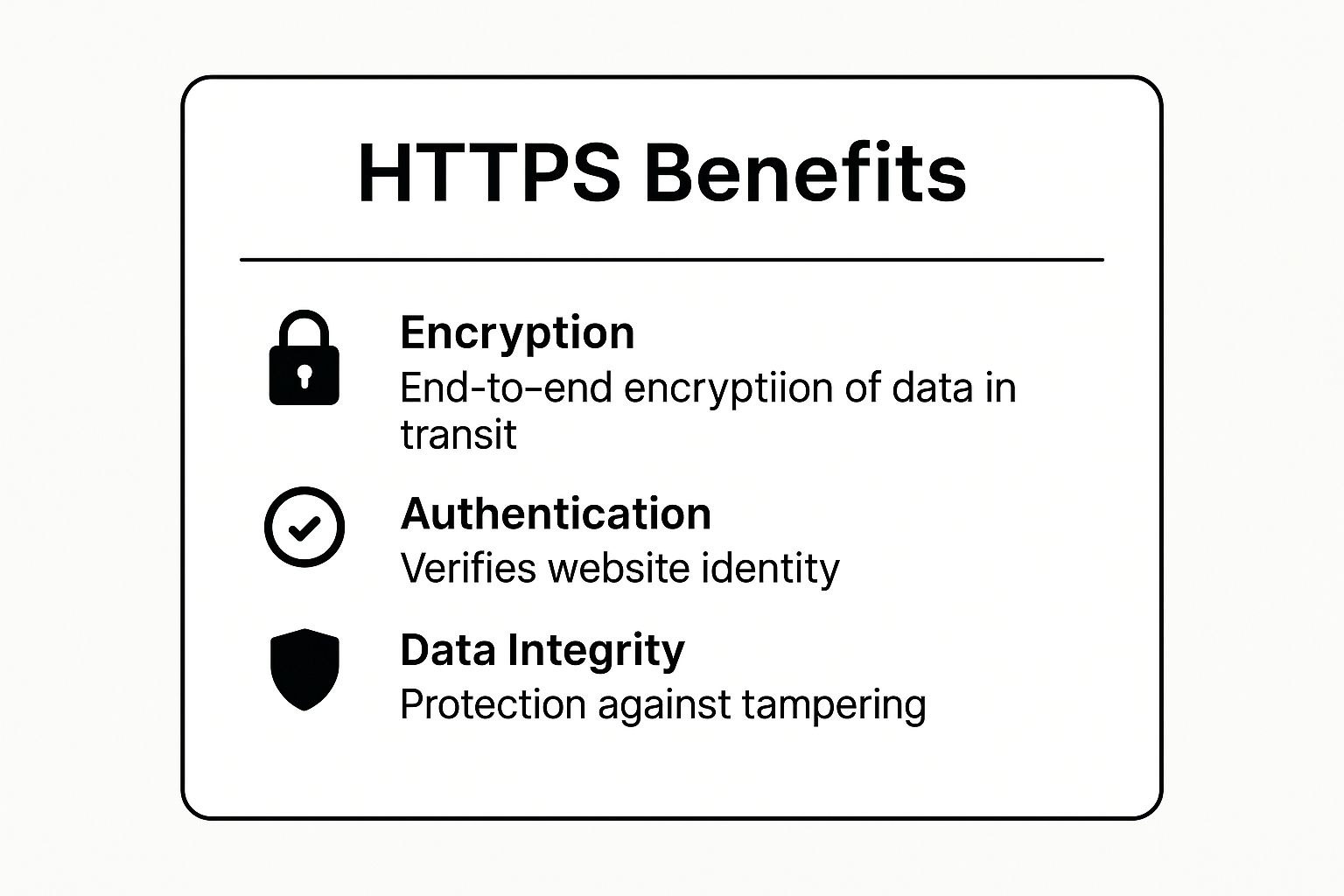
This visualization underscores how HTTPS provides a trifecta of security: confidentiality through encryption, verification of your site's identity, and assurance that data has not been altered in transit.
2. Use Strong Authentication and Password Policies
Robust authentication is a critical layer in your website security best practices, ensuring only authorized individuals can access administrative dashboards, user accounts, and other sensitive areas. By enforcing strong password policies and implementing multi-factor authentication (MFA), you create significant barriers against common automated attacks like brute-forcing and credential stuffing. Weak or compromised credentials remain a leading cause of data breaches, making strong authentication a non-negotiable security measure.
This approach moves beyond simple username-password combinations, incorporating multiple layers of verification to validate a user's identity. Leading platforms like GitHub and Google Workspace have successfully normalized MFA, drastically reducing account takeover incidents and demonstrating its effectiveness at scale.

Actionable Implementation Steps
The first step is to establish and enforce a stringent password policy for all user accounts. Equally important is how you store these credentials; passwords must never be stored in plain text. Utilizing modern, secure hashing algorithms like bcrypt or Argon2 is essential for protecting user data even if your database is compromised. For additional insights on platform-specific security features, you can explore detailed information about how leading CMS platforms handle security.
For optimal security, follow these steps:
- Enforce Strong Passwords: Require a minimum of 12 characters, including a mix of uppercase letters, lowercase letters, numbers, and symbols.
- Implement MFA/2FA: Offer and encourage users to enable multi-factor authentication using authenticator apps, security keys (FIDO2/WebAuthn), or SMS codes.
- Limit Login Attempts: Implement progressive delays or account lockouts after a set number of failed login attempts to thwart brute-force attacks.
- Check for Compromised Credentials: Use an API like "Have I Been Pwned" to prevent users from using passwords that have appeared in previous data breaches.
3. Regular Security Updates and Patch Management
Keeping all software components updated is a cornerstone of effective website security best practices. This includes the content management system (CMS), plugins, themes, and server-side frameworks. Cybercriminals and automated bots constantly scan the web for sites running outdated software with known vulnerabilities, making patch management a critical, non-negotiable task.
The infamous 2017 Equifax breach, which exploited an unpatched Apache Struts vulnerability, serves as a stark reminder of the consequences of neglecting updates. Conversely, the automatic security updates feature in WordPress preemptively protects millions of websites from similar threats, demonstrating the power of proactive patch management.
Actionable Implementation Steps
To maintain a secure software environment, it is essential to establish a systematic update process. Whether you are managing a custom application or a popular open-source CMS, a consistent schedule for applying security patches is vital. You can explore a variety of open-source CMS options and their security features to find one that aligns with your technical capabilities.
For robust patch management, follow these steps:
- Enable Automatic Updates: Activate auto-updates for critical security patches on your CMS and key plugins whenever possible.
- Use Dependency Scanners: Integrate tools like GitHub’s Dependabot or Snyk to automatically detect and flag vulnerable dependencies in your codebase.
- Test Before Deploying: Always apply updates in a staging environment first to ensure they don’t introduce compatibility issues or break functionality on your live site.
- Maintain an Inventory: Keep a detailed record of all software components, including plugins and libraries, and subscribe to their respective security mailing lists.
4. Input Validation and Output Encoding
Input validation and output encoding are foundational website security best practices that work in tandem to neutralize a wide range of injection attacks. Input validation is the process of checking any data your application receives to ensure it conforms to expected formats and rules. Output encoding involves sanitizing data before it is rendered to a user, preventing it from being executed as malicious code in the browser.
These two processes are the primary defense against Cross-Site Scripting (XSS) and SQL injection, two of the most common and damaging web vulnerabilities. The infamous 2008 Heartland Payment Systems breach, which exposed over 130 million credit card numbers, was initiated through an SQL injection attack that exploited poor input validation, highlighting the critical importance of this practice.
Actionable Implementation Steps
The core principle is to never trust user input. All data, whether from forms, URL parameters, or API calls, must be rigorously checked on the server side. Frameworks like React automatically escape JSX content to help prevent XSS, while most database libraries offer prepared statements that inherently stop SQL injection.
For robust protection, implement the following steps:
- Use Allowlisting: Define exactly what is acceptable input (e.g., only alphanumeric characters for a username) rather than trying to block known bad inputs.
- Validate on the Server: While client-side validation improves user experience, it can be easily bypassed. Always perform authoritative validation on the server.
- Use Parameterized Queries: Instead of building SQL queries with user input, use parameterized queries or an Object-Relational Mapper (ORM) to handle data safely.
- Encode Output Contextually: Sanitize data based on where it will be displayed. Use HTML entity encoding for HTML bodies, JavaScript escaping for scripts, and URL encoding for links. Libraries like the OWASP Java Encoder can manage this automatically.
The following video from OWASP provides a deeper look into why injection flaws occur and how to prevent them.
By systematically validating all inputs and encoding all outputs, you create a powerful barrier that protects both your application infrastructure and your users' data from malicious manipulation.
5. Implement Web Application Firewall (WAF)
A Web Application Firewall (WAF) is a crucial layer of security that monitors, filters, and blocks malicious HTTP/HTTPS traffic targeting your web applications. Unlike traditional network firewalls that protect a server's perimeter, a WAF operates at the application layer (Layer 7), allowing it to identify and prevent sophisticated attacks like SQL injection, cross-site scripting (XSS), and file inclusion that exploit website vulnerabilities. This proactive defense mechanism acts as a shield between your site and incoming threats.

Modern WAFs, such as those offered by Cloudflare or AWS, leverage machine learning and extensive threat intelligence to detect emerging attack patterns and zero-day exploits. By analyzing traffic against a set of predefined and customizable rules, a WAF can distinguish legitimate requests from malicious ones, providing a vital defense that complements other website security best practices.
Actionable Implementation Steps
Implementing a WAF can range from installing an open-source solution like ModSecurity to subscribing to a cloud-based service. Cloud providers like Cloudflare and Sucuri have made WAF deployment accessible even for small businesses, often integrating it with their Content Delivery Network (CDN) for enhanced performance and DDoS mitigation.
For effective WAF management, consider these steps:
- Start in Monitoring Mode: Initially, run the WAF in a non-blocking mode to analyze traffic and identify legitimate requests that might be flagged as malicious, helping you tune rules and reduce false positives.
- Use Proven Rule Sets: Begin with a widely trusted rule set, such as the OWASP ModSecurity Core Rule Set (CRS), and customize it based on your application's specific needs.
- Implement Rate Limiting: Configure rules to block or temporarily ban IP addresses that make an excessive number of requests, which helps prevent brute-force attacks and content scraping.
- Enable Geo-Blocking: If your audience is concentrated in specific geographic regions, block traffic from countries where you do not operate to reduce the attack surface.
6. Regular Backups and Disaster Recovery Planning
Regular backups are a non-negotiable component of any robust website security strategy, serving as your ultimate safety net against catastrophic data loss. This practice involves creating copies of your website’s files, databases, and configurations to ensure you can restore operations after a security breach, hardware failure, or human error. Without a reliable backup, a single incident like a ransomware attack or accidental deletion could permanently destroy your digital assets.
A comprehensive disaster recovery plan extends beyond simple backups by outlining the exact procedures to recover from an incident. This proactive planning minimizes downtime and financial loss. The infamous case of Code Spaces, a company that ceased operations after an attacker deleted its production data and backups, highlights the devastating consequences of an inadequate strategy. This makes backups a foundational pillar among website security best practices.
Actionable Implementation Steps
The most effective backup strategies are automated, tested, and geographically distributed. For WordPress users, plugins like UpdraftPlus can automate backups to cloud storage services like Amazon S3, which offers exceptional durability. The key is to remove the risk of human error and ensure your recovery process is dependable when you need it most.
For a resilient backup system, follow these steps:
- Adopt the 3-2-1 Rule: Maintain at least three copies of your data, store them on two different types of media, and keep one copy off-site.
- Automate and Monitor: Schedule daily or weekly automated backups and set up alerts to notify you of any failures.
- Test Your Restores: Regularly test your backup restoration process (at least quarterly) to confirm the data is viable and your recovery plan works.
- Isolate and Encrypt: Store backups on a separate system with different access credentials, and encrypt them both in transit and at rest to prevent unauthorized access.
7. Security Headers Configuration
Configuring HTTP security headers is a powerful and low-effort website security best practice that adds a critical layer of defense directly within the browser. These headers are server-sent directives that instruct browsers on how to handle your site's content, effectively mitigating common vulnerabilities like cross-site scripting (XSS), clickjacking, and MIME-type sniffing attacks. By telling the browser which features to enable or restrict, you create a more constrained and secure environment for your users.
Leading platforms like GitHub and Google services leverage a comprehensive set of security headers to protect their users. For example, a strict Content Security Policy (CSP) can prevent the execution of unauthorized scripts, while the HSTS header (as mentioned previously) ensures connections remain encrypted. Implementing these headers is a proactive measure that hardens your site against a wide range of browser-based attacks.
Actionable Implementation Steps
Implementing security headers often involves adding a few lines to your server configuration file (e.g., .htaccess for Apache or nginx.conf for Nginx). You can use free tools like SecurityHeaders.com or Mozilla Observatory to scan your current configuration and get specific recommendations.
For a robust security posture, implement the following headers:
- Content-Security-Policy (CSP): Control which resources (scripts, styles, images) are allowed to load. Start in report-only mode to test your policy without breaking functionality.
- X-Frame-Options: Set to
DENYorSAMEORIGINto prevent your site from being embedded in an iframe, a common technique used in clickjacking attacks. - X-Content-Type-Options: Use the
nosniffdirective to stop browsers from trying to guess a file's content type, which can prevent certain XSS attacks. - Permissions-Policy: Explicitly disable browser features your site does not need, such as the microphone or camera, to reduce the potential attack surface.
8. Implement Proper Access Control and Least Privilege
Implementing proper access control is a crucial website security best practice that operates on the principle of least privilege. This principle dictates that any user, program, or process should only have the minimum permissions essential to perform its intended function. By restricting access, you dramatically reduce the potential attack surface and limit the damage from a compromised account, insider threat, or software vulnerability.
Effective access control goes beyond simple user roles. It encompasses file system permissions, database privileges, and API authorizations, ensuring a layered defense. For example, the 2019 Capital One breach was exacerbated by excessive permissions on a cloud resource, highlighting how a failure in this area can lead to catastrophic data loss. Adhering to least privilege contains threats and protects sensitive data from unauthorized access or modification.
Actionable Implementation Steps
The goal is to build a "zero trust" environment where permissions are explicitly granted rather than assumed. This is especially critical for platforms managing sensitive data, and you can explore various options for building a secure foundation by reviewing different e-commerce content management systems.
To effectively implement this principle, follow these steps:
- Start with Zero Permissions: Begin with no access rights and incrementally add only the permissions that are absolutely necessary for a role or function.
- Use Role-Based Access Control (RBAC): Assign permissions to roles (e.g., Administrator, Editor, Customer) instead of individual users. This simplifies management and reduces errors.
- Separate Administrative Accounts: Ensure users have separate, standard accounts for daily tasks and a distinct, highly-secured account for administrative functions.
- Regularly Audit Permissions: Periodically review all user accounts and roles. Remove permissions that are no longer needed and delete inactive or orphaned accounts.
9. Security Monitoring, Logging, and Incident Response
Comprehensive security monitoring and logging is a proactive website security best practice that allows you to detect suspicious activities, identify breaches, and maintain compliance. It involves systematically recording events that occur on your website and its underlying infrastructure. When combined with a formal incident response plan, this practice ensures you can rapidly identify, contain, and recover from security events, minimizing potential damage.
Effective monitoring goes beyond simple event recording; it includes real-time alerting for critical issues, aggregating logs from multiple sources for unified analysis, and using anomaly detection to spot deviations from normal behavior. The infamous 2013 Target breach serves as a stark reminder of its importance; monitoring systems generated alerts about the intrusion, but they were unfortunately ignored.
Actionable Implementation Steps
To build a robust monitoring and response capability, you need to collect the right data and have a plan to act on it. Tools like the ELK Stack (Elasticsearch, Logstash, Kibana) offer powerful open-source log management, while services like Datadog provide cloud-native security monitoring.
For optimal security, follow these steps:
- Log Critical Events: Record all authentication attempts (successful and failed), access to sensitive data, and administrative configuration changes.
- Centralize and Secure Logs: Aggregate logs in a central, tamper-proof location. This prevents attackers from erasing their tracks and enables cross-system event correlation.
- Develop an Incident Response Plan: Create a clear, documented plan outlining roles, communication protocols, and procedures for handling security incidents. Regularly test this plan with tabletop exercises.
- Automate Defenses: Use tools like Fail2ban to automatically block IP addresses exhibiting malicious behavior, such as repeated failed login attempts.
10. Secure Development Lifecycle and Code Review
Embedding security into the entire development process, rather than treating it as a final step, is a crucial website security best practice. A Secure Development Lifecycle (SDL) is a proactive framework that integrates security activities like threat modeling, secure coding, and rigorous testing from conception to deployment. This approach systematically identifies and mitigates vulnerabilities early, which significantly reduces the risk of exploitation and lowers long-term remediation costs.
Adopting an SDL means security is a shared responsibility, not just the security team's problem. By building security in from the start, organizations create more resilient and trustworthy applications. Pioneers like Microsoft have demonstrated the efficacy of this model, using their own SDL framework to enhance product security for decades.
Actionable Implementation Steps
Implementing a formal SDL requires a shift in both culture and process. It involves integrating specific security checkpoints throughout your development pipeline, a concept that is foundational to modern CMS and web development methodologies.
For a robust SDL, follow these steps:
- Establish Secure Coding Standards: Create and enforce guidelines based on trusted sources like OWASP or CERT to prevent common vulnerabilities.
- Integrate Automated Scanning: Use Static Application Security Testing (SAST) tools like SonarQube and Dynamic Application Security Testing (DAST) tools like OWASP ZAP directly within your CI/CD pipeline.
- Mandate Peer Code Reviews: Require security-focused code reviews for all changes, especially those affecting authentication, authorization, or data handling.
- Conduct Threat Modeling: Analyze your application's design during the initial phases to identify potential threats and plan countermeasures using frameworks like STRIDE.
Website Security Best Practices Comparison
| Security Measure | Implementation Complexity 🔄 | Resource Requirements ⚡ | Expected Outcomes 📊 | Ideal Use Cases | Key Advantages ⭐ / Tips 💡 |
|---|---|---|---|---|---|
| Implement HTTPS with Strong SSL/TLS Certificates | Low to Medium | Moderate (certificate management) | Protects data in transit, builds trust, improves SEO | Public websites, e-commerce, sensitive data | ⭐ Protects privacy & trust 💡 Use Let's Encrypt, HSTS, TLS 1.3 |
| Use Strong Authentication and Password Policies | Medium | Moderate to High (MFA infrastructure) | Reduces unauthorized access, protects credentials | User accounts, admin portals, SaaS apps | ⭐ Strong access control 💡 Enforce MFA, use bcrypt/Argon2 |
| Regular Security Updates and Patch Management | Medium | Ongoing maintenance & testing | Closes vulnerabilities promptly, improves security posture | CMS, plugins, server software | ⭐ Quick vulnerability closure 💡 Automate updates, test in staging |
| Input Validation and Output Encoding | Medium to High | Development effort & testing | Prevents injection attacks, improves data integrity | Web forms, APIs, user input handling | ⭐ Prevents injection attacks 💡 Use whitelist & context-aware encoding |
| Implement Web Application Firewall (WAF) | Medium | Hardware/software and tuning effort | Blocks attacks in real time, mitigates zero-days | High traffic sites, apps prone to attacks | ⭐ Immediate protection 💡 Start with default rules, tune gradually |
| Regular Backups and Disaster Recovery Planning | Low to Medium | Storage and backup management | Enables recovery from attacks and failures | All websites and applications | ⭐ Data loss prevention 💡 Automate backups, test restore regularly |
| Security Headers Configuration | Low to Medium | Minimal (server config changes) | Mitigates multiple client-side attacks | Web servers, static and dynamic sites | ⭐ Easy, effective defense 💡 Use CSP report-only, HSTS, X-Frame-Options |
| Implement Proper Access Control and Least Privilege | Medium to High | Administration and policy management | Limits damage from breaches, insider threats | Enterprise systems, cloud platforms | ⭐ Limits attack impact 💡 Use RBAC, audit permissions regularly |
| Security Monitoring, Logging, and Incident Response | Medium to High | Infrastructure and staff | Early attack detection, faster response | Enterprises, regulated industries | ⭐ Early detection 💡 Centralize logs, automate alerts, plan response |
| Secure Development Lifecycle and Code Review | High | Training, tooling, cultural change | Fewer vulnerabilities, improved code quality | Software development projects | ⭐ Early defect detection 💡 Integrate SAST/DAST, conduct threat modeling |
From Checklist to Culture: Making Security Second Nature
Navigating the landscape of website security can seem like a daunting task, but the ten pillars we've explored provide a comprehensive blueprint for building a resilient digital fortress. From foundational measures like enforcing HTTPS and strong authentication to more advanced strategies such as implementing a Secure Development Lifecycle and robust security monitoring, each practice adds a critical layer to your defense-in-depth strategy. The common thread connecting them all is proactivity, not reactivity.
Treating this guide as a mere checklist to be completed once is a critical mistake. The digital threat environment is dynamic, with new vulnerabilities and attack vectors emerging constantly. True security is an ongoing commitment, a cyclical process of implementation, monitoring, and adaptation.
Your Actionable Path Forward
To translate this knowledge into tangible results, start by assessing your current security posture against the practices outlined. Prioritize the foundational elements that yield the greatest immediate impact on risk reduction. Your initial focus should be on:
- Non-negotiable Foundations: Ensure HTTPS is correctly implemented, regular backups are automated and tested, and a strict patch management schedule is in place for all software components.
- Strengthening Access: Immediately review and enforce strong password policies and implement the principle of least privilege across all user accounts.
- Building Your Shield: Deploy a Web Application Firewall (WAF) and configure essential security headers. These act as your first line of defense against common automated attacks.
Once these core protections are solidified, you can progressively integrate more sophisticated practices. This includes formalizing code reviews, refining your incident response plan, and expanding your logging and monitoring capabilities. This phased approach makes the process manageable and ensures that you build your security framework on a stable and secure foundation.
Cultivating a Security-First Mindset
Ultimately, the most effective website security best practices are those that become ingrained in your team's daily operations. Technical controls are essential, but they are significantly more powerful when supported by a security-conscious human element. This cultural shift is where lasting resilience is forged. It involves moving beyond tools and policies to create an environment where every team member, from developers to content creators, understands their role in protecting the organization's digital assets.
Beyond technical implementations, cultivating a strong security culture through initiatives like comprehensive information security awareness training can transform your weakest link into your strongest defense. When security becomes second nature, it ceases to be a burden and instead becomes a shared responsibility that fosters trust, protects your reputation, and secures your long-term success.