
how to create membership website: A Proven Path to Thriving
how to create membership website: A practical guide on strategy, platform, content planning, and boosting member retention for lasting success.

Before you even think about plugins or platforms, let's talk strategy. Building a membership site is tempting, but diving into the tech first is a classic mistake. It's like building a house without a blueprint. The real foundation of a successful membership business is a crystal-clear understanding of who you're serving and what you're offering them.
1. Defining Your Membership Model and Value
The first, most critical step has nothing to do with technology. It's all about your core promise. What problem are you solving? What transformation are you offering? Get this right, and everything else falls into place.
Mapping Out Your Content and Value Proposition
Start by getting laser-focused on your ideal member. Don't just think about demographics; dig into their real-world struggles. What keeps them up at night? What specific outcome are they desperate to achieve?
For example, a site for aspiring writers isn't just selling "writing tips." It’s selling the confidence to finish a first draft, the roadmap to getting an agent, or a supportive community to overcome writer's block. That's your value proposition.
To build a site that really connects and delivers, I'd recommend reading an overarching guide on how to make a membership site that truly thrives.
Once that promise is clear, you can map out the content that delivers on it. Think about the best formats to guide your members toward their goals.
- In-depth Guides & Articles: Become the go-to resource for solving their most specific, persistent problems.
- Video Courses & Workshops: Offer structured, step-by-step learning paths that provide clear wins.
- Exclusive Tools: Give them tangible assets like calculators, checklists, or templates that they can't get anywhere else.
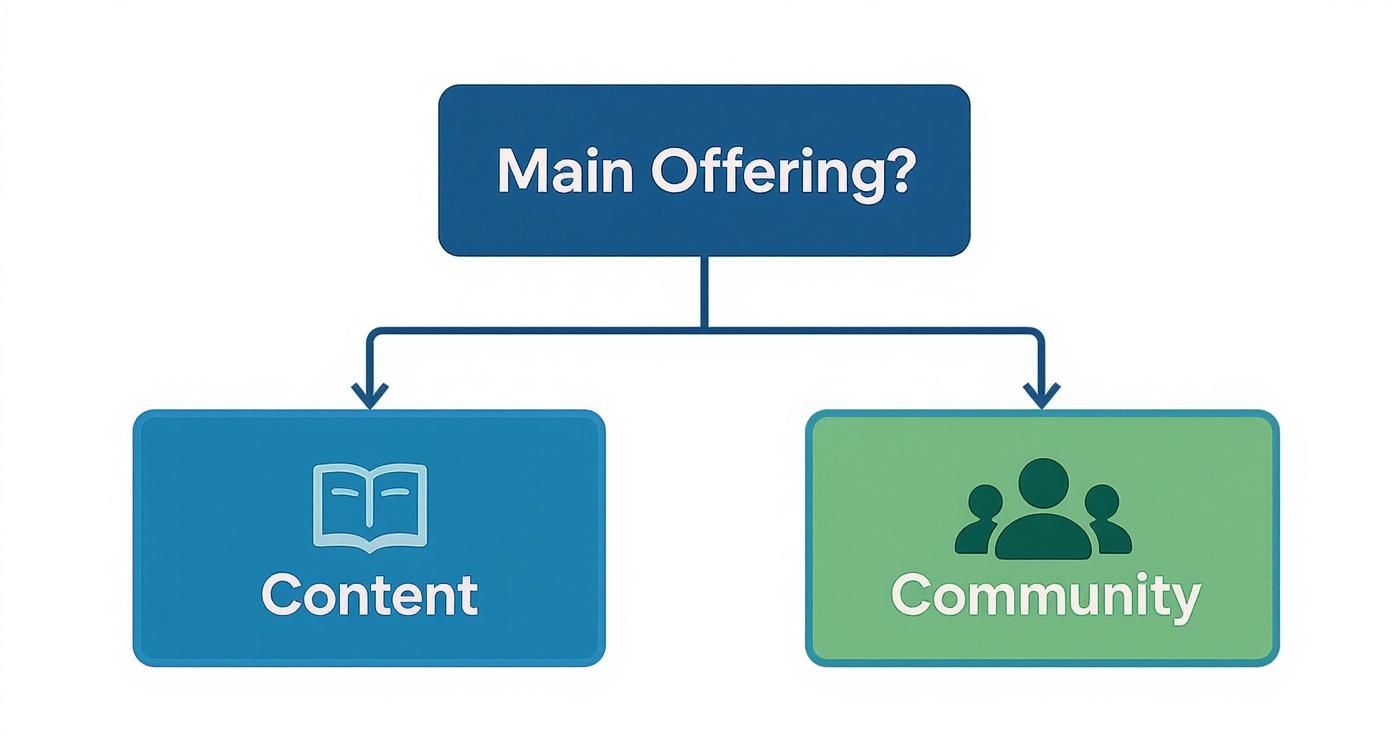
- A Private Community: Create a space for members to connect with each other, share progress, and feel like they belong.
This isn't a niche market anymore. The subscription economy is booming—it was valued at $199.41 billion in 2023 and is on track to explode to $2227.63 billion by 2028. This proves people are more than willing to pay for consistent, high-quality value. Your job is to define what that value looks like for your audience.
Structuring Compelling Membership Tiers
With your value defined, you can package it into membership tiers. The trick here is to avoid the generic "Bronze, Silver, Gold" trap. Instead, give your tiers names that speak to the member's identity or goal, like "Hobbyist," "Pro," or "Studio."
Each level should feel like a genuine step up, offering not just more content, but a different kind of value. Maybe your first tier is all about self-serve content, while the next adds community access, and the top tier includes direct coaching or monthly Q&A calls.
This kind of careful organization is a huge part of what makes a website intuitive and valuable. It’s a concept known as information architecture, and you can learn more about organizing website content by reading our guide on what is information architecture.
Here's a simple framework to help you think through your own tiers.
Membership Tier Planning Framework
This table can help you brainstorm and differentiate your membership levels to create a clear value ladder for your audience.
| Tier Name | Target Audience | Key Content/Features | Community Access | Price Point Strategy |
|---|---|---|---|---|
| The Starter | Beginners, curious learners | Core library of articles & videos, starter templates | Read-only forum access | Low-barrier entry to attract volume |
| The Accelerator | Action-takers, intermediate users | All Starter content, advanced courses, monthly live Q&As | Full community access, private channels | Mid-range, best value proposition |
| The Inner Circle | Serious professionals, businesses | All Accelerator content, 1-on-1 coaching, early access to tools | Private mastermind group | Premium, high-touch, limited spots |
Thinking through these columns forces you to be intentional about what you offer at each level and who it's for.
A successful membership site is built on a clear promise. Your tiers, content, and community features are simply the tools you use to deliver on that promise consistently. Getting the strategy right first ensures you're building a business, not just a website.
2. Choosing Your Membership Platform and Tech Stack
The technology you choose is the engine of your membership site. It's the foundation for everything you build. A good choice will quietly hum in the background, empowering your growth. A bad one? It becomes a constant source of friction and a major headache.
The key isn't finding the "best" platform—it's about finding the right one for your specific goals, budget, and how comfortable you are with the technical side of things.
This decision usually comes down to two main paths: using an all-in-one platform or building a self-hosted site, typically with WordPress. Each route has some serious trade-offs you need to consider carefully.
All-In-One Platforms: The Simpler Path
Platforms like Kajabi, Mighty Networks, or Thinkific are designed for simplicity. They bundle everything you need—hosting, a website builder, content delivery, payment processing, and membership tools—into one neat package.
This approach is a godsend for creators who want to pour their energy into content and community, not wrestle with technical maintenance. The main draw is speed and ease; you can get a professional-looking site live in a weekend without ever seeing a line of code.
But that convenience has its limits. You’re trading deep customization for a smooth ride. While these platforms are packed with features, you're stuck with the tools and integrations they offer. Plus, the monthly subscription fees can add up and become more expensive than a self-hosted setup, especially as your member base grows.
WordPress: The Flexible Powerhouse
The other path involves building on a self-hosted WordPress site. WordPress itself is a phenomenally powerful and free Content Management System (CMS), but it doesn't handle memberships right out of the box. To make it work, you'll need to add a specialized membership plugin like MemberPress, WishList Member, or Restrict Content Pro.
The real magic of WordPress lies in its massive ecosystem. With thousands of plugins available, you can add just about any feature you can dream up.
The biggest advantage here is total control. You own your data, you can tweak every pixel of your site's design, and you can connect to almost any third-party service out there. The initial costs for hosting and premium plugins are often lower, but the hidden "cost" is your time. You're the one responsible for updates, security, and fixing things when they break.
For those whose membership centers on courses or training, this step-by-step guide on creating an online training academy offers a great roadmap for structuring your content.
Making the Right Choice for Your Business
So, how do you decide which path to take? Thinking through a few real-world scenarios can make it clearer.
A yoga instructor who wants to sell on-demand classes and host a simple community forum would probably thrive on an all-in-one platform. The streamlined setup lets her focus on filming amazing content, not fighting with plugin updates.
On the other hand, a professional association that needs complex member directories, event registration tied to a specific CRM, and tiered content access would find a WordPress setup much more suitable. That flexibility allows them to build a system perfectly tailored to their unique needs.
Your choice of a CMS is a big one. To get a better handle on all the options out there, our guide on what a CMS is and how to choose one is a great place to start: https://www.contenttoolkit.co/what-cms
To help you visualize the trade-offs, here’s a quick comparison of the most common options.
Membership Platform Comparison
| Platform | Best For | Ease of Use | Customization | Pricing Model |
|---|---|---|---|---|
| WordPress | Total control & unique features | Steeper learning curve | Virtually limitless | Low initial cost, but can grow with plugins |
| Kajabi | Course creators & digital products | Very user-friendly | Good, but within Kajabi's system | All-in-one subscription |
| Mighty Networks | Community-first memberships | Easy to moderate & engage | Focused on community layout | Monthly/annual subscription |
| Thinkific | Education-focused sites | Simple course builder | Limited design freedom | Free tier, then paid subscriptions |
Ultimately, the best platform is the one that fits how you work.
Your tech stack should be a growth enabler, not a bottleneck. Choose the option that minimizes your personal friction and maximizes your ability to serve your members effectively. If you're not tech-savvy, the higher monthly fee for an all-in-one solution is an investment in your sanity and focus.
Building Out Your Core Membership Features
Alright, with your platform chosen, it's time to roll up your sleeves and move from blueprints to building. This is the exciting part where your strategic decisions about value and tiers become tangible, clickable features on your site. Nailing the technical setup now is what creates a smooth, almost invisible experience for your members and an automated, revenue-ready system for you.

Don't let the word "technical" scare you off. This process is less about writing code and more about logical configuration. You're simply telling the system who gets to see what, when they get to see it, and under what conditions.
Configuring User Roles and Permissions
At the heart of any membership site is its ability to tell different types of users apart. This is all handled through user roles and permissions. Think of a user role as a simple label you give someone—like "Free Member," "Pro Subscriber," or "VIP Client." The permissions are just the rules that say what each label is allowed to access.
It’s really like a set of digital keys. When someone signs up for your "Pro" tier, your system automatically hands them the "Pro" key. That key then unlocks all the doors—pages, videos, and downloads—that you've marked as "Pro access only."
Most membership platforms, whether it's a WordPress plugin like MemberPress or a more integrated solution, make this pretty straightforward. You'll create your membership levels first, and then as you add new content, you simply tag it with the level (or levels) that should have access.
Restricting and Dripping Your Premium Content
Content restriction—often called "gated content"—is the core mechanic of your membership business. This is what stops non-members or folks in lower tiers from getting to your premium material. The whole point is to draw a clear line in the sand between what’s free and what’s paid for.
But here’s a pro tip: don’t just unlock everything at once. A powerful strategy for boosting member value and keeping people around is content dripping. Instead of giving a new member the keys to the entire kingdom on day one, you release content to them on a set schedule.
- Week 1: They get access to Module 1 of your signature course.
- Week 2: Module 2 unlocks automatically.
- Day 30: A bonus expert interview becomes available.
This approach does a few brilliant things. It prevents overwhelm and encourages members to stay subscribed just to see what’s coming next. You’re creating a paced, guided experience rather than an all-you-can-eat buffet, which can surprisingly lead to lower engagement. It also protects your work by stopping someone from signing up, downloading everything, and canceling within 24 hours.
Your content delivery strategy is just as important as the content itself. Dripping content transforms a static library into a dynamic, evolving journey, which is a powerful tool for long-term member retention.
Integrating Secure Payment Gateways
To turn visitors into paying members, you obviously need a reliable way to handle transactions. This is where payment gateways come into play. Services like Stripe and PayPal are the industry standards for good reason—they’re secure, people trust them, and they plug into virtually every membership platform out there.
Getting this set up usually just means creating an account with Stripe or PayPal and then connecting it to your website with an API key. Your membership software will have a dedicated settings area where you paste this key, which effectively links your site to your payment processor.
A few crucial things to get right when setting up payments:
- Recurring Subscriptions: This is the lifeblood of a membership model. Make sure your setup is configured for recurring billing, whether it’s monthly or annually.
- Currency and Taxes: Set your primary currency and do your homework on tax obligations for selling digital products. This can get tricky and often varies by the customer's location.
- Failed Payment Logic (Dunning): This is a huge one that people often forget. What happens when a member's credit card expires? Good membership software will have "dunning" management that automatically emails the member, prompting them to update their details before their access gets cut off.
Crafting the Member Experience
The final piece of this puzzle is making everything feel effortless for your members. This really boils down to two key areas: the registration process and their private dashboard.
Your registration form should be almost ridiculously simple. Only ask for the absolute essentials needed to create an account—usually just a name, email, and password. I've seen it time and time again: every extra field you add is another little piece of friction that might cause someone to give up.
Once they're in, members should land on a custom member dashboard. This is their home base. It needs to clearly show:
- Direct links to the content they have access to.
- Simple info about their subscription status.
- An obvious link to manage their billing and account details.
- Any recent announcements or a link to your community area.
For those of you using a platform like Ghost, which beautifully blends content and memberships, our deep dive into the Ghost CMS platform offers specific insights into its unique member management features. A well-designed dashboard doesn't just help people find things; it makes them feel valued and confident they're getting what they paid for.
6. Locking Down Security and Legal Must-Haves

When someone joins your community, they're handing you their trust—along with their personal and payment info. Protecting that trust isn't just a good idea; it's the bedrock of a sustainable membership business. This is where you move from building cool features to building a professional, resilient platform.
Skipping over security and legal basics is a rookie mistake with serious consequences. We're talking data breaches, destroyed member confidence, and even legal trouble. The good news? Getting these safeguards in place is relatively simple and signals to your members that you're serious about protecting them.
Fortifying Your Site's Security
First things first, let's talk about the connection between your members' browsers and your server. An SSL certificate is non-negotiable. It encrypts the data flowing back and forth, and without it, modern browsers will slap a big "Not Secure" warning on your site—a surefire way to kill conversions. Most decent web hosts provide free SSL certificates, so this is an easy first step.
Next up is managing who gets in. You absolutely need to enforce strong password policies. Most membership plugins let you set complexity requirements, like forcing a mix of uppercase letters, numbers, and symbols. This simple tweak makes it exponentially harder for automated attacks to crack member accounts.
Here are a few other layers of security you can't afford to ignore:
- Secure Your Foundation: Choose a managed hosting provider that takes security seriously. Look for features like built-in firewalls and regular malware scans.
- Always Have a Plan B: Set up automatic daily or weekly backups of your entire site. If the worst happens, you can restore a clean version and be back online in minutes, not days.
- Patch, Patch, Patch: The most common way hackers get in is through outdated plugins and themes. Make it a routine to keep your core platform and all extensions updated.
I've seen a single security breach completely derail years of community-building. Being proactive with security isn't about paranoia; it's about professionalism. It’s about respecting the trust people have put in you.
Establishing Your Legal Ground Rules
Beyond the technical stuff, you need a solid legal framework. Think of these documents less as boring legal text and more as the official rulebook for your community. They manage expectations and protect everyone involved.
Every single membership site needs these three legal pages, and they should be easy to find from your site's footer.
- Terms of Service (ToS): This is your agreement with your members. It needs to spell out what they can and can't do with your content, the rules of the community, the reasons an account might be terminated, and how you handle intellectual property.
- Privacy Policy: Transparency is key here. You have to clearly state what data you collect (names, emails, etc.), why you collect it, and how you keep it safe. This isn't just good practice; it's a legal requirement under regulations like GDPR and CCPA.
- Refund Policy: Don't leave refunds to chance. A vague or non-existent policy is a recipe for headaches and chargebacks. Create a clear, fair policy that outlines exactly when and how a member can get their money back.
Putting these security and legal pieces in place builds a platform that members can trust. It protects them, protects you, and sets your membership business up for long-term success.
Finalizing Your Pre-Launch Checklist
A smooth launch doesn’t happen by accident. It's the direct result of a little obsessive preparation. This is your final pre-flight check, where you have to stop thinking like the creator and start thinking like your very first customer. Your mission is to find and squash every tiny bug or confusing step before anyone gives you a single dollar.
This isn't just about a quick glance around the site. You need to walk through the entire member experience, from the second they hit your sales page to the moment they access their exclusive content. Any snag in that journey can kill a new member's excitement and lead to a wave of refund requests right out of the gate.
Testing The Complete Member Journey
First things first: you have to become your own customer. Go through the full sign-up process for every single membership tier you’ve created. Don’t just pretend—use a real credit card or your payment gateway’s test mode to make sure a real transaction works.
As you go through each screen, be ruthless with your questions:
- Registration: Is this form actually simple? Does it work just as well on my phone as it does on my desktop?
- Payment: Did the payment process smoothly, or did it throw a weird error? Did I get a confirmation email right away?
- Login & Onboarding: Was logging in for the first time obvious? What did I see immediately after? Did it make me feel welcome and show me where to start?
- Content Access: Can I get to everything I was promised for this tier? And just as importantly, am I correctly blocked from accessing content from higher tiers?
This end-to-end testing is, without a doubt, the most critical thing you can do before launching. I once helped on a launch where we found out at the last minute that the welcome email—the one with all the login details—was going straight to spam. Finding that saved us from a mountain of panicked support tickets on day one.
Think of yourself as a detective hunting for clues of a bad user experience. Every broken link, confusing instruction, or slow-loading page is a problem you can solve now so your actual members have a perfect experience later.
Technical Sweeps and Analytics Setup
Once you're confident the core member journey is solid, it's time for a technical deep-clean. Use a tool like Screaming Frog or a free online alternative to crawl your site for any 404 errors. Nothing screams unprofessional like a dead link.
Next, get serious about mobile. Pull out your phone and test everything. Recent data shows that mobile devices account for over 60% of website traffic globally, so your site absolutely has to be flawless on a small screen. Can you navigate the menus easily? Are the forms a nightmare to fill out? Do your videos play correctly?
Finally, you can’t fly blind. You must have analytics set up before a single person visits. At the very least, install Google Analytics to track page views, see how people move through your site, and set up conversion goals for sign-ups. This data is your direct line to what’s working and what isn’t. Getting a handle on this is essential, and a great place to start is learning how to increase your blog traffic by understanding what your users are actually doing.
Crafting a Simple Launch Day Plan
Don’t overcomplicate your launch. A simple, focused plan will almost always beat a complex one. Your first step should be to draft the announcement email for your list and the posts for your main social media channels.
Keep your launch message clear. Focus on the transformation you're offering your members, not just a list of features. To get the ball rolling, you can create a simple "early-bird" offer—maybe a small discount or a special bonus for the first 50 members. This creates a bit of urgency and rewards the people who believed in you from day one.
Lastly, have a plan to gather feedback. Be online and available on launch day to answer questions. Even more important, a few days after they join, send your first batch of members a personal email asking about their experience. That early feedback is pure gold for making quick, meaningful improvements.
Growing Your Community and Retaining Members
Getting your membership site live is a huge milestone, but it's really just the beginning. The focus now has to shift from building the platform to building the community. Long-term success comes down to a constant balancing act: bringing in new people while making the experience so indispensable that your current members never want to leave.

This is where membership sites either take off or fizzle out. It's a never-ending cycle of marketing, welcoming new members, sparking engagement, and evolving based on what your community is telling you.
Designing a Powerful Member Onboarding Sequence
Those first few days after someone signs up are absolutely critical. A well-thought-out onboarding sequence is your best defense against buyer's remorse and early cancellations. The goal is simple: make new members feel welcome, show them the ropes, and guide them to an early "win" so they feel the value right away.
This is more than just a single welcome email. A great onboarding flow is a series of well-timed, strategic messages.
- The Welcome & First Steps: Your first email needs to hit their inbox instantly. It should confirm their purchase and give them clear login details, but most importantly, it needs to tell them exactly what to do first. Don't leave them guessing.
- The Quick Win: A day or so later, point them toward a simple, high-value piece of content. Maybe it’s a popular video, a downloadable template, or a prompt to introduce themselves in the forums. Make it easy for them to get that first taste of success.
- The Community Nudge: After a few days, send a dedicated invitation to join the community. Show, don't just tell. Mention a specific interesting discussion or highlight a recent member win to spark their curiosity.
- The Feature Spotlight: Over the next week, drip out a couple more short emails highlighting key features they might have overlooked.
This structured welcome prevents new members from feeling overwhelmed and proves the value of their subscription from day one.
Fostering a Thriving Community
A buzzing, active community is the ultimate retention tool—it's the one thing your competitors can never copy. It turns your site from a content library into a genuine home base for your members.
Building a community isn't about just installing forum software. It’s about actively facilitating connections, sparking conversations, and empowering members to help one another. Your role shifts from just being a content creator to being a community leader.
To pull this off, you have to be present. Kick off discussion threads, ask thought-provoking questions, and publicly celebrate member achievements. Consider hosting regular live events, like monthly Q&As or expert interviews, to create those crucial shared experiences that bind a community together.
Using Feedback and Key Metrics to Add Value
Your current members are a goldmine of information. Actively asking for their feedback not only shows you care but also gives you a clear roadmap for what to build next.
Simple surveys can tell you what they love and what they want more of. But you also need to look at the data. Key metrics show you what members are actually doing, which is often more telling than what they say. This is where integrating your platform with a good CRM becomes a game-changer. For a deeper dive, our guide explains how a CMS and CRM work together to grow your business.
Keep a close eye on these numbers:
| Metric | What It Tells You | Why It Matters |
|---|---|---|
| Churn Rate | The percentage of members who cancel each month. | This is your site's vital sign. A high churn rate is a red flag that something is wrong with your value proposition. |
| Engagement Score | How often members log in, consume content, or participate. | Helps you spot your super-users and, more importantly, those who are at risk of leaving. |
| Lifetime Value (LTV) | The total revenue you can expect from a single member. | This number dictates how much you can responsibly spend to acquire a new customer. |
These metrics aren't just vanity numbers; they drive your strategy. For instance, it's widely known that acquiring a new member can cost five times more than keeping an existing one. On top of that, members who don't engage within their first 90 days have a staggering 73% higher churn rate, according to data-driven retention strategies on AssociationsOnline.com. The data is clear: focusing on retention and immediate engagement is the smartest, most cost-effective way to grow.