
Mastering SEO for Static Websites
A practical guide to mastering SEO for static websites. Learn to leverage speed, security, and modern workflows to boost rankings and drive organic traffic.

When it comes to SEO, static websites have a built-in, almost unfair, advantage. Their architecture is beautifully simple: pre-built HTML, CSS, and JavaScript files ready to go. This means no server-side processing, no database calls, and virtually no waiting.
For search engine crawlers, this is a dream come true. They can access and index your content almost instantly, leading to faster, more efficient indexing. For users, it means lightning-fast load times.
The Winning Edge of Static SEO
The core principle of a static site is that the content is already rendered before a user even visits. This eliminates the sluggishness often associated with dynamic, database-driven sites.
- Minimal Server Lag: With fewer server requests, the Time to First Byte (TTFB) is incredibly low.
- Effortless Caching: Assets are easily cached, meaning your site stays fast even when traffic surges.
- No Plugin Bloat: Without a complex backend or dozens of plugins, there are far fewer scripts for browsers to parse, speeding everything up.
Think of a campaign landing page that snaps open in under 500 ms or a company blog that maintains 99.99% uptime without breaking a sweat during a product launch. That's the power of static.
Why Core Metrics Love Static Sites
Google's Core Web Vitals—like Largest Contentful Paint (LCP) and Cumulative Layout Shift (CLS)—are direct ranking factors, and this is where static sites truly shine. With minimal script execution, it's not uncommon to see 73% of users experience near-instant page interactions.
Speed isn't just a technical metric; it's a user experience signal. Google's own data shows that 53% of mobile visitors will leave a site if it takes more than three seconds to load. A static site's inherent speed directly combats this, lowering bounce rates and signaling to Google that your site provides a great experience. You can dig into more SEO statistics in this research from Victorious.
A static site's speed gives you immediate SEO momentum. You're simultaneously meeting user expectations for a fast experience and satisfying Google's technical ranking signals.
A static architecture delivers a trifecta of benefits that search engines love: speed, security, and reliability. This combination creates a powerful foundation for any SEO strategy.
Core Advantages of Static Sites for SEO
| Attribute | Impact on SEO | Key Metric |
|---|---|---|
| Instant Load | Improves Core Web Vitals scores | FCP & LCP times |
| Minimal Security Risk | Reduces vulnerability exposure | Zero server hacks |
| Simplified Maintenance | Ensures consistent uptime | 99.99% availability |
This streamlined approach means you spend less time fixing technical issues and more time creating valuable content—the real driver of long-term SEO success.
Taking Your Static SEO to the Next Level
Of course, a fast site is only the starting point. To truly capitalize on this foundation, you still need smart SEO practices. If you're looking to manage content without sacrificing the benefits of a static setup, a dedicated CMS can be a game-changer. You can find some great options in our guide at Content Toolkit’s CMS collection.
Here are a few things to focus on next:
- Craft clean, descriptive URLs that align with user search intent.
- Use a free CDN (Content Delivery Network) to distribute your assets globally for even faster loads.
- Set up automated builds that regenerate and deploy your sitemap whenever content changes.
By building on a static architecture, you're not just playing the short game. You're setting yourself up with a durable competitive advantage that pays dividends in rankings and user satisfaction for years to come.
Nailing Your On-Page SEO Fundamentals

Once you've got that lightning-fast foundation sorted, it's time to layer in the classic on-page SEO signals that search engines rely on to understand your content. The beauty of a static site is how direct and controllable this whole process is—you're often just editing simple text files.
With static site generators like Hugo or Jekyll, you can manage your metadata with something called front matter. It’s just a small block of code at the very top of a markdown file where you define all the crucial SEO details.
For instance, the front matter for a blog post might look something like this in YAML format:
title: "The Ultimate Guide to Static Site SEO"
description: "Learn how to optimize your static website for search engines with our complete guide, covering speed, on-page fundamentals, and technical SEO."
date: 2024-10-26
This little snippet gives your site generator everything it needs to create the final <title> and <meta name="description"> tags in the HTML. It’s incredibly precise control, page by page.
Crafting URLs and Content Structure
How you structure your site makes a huge difference, both for the people visiting and the crawlers indexing it. A core part of SEO for static websites is creating clean, descriptive URLs, and modern generators give you some powerful tools to do just that.
Instead of ending up with a messy, unreadable URL like site.com/post?id=123, you can define a simple permalink rule, such as /blog/%{title}/. This one change transforms the URL into something clean and keyword-rich, like site.com/blog/static-site-seo-guide/, which tells everyone exactly what the page is about at a glance.
Inside your actual content, a logical heading structure is non-negotiable. Always use a single <h1> for the main title, then break up your content with <h2> and <h3> tags for subtopics. This creates a clear outline for search engine crawlers, helping them quickly understand the key themes of your page. If you want to double-check that you've covered all the basics, it's always a good idea to run through a comprehensive on-page SEO checklist.
Building Authority with Internal Links and Optimized Images
Internal linking is one of those strategies that's incredibly powerful but easy to forget. When you link related pages together, you're not just helping users find more content—you're building a web of information that signals topical authority to search engines. For example, if you write a post about static site generators, you should absolutely be linking out to your other articles on Hugo, Jekyll, or headless CMS platforms.
Think of each internal link as a vote of confidence. It passes authority between your pages and guides users deeper into your site, which boosts engagement and tells Google your site is well-structured and valuable.
Image optimization is another area where static sites give you a serious edge. All the performance gains you've made can be completely wiped out by large, uncompressed images. The good news? You can automate the entire process.
Many static site build tools can be configured to:
- Compress images automatically during the build, shrinking file sizes without a noticeable drop in quality.
- Generate WebP versions of your JPEGs and PNGs to serve smaller, more modern image formats to browsers that support them.
- Implement lazy loading so that images below the fold don’t load until a user actually scrolls down, which dramatically improves initial page load times.
These automated workflows mean every single image gets optimized without you ever having to think about it. While a static site gives you a clear speed advantage, your choice of platform still matters. To find a tool that fits your needs, you might want to check out this list of the best website builders for blogs.
Implementing Advanced Technical SEO
Once you've nailed the on-page fundamentals, it's time to dive into the technical layer. This is where you build trust and authority with search engines, and it's what separates a decent static site from one that truly dominates the search results. The great news is that most static site generators make these advanced optimizations surprisingly easy to handle.
Take your XML sitemap, for example. Think of it as a detailed roadmap you hand directly to search engines, showing them every important page on your site. Forgetting to update this file is a classic SEO mistake, but with a static site, you can set it and forget it. Most generators, like Hugo or Jekyll, will automatically create and update your sitemap.xml every single time you build your site.
This means whenever a new blog post goes live or you add another landing page, search crawlers know about it almost immediately. This kind of automation is a huge advantage of modern SEO for static websites, keeping your content perfectly in sync with what search engines see.
The image below gives you a good visual of how all these on-page and technical elements come together within your site's code.
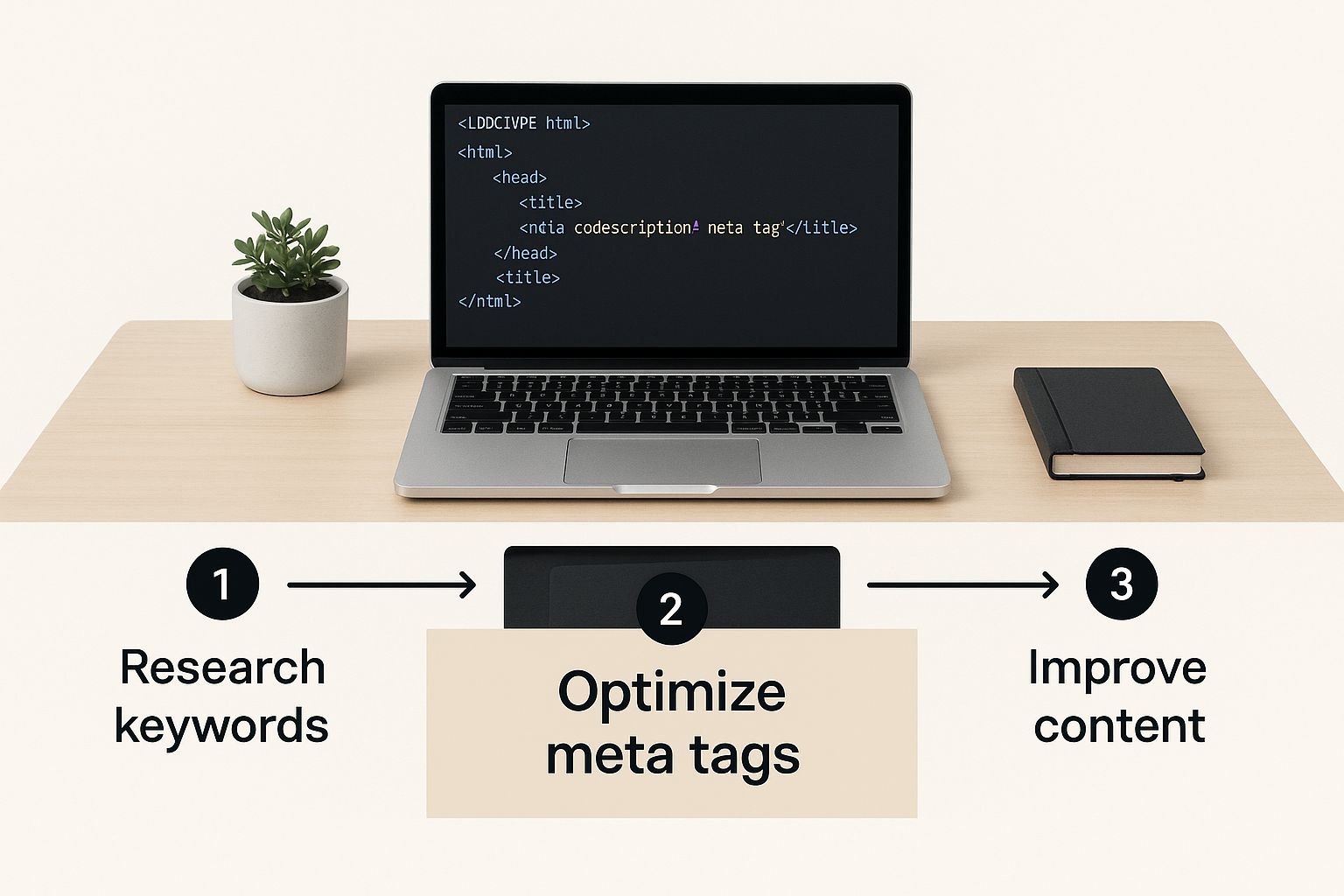
This illustrates how metadata gets embedded right into the HTML—a process that static site generators manage for you, pulling the data straight from your content's front matter.
Earning Rich Snippets with Schema Markup
Schema markup, also known as structured data, is your chance to speak directly to search engines in a language they understand. By adding this specific vocabulary to your HTML, you can explicitly tell Google what your content is—an article, an FAQ page, a product review, you name it.
The reward for this clarity? Often, it's a rich snippet. These are the eye-catching search results that include extras like star ratings, FAQ dropdowns, or event dates, and they can seriously boost your click-through rates.
This might sound complicated, but implementing it on a static site with JSON-LD is incredibly clean. You just create a script block within your page template and populate it with data, which you can often pull directly from your front matter.
Here's a basic JSON-LD example you might use for a blog post:
The real power comes from creating templates for different content types. You can have a template for FAQs, another for recipes, and your SSG will automatically inject the correct schema. This is a highly scalable way to earn rich snippets across your entire site without tedious manual work. For those using specific generators, our guide on https://www.contenttoolkit.co/tools/hugo digs into how its templating system makes managing schema a breeze.
Managing Crawlers and Duplicate Content
Two other files that are critical for technical SEO are robots.txt and canonical tags. Your robots.txt file is essentially a set of instructions for search engine bots, telling them which parts of your site they should and shouldn't crawl. For a static site, this is usually just a simple text file you place in your root directory.
Your
robots.txtis all about managing crawl budget. By blocking unimportant areas like draft pages or internal search results, you ensure Google spends its limited time indexing your most valuable content.
Canonical URLs are equally important for heading off duplicate content issues before they start. It's incredibly common for a single page to be accessible through multiple URLs (think versions with and without www, or URLs with tracking parameters). A canonical tag simply points search engines to the "master" copy that should be indexed.
You can set this across your entire site by adding a single line to your site’s <head> template:
<link rel="canonical" href="https://yourdomain.com{{ .Permalink }}" />
This one line of code, powered by your generator's built-in variables, can solve potential duplication headaches across your whole website and consolidate the authority of every page.
Moving Beyond Code to Build Content and Authority
Your static site's speed is a massive head start, but let's be real—performance alone won't land you on page one. To actually climb the search rankings, you have to match that technical foundation with two things: genuinely great content and authoritative backlinks. Think of them as the other two legs of the SEO stool. Just because your site is static doesn't mean your strategy should be.
This is where a headless CMS becomes your best friend. I've seen teams struggle without one. Tools like Contentful, Strapi, or Sanity completely separate the content management from the front-end code. It’s a game-changer. It means your marketing team, writers, and editors can publish, edit, and manage content through a simple interface without ever needing to ping a developer.
The workflow is beautiful. They hit "publish," the CMS tells your host (like Netlify or Vercel) to kick off a new build, and a few moments later, the site is live with the new content. You get a seamless workflow for the non-technical folks and a lightning-fast site for your users. There are a ton of options out there, so it's worth digging into some website builder and CMS reviews to see which headless system feels right for your team.
From Creating Content to Earning Authority
Once you have a smooth content engine running, the focus has to shift to building authority. A technically flawless site with zero backlinks is like a brilliant book that never leaves the warehouse. Backlinks are essentially votes of confidence from other sites, telling search engines that your content is trustworthy and valuable.
I’ve heard people claim that static sites are somehow harder to build links to. In my experience, the exact opposite is true. Your site's incredible performance is a powerful selling point. Nobody wants to send their audience to a slow, frustrating website.
The data backs this up completely. The average content length for a page one Google result is a hefty 1,447 words. That tells you that in-depth, well-researched content is the price of entry. Even more telling, 92.3% of top-ranking domains have backlinks, while over 65% of all pages on the web have none. If you want to dive deeper, these crucial SEO statistics and their impact are eye-opening.
Practical Strategies for Earning Links
You can't just publish and pray. Earning high-quality backlinks demands a real strategy. The goal is to create things that other people want to link to.
Here are a few methods that consistently work:
- Create "Linkable Assets": Think bigger than a standard blog post. A unique research report, a free interactive tool, or a comprehensive guide that becomes the go-to resource on a topic will attract links organically.
- Pitch Your Performance: When you're reaching out to other site owners, don't be shy about your site's speed. I always frame it as a benefit for their readers. A simple line like, "Linking to us guarantees your audience gets a fast, frustration-free experience," can make a huge difference.
- Master Broken Link Building: This is a classic for a reason. Use a tool to find dead links on other authoritative sites in your niche. You simply reach out, let them know about the broken link, and offer your relevant piece of content as the perfect replacement. It’s a win-win.
When you pair a smart content strategy (powered by a headless CMS) with a focused link-building campaign, your static site stops being just a technical achievement and becomes a true SEO powerhouse.
Measuring SEO Impact and Proving ROI

All the technical work is done, but the job isn't over. The final—and arguably most important—step is connecting those technical wins to real business results. This is where you prove the value of your SEO efforts.
Static websites already give you a head start. With their incredibly low hosting and maintenance costs, the financial barrier is minimal. When you layer a successful SEO strategy on top of this, you’re not just building a marketing channel; you’re creating an engine for high-return growth.
But to make your case, you have to speak the right language. That means moving beyond vanity metrics and focusing on the Key Performance Indicators (KPIs) that stakeholders actually care about. If you want a solid foundation for this, understanding how to measure SEO performance is non-negotiable.
Key Metrics That Demonstrate Value
Proving your return on investment comes down to tracking the right data. It’s about building a clear, data-backed story that shows how better visibility translates directly into business growth.
I always recommend clients focus their reporting on a few core areas:
- Organic Traffic Growth: Keep a close eye on the month-over-month and year-over-year lift in traffic from search engines. This is your top-level indicator of progress.
- Keyword Ranking Improvements: Don't just track any keyword. Monitor your position for the high-intent terms that bring in valuable traffic—the kind that leads to conversions.
- Conversion Rate from Organic Search: This is the big one. What percentage of your organic visitors are actually doing what you want them to do? Whether it’s filling out a form or signing up for a newsletter, this metric connects traffic to action.
The most powerful argument you can make is connecting SEO to the bottom line. Calculating the reduction in Customer Acquisition Cost (CAC) via organic channels turns your technical work into a compelling business case.
This shift in focus from "we got more traffic" to "we got more traffic that converts" is what gets a budget approved and justifies further investment.
Calculating and Communicating Your ROI
The financial argument for SEO is incredibly strong. Recent 2025 data reveals that for every $1 spent on SEO, businesses are seeing an average return of $22. It gets better. Leads generated from SEO close at a 14.6% rate, completely eclipsing the 1.7% close rate from old-school outbound marketing. That’s a massive difference in efficiency.
To calculate your own ROI, the formula is simple:
(Gain from Investment - Cost of Investment) / Cost of Investment
Let's make that real. Say your SEO campaign cost $5,000 over six months but generated $50,000 in new business from organic leads. Your ROI isn't just good; it's a staggering 900%.
Communicating this impact is just as crucial as achieving it. You have to frame your results in the language of business goals. Don't just say, "we increased traffic." Instead, say, "we increased qualified organic leads by 40%, which directly resulted in a $50,000 revenue increase."
And if your content strategy involves a publication or a newsletter, using the right platform can make a huge difference in engagement and tracking. For instance, tools reviewed here at https://www.contenttoolkit.co/tools/beehiiv can really help maximize your content's reach and prove its impact.
Common Questions About Static Site SEO
Even with a solid plan, a few questions always pop up when you're working on SEO for a static site. Let's walk through the most common ones I hear to clear up any confusion and make sure you feel confident in your strategy.
Can Static Websites Really Rank as Well as Dynamic WordPress Sites?
Yes, and honestly, they often rank better. The core advantages of a static site—blazing-fast speed and rock-solid security—are huge signals for Google.
While WordPress gets a lot of credit for its SEO plugins, there's nothing those plugins do that you can't implement on a static site. The tech stack isn't what determines your success; your SEO strategy is. You can still control all your metadata, add structured data, and publish great content.
At the end of the day, a well-optimized static site will run circles around a bloated, poorly configured dynamic one.
How Do I Handle Dynamic Content Like Comments or Forms?
This is where the Jamstack approach really comes into its own. You can integrate dynamic features into your static site using third-party services and APIs. This keeps your core site lean and fast while still giving users the interactive experience they expect.
For these kinds of interactive elements, you have plenty of great options:
- Comments: Services like Disqus or Commento can be added to any page with a small snippet of code.
- Forms: Tools like Netlify Forms, Formspree, or Getform take care of all the backend processing for you.
These services handle all the heavy lifting, so your website stays static, fast, and secure without sacrificing functionality.
Using third-party services for dynamic features is a strategic move. It protects your site's performance benefits by offloading complex backend tasks to platforms built to handle them.
Isn't It a Pain to Update Content for SEO?
This used to be the biggest drawback, but modern tools have completely changed the game. The solution is to pair your static site generator with a headless CMS (Content Management System).
Platforms like Contentful, Sanity, or Strapi effectively decouple your content from your code.
This setup means your content team can write, edit, and publish updates through an intuitive interface—no different from using WordPress. When they hit "publish," it triggers a new build of your site, and the fresh content goes live automatically. It makes ongoing SEO updates and content tweaks simple and efficient, without anyone needing to touch the code.