
How to Manage Multiple Projects Without Overwhelm
Feeling overwhelmed? Learn how to manage multiple projects with proven strategies for prioritization, scheduling, and tracking to regain control and focus.

Managing multiple projects boils down to a few key skills: centralizing tasks, prioritizing what matters, scheduling with intention, and consistently reviewing your progress. I’ve found that mastering these four areas is what separates feeling reactive and overwhelmed from being proactive and in control. This framework is about moving from chaos to a system that actually works.
The Constant Juggle of Modern Work
Let's be real—handling even one project can be a tall order. Juggling several at once? That can feel downright impossible.
Whether you're a developer managing sprints for three different apps, a marketer coordinating campaigns across multiple clients, or a freelancer balancing deadlines for five different contracts, this constant shuffle isn't an exception; it's the new normal. We’ve all felt that sensation of being pulled in a dozen directions at once, where every single task feels like a top priority. It's a universal pain point in today's professional world.
This isn't just a feeling, either. It reflects a massive shift in how work gets done. Project-based work is the engine of innovation and growth for most businesses, and the demand for people who can manage it is exploding. Projections show that by 2027, the global economy will need a staggering 87.7 million individuals in project management-oriented roles. That's a huge talent gap, and it tells us that learning how to manage multiple projects isn’t just a "nice-to-have" skill anymore—it’s a core competency for survival and success.
Before we dive deep into the how-to, let's establish the foundational pillars of this framework. Think of these as the four legs of the table that will support your entire multi-project workload.
The Four Pillars of Multi-Project Management
| Pillar | Core Action | Primary Goal |
|---|---|---|
| Centralize | Consolidate all tasks, notes, and deadlines into a single source of truth. | Eliminate mental clutter and gain a complete overview of your workload. |
| Prioritize | Systematically determine which tasks deliver the most value and require immediate attention. | Focus your energy on high-impact work instead of just fighting fires. |
| Schedule | Proactively block time for deep work and specific project tasks. | Protect your focus and ensure steady progress on all fronts. |
| Review | Regularly assess your system, progress, and upcoming workload. | Adapt your plan, catch issues early, and continuously improve your process. |
With this structure in mind, you can start building a reliable system that fits your specific needs.
Finding a Framework That Actually Works
The problem with most productivity advice is that it’s either too vague ("just get organized!") or way too complicated to stick with. You don’t need another clever hack; you need a system you can depend on day in and day out.
The goal isn't to magically find more hours in the day. It's to bring clarity and intention to the hours you already have. By mastering this system, you can finally get a handle on your workload and move from a state of constant reaction to one of confident control.
Ultimately, the specific tools you choose—whether it’s a simple notebook or a sophisticated project management platform—are secondary to the system itself. A good Content Management System can certainly help unify your efforts (our guide on the differences between a CMS and CRM dives into that), but the principles are what matter most.
To truly thrive, you need effective strategies for managing multiple projects without burning out. This framework gives you a clear, actionable path to do just that.
Create Your Single Source of Truth
The very first step toward sanity when you're juggling multiple projects is getting everything out of your head and into one reliable place. Your brain is for having ideas, not for holding them. A central command center—what we call a single source of truth—is what separates clarity from the chaos of hunting through scattered emails, Slack messages, and random notebook scribbles.
This isn't about finding some magical, one-size-fits-all app. It's about building a system that gives you an instant, comprehensive picture of every commitment, deadline, and dependency on your plate. And let's be realistic, most of us are handling more than one major initiative.
In fact, research shows that about 59% of project managers are responsible for two to five projects at the same time, while only 15% get to focus on a single one. This reality highlights just how essential a centralized system is for preventing critical details from falling through the cracks. If you're curious about other project management trends, you can find more data at Ravetree.com.
Choosing Your Command Center
Your single source of truth can be digital or physical, but whatever you choose, it must be accessible and effortless to update. The whole point is to reduce friction. If your system is too complicated to maintain, you won't use it, and you’ll be right back where you started.
Think about these options as a starting point:
- Kanban Boards (Trello, Asana, ClickUp): These are fantastic for visual thinkers. Using cards and columns to represent tasks and their stages (e.g., To-Do, In Progress, Done) gives you a quick, at-a-glance overview of all the moving parts across different projects.
- Digital Notebooks (Notion, Evernote): If your projects involve a lot of documentation or research, these flexible platforms are ideal. They let you combine task lists, documents, databases, and notes all in one place.
- Spreadsheets (Google Sheets, Excel): A classic for a reason. For those who need to track detailed project metrics, budgets, and timelines in a highly structured format, spreadsheets offer powerful sorting, filtering, and customization.
Ultimately, the best tool is the one you'll actually use consistently. A developer might gravitate toward a Trello board to visualize every coding task across three different applications. Meanwhile, a content marketer might use Asana to track articles, SEO research, and outreach campaigns for multiple clients, all in a single view.
For instance, a simple Trello board can immediately show you the status of different projects.
This kind of visual layout makes it instantly clear what needs attention ("To Do"), what's currently being worked on, and what's already finished.
Consolidating All Your Tasks and Information
Once you’ve picked your platform, it’s time for the "brain dump." This is a non-negotiable step where you capture every single task, idea, deadline, and commitment. Don't try to filter or organize just yet—the goal is simply to get it all out.
Methodically go through your:
- Email Inbox: Flag any email that requires action and turn it into a task in your new system.
- Messaging Apps: Pull out any requests or to-dos buried in Slack, Teams, or other chat threads.
- Physical Notes: Transcribe all the action items from your notebooks, sticky notes, and whiteboards.
- Your Mind: Finally, write down all those "I need to remember to..." items that have been taking up mental space.
This consolidation is the bedrock of your entire system. Understanding how a dedicated platform can centralize information is key to eliminating silos. For a deeper dive, check out this excellent resource explaining What Is a Knowledge Management System?.
Key Takeaway: Your single source of truth is much more than a to-do list; it's a complete inventory of your professional commitments. It creates the clarity you need to make smart decisions about where to focus your energy next.
By setting up this central hub, you're not just getting organized—you're building a resilient framework for managing your workload with confidence. This process frees up mental bandwidth, reduces stress, and perfectly sets the stage for prioritization and scheduling. If you're doing this for a whole team, a dedicated knowledge base CMS can provide the structure needed to scale this concept effectively.
Prioritize What Truly Moves the Needle
Alright, you've done the hard work of wrangling all your projects and tasks into one central place. That’s a huge win. But looking at that massive, unified list can feel like staring at the foot of a mountain. Now comes the real challenge: deciding what to tackle first. This is where mastering how to manage multiple projects goes from theory to practice.
The goal isn't just about being busy; it's about being effective. We need to shift from a reactive mindset—jumping on the latest email or the loudest Slack notification—to a proactive one. It’s about making deliberate, strategic choices to ensure your effort is spent on work that actually delivers results. This means learning to tell the difference between what feels urgent and what is genuinely important.
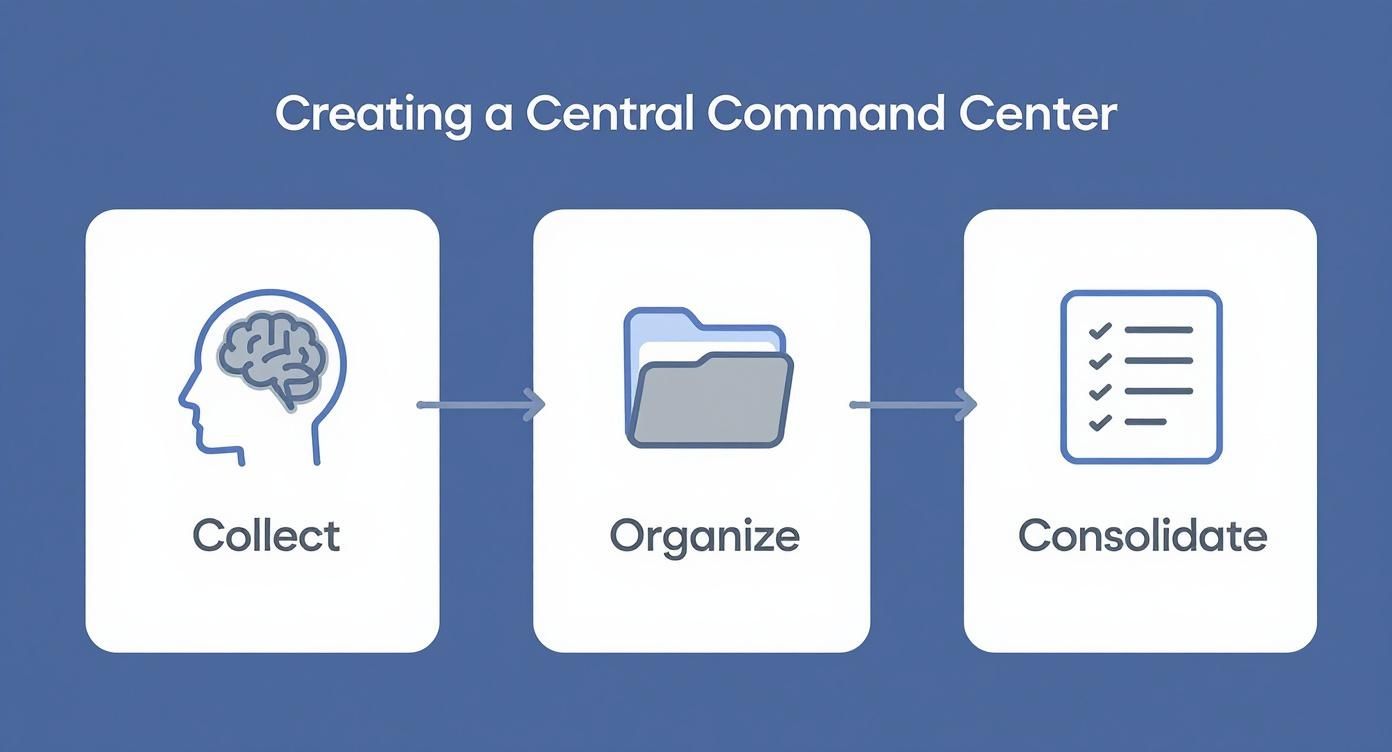
As this process shows, getting organized is the foundation. Now, let’s build on that foundation by applying some proven frameworks to bring a sharp, analytical focus to your daily decisions.
Choosing Your Prioritization Framework
To move from a simple to-do list to a strategic action plan, you need a system. The Eisenhower Matrix and the Impact/Effort Matrix are two of the most practical and battle-tested methods out there. They force you to think critically about each task instead of just blindly working down a list. Choosing the right one depends on whether you're sorting through daily tasks or planning larger project initiatives.
Here's a quick comparison to help you decide which framework best fits your needs.
| Framework | Best For | Key Benefit | Potential Pitfall |
|---|---|---|---|
| Eisenhower Matrix | Daily and weekly task management, clarifying personal focus. | Clearly separates urgent distractions from important strategic work. | Can oversimplify complex tasks that have both urgent and important elements. |
| Impact/Effort Matrix | Prioritizing features, project initiatives, or marketing campaigns. | Identifies "quick wins" to build momentum and maximize return on effort. | Impact and effort can be subjective and difficult to estimate accurately. |
Ultimately, you might find yourself using the Eisenhower Matrix for your day-to-day grind and the Impact/Effort Matrix when you're planning a new feature release or a quarterly marketing push. The key is to have a tool that brings objectivity to your decision-making.
Use the Eisenhower Matrix to Separate Urgent from Important
I constantly come back to the Eisenhower Matrix because its brilliance is in its simplicity. It’s built on a single, powerful distinction: urgency is not the same as importance. We’re all guilty of letting urgent but unimportant tasks hijack our day. This framework is the antidote.
It forces you to categorize every task into one of four quadrants:
- Do (Urgent and Important): These are your non-negotiables. Think a production bug that’s crashing your app or a client proposal due by EOD. They have real consequences and tight deadlines.
- Schedule (Important, Not Urgent): This is where real progress happens. Planning your Q4 marketing strategy, learning a new programming language, or conducting deep competitor research all live here. These are the tasks we know we should do but often push aside for more "pressing" matters.
- Delegate (Urgent, Not Important): These tasks are the productivity killers. They scream for your attention but don’t actually require your unique skills. Think scheduling meetings, responding to routine internal requests, or pulling standard reports. Find someone else to handle them.
- Eliminate (Not Urgent, Not Important): The black hole of productivity. Mindless social media scrolling, sitting in on meetings that have no clear agenda—these activities need to be ruthlessly cut from your schedule.
Imagine a marketing manager choosing between drafting the high-impact Q4 campaign strategy (important, not urgent) and answering a frantic but low-stakes customer query on Twitter (urgent, not important). The Eisenhower Matrix makes the decision obvious: block out dedicated time for the strategy work first.
Weigh Value with the Impact/Effort Matrix
While the Eisenhower Matrix is perfect for sorting your daily to-do list, the Impact/Effort Matrix shines when you're trying to prioritize bigger things like project features, marketing initiatives, or bug fixes. It’s all about getting the biggest bang for your buck.
You plot your tasks on a simple 2x2 grid based on their potential impact and the effort required to complete them:
- Quick Wins (High Impact, Low Effort): This is the low-hanging fruit you should always look for. These tasks deliver a ton of value without draining your resources. A great example is optimizing a high-traffic landing page for better conversions or fixing a small, recurring bug that frustrates dozens of users.
- Major Projects (High Impact, High Effort): These are the game-changers. Launching a new product, redesigning your website, or refactoring a core part of your application. They require serious planning and resources, but they're what drive your goals forward.
- Fill-Ins (Low Impact, Low Effort): These are the small, necessary tasks to chip away at when you have pockets of free time. Think updating internal documentation, cleaning up your file system, or replying to non-critical emails. They shouldn't ever take precedence over high-impact work.
- Thankless Tasks (Low Impact, High Effort): Avoid these at all costs. They consume a massive amount of time and energy for almost no tangible return. If you can't avoid them entirely, they should be the absolute last things on your list.
Mapping your projects this way gives you an incredibly clear visual roadmap. You can immediately spot the quick wins to build momentum while making smart, data-informed decisions about which major projects are truly worth the investment.
Design a Schedule That Protects Your Focus
Once you’ve figured out what matters most, the real work begins: carving out the time to actually do it. A prioritized list is just a wish list until you anchor it to your calendar. This is where you stop letting your day happen to you and start designing it with intention.
It's a simple but powerful shift. Instead of constantly reacting to the firehose of emails and meeting requests, you build a structure that safeguards your time for the projects that will actually move the needle. Getting this right is the secret to making steady, measurable progress when you're juggling a dozen different things.
From Reactive to Intentional Scheduling
So many of us use our calendars as a passive record of meetings others have put on it. The trick is to flip that around and use your calendar as an active tool for managing your own focus. Two of my favorite techniques for this are theme days and time blocking.
- Theme Days: This one is a game-changer for reducing context-switching. You just assign a specific project or type of work to each day. A freelance developer I know dedicates Mondays to ‘Client A Backend,’ Tuesdays to ‘Client B Frontend,’ and Wednesday afternoons just to chipping away at technical debt. It lets your brain settle into one mode for an entire day.
- Time Blocking: This is about getting specific. Instead of a vague to-do item like "work on report," your calendar gets a 90-minute block from 10:00 AM to 11:30 AM labeled "Draft Q3 Performance Report." You're making a real appointment with your most important tasks.
You can even combine them. Monday might be your "Client A" theme day, but within that day, you have specific time blocks for research, drafting, and reviewing their deliverables. It creates a predictable rhythm for the week.
Separate Your Deep and Shallow Work
Let’s be honest: not all tasks are created equal. Some require every ounce of your concentration—that’s deep work. Others, like clearing out your inbox, can be done with half your brain tied behind your back—that's shallow work.
Most people feel unproductive because they let the shallow stuff constantly interrupt the deep stuff.
Key Takeaway: You have to protect your deep work blocks like a hawk. This is when you solve the tough problems, write the critical code, or map out a new strategy. Every Slack notification or email ping shatters that focus and kills your momentum.
A really practical way to do this is to "batch" all your shallow work. Try scheduling two 30-minute blocks—one late morning and one at the end of the day—just for email and messages. Outside of those windows? Close the tabs. Mute the notifications. The world will not end, I promise.
Build an Adaptable Weekly Schedule
Here’s what this can look like in the real world. Imagine a project manager handling both a major software launch and a complete website redesign.
| Time | Monday (Launch Prep) | Tuesday (Website Redesign) | Wednesday (Admin & Overflow) |
|---|---|---|---|
| 9-11 AM | Deep Work: Finalize launch strategy document | Deep Work: Review and approve new wireframes | Review Project Budgets & Timelines |
| 11-12 PM | Daily Team Sync & Shallow Work (Emails) | User Feedback Analysis Session | Shallow Work & Buffer Time |
| 1-3 PM | Deep Work: Draft stakeholder communication plan | Deep Work: Write content briefs for key pages | Buffer Time for Urgent Tasks |
| 3-4 PM | Project Risk Assessment Meeting | Weekly Check-in with Design Agency | Shallow Work (Emails) |
| 4-5 PM | Plan for Tuesday & End-of-Day Review | Plan for Wednesday & End-of-Day Review | Weekly Progress Review |
See how this isn't just a to-do list? It's a strategic plan for how to use your focus.
And notice the "Buffer Time" on Wednesday. This is absolutely critical. Things will go wrong. A server will crash, a key decision will get delayed, something unexpected will land on your plate. Building in that flexible time means one emergency doesn't torpedo your entire week.
For those looking to get this organized, a flexible tool is a must. If you're managing complex project docs and schedules, it's worth exploring how to use Notion for project management, as you can easily build and adapt this kind of structured weekly plan right inside your workspace.
When you design your week with this level of intention—separating your thinking, and planning for the unexpected—you build a system that defends your most valuable asset: your focus.
Mastering Team Communication and Delegation
Let's be honest: you can't possibly manage multiple projects effectively on your own. Trying to be the hero who does everything is the fastest way I've seen professionals burn out. The real secret weapon for handling a complex workload isn't working longer hours; it's leveraging your team through precise delegation and crystal-clear communication.
Without these, you're not managing projects—you're just becoming the central bottleneck. Good delegation isn’t about just offloading tasks you don’t want to do. It’s about empowering your team with the ownership, context, and clarity they need to succeed. When done right, it frees you up to focus on high-level strategy and steering the ship, not rowing it.
Crafting a Bulletproof Delegation Brief
Most delegated tasks fail for one simple reason: a lack of clarity from the start. A vague request like, "Can you handle the social media posts for the new launch?" is an absolute invitation for disaster. That single sentence leaves far too much room for misinterpretation about the scope, tone, timeline, and definition of "done."
Instead, get into the habit of creating a simple but comprehensive delegation brief for any significant task. This doesn't have to be a stuffy, formal document. It can be a quick message on Slack or a few bullet points in the description of a Trello or Asana card.
Make sure your brief always includes these four things:
- The "Why" Behind the Task: Give them the context. A quick sentence explaining how this piece fits into the larger project goal makes a world of difference.
- The Desired Outcome: Clearly define what "done" actually looks like. Is it a drafted report waiting for review, a webpage that's live and tested, or a client presentation ready to go?
- Key Constraints and Resources: Note any budget limitations, brand guidelines they must follow, or specific tools and logins they'll need.
- A Firm Deadline: Be specific. "End of the week" is ambiguous. "Friday at 3 PM EST" is not. Vague deadlines always get pushed back.
This small, five-minute investment upfront will save you hours of rework and frustration later.
Key Insight: Delegation is an act of trust and clarity. When you provide a clear brief, you're not micromanaging; you're setting your team member up for a win and ensuring the work gets done right the first time.
Establishing Clear Communication Protocols
When you're juggling multiple projects, communication can quickly become overwhelming. The constant ping of notifications and endless email chains create a digital racket that completely kills focus. You need to establish simple rules of engagement for your team.
A great first step is creating a protocol that dictates which channel to use for different types of communication. This reduces decision fatigue for everyone and keeps information organized where it belongs. For structuring bigger conversations, a dedicated forum can be a game-changer; you can learn more about how to set up community discussions with Discourse to keep project-related dialogue streamlined and searchable.
Here's a sample protocol I've used successfully in the past:
| Communication Type | Recommended Channel | Rationale |
|---|---|---|
| Urgent, Blocker Issues | Direct Phone Call | For immediate attention when a project is completely stalled. |
| Quick Questions/Updates | Slack/Teams Channel | Fast, informal communication that doesn't need a formal record. |
| Formal Approvals/Decisions | Email or Project Tool | Creates a documented paper trail for important milestones. |
| In-Depth Discussions | Scheduled 15-Minute Sync | Protects deep work time by batching complex conversations. |
Running Hyper-Efficient Sync Meetings
Long, meandering meetings are the ultimate enemy of anyone trying to manage multiple projects. The 15-minute sync, often called a "stand-up," is your best friend for keeping everyone aligned without completely derailing the day's momentum.
The agenda should be ruthlessly simple and focus on just three questions for each person:
- What did you get done yesterday?
- What are you working on today?
- Are there any blockers in your way?
This format keeps the meeting focused squarely on progress and problem-solving. Any discussion that requires a deeper dive should be taken "offline" with only the relevant people, which protects everyone else's time. By mastering these skills, you stop being a project juggler and start becoming a true project leader.
Find Your Rhythm for Review and Adaptation
Look, the system you've just built for managing all your projects isn't something you can set and forget. It's not a static blueprint; it's a dynamic process that needs to grow and change right along with you and your workload. I've seen even the most experienced project managers make the mistake of thinking the initial plan is the final word. The real secret to long-term success? Building a consistent feedback loop to review what’s working, spot the friction points, and tweak your approach.
Without this cycle of review and adaptation, that shiny new command center you built will quickly become outdated. A system that isn't maintained just adds to the clutter instead of cutting through it. The trick is to make this review a lightweight, consistent habit—not some massive, dreaded overhaul you do once a quarter.
Set a Daily and Weekly Cadence
The most effective way I've found to create this feedback loop is with a simple, two-tiered review schedule. It keeps you on top of the small stuff in real-time while making sure you don't lose sight of the bigger picture.
The 10-Minute Daily Huddle: Spend just 10 minutes at the end of each day glancing over your central task list. Did priorities change? Did an unexpected fire drill pop up? This isn't for deep strategic planning; it's a quick gut-check to make sure tomorrow's plan still makes sense based on today's reality.
The 30-Minute Weekly Rewind: Block out 30 minutes every Friday to reflect on the past week. This is where you start to see the patterns emerge. Are you always underestimating how long blog posts take to edit? Is that one development project constantly derailing your schedule with "emergencies"? This is your moment for some honest self-assessment.
The point isn't to get everything perfect from the get-go. It's about building a habit of continuous improvement. Every review is a small chance to sand down the rough edges of your workflow, making it a little more efficient than it was the week before.
Ask the Right Questions
To get the most out of your weekly rewind, you need to ask the right questions. This is what turns a vague look-back into an actionable problem-solving session with yourself. It's a lot like structuring a website—you organize things to create clarity. In fact, if you want to go deeper on that idea, you should understand what information architecture is and how it works.
Here are the two questions I always come back to:
Where did I get stuck or lose momentum this week? Pinpoint the exact moments of friction. Was it because you were waiting on feedback? Was a task too vaguely defined? Did you hit a technical roadblock you didn't anticipate? Be specific.
What’s one small tweak I can make for next week? Don't try to reinvent the wheel. Just focus on one small, concrete change. Maybe it's blocking out an extra hour of "deep work" time, breaking down larger tasks into smaller sub-tasks, or just sending a reminder email to a stakeholder a day earlier than you normally would.
This simple rhythm is what turns a rigid set of rules into a flexible framework that can handle whatever comes your way.
Dealing with Common Multi-Project Roadblocks
Even the best-laid plans hit a snag. When you're juggling multiple projects, certain challenges pop up again and again. Here’s how to handle some of the most common curveballs without derailing your entire workflow.
What if My Boss Drops an Urgent Task on Me?
This is a classic. The trick is to shift the conversation from a simple "yes" to a strategic trade-off. Before you do anything, take a breath and mentally run the new task through an Impact/Effort matrix. Is this actually a high-impact, business-critical request, or is it just someone else's fire drill?
If it's legitimately important, you need to show what has to give. Look at your current schedule and pinpoint a lower-priority task that can be bumped. Then, you present the choice.
Try framing it like this: "I can absolutely get this done today, but it means delaying the report for Project X until tomorrow morning. Does that work for you?" This isn't being difficult; it's being transparent. You’re showing you’re responsive while also protecting the integrity of your planned work.
I Am Totally Overwhelmed. Where Do I Even Start?
When you’re drowning in tasks and deadlines, the urge is to start frantically trying to do something. Resist it. Your first move isn't to prioritize—it's to centralize. You can't organize chaos until you can see all of it.
Block out 30 uninterrupted minutes on your calendar for a full "brain dump." This is a non-negotiable meeting with yourself. Your only goal is to get every single task out of your head and into one single place.
- Comb through your inbox for any email that needs a reply or action.
- Scroll through Slack or Teams messages for hidden requests.
- Gather all the sticky notes, notebook scribbles, and random thoughts.
- List out every single nagging to-do that's been bouncing around your brain.
Just getting the complete inventory in one spot is a massive step. It’s the only way to stop feeling like you're being attacked from all sides and start figuring out your next move.
How Can I Say No Without Sounding Unhelpful?
Nobody likes saying no, but taking on too much is a surefire way to produce mediocre work across the board. The key is to avoid a blunt refusal and instead offer a "not right now," backed by clear reasoning. Your response should always be framed around your commitment to quality and existing deadlines.
For instance, you could say: "That sounds like a great initiative, and I'd love to help. Right now, I'm fully committed to delivering Project X and Project Y on schedule. I could potentially pick this up after [Date], or we could look at my current priorities together and decide what to de-prioritize to make room for it."
This approach accomplishes two things: it shows you’re a collaborative team player, but it also reinforces the fact that your time and focus are finite resources tied to existing commitments.