
Mastering Web Development Project Management
A practical guide to web development project management. Learn proven strategies, tools, and methodologies to deliver digital projects on time and on budget.

Think of web development project management as the master blueprint for a digital skyscraper. It's not about rigid rules; it’s about having a solid architectural plan that provides the foundation, framework, and finishing touches. This is what makes a project stand tall instead of crumbling under pressure.
Why a Blueprint for Digital Success Matters
Trying to build a website or application without a structured plan is like setting sail without a map. You might get somewhere eventually, but it's far more likely you'll end up lost. Unstructured approaches almost always lead to blown deadlines, bloated budgets, and unhappy stakeholders.
Effective project management is the strategic core that separates a high-quality, efficient web solution from a costly failure. It’s the discipline that turns a brilliant idea into a tangible, valuable digital asset that actually works.
A construction crew wouldn't dream of starting a skyscraper without a detailed plan, and a web team needs the same thing: a clear roadmap. This plan helps you see challenges coming, put the right people on the right tasks, and make sure everyone is building toward the same goal. The benefits are impossible to ignore:
- Clarity and Alignment: Everyone—from developers and designers to the client—shares a single vision and knows exactly what their role is.
- Risk Mitigation: Good planning uncovers potential roadblocks early on, giving the team time to figure out a detour before they cause a major crash.
- Predictable Outcomes: You create a reliable process that helps you deliver consistent quality, on time and within budget.
The Financial Impact of Poor Management
The stakes are much higher than just launching a project late. Inefficiency has a real, measurable financial cost. In fact, research shows that nearly 10% of every project dollar is lost simply due to poor project performance. For a typical project team of 6 to 10 people, those losses add up fast. You can dive deeper into these kinds of project management statistics over at PM360Consulting.ie.
Without a solid project management framework, teams are basically just guessing. This leads to endless rework, constant miscommunication, and a final product that doesn’t even hit the original business goals. It’s the difference between controlled creation and chaotic scrambling.
Getting these foundational principles right is critical, whether you're building a simple landing page or a massive e-commerce platform. Even with the best tools on the market, which you can read about in our website builder reviews, it's the management strategy underneath that truly determines your success.
Balancing Scope, Time, and Cost
At the heart of every web development project is a constant juggling act between three critical forces: scope, time, and cost. This is famously known as the "project management triangle" or the "iron triangle," and it’s one of the first things you learn to master. The best way to think about it is like a three-legged stool—if you mess with one leg, you have to adjust the others to keep the whole thing from falling over.

This isn’t about rigid rules; it’s about understanding a dynamic relationship. Every single decision you make about one of these constraints will ripple out and affect the other two. Right in the middle of it all sits the quality of what you’re building.
The Iron Triangle in a Web Development World
So, what do these concepts actually look like when you're building a website? Let's break them down.
Scope: This is the "what." It's the full list of features, pages, and functions that the final website needs to have. A well-defined scope document is your blueprint, detailing everything from the e-commerce checkout flow down to the specific fields on a contact form.
Time: This is the "when." It’s your project timeline, your milestones, and the ultimate launch date. In the real world, time is often the one constraint you can't bend, usually because of a marketing campaign or a hard business deadline.
Cost: This is the "how much." Cost covers every dollar you'll spend—developer salaries, software licenses, hosting fees, you name it. Your budget determines the raw resources you can throw at the project.
These three are always tied together. For instance, if a client suddenly decides they need a complex new feature, that's an increase in scope. That change will demand more developer hours (upping the cost) or push back the launch date (extending the time). You can’t change one without impacting the others.
A project manager’s real job is to navigate the trade-offs within this triangle. When a stakeholder asks for something new, the answer isn’t a simple yes or no. It's about clearly explaining the consequences: "We can absolutely add that feature. To do it, we'll either need to increase the budget by $5,000 or push the launch back by two weeks. Which would you prefer?"
A Real-World Scenario
Let's play this out. Imagine your team is building a new corporate website. You're three weeks into a two-month project. Everything is going smoothly—the scope is locked, you're on schedule, and the budget is right where it should be.
Then, out of nowhere, a key stakeholder asks for a brand-new, interactive client portal. It's a huge feature, and it was never part of the original plan.
This is a classic case of scope creep. An inexperienced manager might panic and try to cram it in by pushing the team into overtime and skipping proper testing. That’s a fast track to burnout and a buggy final product.
A seasoned project manager, on the other hand, immediately turns to the iron triangle. They go back to the stakeholder with a clear, logical set of choices:
- Increase Cost: We can hire a freelance developer to build the portal, but that will add $15,000 to the project budget.
- Increase Time: We can build it with our current team, but we’ll need to delay the website launch by three weeks to get it done right.
- Reduce Scope: We can build the portal, but to stay on schedule and on budget, we'll have to cut another planned feature, like the advanced blog.
See what happened? The conversation shifts from a chaotic demand to a structured business decision. This protects your team, preserves the quality of the project, and makes stakeholders accountable for the true cost of their requests.
For a deeper dive into managing these variables with precision, it's worth exploring formal PMP concepts like Earned Value Management, which provide a powerful framework for tracking performance against your plan.
Choosing Your Project Management Methodology
Picking a project management methodology is a lot like choosing the right tool for a job. You wouldn’t bring a sledgehammer to do delicate woodwork, right? In the same way, the framework you choose for your web development project management has to fit the project's specific needs, your team's dynamics, and what the client is expecting. The right choice brings structure and clarity; the wrong one just creates friction and kills efficiency.
Think of it like being in a kitchen. Some projects are like baking a cake from a precise recipe—every step must be followed in a rigid sequence to guarantee a perfect, predictable result. Other projects are more like a creative chef improvising a meal with fresh, seasonal ingredients, tasting and adjusting as they go.
These two approaches get to the heart of the most common methodologies you'll find in web development.
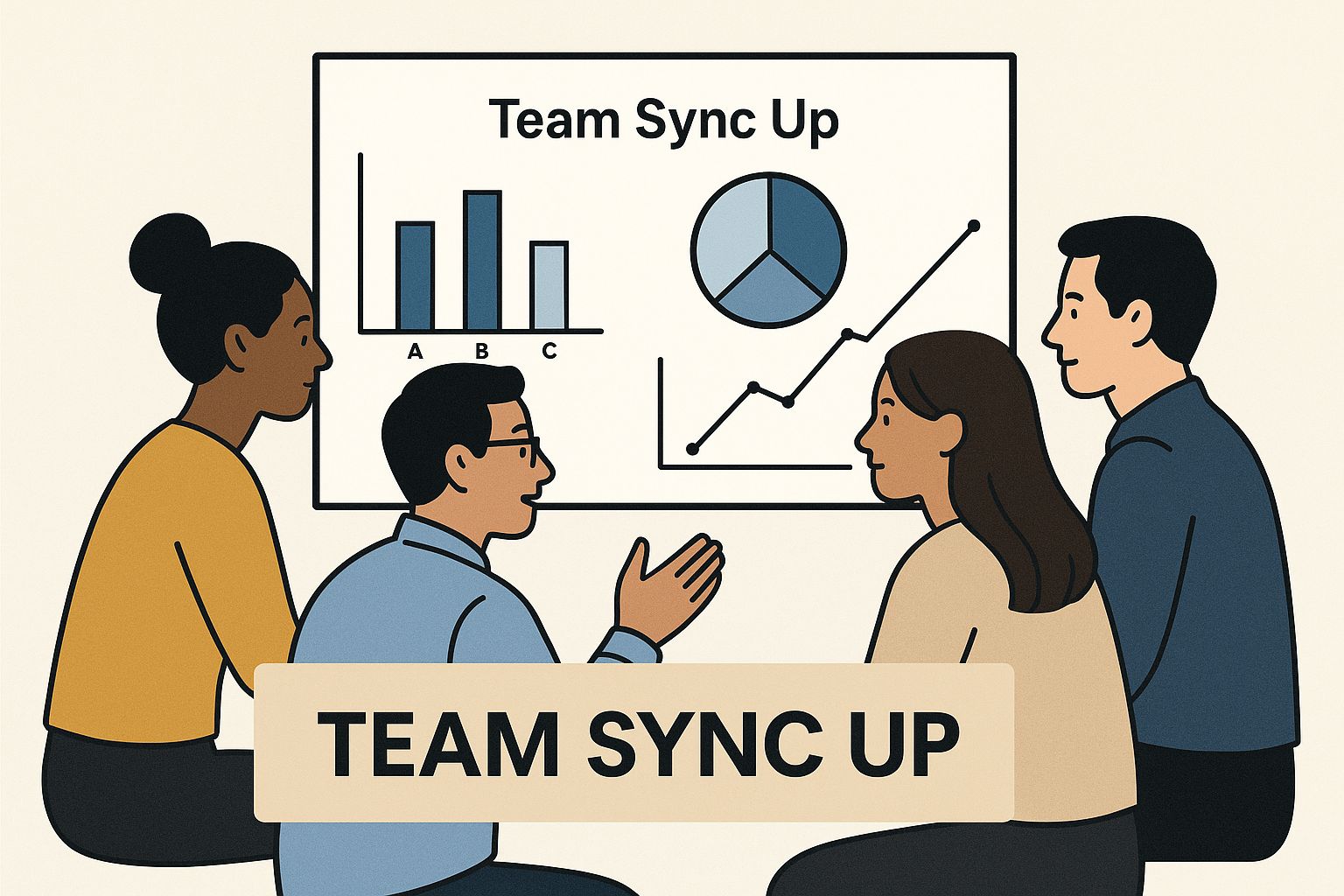
This image really captures the collaborative spirit needed for web projects, showing how shared visualizations are crucial for keeping everyone on the same page.
The Waterfall Model: The Precise Recipe
The Waterfall methodology is the classic, linear approach. Just like a real waterfall, everything flows in one direction. Each phase of the project has to be 100% complete before the next one can even begin. It’s a strict sequence: Requirements, Design, Development, Testing, and finally, Deployment.
This method works beautifully when the project requirements are locked down, crystal clear from day one, and aren't expected to change.
- Requirements: All project needs are gathered and documented thoroughly at the very start.
- Design: Based on those fixed requirements, the team creates all the mockups, wireframes, and the full system architecture.
- Development: The coders get to work, building out the features exactly as designed. No surprises.
- Testing: The QA team rigorously inspects the entire system for bugs, checking it against that original requirements document.
- Deployment: The finished product goes live.
The biggest upside to Waterfall is its predictability. Since everything is planned out in painstaking detail from the beginning, estimating timelines and budgets is much more straightforward. But that rigidity is also its Achilles' heel—making changes mid-stream is incredibly difficult and expensive.
Agile Methodologies: The Creative Chef
On the flip side, Agile methodologies were born to embrace change and uncertainty. Instead of one massive, long-term plan, Agile carves a project up into small, digestible cycles called sprints. This iterative rhythm allows teams to build, test, and get feedback in short bursts, constantly adapting the plan as they learn more about the project and what users actually want.
This philosophy is a perfect match for web projects where the final product isn't fully defined at the start or where requirements are likely to evolve.
Scrum: A Structured Agile Framework
Scrum is easily one of the most popular Agile frameworks out there. It adds a layer of structure with specific roles (like a Scrum Master) and formal events to keep the team humming along. Its core components include:
- Sprints: These are short, time-boxed periods, usually 1-4 weeks, where the team commits to completing a specific chunk of work.
- Daily Stand-ups: Quick, daily check-ins where team members share what they did, what they're doing next, and any roadblocks.
- Sprint Reviews: At the end of each sprint, the team demonstrates what they actually built to stakeholders to get immediate feedback.
Kanban: A Visual Workflow System
Kanban is another flavor of Agile that’s all about visualizing the workflow and limiting how much work is in progress at any one time. Using a simple Kanban board (think columns like "To Do," "In Progress," and "Done"), the team gets an at-a-glance view of every task's status. It's less structured than Scrum and promotes a continuous flow of work instead of fixed sprints, making it ideal for teams managing a steady stream of incoming tasks, like support tickets or site maintenance.
The Hybrid Model: The Best of Both Worlds
After years in the trenches, many teams realized that neither pure Waterfall nor pure Agile was a silver bullet. This led to the rise of the Hybrid model, a pragmatic approach that cherry-picks the best of both worlds. It combines the detailed upfront planning of Waterfall with the iterative flexibility of Agile.
For instance, a team might use Waterfall for the initial requirements and design phases to establish a solid foundation, then switch to Agile sprints for the development and testing work. This is where modern web development project management has landed. In fact, roughly 60% of project managers now lean on hybrid methodologies to strike a balance between a structured plan and the ability to pivot when needed.
To manage the documentation that comes with these complex processes, many teams use powerful knowledge management software. Our guide on using Notion as a project management tool offers some great pointers on that front.
To help you decide which path is right for your next project, here’s a quick breakdown of how these three methodologies stack up against each other.
Comparison of Web Development Methodologies
| Methodology | Core Philosophy | Best For | Key Benefit |
|---|---|---|---|
| Waterfall | Linear, sequential progress. | Projects with fixed, well-defined requirements and a clear end goal. | Predictability in timeline and budget. |
| Agile (Scrum/Kanban) | Iterative and incremental progress. | Complex projects with evolving requirements where flexibility is key. | Adaptability and faster feedback loops. |
| Hybrid | Blends structured planning with iterative execution. | Projects that need initial structure but also require flexibility during development. | Balanced control and responsiveness. |
Ultimately, the best methodology is the one that empowers your team to deliver great work efficiently. Don't be afraid to experiment and find the blend that feels right.
The Essential Toolkit for Modern Web Projects
https://www.youtube.com/embed/cDGukhMg7DM
Your project management methodology is the game plan, but your tools are what get you on the field to execute it. Think of your methodology as the architectural blueprint; your toolkit is the collection of power tools, communication gear, and precision instruments that let your team actually build the thing.
Choosing the right software isn't just about ticking off features. It's about creating a connected ecosystem that makes collaboration easier, brings clarity to chaos, and gets repetitive work off your team's plate.
A well-oiled tech stack is the central nervous system of your project. It ensures information flows effortlessly between developers, designers, stakeholders, and across every phase of the project. This is so critical that the project management software market is booming. Valued at an estimated $7.24 billion in 2025, it's projected to climb to $12.02 billion by 2030, with a staggering 82% of companies already using these tools to sharpen their efficiency.
The real secret is to pick tools that fit your workflow, not the other way around. Don't force your team into a process that feels unnatural.
Core Pillars of a Project Management Tech Stack
A solid toolkit for any web development project is typically built on four distinct pillars. Each one solves a specific problem, and the best setups allow these tools to talk to each other, creating a single command center for everything you do.
- Project and Task Tracking: This is your mission control. It’s where you define the work, hand it out, and watch it move toward the finish line. These tools give you a visual map of your progress so everyone knows what’s next, who’s on it, and when it’s due.
- Team Communication: In today's world, real-time collaboration is a must. Communication platforms get you out of endless email threads and centralize discussions, announcements, and quick-fire feedback sessions to keep everyone in sync.
- Version Control and Code Management: For your development team, this is non-negotiable. Version control systems like Git track every single change to the code. This allows developers to work on features in parallel, merge their work safely, and—most importantly—rewind to a previous version if something breaks.
- Knowledge Management and Documentation: Projects create a mountain of information—from the initial brief and meeting notes to technical specs and user guides. A central knowledge base acts as your project's library, keeping all that critical info organized, easy to find, and safe for future reference.
Selecting the Right Tools for the Job
With thousands of options out there, the real challenge is building a stack that works together seamlessly. Let's break down some of the top contenders in each category and see how they fit into effective web development project management.
- For Project Tracking: Tools like Jira and Asana are the heavy hitters here. Jira is a powerhouse for teams deep into Agile methods like Scrum, with robust features for sprint planning and managing backlogs. Asana is known for its clean, user-friendly interface that shines at visualizing workflows through lists, boards, and timelines.
Dashboards like this are essential. They let you spot bottlenecks at a glance and make sure your team's workload is balanced—a core function of good project management.
- For Team Communication: Slack and Microsoft Teams are the undisputed leaders. They provide instant messaging, dedicated channels for different projects or topics, and powerful integrations that pull notifications from other tools (like a new task in Jira or a code commit in GitHub) right into your chat.
The most effective project managers understand that a tool is only as good as its adoption. The best software is intuitive, integrates seamlessly with other systems, and reduces friction in a team’s daily workflow, rather than adding another layer of complexity.
For Version Control: GitHub and GitLab are the industry standard. They give you a central, cloud-based home for your code, but they're much more than just storage. They have powerful features built in for conducting code reviews, tracking bugs, and setting up automated testing pipelines (CI/CD).
For Knowledge Management: Confluence (which plugs directly into Jira) and Notion are fantastic for creating a single source of truth. They let you build internal wikis, document technical processes, and share project plans in a way that’s organized and easy to search. Many teams also find headless CMS solutions invaluable for content-related documentation; you can learn more about how to manage your content with Strapi in our detailed guide.
As technology evolves, new tools are always popping up to make these processes even smoother. If you're looking to get ahead of the curve, exploring resources on AI for Project Management can offer a glimpse into the future of optimized workflows. Building your toolkit with intention is one of the most strategic moves you can make toward delivering successful projects, every time.
Navigating the Web Project Lifecycle
Every single web project, no matter how big or small, travels a well-worn path from a spark of an idea to a live, working product. It's best to think of this journey as a five-stage roadmap. You can't just skip to the destination; successful web development project management is all about mastering each stage before moving on to the next.
This lifecycle brings order to what can easily become a chaotic process. It's the shared map that ensures everyone—from the client signing the checks to the newest developer on the team—knows exactly where they are, where they're going, and what they're supposed to be doing right now.
Let's walk through the five critical phases that form the backbone of any successful web project, breaking down the essential tasks and deliverables for each one.
Phase 1: Discovery and Planning
This is where it all begins. In the discovery and planning phase, you're defining the "why" and the "what" of the entire project. I can't overstate how crucial this stage is. Any misstep here will snowball into a much bigger, more expensive problem later on. The whole point is to get everyone on the exact same page about the project's goals, scope, and limitations.
This phase is heavy on research and conversation. You'll be conducting stakeholder interviews, digging into what competitors are doing, and sketching out who the target users are. The project manager's job is to play detective, asking the tough questions to uncover the real business need. Is this website meant to capture leads, drive e-commerce sales, or establish the brand as an industry authority?
The most important artifact to come out of this phase is the project brief or scope document. This is your project's constitution. It clearly outlines:
- Project Goals: What success actually looks like for this website.
- Target Audience: Who we are building this for and what they need from it.
- Functional Requirements: A detailed checklist of every feature and function.
- Timeline and Budget: The hard limits on time and money.
A well-crafted project brief is your number one defense against scope creep. When a stakeholder asks for a "small change" halfway through, this document gives you the power to say, "That's an interesting idea. It's outside of what we agreed on, so let's talk about how it will affect our deadline and budget."
Phase 2: Design
With a solid plan locked in, we can start thinking about how this thing will look and feel. The design phase is all about translating the text in the project brief into a concrete user experience (UX) and user interface (UI). It’s so much more than just picking colors and fonts; it's about crafting an intuitive path for the user to follow.
The process usually kicks off with wireframes. Think of these as the basic architectural blueprints for each page—no color, no fancy graphics, just pure structure and layout. Once everyone agrees on the blueprint, the designers flesh them out into high-fidelity mockups. These are pixel-perfect, full-color designs that show precisely how the finished website will look. A key deliverable here is a style guide that documents all the design rules, from the exact hex codes for colors to the specific fonts and button styles.
Phase 3: Development
Now it's time to build. This is where the visual designs are transformed into functioning code. The development phase is almost always the longest and most labor-intensive part of the entire project. Developers take the approved mockups and the style guide and get to work writing the code that brings the site to life.
You can usually split the work into two streams:
- Front-End Development: This involves building everything the user sees and interacts with in their web browser.
- Back-End Development: This is the engine under the hood—the server, the database, and the logic that makes the site's features actually work.
A critical practice here is continuous integration, where developers frequently merge their code into a shared repository. Doing this catches bugs and conflicts early, preventing a massive headache when it's time to put all the pieces together.
Phase 4: Testing and Deployment
Before the new website sees the light of day, it has to go through the wringer. This is the quality assurance (QA) phase, where a dedicated team tries to break everything. They meticulously hunt for bugs, test every link and form, and report any issues they find.
Testing is a multi-faceted effort covering several key areas:
- Functionality Testing: Does everything work the way it's supposed to?
- Compatibility Testing: Does the site look and work correctly on Chrome, Firefox, Safari, and on phones, tablets, and desktops?
- Performance Testing: How fast does the site load? Can it handle a surge in traffic?
Once the QA team is satisfied and the key stakeholders give the final thumbs-up, it’s time to go live. The deployment process involves moving all the website files to the live server, pointing the domain to it, and officially launching it for the world to see.
Phase 5: Maintenance
A project is never truly "done" the moment it launches. The maintenance phase is an ongoing commitment to keeping the website healthy, secure, and effective. This is a continuous cycle of monitoring, updating, and improving.
Typical tasks include applying security patches, running regular backups, keeping an eye on site speed, and making small tweaks based on user feedback and analytics. This often requires solid technical documentation, and many teams set up a central knowledge base to keep everything organized. For instance, you can learn more about building a knowledge base with Wiki.js to see how it's done.
Becoming a Leader, Not Just a Manager
At the end of the day, successful web development project management isn’t just about picking the right methodology or the fanciest software. It's a careful blend of solid processes, the right tools, and, most importantly, human leadership. The frameworks give you the blueprint, but it’s the project leader who breathes life into it, guiding the team through the twists and turns that every project inevitably takes.
The real shift happens when you stop managing tasks and start leading people. This is where soft skills make all the difference, separating the good managers from the great ones. Clear, honest communication builds trust. Empathy creates a team that supports each other. And sharp stakeholder management keeps everyone rowing in the same direction, focused on what truly matters.
Read the Room and Adapt
There’s no magic bullet—no single approach that works every time. The best leaders know their strategy has to be flexible. The way you run a small, scrappy team building a startup’s first site is completely different from how you’d handle a massive enterprise redesign. You have to mold your methodology and communication style to fit the project, your team’s unique vibe, and the company culture. For more on building that collaborative spirit, our guide on using Discourse for community building has some great insights into communication.
Think of yourself as a facilitator, not a dictator. Your main job is to clear roadblocks, make the goals crystal clear, and give your team the space to do their best work. Great leadership cultivates an environment where developers and designers can really hit their stride.
Start small. Apply these ideas one step at a time, always pushing for small improvements. You'll see your team’s efficiency and morale start to climb.
Frequently Asked Questions
Even the most well-laid plans hit a few bumps. Web development is a complex dance, and it's natural for questions to pop up along the way. Here are some answers to common queries I hear all the time, covering key roles, common pitfalls, and how to get started.
What Is the Difference Between a Project Manager and a Product Owner?
This is a classic point of confusion, but the distinction is actually pretty simple once you see it in action. Think of the Project Manager as the master of the how and the when. Their world revolves around execution—managing schedules, budgets, and resources to get the project across the finish line efficiently.
The Product Owner, on the other hand, is all about the what and the why. This role, which is central to Agile frameworks like Scrum, is the voice of the customer and the business. They own the product vision and are responsible for prioritizing work to make sure the team is building the right thing, not just building things right.
In a nutshell: The Project Manager ensures the project is delivered on schedule, while the Product Owner ensures it delivers real value.
How Can I Effectively Manage Scope Creep in a Web Project?
Ah, scope creep. It’s the silent killer of timelines and budgets. It starts with a small, "Can you just add..." request and can quickly spiral out of control. Taming it is one of the most vital skills for anyone managing a web project.
The best defense is a strong offense: a rock-solid, clearly defined project scope from the very beginning, paired with a formal change control process. No new request gets a green light without going through the proper channels.
Here’s a straightforward way to handle new requests:
- Document Everything: The moment a new request comes in, write it down. No verbal agreements.
- Assess the Impact: Figure out exactly what this change means for the timeline, budget, and team workload.
- Get Formal Approval: Present the analysis to the stakeholders. They need to understand the trade-offs and officially sign off before any work begins.
If you're working in an Agile setup, new ideas don't derail the current sprint. Instead, they’re added to the product backlog and prioritized for a future sprint, which keeps the team focused and the workflow stable.
How Can a Small Team Implement Better Project Management?
You don't need a certified PMP on staff to bring order to the chaos. For smaller teams, the goal isn't to add layers of bureaucracy but to build simple habits that have a massive impact.
Start with these three practical steps:
Visualize Your Workflow: Get everything out of emails and into a visual system. A simple Kanban board with "To Do," "In Progress," and "Done" columns is a game-changer. Tools like Trello offer a free and intuitive way to see who’s working on what at a glance.
Hold Daily Stand-Ups: A quick, 15-minute huddle each morning is invaluable. The goal is to sync up on what everyone did yesterday, what they're doing today, and what’s getting in their way. It’s the fastest way to solve problems before they fester.
Break Down Your Tasks: Big goals like "Build the homepage" are overwhelming. Break them down into smaller, concrete sub-tasks. Assign each one a clear owner and a due date. This not only creates accountability but also makes progress feel real and achievable.