
12 Best Tools for Web Designers in 2025 (Ranked)
Discover the 12 best tools for web designers in 2025. Our ranked list covers UI/UX, graphics, CMS, and more to elevate your workflow and final product.

In the competitive field of web design, the right tools are not just a convenience; they are critical for creating functional, visually compelling, and user-centric digital experiences. The modern designer's toolkit is a complex ecosystem, encompassing everything from UI/UX prototyping and graphic creation to no-code development and asset management. Navigating this vast selection to build an efficient, powerful software stack can be a significant challenge. This guide is designed to cut through the noise and provide a detailed, analytical breakdown of the 12 best tools for web designers in 2025.
We move beyond generic feature lists to deliver a comprehensive resource. Each entry includes an in-depth analysis, practical use-case scenarios, an honest assessment of limitations, and strategic advice to help you select the perfect software for your specific projects. Whether you're a solo freelancer, part of a large agency, or a small business owner, this curated list will help you make informed decisions. For designers looking to further refine their process, integrating these tools with effective design automation strategies can dramatically boost productivity and output quality. Our goal is to equip you with the knowledge to build a toolkit that not only meets your current needs but also scales with your future ambitions.
1. Content Toolkit
Content Toolkit secures its top spot by fundamentally simplifying one of the most critical decisions a web designer makes: choosing the right Content Management System (CMS). Instead of being just another tool, it's a strategic resource, a comprehensive directory featuring over 350 CMS platforms. This curated database allows designers to move beyond the usual suspects and find the perfect foundation for any project, from a simple blog to a complex enterprise application.
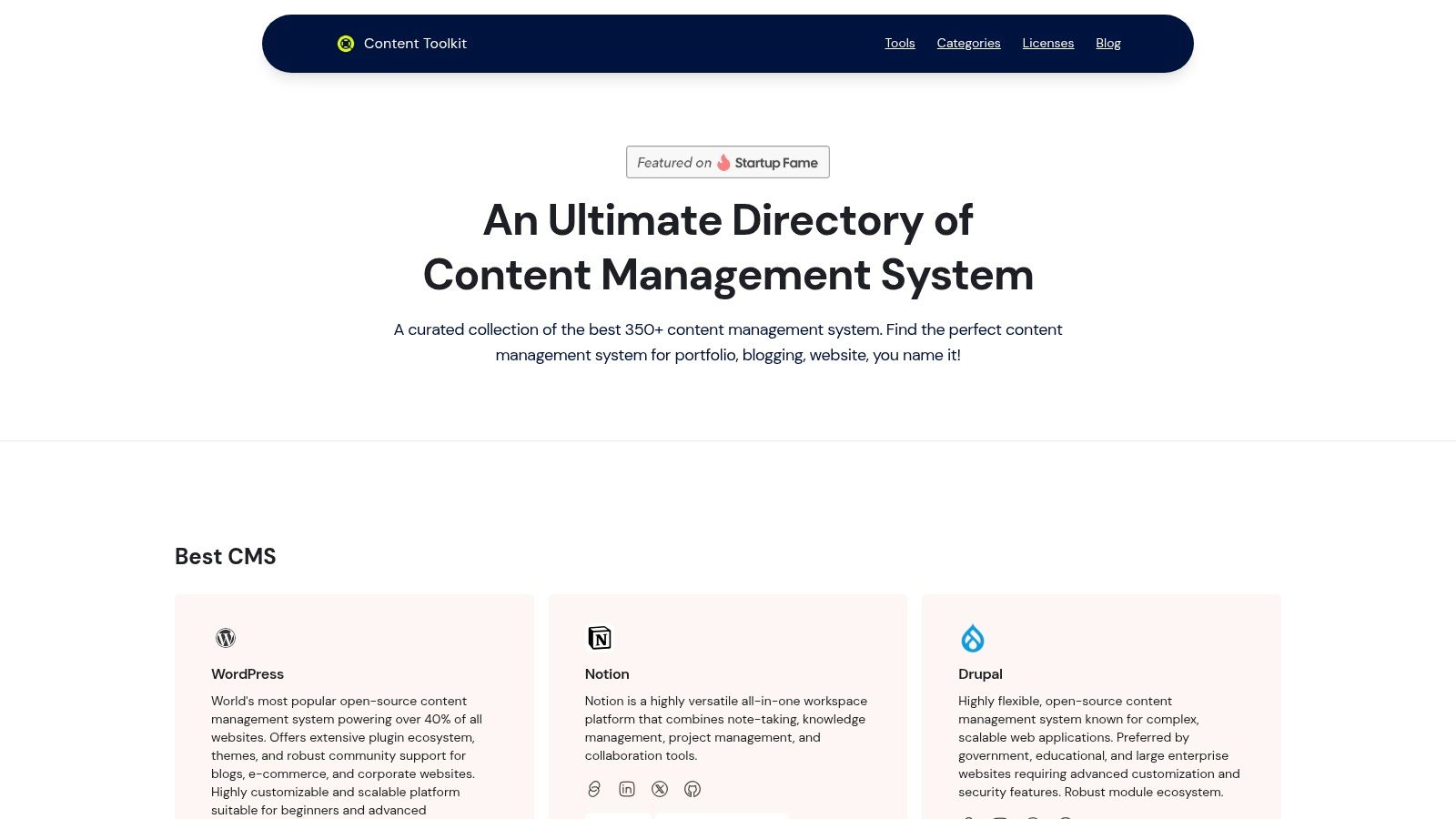
The platform’s power lies in its detailed classification system. You can filter options by crucial developer-centric attributes like open-source licensing, headless capabilities, or specific programming language support. This granular control saves countless hours of research, making it an indispensable part of the initial project planning phase. To streamline your visual content creation and preparation, selecting the right tools is key. Explore the best AI photo editing software available to elevate your workflow.
The directory includes detailed profiles on industry leaders like WordPress and Drupal, alongside innovative platforms like Notion, which is analyzed in-depth within their resources. You can learn more about Notion on contenttoolkit.co.
Key Features & Analysis
- Extensive CMS Directory: Access to over 350 platforms ensures you can find a niche or mainstream solution for any client requirement.
- Intelligent Filtering: The ability to sort by technical specifications (open-source, developer-friendly) is a significant advantage for precise tool selection.
- Expert Insights: Regularly updated blog content and comparative reviews provide valuable context beyond a simple feature list.
Best Use Case: Essential for the initial discovery and planning phase of any web design project. It’s particularly valuable for freelance designers and agencies that work with a diverse range of clients and need to quickly identify the optimal CMS.
Website: https://www.contenttoolkit.co
2. Adobe Creative Cloud Pro (All Apps)
For designers who require a comprehensive, industry-standard toolkit, Adobe Creative Cloud Pro is the undisputed heavyweight champion. It bundles over 20 applications, including essential web design tools like Photoshop for raster graphics, Illustrator for vector assets, and Adobe XD for prototyping, into a single subscription. This integration creates a seamless workflow where assets can move between programs without compatibility issues, a significant advantage for complex projects.
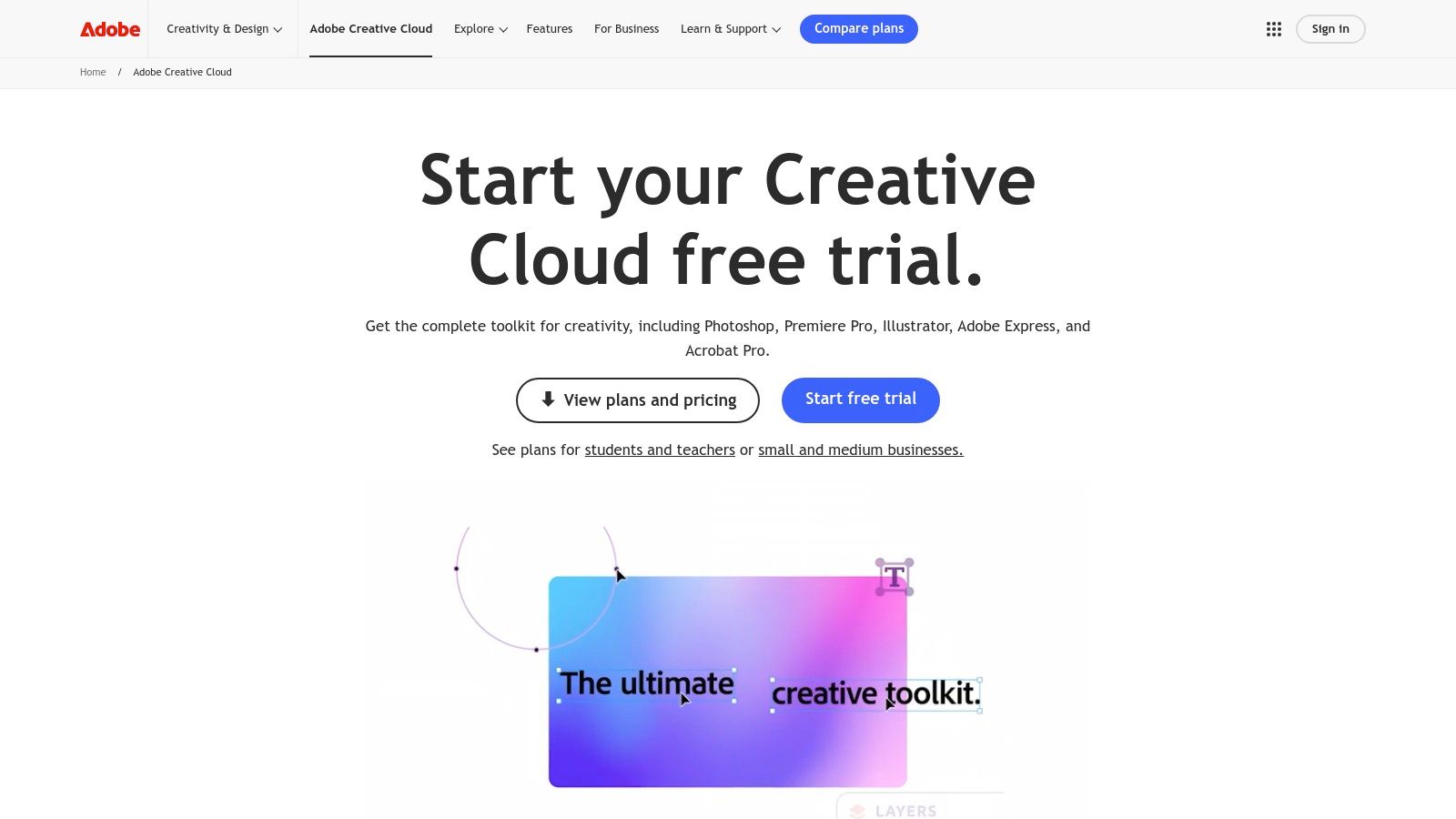
What elevates it above standalone competitors is the ecosystem. Cloud Libraries ensure brand consistency across projects and teams, while the recent integration of Firefly AI accelerates asset creation and editing. This makes Adobe Creative Cloud one of the best tools for web designers operating in professional agency or enterprise environments where cross-media consistency is non-negotiable.
Core Features & Assessment
| Feature | Analysis | Use Case |
|---|---|---|
| Integrated App Suite | The ability to seamlessly edit a vector in Illustrator and see it update in a Photoshop mock-up or XD prototype is a massive time-saver. | A designer creates a logo in Illustrator, places it in a Photoshop web layout, and then animates it in After Effects for a landing page. |
| Firefly Generative AI | The Pro plan includes expanded credits, allowing for rapid background generation, image expansion, and concept ideation directly within apps. | Quickly generating placeholder imagery for a client mock-up or extending a background photo to fit a wide-screen banner. |
| Cloud Libraries & Collaboration | Centralized storage for colors, fonts, logos, and components ensures brand consistency, which is critical when working with multiple designers. | A remote team accesses a shared library to pull the latest approved brand assets, preventing version control errors. |
| Extensive Plugin Support | The massive third-party plugin market extends functionality for everything from stock photo access to advanced user flow mapping. | Integrating a third-party plugin into Adobe XD to automatically generate a design system specification sheet for developers. |
Pricing & Suitability
- Pricing: The "All Apps" plan is priced at $89.99/month per license for teams or $59.99/month for individuals. While the investment is significant, it often consolidates the cost of multiple single-purpose tools.
- Pros:
- Industry-standard tools ensure maximum compatibility with clients.
- Deep integration between apps creates a highly efficient workflow.
- Constant updates introduce cutting-edge features like generative AI.
- Cons:
- Steep learning curve for the full suite of applications.
- High subscription cost can be prohibitive for freelancers or small teams.
- Applications can be resource-intensive, requiring powerful hardware.
Official Website: https://www.adobe.com/creativecloud.html
3. Figma
Figma has cemented its position as the de facto standard for collaborative interface design, shifting the entire industry towards a browser-first, real-time workflow. Its core strength lies in multiplayer editing, allowing designers, developers, and stakeholders to work simultaneously within the same file. This eliminates version control issues and creates a single source of truth for the entire product team, making it one of the best tools for web designers focused on user experience.
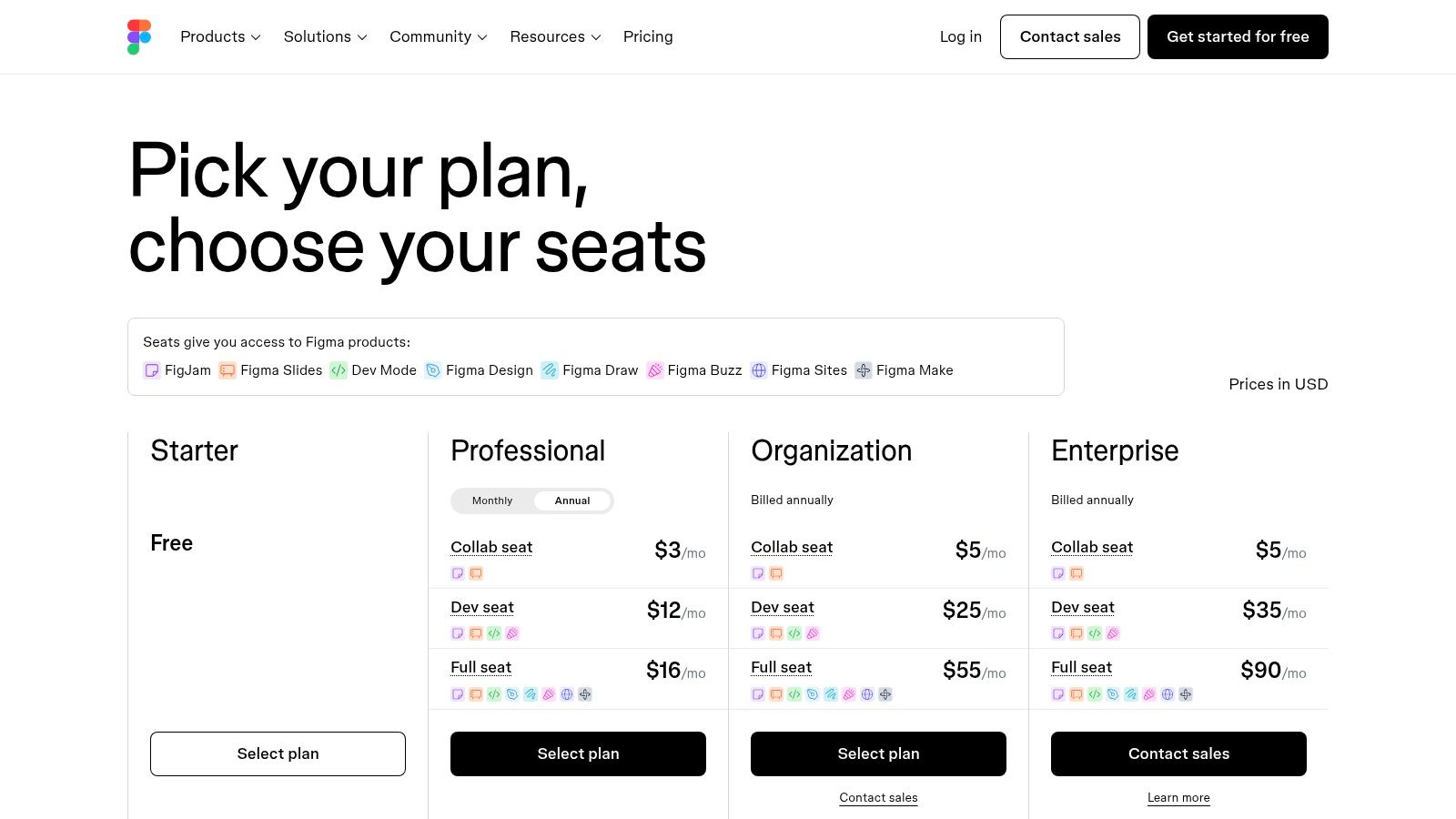
What truly sets Figma apart is its ecosystem and accessibility. The robust community plugin market extends its functionality exponentially, while features like Dev Mode provide developers with the exact specifications they need. The recent expansion into products like Sites and Make indicates a strategic move to cover more of the product development lifecycle, from initial wireframe to a live, simple website, all within one platform.
Core Features & Assessment
| Feature | Analysis | Use Case |
|---|---|---|
| Real-Time Co-Editing | The ability for multiple users to edit, comment, and review in the same file at the same time is revolutionary for team velocity and alignment. | A product manager leaves feedback directly on a component while the designer implements the change in real-time during a live review session. |
| Advanced Prototyping & Variables | Creating interactive, high-fidelity prototypes is straightforward. Variables allow for complex logic and system-wide changes (e.g., theme switching). | A designer builds a fully interactive mobile app prototype, using variables to demonstrate both light and dark mode to the client. |
| Dev Mode & Handoff | Provides developers with ready-to-use code snippets, measurements, and asset exports, significantly reducing ambiguity during handoff. | A developer inspects a design in Dev Mode to copy the exact CSS values for a button, ensuring pixel-perfect implementation. |
| Community & Plugins | A vast library of community-created files, templates, and plugins adds powerful functionality for everything from content population to accessibility checking. | A designer uses the "Unsplash" plugin to quickly populate mock-ups with high-quality, royalty-free placeholder images. |
Pricing & Suitability
- Pricing: Figma offers a generous free tier. Paid plans start at $12 per editor/month for the Professional plan and $25 per editor/month for the Organization plan. Dev Mode seats are priced separately.
- Pros:
- Superior real-time collaboration streamlines team workflows.
- Cross-platform (browser, macOS, Windows) with no complex installation.
- Extensive plugin and template community accelerates design tasks.
- Cons:
- The seat-based pricing model can become complex and costly for large teams.
- Upcoming price increases for Design seats are planned for 2025.
- Offline functionality is limited compared to desktop-native applications.
Official Website: https://www.figma.com/pricing/
4. Sketch
For designers deeply embedded in the Apple ecosystem, Sketch offers a focused, fast, and polished vector design experience. As one of the original UI-centric design applications, its native macOS app is renowned for its speed and intuitive interface, making it a favorite among veteran product designers. While editing is Mac-exclusive, its capabilities are extended through a web app for collaboration.
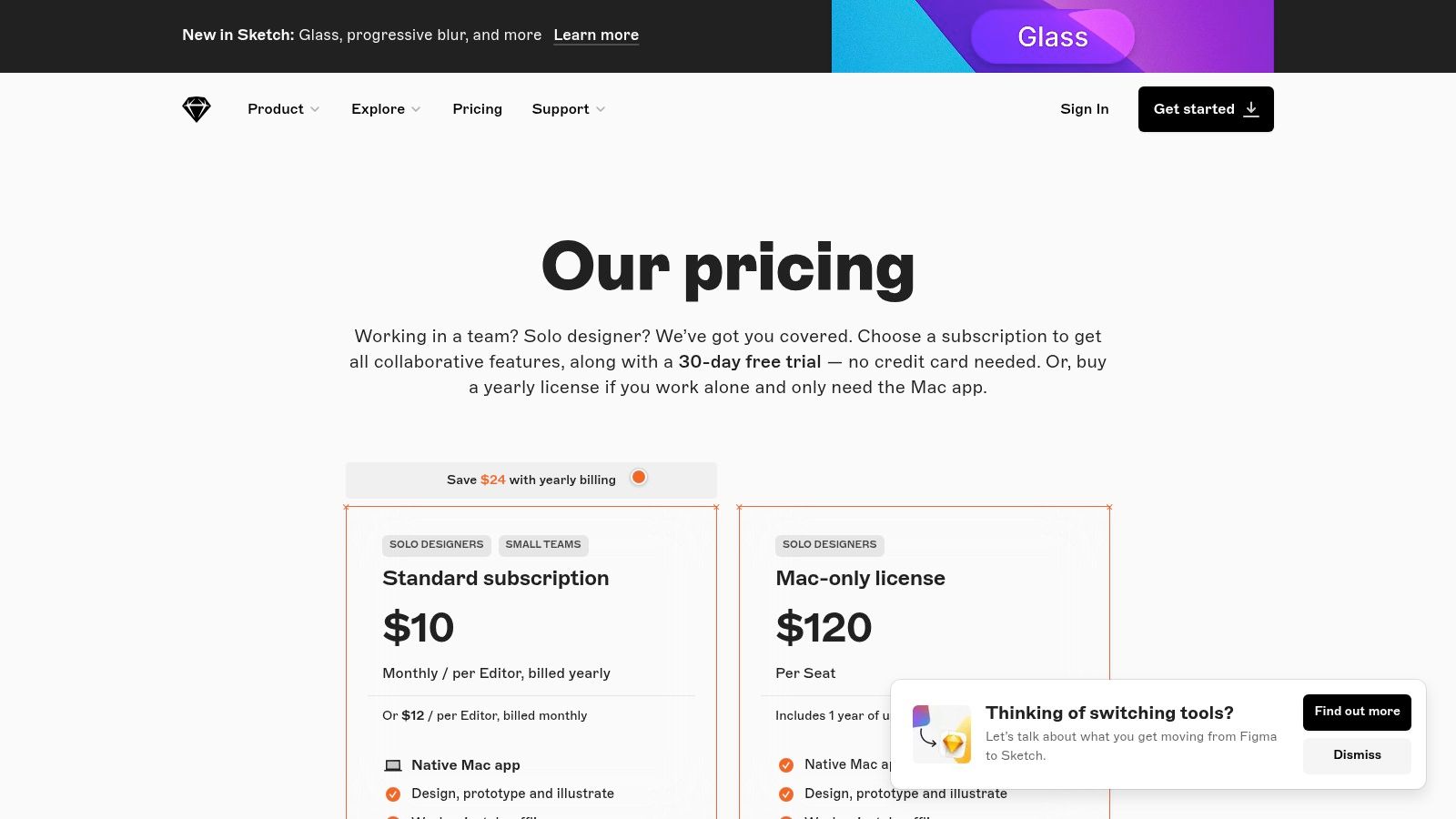
Sketch stands out by prioritizing a lightweight, native experience over a cross-platform, browser-based approach. This makes it one of the best tools for web designers who value performance and a clean, uncluttered workspace. The platform allows for unlimited free viewers via its web app, streamlining the feedback and developer handoff process without requiring extra paid seats for non-designers.
Core Features & Assessment
| Feature | Analysis | Use Case |
|---|---|---|
| Native macOS App | The core editor is built specifically for macOS, resulting in exceptional performance, responsiveness, and a familiar user interface for Apple users. | A designer working on a MacBook Pro experiences minimal lag while manipulating complex vector files and artboards. |
| Web App for Collaboration | While editing is Mac-only, the browser-based viewer allows stakeholders and developers on any OS to inspect designs, leave comments, and download assets. | A Windows-based developer inspects a design, pulls CSS attributes, and downloads SVG icons directly from their web browser. |
| Prototyping & Smart Layout | Integrated prototyping tools allow for creating interactive user flows, and Smart Layout automates responsive component resizing. | Building a responsive button component that automatically adjusts its padding when the text label is changed. |
| Symbols & Libraries | Robust support for creating reusable components (Symbols) and shared libraries ensures design system consistency across large projects. | A design team uses a shared component library to ensure all buttons, forms, and icons are consistent across the entire application. |
Pricing & Suitability
- Pricing: The Standard plan is priced at $12 per editor/month or $120 per editor/year. A Mac-only license is also available for a one-time payment of $120, which includes one year of updates.
- Pros:
- Lightning-fast performance on its native macOS platform.
- Clean, intuitive interface with a lower learning curve than some competitors.
- Flexible pricing, including a perpetual license option for Mac users.
- Cons:
- The core design and editing functionality is limited to macOS only.
- Fewer integrations with non-Mac workflows compared to platform-agnostic tools.
- Real-time collaboration is limited to editors within the Mac app.
Official Website: https://www.sketch.com/
5. Webflow
For designers seeking to bridge the gap between design and development, Webflow offers a powerful visual canvas that produces clean, production-ready code. It allows you to build responsive websites visually, with a built-in CMS and hosting infrastructure, effectively eliminating the need for a traditional developer handoff. This makes it an invaluable asset for freelancers, agencies, and teams wanting full creative control over the final live product.
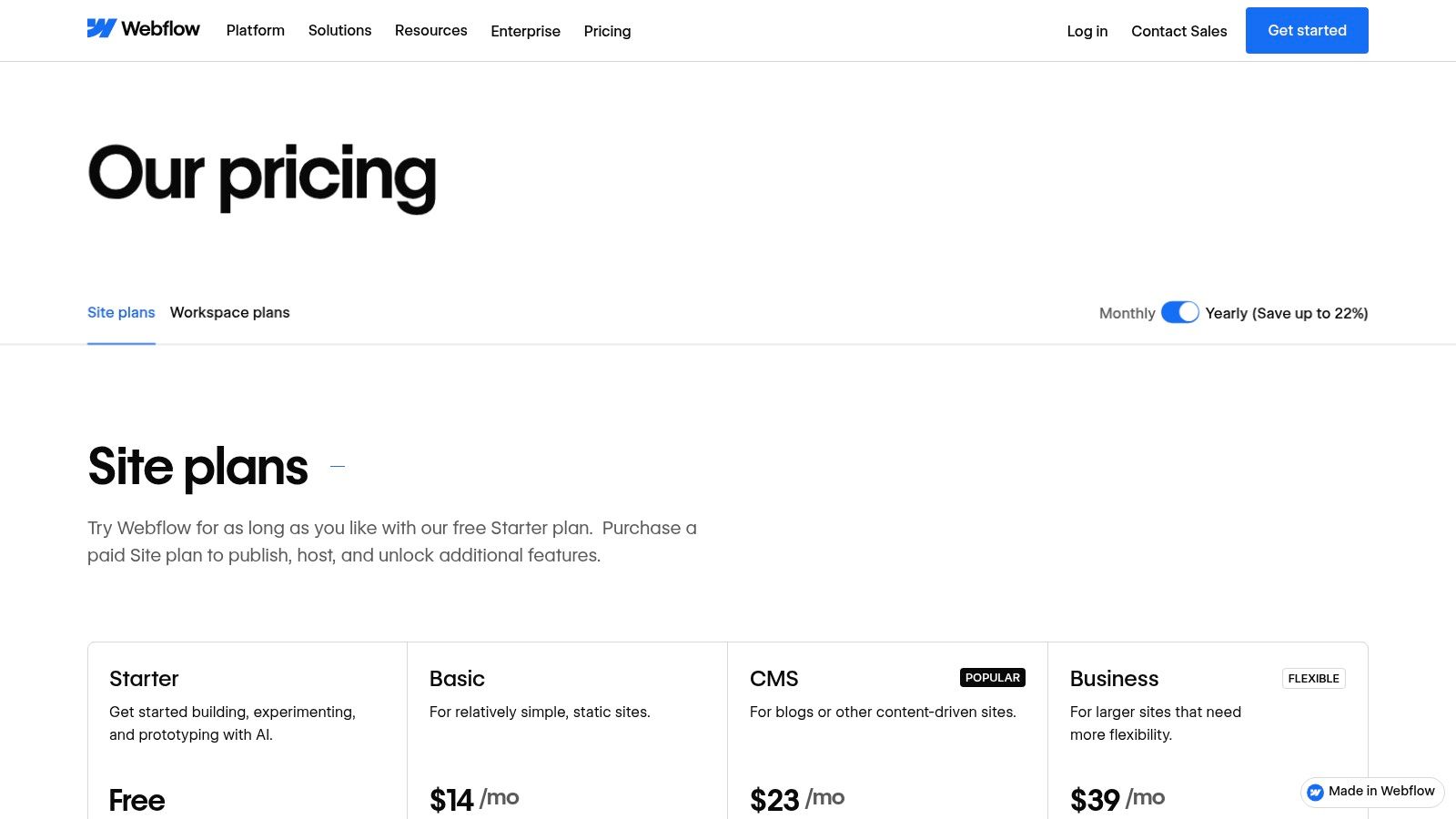
What truly sets Webflow apart is its focus on semantic HTML and CSS principles within a visual interface. Unlike many website builders that produce bloated or inaccessible code, Webflow generates a clean structure that developers can understand and search engines can easily crawl. This combination of design freedom and technical integrity makes it one of the best tools for web designers who prioritize both aesthetics and performance. For a deeper analysis, you can see how it stacks up against other platforms in various website builder reviews.
Core Features & Assessment
| Feature | Analysis | Use Case |
|---|---|---|
| Visual Canvas & Code Export | The interface translates design actions directly into HTML, CSS, and JavaScript, offering granular control over every element's properties. | A designer builds a complex, custom-animated landing page without writing a single line of code, publishing it directly through Webflow hosting. |
| Integrated CMS | A flexible and powerful content management system allows clients or content teams to update site content without touching the design. | Creating a portfolio site where a photographer can easily add new projects and galleries through a simple, custom-built editor interface. |
| Built-in Hosting & CDN | Managed, high-performance hosting with a global CDN is included in Site plans, ensuring fast load times and security without external setup. | A small business launches its e-commerce store, relying on Webflow's integrated hosting to handle traffic, security, and updates seamlessly. |
| Component Libraries | Create and reuse symbols (components) like navbars or footers across an entire site, ensuring consistency and speeding up development. | An agency builds a multi-page client website, using a shared component for the call-to-action block to make global updates instantly. |
Pricing & Suitability
- Pricing: Webflow has a dual pricing model. Workspace plans (for collaboration) start free, while Site plans (for hosting) start at $14/month (billed annually). E-commerce and higher-tier plans have increased costs.
- Pros:
- Outputs clean, production-ready code directly from the design tool.
- Powerful CMS is highly customizable for content-heavy sites.
- Excellent for building sophisticated animations and interactions visually.
- Cons:
- The pricing structure can become expensive for managing multiple sites.
- Has a steeper learning curve compared to simpler website builders.
- Advanced features are locked behind higher-priced plans.
Official Website: https://webflow.com/pricing
6. Framer
For designers who want to move directly from visual design to a live, high-performance website, Framer is a game-changer. It blurs the line between a design tool and a website builder, allowing users to design interactive prototypes and publish them as fully functional, hosted sites without writing code. This direct-to-production workflow is ideal for creating marketing sites, landing pages, and portfolios with sophisticated animations and interactions.
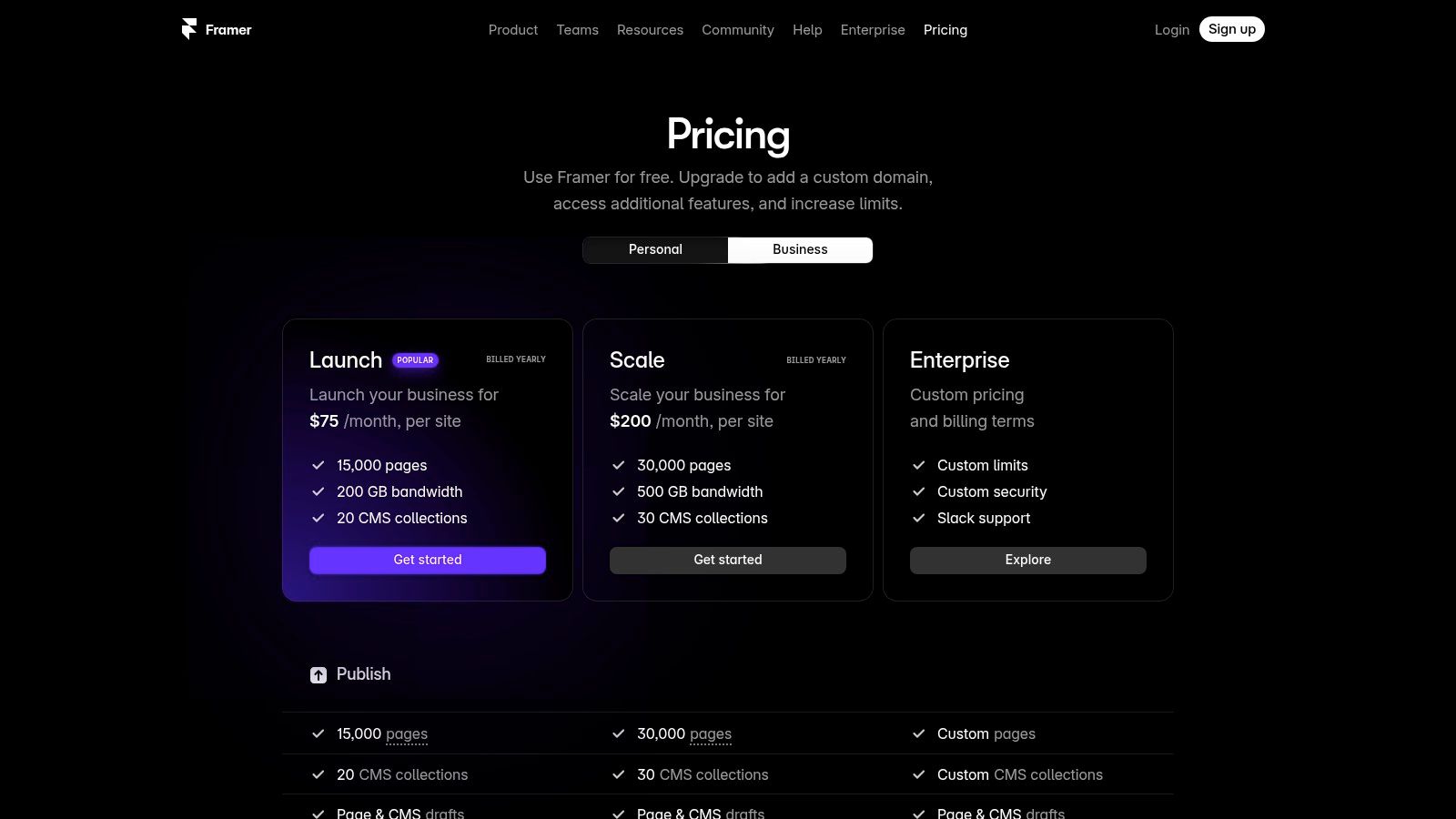
What sets Framer apart is its emphasis on performance and its native integration of modern web technologies. Unlike tools that export code, Framer designs are the website, ensuring that intricate animations and layouts behave exactly as intended. The inclusion of AI tools and a built-in CMS makes it one of the best tools for web designers who need to iterate quickly while maintaining complete creative control over the final, hosted product.
Core Features & Assessment
| Feature | Analysis | Use Case |
|---|---|---|
| Visual Editor & Hosting | The all-in-one platform eliminates the handoff phase, as the design canvas directly publishes to a live, performance-optimized site. | A freelancer designs a client's landing page and publishes it in hours, not weeks, directly from the design file. |
| AI-Assisted Tools | Features like AI Wireframer and Workshop accelerate the initial design and content phases by generating layouts and copy. | A designer uses the AI to quickly generate three different "About Us" page layouts for a client to choose from. |
| Built-in CMS & Analytics | The integrated CMS allows for dynamic content management, while built-in analytics and A/B testing provide crucial performance data. | A marketing team launches two versions of a signup page and uses Framer's analytics to determine which one converts better. |
| Real-time Collaboration | Similar to Figma, it offers multi-user editing, commenting, and role-based permissions, making it effective for team-based projects. | A design team collaborates on a website in real-time, with a copywriter adding content directly into the live design. |
Pricing & Suitability
- Pricing: Offers a free plan for hobby projects. Paid plans start at $15/month per site (billed annually) for the "Mini" plan, with "Basic" at $25/month per site.
- Pros:
- Extremely fast iteration from design concept to a live website.
- Powerful animation and interaction capabilities are built-in.
- Convenient all-in-one solution with hosting, CMS, and analytics included.
- Cons:
- Per-site pricing can become expensive for agencies managing many clients.
- Add-ons for extra editors or locales increase the overall cost.
- Steeper learning curve compared to simpler website builders.
Official Website: https://www.framer.com/pricing
7. Envato Elements
For designers who need a constant supply of high-quality assets without per-item costs, Envato Elements is an indispensable resource. It's a subscription service offering unlimited downloads from a vast library of over 20 million creative assets. This includes everything from WordPress themes and UI kits to stock photos, video templates, and fonts, making it a one-stop shop for project materials. The simple, all-inclusive licensing model removes the friction of managing individual asset purchases.
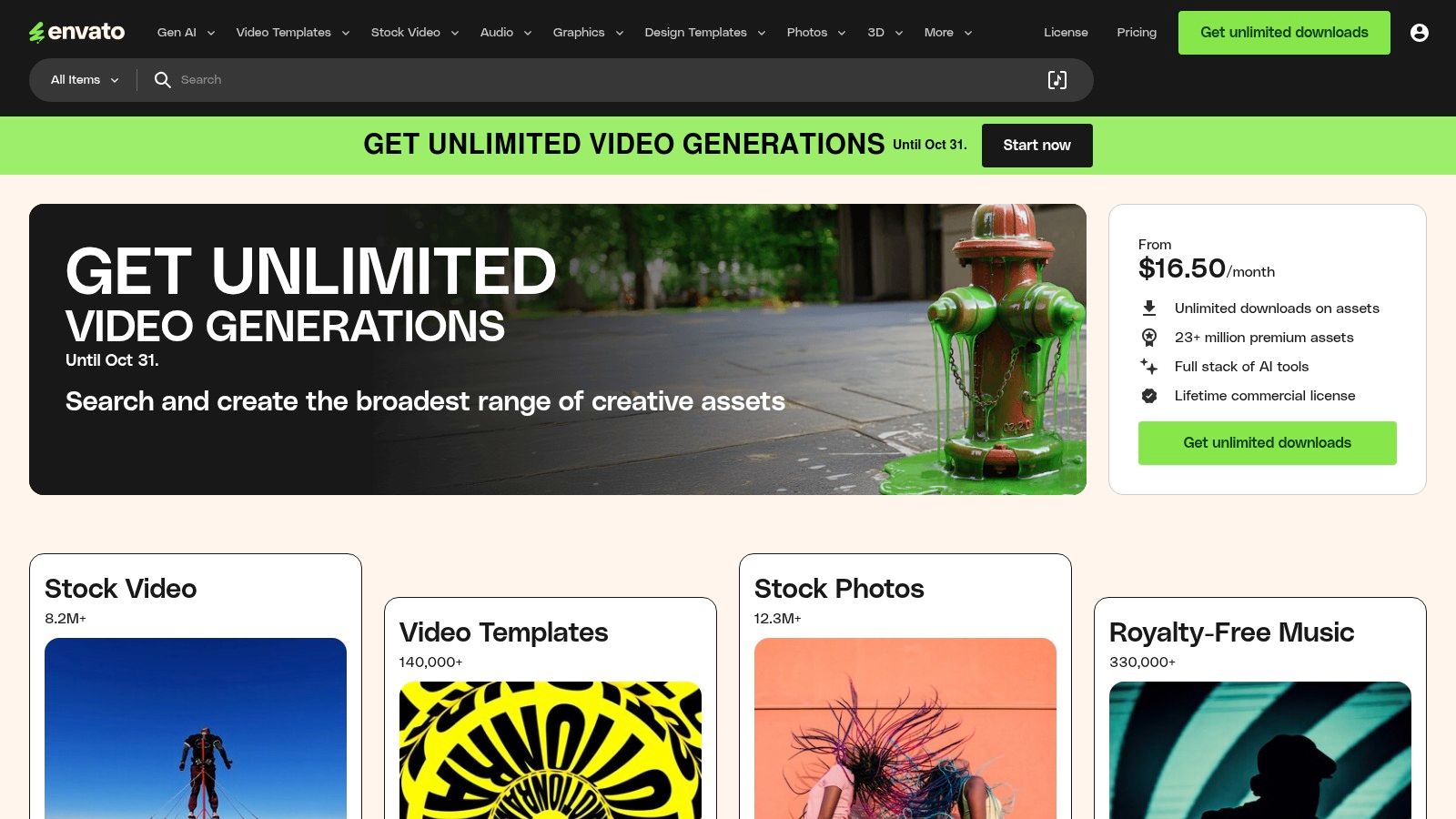
What makes Envato Elements one of the best tools for web designers is its sheer value proposition. Instead of sourcing assets from multiple paid platforms, designers can consolidate their spending into one predictable subscription. This dramatically accelerates the workflow for creating mockups, populating websites with content, and finding inspiration, all while keeping project budgets under control.
Core Features & Assessment
| Feature | Analysis | Use Case |
|---|---|---|
| Unlimited Asset Downloads | A single subscription grants access to millions of assets, including themes, graphics, fonts, and stock photos, with no download limits. | A designer populates an entire website mockup with high-quality stock photos, icons, and a premium font without any additional cost. |
| Simple Commercial Licensing | Each downloaded asset is covered by a broad commercial license for the specified project, simplifying legal and administrative overhead. | A freelancer builds a commercial website for a client using a theme, photos, and graphics from Elements, all covered under one license. |
| Vast Content Library | The library is extensive and regularly updated, covering web templates, presentation files, video footage, and more. | A marketing team downloads a video template for a social media ad, a presentation template for a client pitch, and a web UI kit. |
| Included Learning Resources | A subscription includes access to Tuts+, offering thousands of courses and tutorials on design, coding, and creative skills. | A junior designer uses Tuts+ tutorials to learn advanced Figma techniques while using UI kits from the main library for practice. |
Pricing & Suitability
- Pricing: Individual plans start at $16.50/month (billed annually). Team and Enterprise plans are also available, offering centralized billing and management. Student discounts are offered.
- Pros:
- Incredible value for designers who frequently need diverse creative assets.
- Simple, all-encompassing license streamlines project workflows.
- Massive, constantly growing library of assets and learning materials.
- Cons:
- Asset quality can vary, requiring some time to vet the best items.
- The license requires an active subscription to use assets in new projects.
- The sheer volume of choices can sometimes be overwhelming.
Official Website: https://elements.envato.com/
8. Creative Market
For web designers needing a steady supply of high-quality, ready-made assets, Creative Market is a vital marketplace and membership platform. It bridges the gap between custom design and generic stock by offering millions of unique fonts, UI kits, templates, and mockups from independent creators. This allows designers to accelerate project timelines by purchasing specific assets on-demand or subscribing for monthly credits.
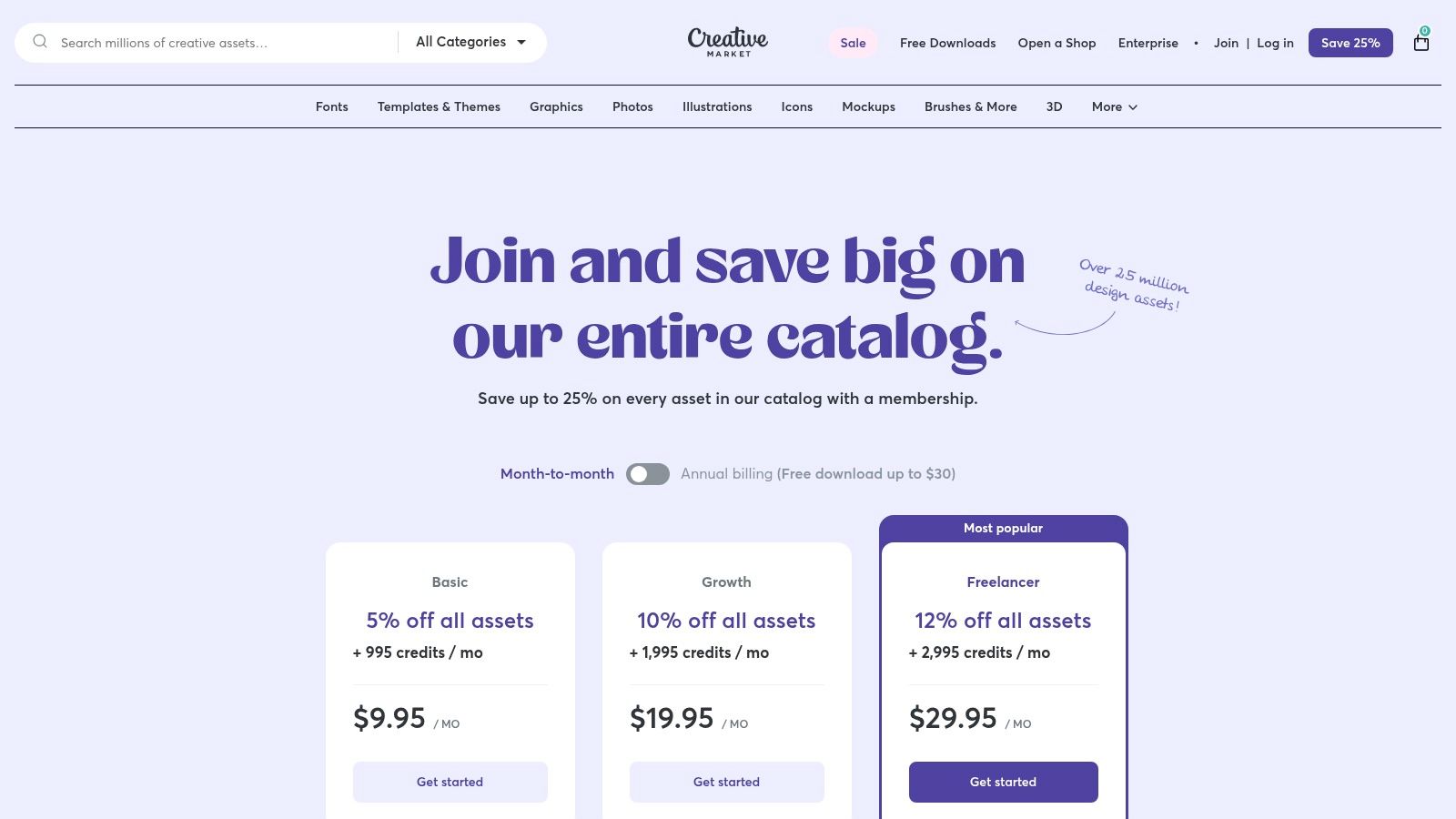
What makes Creative Market one of the best tools for web designers is its membership model, which provides monthly download credits and exclusive discounts. This structure encourages consistent asset acquisition, helping designers build a robust personal library of tools without the high cost of individual purchases. It's an ideal resource for sourcing unique design elements that give a project a distinct, non-stock aesthetic.
Core Features & Assessment
| Feature | Analysis | Use Case |
|---|---|---|
| Vast Asset Library | With over 25 million assets, the platform offers immense variety, especially in niche categories like handcrafted fonts and specific industry UI kits. | A designer needs a unique, vintage-style font for a craft brewery's website and finds the perfect option from an independent typographer. |
| Membership Credits | The subscription provides a set number of monthly credits that can be used for downloads, creating predictable spending and encouraging regular use. | A freelancer with a membership uses their monthly credits to download a new website theme and a social media template pack for a client project. |
| Creator Diversity | Assets are sold by thousands of independent creators, leading to a wide range of styles and quality levels, which contrasts with single-source libraries. | Sourcing a highly stylized illustration pack from a specific artist whose aesthetic perfectly matches a new brand's identity. |
| Commercial Licensing | Most assets come with clear commercial licensing, allowing for straightforward use in client projects without complex legal hurdles. | Purchasing a set of 3D mockups to create professional presentations of a new app design for a client's marketing materials. |
Pricing & Suitability
- Pricing: Memberships start from $19.95/month, providing a set number of monthly credits and member-exclusive discounts. Assets can also be purchased à la carte.
- Pros:
- Excellent for sourcing unique fonts, templates, and UI kits.
- Membership model offers great value for designers who regularly need new assets.
- Directly supports independent creators and artists.
- Cons:
- Asset quality can vary significantly between different sellers.
- The credit and discount system requires some planning to maximize value.
- Not an all-in-one design tool; it's a resource for assets.
Official Website: https://creativemarket.com/membership
9. Icons8
For web designers who need a constant supply of high-quality, style-consistent assets, Icons8 is an indispensable resource library. It extends far beyond simple icons, offering a massive, searchable collection of royalty-free illustrations, photos, and even music. This all-in-one approach streamlines the asset-gathering process, eliminating the need to subscribe to multiple niche platforms for different creative elements.
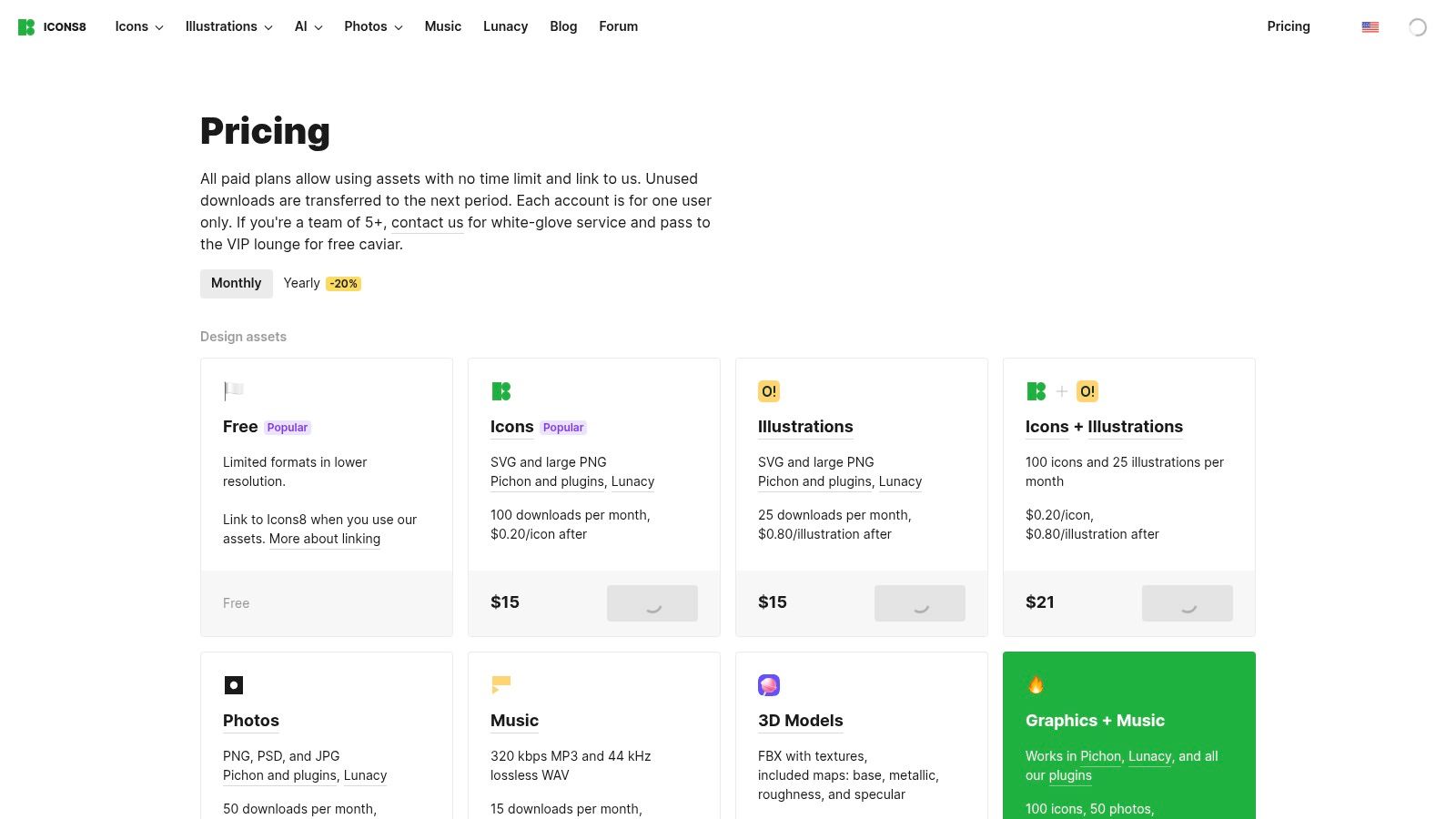
What makes Icons8 one of the best tools for web designers is its focus on utility and integration. Beyond the assets themselves, it provides valuable tools like a free cross-platform vector editor (Lunacy), an AI background remover, and an AI image upscaler. The platform's plugins for Figma, Sketch, and Adobe XD allow designers to access and insert assets directly into their workflow, saving significant time.
Core Features & Assessment
| Feature | Analysis | Use Case |
|---|---|---|
| Unified Asset Library | Access to icons, illustrations, photos, and music under one subscription simplifies licensing and sourcing for diverse projects. | A designer building a landing page can source icons for the features section and a background photo for the hero banner from the same platform. |
| Lunacy Vector Editor | A free, native cross-platform editor that can open and edit Sketch files on Windows and Linux, which is a major accessibility win. | A designer on a Windows PC receives a Sketch file from a client and can open, edit, and export assets without needing a Mac. |
| Direct App Integration | Plugins for major design tools (Figma, XD, Sketch) allow for drag-and-drop asset placement without leaving the design environment. | While prototyping an app interface in Figma, a designer uses the Icons8 plugin to search for and insert a "settings" icon directly into a frame. |
| AI Design Utilities | The inclusion of free tools like an AI background remover and image upscaler adds significant value and reduces reliance on other paid software. | Quickly removing the background from a product photo to create a clean asset for an e-commerce website product page. |
Pricing & Suitability
- Pricing: A free plan is available with attribution required. Paid plans start from $13/month (billed annually) for a single asset class (e.g., Icons) or $24/month for access to all assets.
- Pros:
- Huge library of consistent, high-quality assets.
- Useful free tools like the Lunacy editor and AI utilities.
- Affordable and straightforward pricing structure.
- Cons:
- Subscription plans come with monthly download quotas.
- While many collections are style-consistent, consistency can vary between different sets.
- The free plan requires linking back, which isn't always feasible for professional projects.
Official Website: https://icons8.com/pricing
10. The Noun Project
For web designers who need a vast and diverse library of icons for user interfaces, wireframes, and presentations, The Noun Project is an indispensable resource. It offers millions of curated icons covering nearly any concept imaginable, available in both PNG and SVG formats. This focus on a single asset type allows it to provide unparalleled depth and variety, making it one of the best tools for web designers needing to communicate complex ideas visually.
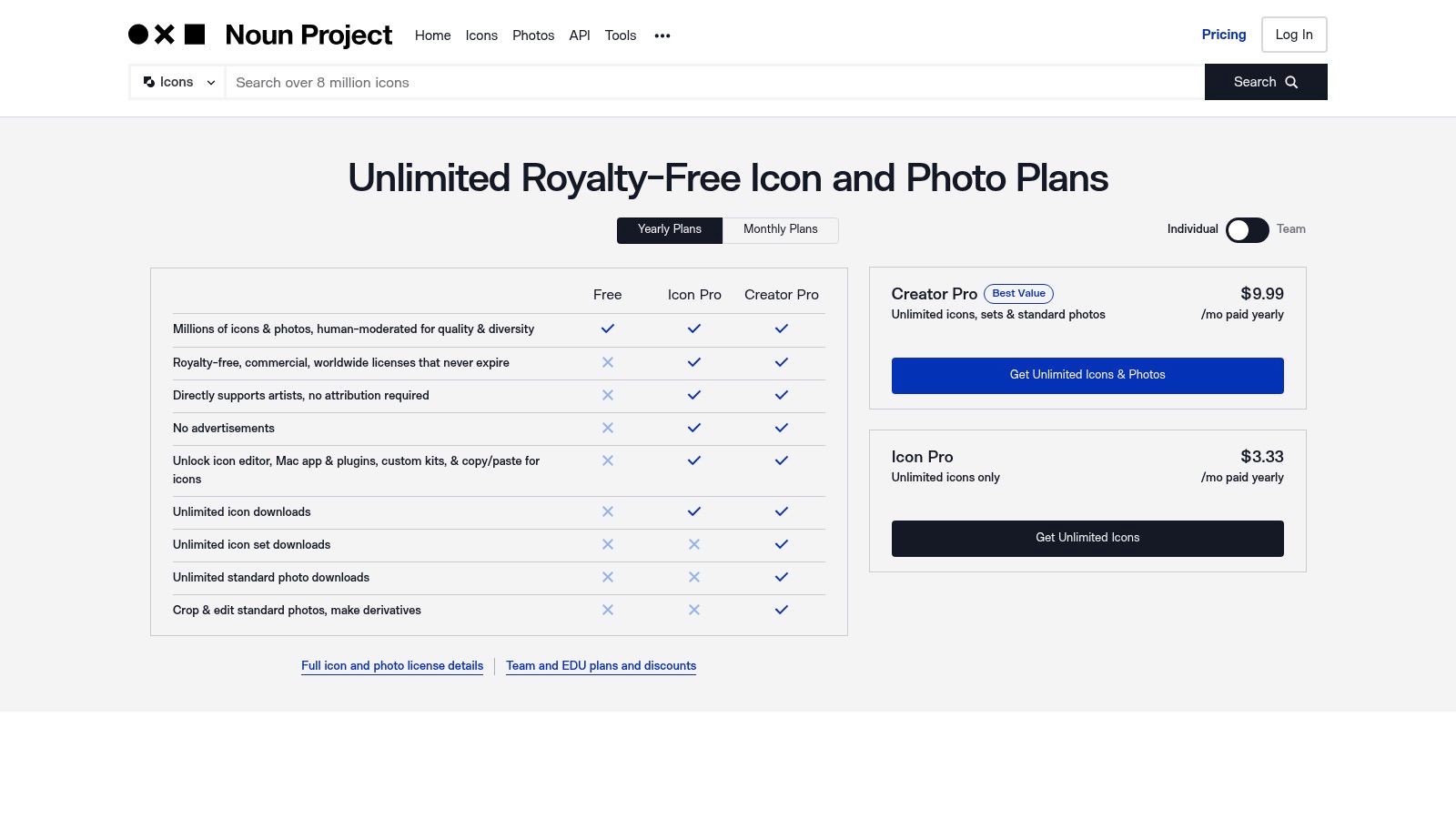
What distinguishes The Noun Project is its straightforward licensing and creator-centric model. The Pro subscription removes attribution requirements, a critical feature for clean commercial designs, and provides unlimited, royalty-free access. This simplicity saves designers from navigating complex licensing agreements, allowing them to find and implement visual assets quickly and efficiently, directly supporting the artists who create them.
Core Features & Assessment
| Feature | Analysis | Use Case |
|---|---|---|
| Massive Icon Library | With millions of icons, the platform offers extensive conceptual coverage, often providing multiple stylistic interpretations of a single idea. | A designer needs an icon for "AI-powered data synchronization" and finds several abstract and literal options to test in a UI mock-up. |
| SVG & PNG Formats | Providing icons in SVG (vector) format is crucial for modern web design, allowing for infinite scalability and easy color customization via CSS. | A developer downloads an SVG icon and uses CSS to change its color on hover states without needing to edit the source file. |
| Simple Licensing | The Pro plan offers unlimited royalty-free downloads without the need for attribution, simplifying the legal workflow for commercial projects. | An agency uses icons from The Noun Project across multiple client websites without having to track attribution for each one. |
| Plugins & Integrations | Apps for Mac and plugins for Adobe Creative Cloud, Google Slides, and Microsoft Office streamline the process of finding and inserting icons. | While working in Figma or Sketch, a designer uses a plugin to search for and insert an icon directly into their layout without leaving the application. |
Pricing & Suitability
- Pricing: A free plan is available with attribution. The Pro plan starts at $39.99/year for unlimited, royalty-free downloads for a single user, with team plans also available.
- Pros:
- Extremely broad and deep library for almost any concept.
- Simple, affordable pricing with clear commercial use licensing.
- Supports independent creators who contribute to the library.
- Cons:
- Icon quality and style can be inconsistent across different artists.
- Some icons may require minor editing to fit a specific design system.
- Relies on search, which can sometimes be challenging for abstract concepts.
Official Website: https://thenounproject.com/
11. Tailwind Plus (formerly Tailwind UI)
For developers and designers operating within the Tailwind CSS ecosystem, Tailwind Plus offers an unparalleled accelerator for building professional, production-ready user interfaces. It provides a massive library of over 500 meticulously crafted components and page templates, all built with Tailwind's utility-first principles. This allows teams to bypass the tedious process of building common UI elements from scratch, ensuring design consistency and dramatically speeding up development cycles.
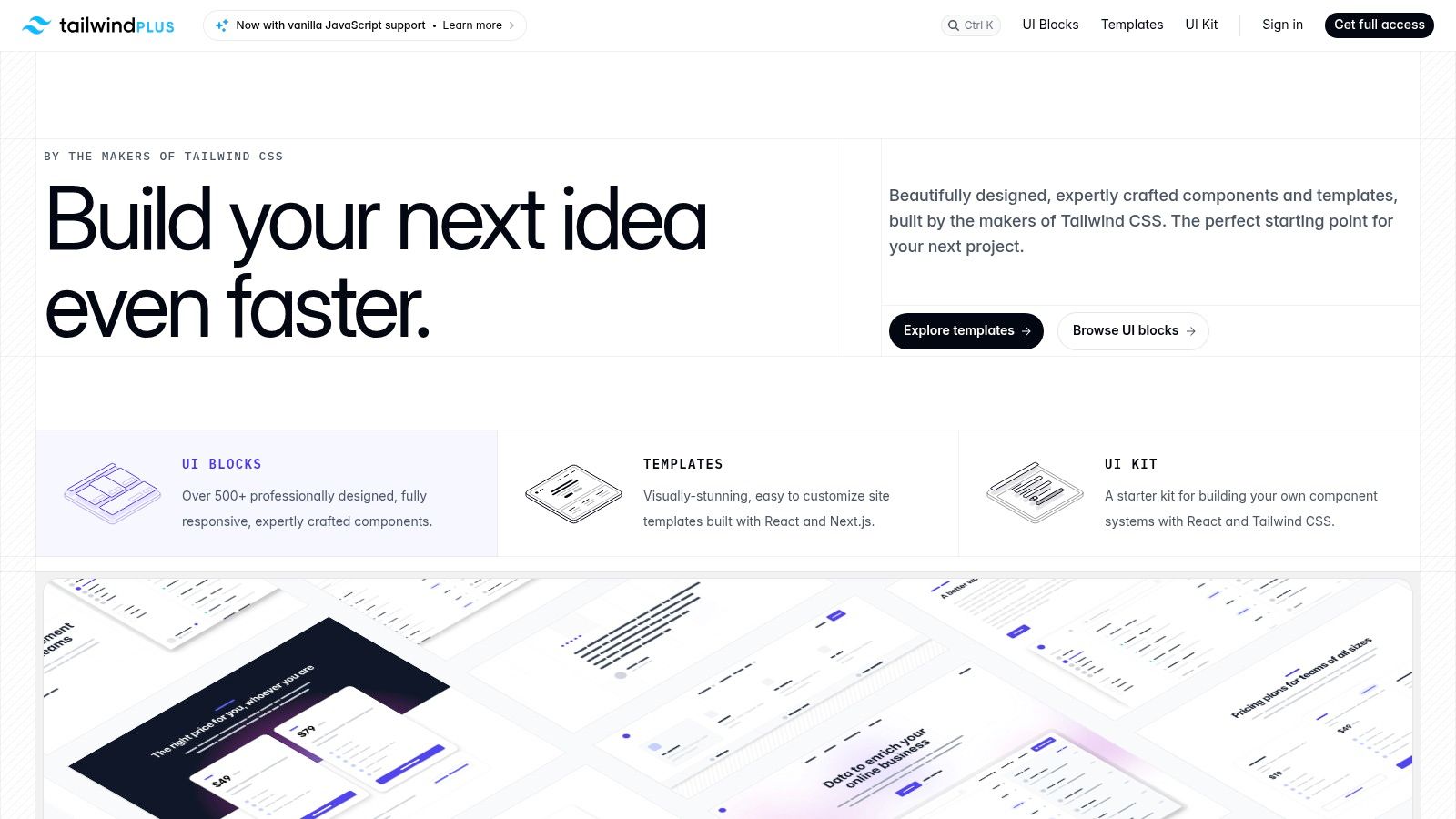
What sets Tailwind Plus apart is its one-time purchase model with lifetime updates, a refreshing alternative to recurring subscriptions. The components are not just static HTML; they include fully-functional examples for modern JavaScript frameworks like React, Vue, and Next.js. This makes it one of the best tools for web designers and developers who want to bridge the gap between static design and dynamic application front-ends efficiently.
Core Features & Assessment
| Feature | Analysis | Use Case |
|---|---|---|
| 500+ Component Library | An extensive collection of application, marketing, and e-commerce components that are polished, responsive, and accessible. | A developer needs to build a settings page and can grab a pre-built, fully-styled form layout, saving hours of custom CSS work. |
| Modern Stack Templates | Provides complete, production-grade templates compatible with React, Vue, and Next.js, including all necessary code snippets. | Quickly scaffolding a new marketing site using a Next.js template, complete with navigation, hero sections, and feature grids. |
| Lifetime Updates | A single purchase grants access to all future components and templates, providing exceptional long-term value. | A team buys the all-access package and continues to receive new e-commerce components a year later without additional cost. |
| Team Licensing | Offers straightforward licensing options for teams of all sizes, ensuring the entire development crew has access to the component library. | A design agency purchases a team license so all its front-end developers can standardize their UI builds using the same toolkit. |
Pricing & Suitability
- Pricing: The "All Access" package is a one-time purchase of $299, with team licenses available at a higher tier. This model is highly cost-effective compared to subscription-based UI kits.
- Pros:
- One-time payment provides incredible long-term value with lifetime updates.
- High-quality, production-ready components accelerate development significantly.
- Excellent documentation and support for modern JavaScript frameworks.
- Cons:
- Strictly tied to the Tailwind CSS framework; not useful for other stacks.
- Initial upfront cost might be a barrier for some individuals.
- Requires a solid understanding of Tailwind CSS to customize effectively.
Official Website: https://tailwindui.com/all-access
12. Amazon (Design Hardware, Books, and Accessories)
While not a design tool itself, Amazon serves as an essential resource hub for acquiring the physical hardware and educational materials that power a designer's workflow. It’s an unparalleled marketplace for everything from high-resolution monitors and ergonomic mice to classic Wacom tablets and foundational books on UX, typography, and coding. For designers, its primary value lies in its vast selection and competitive pricing.
What makes Amazon one of the best tools for web designers is the aggregation of user reviews and community Q&As, which provide real-world insights that product pages often lack. This collective feedback is invaluable when comparing a new graphics tablet or deciding on the most relevant CSS guide, turning a simple purchase into a well-informed investment in your professional toolkit.
Core Features & Assessment
| Feature | Analysis | Use Case |
|---|---|---|
| Wide Selection | Offers an exhaustive catalog of design hardware, books, and office accessories from countless brands and third-party sellers. | A freelance designer needs a new color-accurate monitor and can compare models from Dell, BenQ, and LG in one place. |
| User Reviews & Ratings | Aggregated customer feedback provides crucial, real-world information on product quality, durability, and performance. | Checking recent reviews on a Wacom pen to see if there are any driver compatibility issues with the latest macOS update. |
| Fast Shipping & Returns | Amazon Prime offers expedited shipping and a straightforward return policy, minimizing downtime if a product is defective or unsuitable. | Ordering a new keyboard for an urgent project and being able to return it easily if the key-feel isn't right for long coding sessions. |
| Competitive Pricing | The marketplace model fosters price competition between sellers, often resulting in lower prices than direct-from-manufacturer purchases. | A small agency owner can outfit their team with ergonomic chairs by comparing prices from various sellers to stay within budget. |
Pricing & Suitability
- Pricing: Varies by product. An Amazon Prime membership ($139/year) is recommended for frequent buyers to access free, fast shipping and other benefits.
- Pros:
- A comprehensive one-stop-shop for both physical tools and educational books.
- Extensive user reviews help guide purchasing decisions.
- Convenient shipping and return policies reduce buying friction.
- Cons:
- Product quality can be inconsistent across third-party sellers.
- Technical specifications require careful verification to avoid outdated models.
- Can lead to "analysis paralysis" due to the sheer number of options.
Official Website: https://www.amazon.com/
Top 12 Web Design Tools Feature Comparison
| Product | Core Features/Characteristics | User Experience/Quality ★ | Value Proposition 💰 | Target Audience 👥 | Unique Selling Points ✨ |
|---|---|---|---|---|---|
| Content Toolkit 🏆 | Directory of 350+ CMS, categorized by features & use cases | ★★★★★ Detailed expert insights | 💰 Free access to curated info | 👥 Bloggers, devs, marketers | ✨ Broadest CMS coverage, expert reviews |
| Adobe Creative Cloud Pro (All Apps) | 20+ industry-standard creative apps, AI features | ★★★★ Frequent updates, pro-grade | 💰 Subscription, pricey | 👥 Agencies, enterprises, creatives | ✨ Firefly AI, extensive plugin ecosystem |
| Figma | Collaborative UI/UX design w/ real-time co-editing | ★★★★ Cross-platform, rich plugins | 💰 Seat-based pricing, rising costs | 👥 Designers, teams, developers | ✨ Dev Mode, prototyping, community templates |
| Sketch | Mac-native design tool with prototyping | ★★★★ Polished macOS app | 💰 Perpetual Mac-only license | 👥 Apple-centric design teams | ✨ Native app, simple licensing |
| Webflow | Visual web builder w/ CMS & hosting | ★★★★ Production-ready, active templates | 💰 Per-site pricing can add up | 👥 Designers without dev background | ✨ Design-to-production, built-in hosting |
| Framer | Design-to-hosted site builder with AI and analytics | ★★★★ Fast iteration, built-in A/B testing | 💰 Per-site pricing, add-ons costly | 👥 Marketers, landing pages teams | ✨ AI-assisted tools, integrated analytics |
| Envato Elements | Unlimited creative assets downloads w/ commercial license | ★★★★ Broad, updated library | 💰 Subscription, great for frequent users | 👥 Creatives needing assets | ✨ 20M+ assets, learning resources |
| Creative Market | Marketplace for assets with membership & a la carte options | ★★★ Good variety, variable quality | 💰 Pay-per-item or membership | 👥 Designers, small businesses | ✨ Member bundles, monthly credits |
| Icons8 | Royalty-free icons, illustrations, music, tools | ★★★★ Affordable pricing | 💰 Subscription quotas apply | 👥 UI designers, illustrators | ✨ Lunacy editor, AI background remover |
| The Noun Project | Large icon/photo library with commercial-friendly licensing | ★★★★ Very broad coverage | 💰 Simple pricing, Pro unlimited | 👥 Quick icon sourcing | ✨ Plugins, Mac app, straightforward licensing |
| Tailwind Plus (formerly Tailwind UI) | Tailwind CSS components & templates with lifetime updates | ★★★★ Consistent, high quality | 💰 One-time purchase | 👥 Tailwind users/developers | ✨ Production-grade UI kits, team licensing |
| Amazon (Design Hardware, Books, Accessories) | Marketplace for design hardware, books, tools | ★★★ Wide variety, user reviews | 💰 Variable by seller | 👥 Designers needing hardware/books | ✨ Fast shipping, extensive selection |
Choosing Your Perfect Design Stack
Navigating the expansive landscape of modern web design software can feel overwhelming, but building the right toolkit is a strategic process of evaluation and adaptation. The preceding analysis of top-tier options, from comprehensive suites like Adobe Creative Cloud to collaborative powerhouses like Figma and innovative no-code platforms like Webflow, demonstrates a crucial truth: there is no single "best" tool, only the best tool for a specific job, team, and workflow. Your ideal design stack is a personalized, synergistic ecosystem that amplifies your skills and streamlines your process from ideation to deployment.
The best tools for web designers are ultimately those that align perfectly with project goals, team dynamics, and personal workflow preferences. The key is to move beyond feature lists and assess how a tool integrates into your daily reality.
Key Takeaways and Strategic Considerations
Reflecting on the tools covered, several themes emerge. Collaboration is no longer a feature; it's a baseline requirement. Platforms like Figma and Framer have set the standard for real-time, browser-based cooperation, making them indispensable for distributed teams. Secondly, the line between design and development continues to blur. Webflow and Framer empower designers to build production-ready websites, offering greater autonomy and faster project turnarounds.
Finally, efficiency is paramount. Specialized resource libraries like Envato Elements, Creative Market, and Icons8 are not just conveniences; they are strategic assets that drastically reduce production time. Integrating these into your workflow frees up valuable mental energy to focus on high-impact tasks like user experience strategy and creative problem-solving.
Actionable Steps to Build Your Toolkit
As you begin to assemble or refine your design stack, consider the following actionable steps:
- Audit Your Current Workflow: Identify bottlenecks and pain points in your existing process. Are you spending too much time on asset creation? Is handoff to developers a constant source of friction? Pinpoint the problem before you search for a software solution.
- Prioritize Core Needs vs. "Nice-to-Haves": Are you a solo freelancer primarily focused on UI/UX? A vector editor like Sketch or Figma is non-negotiable. Do you work in a large marketing team that requires extensive stock assets? An Envato Elements subscription is a high-ROI investment. Define your core functional requirements first.
- Leverage Free Trials and Demos: Never commit to a paid plan without rigorous testing. Use the trial period to replicate a real project scenario. Test the tool's performance, user interface intuitiveness, and, most importantly, how well it integrates with other software you already use.
- Evaluate Scalability and Community Support: Consider your future needs. Will this tool grow with your business or freelance career? A strong community, comprehensive documentation, and robust plugin ecosystems (like those for Figma and Sketch) are powerful indicators of a tool’s long-term viability.
Ultimately, the goal is to create a seamless, efficient, and enjoyable creative process. The best tools for web designers act as extensions of your own creativity, removing technical friction and enabling you to produce your most innovative work. Use this guide as your starting point, experiment fearlessly, and invest in the solutions that empower you to not just design websites, but to architect exceptional digital experiences. Your perfect stack is waiting.