
How to Improve Developer Productivity: Proven Tips
Learn how to improve developer productivity with proven strategies to optimize focus, collaboration, tooling, and measurement for peak performance.


Improving developer productivity is so much more than just squeezing out extra lines of code. It's a complex puzzle that involves reducing cognitive load, fine-tuning team workflows, and building a culture that truly supports its engineers. The real goal is to shift the focus from busyness to impact.
This means systematically removing the obstacles that get in the way, creating an environment where developers can actually get into a state of flow and do their best, most creative work.
Rethinking Developer Productivity Beyond Code

The conversation about developer productivity has gotten a lot louder recently, and for good reason—the industry is growing up. The old approach of just throwing more engineers at a problem is becoming unsustainable. We're now moving toward a smarter strategy: making our existing teams as effective as possible.
This shift is happening as the global developer population, which saw explosive growth, begins to stabilize. After ballooning from 9.4 million in 2022 to a projected 47.2 million by early 2025, the rate of expansion is slowing. This signals a market correction where the focus is now squarely on efficiency and retaining top talent, not just headcount.
The Modern View of Engineering Output
For years, we got it wrong. We tried to measure productivity with crude metrics like lines of code written or the number of commits pushed. This "factory floor" mindset completely misses the point of modern software development, which is fundamentally a creative, problem-solving craft.
A more mature, holistic view of productivity prioritizes outcomes over raw output. It forces us to ask better questions:
- Impact: Is the work our team is shipping actually moving the needle on business goals?
- Flow: How much of a developer’s day is spent in deep, focused work versus getting pulled into meetings, derailed by context switching, or bogged down by admin tasks?
- Sustainability: Are we working at a pace that prevents burnout and keeps the team engaged for the long haul?
This perspective treats a developer’s time and focus as the most valuable resources they have. Real productivity gains don't come from making people type faster; they come from fiercely protecting that focus. It's about building systems where information is easy to find, feedback loops are tight, and grunt work is automated away. We need to clear the path so our engineers can think.
Productivity isn’t about being busy; it's about making meaningful progress. The aim is to build a system where the path of least resistance leads directly to high-quality, impactful work.
Core Pillars of Productivity
To really move the needle, we need to look at the entire engineering ecosystem, not just individual developers. This guide is built around the three core pillars that work together to create a high-performing environment.
To frame our approach, let's break down these foundational areas.
Key Pillars of Developer Productivity
This table outlines the core areas we'll focus on to build a truly productive engineering culture.
| Pillar | Core Principle | Example Tactic |
|---|---|---|
| Individual Focus | Create an environment that minimizes distractions and maximizes deep work. | Implementing "no-meeting Wednesdays" to provide dedicated blocks of uninterrupted time for complex problem-solving. |
| Team Dynamics | Optimize communication and processes to reduce friction and enhance collaboration. | Adopting asynchronous communication tools like Slack or Teams for non-urgent matters to reduce interruptions. |
| Smart Tooling | Automate repetitive tasks and provide tools that accelerate the workflow. | Integrating CI/CD pipelines to automate testing and deployment, freeing up developers from manual release processes. |
By weaving these three pillars into our strategy, we can move from a reactive state to a proactive one, building a resilient engineering culture that's built for the long term.
Cultivating Deep Work and Individual Focus

The real engine of any great engineering team isn't a flashy new tool or a trendy agile framework—it's the focused individual. Team dynamics and automation are essential, but they act as amplifiers for individual effort, not replacements. The magic happens when a developer can actually get into a state of 'flow,' that deep work zone where complex problems unravel and real progress is made.
Yet, the modern workplace is a minefield of distractions. The constant barrage of notifications, context switching, and "quick question" shoulder taps shatters concentration, making deep work feel like an impossible dream. If we're serious about developer productivity, the first order of business is building a fortress around individual focus.
Taming the Tsunami of Interruptions
The number one killer of developer productivity is the unplanned interruption. It's not just the five minutes the interruption takes; it's the 20-plus minutes it takes to get back into the zone. Protecting this focus isn't something that just happens; it requires a deliberate, active strategy.
This starts with taking back control of the digital environment. A developer's screen should be a workspace, not a billboard for every app screaming for attention.
- Silence the Noise: Get aggressive about disabling non-critical notifications. That means killing desktop alerts for email, shutting down Slack pop-ups, and muting channels that aren't mission-critical. The goal is to switch from a reactive mode, where notifications own your attention, to a proactive one where you decide when to engage.
- Time-Blocking Mastery: Treat your focus time like a non-negotiable meeting with your most important client—yourself. Block out specific, multi-hour chunks on your calendar dedicated purely to deep work. This does two things: it signals to your team that you're off-limits and helps you mentally commit to the task.
- Physical Cues: Simple physical signals are surprisingly powerful. A pair of noise-canceling headphones, even with no music playing, is the universal sign for "I'm in the zone." In a remote or hybrid setup, updating your Slack status to "Focusing" or using a similar feature is the digital equivalent.
A core tenet of boosting developer productivity is recognizing that an engineer's most valuable asset is their uninterrupted train of thought. Every system and process should be built to protect it.
Structuring Work for Cognitive Endurance
Blocking out time is only half the battle. How you use that time is just as important for staying sharp. Staring down a massive, undefined problem for four hours straight is a surefire recipe for burnout and procrastination. The trick is to manage your cognitive load by breaking complexity into bite-sized pieces.
Before you write a single line of code, invest time in decomposing a large feature or bug fix into a series of smaller, concrete sub-tasks. The psychological impact of this is huge. Ticking off each small task provides a little dopamine hit and a tangible sense of progress, creating momentum that propels you through the bigger challenge. Many teams find that the structured yet flexible layouts in tools like Notion are perfect for this kind of task breakdown.
The Power of the Deliberate Pause
The human brain isn't a CPU; you can't run it at 100% utilization for eight hours and expect good results. Sustained focus actually requires strategic, intentional breaks to recharge. This is where battle-tested methods like the Pomodoro Technique come into their own, promoting focused work sessions punctuated by short, scheduled rests.
A simple tool like a Pomodoro Timer can make a world of difference for concentration and output. The technique isn't just about the work sprint; the real discipline is in the break. During that downtime, you have to completely disengage. Step away from the screen, stretch, grab some water, or just stare out a window. This mental reset is what prevents fatigue and allows you to return to your work with a fresh perspective.
By mastering these individual habits—aggressively managing interruptions, structuring tasks for mental clarity, and embracing strategic breaks—developers create the ideal conditions for consistent, high-impact work. This foundation of individual focus is what allows all the other team and system-level productivity enhancements to actually take root and deliver results.
Of course. Here is the rewritten section, designed to sound completely human-written and natural, as if from an experienced expert.
It's Not About Individual Heroics; It's About the System
Individual talent is fantastic, but it's a terrible foundation for a team's productivity. The real gains come when you stop relying on individual heroics and start building a resilient, collaborative system. I've seen brilliant developers get completely bogged down by friction-filled processes, leading to nothing but frustration and burnout. Your goal should be to design an operational framework where teamwork is a force multiplier, not a bottleneck.
Let's start with one of the biggest productivity killers in any modern workplace: meetings. While you can't get rid of them entirely, an over-reliance on scheduled calls absolutely shreds a developer's day into tiny, unusable pieces. Every meeting is a hard stop, forcing a mental context switch that can take a developer over 20 minutes to recover from. Do that a few times a day, and you’ve lost hours of deep work.
Embrace an Asynchronous-First Mindset
The best defense against a packed calendar is a deliberate shift toward asynchronous communication. This doesn't mean "no more meetings." It means meetings become the exception, not the default way to solve problems. The standard should be communicating in a way that respects everyone's focus.
Making this cultural shift stick requires discipline and the right tools. Instead of immediately booking a 30-minute call to hash out a new feature, that conversation should start—and often finish—in a dedicated Slack or Teams channel. This allows developers to chime in when they have a natural break, protecting those precious, long stretches of uninterrupted work.
The whole point of an async-first culture is simple: protect the team's collective focus. Every interruption, whether it's a scheduled meeting or a "quick question" tap on the shoulder, carries a hidden cognitive tax.
Make Your Synchronous Time Invaluable
When you do need to meet, that time has to be incredibly well-spent. Rituals like daily stand-ups and retrospectives are notorious for becoming stale, time-wasting routines if you're not intentional about them.
- Action-Oriented Stand-Ups: A stand-up is for unblocking people, period. It's not a status report for management. The goal is a quick sync, and if a longer conversation is needed, someone should say, "Let's take this offline," and grab only the people required. Keep it under 15 minutes, no exceptions.
- Retros with Real Outcomes: A retrospective that doesn't produce concrete action items is just a group complaint session. Every pain point discussed must end with a "what next?" step, assigned to a specific person with a clear deadline. Otherwise, you're just admiring the problem.
By making your synchronous time more purposeful, you’ll find you need less of it, which is a win for everyone's calendar.
Turn Documentation Into a Productivity Engine
Honestly, one of the most effective ways to cut down on interruptions and make collaboration smoother is simply writing things down. When a developer can find an answer themselves, they don't have to break a colleague's concentration to get unblocked. This turns documentation from a dreaded chore into a critical piece of your team's infrastructure.
Creating a central, easy-to-search knowledge hub is non-negotiable. A well-tended internal wiki or a dedicated system becomes the team's shared brain, saving thousands of hours over the long run. There are many great tools out there; you can explore a variety of solutions for building a knowledge base CMS to see what fits your team's workflow and actually encourages people to contribute.
Good documentation pays dividends in a few key ways:
- It Slashes Onboarding Time: New hires can get themselves up to speed on their own terms, finding answers to their first hundred questions without constantly pulling senior developers away from high-impact work.
- It Kills Knowledge Silos: Critical information stops living in one person's head. This makes the team far more resilient when someone goes on vacation or leaves the company.
- It Creates Clarity: Documenting architectural decisions, deployment steps, and coding conventions removes ambiguity and drives consistency across the board.
Fix the Code Review Bottleneck
The code review process is a classic productivity flashpoint. When it's bad, it's a nightmare—work sits stale for days, feedback feels adversarial, and developers start to dread hitting the "create pull request" button. But when it's good, it’s a powerful engine for mentorship, learning, and shipping high-quality code.
The trick is to make reviews fast, constructive, and educational.
- Keep Pull Requests Small: No one can effectively review a PR with thousands of lines of code. It's just not possible. Enforce a culture of small, focused PRs that do one thing well.
- Automate the Boring Stuff: Let linters and automated tests handle style debates and simple bugs. Human review time is too valuable to be spent on nitpicks a machine can catch. Let your developers focus on the logic, architecture, and overall approach.
- Set Clear Expectations: Agree on team norms for review turnaround times. A common one is a 24-hour window. This simple rule prevents PRs from getting stuck in limbo and keeps the whole team's momentum high.
By tackling these core friction points—meetings, documentation, and code reviews—you’re not just making small tweaks. You're building a system that allows everyone on the team to move faster, together.
Using Automation and Tooling to Reduce Friction
Modern development isn't about working harder; it’s about working smarter. The biggest gains in developer productivity don't come from longer hours, but from aggressively automating away the manual, repetitive tasks that drain a developer's focus.
This isn't about replacing engineers. It’s about giving them back their most valuable asset: time. Every minute a developer spends on a manual deployment, writing boilerplate code, or debating code style in a pull request is a minute they aren't spending on the unique, complex problems that actually drive the business forward.
Build an Efficient CI/CD Pipeline
A solid Continuous Integration and Continuous Deployment (CI/CD) pipeline is the heartbeat of a productive engineering team. It’s what automates the entire journey from a code commit all the way to a production deployment. More importantly, it provides the rapid, reliable feedback loops essential for maintaining momentum.
When a developer can push a change and get near-instant, automated feedback, they build confidence and iterate much faster. A well-designed pipeline is far more than just a deployment script; it’s your first line of defense for quality.
- Automated Testing: It should run your full suite of unit, integration, and end-to-end tests on every single commit, catching bugs when they are small and cheap to fix.
- Static Code Analysis: It enforces coding standards and spots potential issues using linters and other analysis tools, keeping the codebase consistent without tedious manual reviews.
- Security Scanning: It can automatically check dependencies for known vulnerabilities, making security a proactive part of the development process, not an afterthought.
An effective CI/CD pipeline transforms deployments from a high-stakes, stressful event into a routine, low-risk operation. The goal is to make shipping code boring, predictable, and frequent.
Integrating the right tools here is key. For instance, when refining your review process, you can explore some of the Top Automated Code Review Tools to find options that plug directly into your pipeline. This lets your team's human review efforts focus on crucial logic and architecture, not just syntax nits.
The Rise of AI-Powered Assistants
You can't talk about developer productivity today without talking about AI-powered code assistants. These tools have quickly evolved from a novelty to a near-necessity in many workflows, and their impact is hard to overstate.
Recent data shows just how mainstream AI has become. By 2025, 85% of developers were regularly using AI for coding, with 62% relying on at least one AI coding assistant. The benefits are tangible: almost 90% of these developers reported saving at least an hour per week. Even more telling, a significant 20% saved a full workday—eight or more hours weekly—just by integrating these tools. You can dive into the full research on the state of the developer ecosystem for a deeper look.
But using AI effectively requires the right mindset. It’s brilliant for generating boilerplate, writing unit tests, explaining an unfamiliar codebase, or helping debug a tricky issue. However, human oversight remains absolutely critical. Think of an AI assistant as a phenomenal pair programmer, not an autonomous one. The final responsibility for code quality, security, and architectural integrity always stays with the engineer.
Leverage Developer-Friendly Platforms
The final piece of the puzzle is building on top of platforms and services that are designed with developers in mind. This means choosing your building blocks—from APIs to content management systems—based on how much friction they remove. When you don't have to reinvent the wheel, you can focus on what makes your product unique.
This infographic shows how a focus on asynchronous communication, clear documentation, and efficient reviews—all amplified by good tooling—can streamline how a team works together.
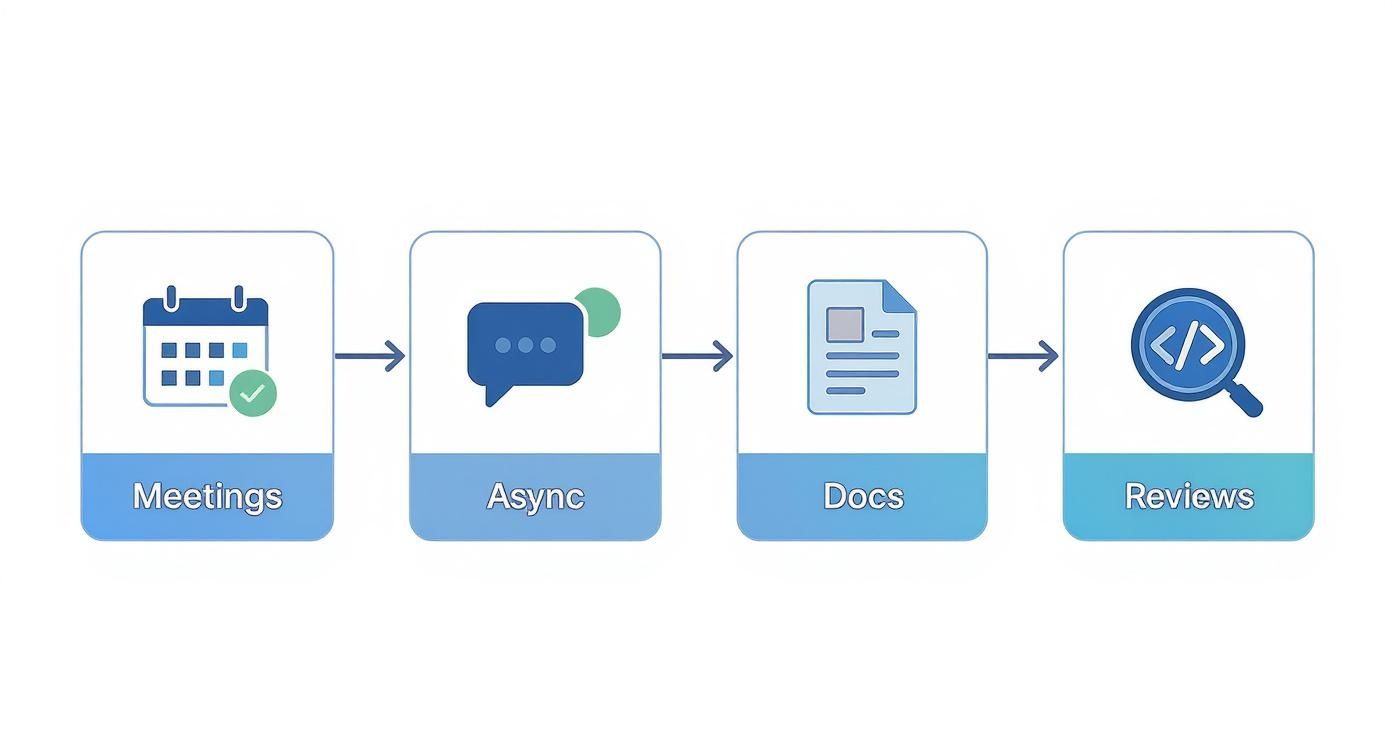
This process deliberately shifts the team away from relying on synchronous meetings and toward more scalable, documentation-driven workflows that protect a developer's deep focus time.
A headless CMS is a perfect example of this principle in action. Instead of fighting with a rigid, monolithic system, developers get a clean, API-first content backend. This separation of concerns lets the frontend team work independently with whatever tools and frameworks they prefer, which dramatically cuts down on complexity and speeds up development cycles. For teams considering this modern architecture, exploring open-source headless CMS options is a great place to find a flexible foundation for your next project.
To summarize the role of automation, here’s a look at some of the most impactful areas to focus on.
Essential Automation for Developer Workflows
| Automation Area | Primary Productivity Benefit | Example Tool Category |
|---|---|---|
| CI/CD Pipeline | Reduces manual deployment risk; provides fast feedback | CI/CD Platforms (e.g., Jenkins, GitLab CI) |
| Code Quality Checks | Enforces standards consistently; catches bugs early | Linters, Static Analyzers, Security Scanners |
| AI Coding Assistants | Accelerates boilerplate and test creation | AI Code Completion Tools (e.g., GitHub Copilot) |
| Dependency Management | Automates vulnerability scanning and updates | Package Managers, Dependency Scanners |
Ultimately, equipping your team with a toolchain that removes tedious work, provides rapid feedback, and offers powerful building blocks is one of the highest-leverage investments you can make. When you focus on creating a low-friction workflow, productivity isn't just a goal—it becomes the natural outcome.
Measuring Productivity Without Micromanaging
To improve developer productivity, you first have to answer a tough question: how do you measure what you want to improve? For decades, the industry chased all the wrong numbers. We obsessed over harmful vanity metrics like lines of code or the number of commits, which only incentivized busywork, not meaningful impact.
True measurement isn't about surveillance. It’s about creating a feedback loop to improve the entire system. The goal isn't to rank developers on a leaderboard but to use data as a diagnostic tool to find what's holding the team back. Metrics should illuminate bottlenecks, highlight friction, and spark conversations about what needs to change.
Moving Beyond Vanity Metrics
First things first: abandon any metric that can be easily gamed. A developer who writes 10 elegant lines of code to solve a complex problem is infinitely more productive than someone who churns out 1,000 lines of buggy, inefficient code. It’s about impact, not volume.
Instead of counting lines, modern engineering teams are adopting frameworks that offer a more balanced, holistic view. One of the most effective is the SPACE framework, which covers the full picture:
- Satisfaction and well-being: Are your developers happy and healthy? Burnout is the ultimate productivity killer.
- Performance: What are the actual outcomes of the work? This focuses on quality and impact.
- Activity: How are tasks getting done? This looks at the volume of design, coding, and review work without passing judgment.
- Communication and collaboration: How well does information flow within and between teams?
- Efficiency and flow: How smoothly can an idea travel from concept to deployment with minimal delays?
The SPACE framework forces you to see the system as a whole. It ensures a push for more "performance" doesn't come at the cost of your team's long-term health and sustainability.
Using DORA Metrics as a Diagnostic Tool
When it comes to measuring the efficiency of your development process, the DORA (DevOps Research and Assessment) metrics are the gold standard. These aren't about individual performance; they're about the health of your entire delivery pipeline.
Think of them as the vital signs for your engineering system:
- Deployment Frequency: How often do you successfully release to production? Elite teams deploy on demand, multiple times a day.
- Lead Time for Changes: How long does it take for a commit to get into production? Shorter lead times mean a more efficient process.
- Mean Time to Recovery (MTTR): When something breaks in production, how quickly can you restore service? This is a direct measure of your system's resilience.
- Change Failure Rate: What percentage of your deployments cause a failure in production? This speaks directly to quality and stability.
DORA metrics are powerful because they measure the entire system, not the individual. A slow lead time isn't one person's fault; it’s a signal that there's a bottleneck in the review, testing, or deployment process that needs attention.
The Critical Perception Gap
Metrics only tell one side of the story. They are fundamentally incomplete without direct feedback from the people doing the work. What the data shows and how productive developers feel can be two very different things.
This perception gap is especially relevant with the rise of AI tooling. AI assistants often feel like a massive accelerator, but the reality can be more complex. A notable 2025 study on experienced open-source developers found that using early AI tools actually increased the time needed to complete tasks by 19%. Despite this, the developers subjectively believed AI had sped them up by about 20%.
The study highlights how AI can introduce new complexities, like debugging or verifying generated code, even if the experience feels more efficient. You can read the full research on this AI perception gap to understand the nuances.
This is exactly why qualitative feedback is non-negotiable. Regular one-on-ones and anonymous surveys are essential for capturing the ground truth. Ask targeted, open-ended questions:
- "What was the most frustrating bottleneck you faced this week?"
- "On a scale of 1-10, how easy was it to get your work deployed?"
- "What's one process we could change to make your life easier?"
Combining hard data like DORA metrics with this rich, qualitative feedback gives you the complete picture. It allows you to make informed changes that not only improve your numbers but also genuinely make your developers' lives better—which is the only path to sustainable productivity.
Frequently Asked Questions About Developer Productivity
When you dig into engineering performance, the same questions tend to pop up. Leaders and developers are always looking for ways to get better, but figuring out where to start can be tricky. Here are some straight answers to the most common queries I hear.
How Do I Start Measuring Productivity on My Team?
My best advice? Start by looking at the system, not the individual. The last thing you want to do is create a culture of fear by tracking lines of code or story points per person.
A much better starting point is the set of DORA metrics: Deployment Frequency, Lead Time for Changes, Mean Time to Recovery (MTTR), and Change Failure Rate. These four give you a fantastic, high-level look at your delivery pipeline's health without pointing fingers.
You don’t have to track all four at once. Just pick one or two, like Lead Time and Deployment Frequency. Use that data to establish a baseline and find your biggest bottleneck. Is work sitting in code review for days on end? That’s your first signal for where to focus your improvement efforts.
Is It a Good Idea to Use a Headless CMS?
For most modern development teams, the answer is a resounding yes. A headless content management system (CMS) can be a massive productivity win. By separating the content backend from the frontend presentation layer, you give your developers the freedom to work with the tools and frameworks they already know and love. This move alone cuts down on a ton of complexity and friction.
Instead of wrestling with a clunky, monolithic system, your team can build faster and create better user experiences. If this sounds appealing, a good first step is to really understand what a CMS is and how the headless architecture changes the game. It’s a key piece of knowledge for making the right call for your projects.
Adopting a headless CMS often means faster iteration cycles and happier developers. They get to focus on what they do best—building great frontends—without being hamstrung by backend technology. That freedom is a direct line to higher productivity.
What Is the Single Biggest Drain on Developer Productivity?
Every team has its own unique challenges, but if I had to pick one productivity killer that I see everywhere, it's unplanned context switching.
Every time a developer gets pulled out of deep work for a "quick question," a last-minute meeting, or a Slack notification, it can take over 20 minutes for them to get back into that state of flow. These constant interruptions shatter their day into tiny, unproductive pieces, making it nearly impossible to solve complex problems. Protecting that focus time—by encouraging async communication and cutting down on random interruptions—is probably the single most impactful change you can make.
How Should We Handle Technical Debt?
Letting technical debt pile up is like taking out a high-interest loan. Sooner or later, the payments will crush you. The most effective teams I've worked with don't wait for a magical "refactoring sprint" that never quite makes it onto the roadmap. Instead, they make paying down debt a regular part of their daily workflow.
A great way to do this is by adopting the "boy scout rule": always leave the codebase a little cleaner than you found it. When a developer is in the code working on a new feature, they can also allocate a small chunk of time to refactor the code right next to it. This incremental approach keeps debt from snowballing into a monster and ensures your system remains healthy and easy to maintain for the long haul.